1
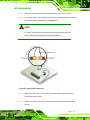
AFL2-W21A/AB-H61 P a n e l P C WARNING: The precautions outlined in this chapter should be strictly followed. Failure to follow these precautions may result in permanent damage to the AFL2-W21A/AB-H61. A.1 S a fe ty P re c a u tio n s Please follow the safety precautions outlined in the sections that follow: A.1.1 Ge n e ra l S a fe ty P re c a u tio n s Please ensure the following safety precautions are adhered to at all times. Follow the electrostatic precautions outlined below whenever the AFL2-W21A/AB-H61 is opened. Make sure the power is turned off and the power cord is disconnected whenever the AFL2-W21A/AB-H61 is being installed, moved or modified. Do not apply voltage levels that exceed the specified voltage range. Doing so may cause fire and/or an electrical shock. Electric shocks can occur if the AFL2-W21A/AB-H61 chassis is opened when the AFL2-W21A/AB-H61 is running. Do not drop or insert any objects into the ventilation openings of the AFL2-W21A/AB-H61. If considerable amounts of dust, water, or fluids enter the AFL2-W21A/AB-H61, turn off the power supply immediately, unplug the power cord, and contact the AFL2-W21A/AB-H61 vendor. DO NOT: o o o o P a g e 192 Drop the AFL2-W21A/AB-H61 against a hard surface. Strike or exert excessive force onto the LCD panel. Touch any of the LCD panels with a sharp object In a site where the ambient temperature exceeds the rated temperature