1
Managing Your Device 243
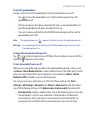
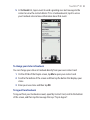
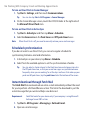
2. Choose the action for shutting down programs (by tapping the
by tapping and holding the button).
button, or
3. Tap OK.
To add a running program to the exclusive list
If you add a running program to the Exclusive Programs List, it will not be closed
when you tap Stop Selected or Stop All and will not be listed in the Quick Menu
on the Home Screen.
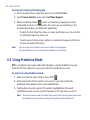
1. On the Task Manager screen, tap the Running tab.
2. Tap and hold the program name, and then tap Add Exclusive.
Tip
To remove a program from the exclusive list, tap and hold the program on the
Running tab, then tap Remove from Exclusive.
13.7 Protecting Your Device
Protecting your SIM card with a PIN
You can protect your SIM card by requiring a PIN (personal identification number)
every time the device is turned on. You will not be able to use the phone or the data
connection until you enter the correct PIN.
To enable the SIM card PIN
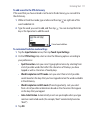
1. Tap Start > Settings, and then tap Communications.
2. On the Comm Manager screen, tap Phone > PIN Code.
3. Enter the PIN, tap OK, and then tap OK on the dialog box.
Tips
• To change the PIN, tap Change PIN on the Phone Settings screen.
• Emergency calls can be placed at any time, without requiring a PIN.