1
MGate 4101-MB-PBS
Configuration
ATTENTION
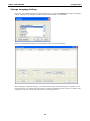
Set your MGate Manager to “Default Language” before contacting Moxa Technical Support.
With support for multiple languages, MGate Manager is more user-friendly and accessible. However, if you
need assistance from Moxa Technical Support, please change the language to “Default Language”. This will
prevent any misunderstandings or confusion about MGate Manager menu items and commands as our
engineers assist you.
The default language is English and will only be active for the current MGate Manager session. When you open
MGate Manager again, the language will revert to your original setting.
Connecting to the Unit
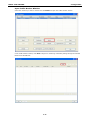
Prior to configuration, MGate Manager must be connected to its unit. There are three methods to establish
connection. Broadcast Search locates the MGate series on the LAN and each MGate 4101-MB-PBS connected to
a PC COM port. Search by IP attempts to connect to a specific unit by IP address, which is useful if the unit is
located outside the LAN or can only be accessed by going through a router. Connect through COM port tries to
connect to a separate unit via a RS-232 serial COM port.
Broadcast Search
Broadcast Search is used for MGate Ethernet Gateways, such as the MGate MB3000 and MGate EIP3000
series, which are discovered via Ethernet by using broadcast IP. In addition, whenever you add an MGate
4101-MB-PBS via serial console, the MGate Manager will automatically record the COM port(s) for the
broadcast to search as well. Note that restarting the MGate Manager will erase the COM port(s) record.
Specify by IP Address
Specify by IP Address is used for MGate Ethernet Gateways, such as the MGate MB3000 and MGate EIP3000
series, which are discovered via Ethernet by using a specific IP address. Click Specify by IP Address if you
know the IP address of the unit and wish to connect to it directly.
ATTENTION
If Search by IP Address fails to locate the MGate MB3000 or MGate EIP3000 series, the IP address that you
entered might be incorrect. Try doing the search again and re-entering the IP address carefully.
Another possibility is that the MGate MB3000 or MGate EIP3000 series is located on the same LAN as your PC,
but on a different subnet. In this case, you can modify your PC’s IP address and or netmask so that it is on the
same subnet as the MGate MB3000 or MGate EIP3000 series. After your PC and the MGate MB3000 or MGate
EIP3000 series are on the same subnet, MGate Manager should be able to find the unit.
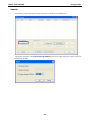
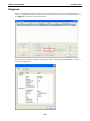
Connect through COM Port
Connect through COM Port is used for MGate PROFIBUS Gateways, such as the MGate 4101-MB-PBS series,
which are discovered via RS-232 serial COM Port. Click Connect through COM Port if you know the COM port
number of the unit.
4-7