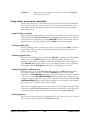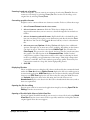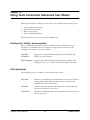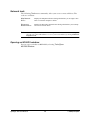
1
® ZipMagic 98 User Guide Notice to Users This manual should not be construed as any representation or warranty with respect to the software named herein. Occasionally changes or variations exist in the software that are not reflected in the manual. Generally, if such changes or variations are known to exist and affect the product significantly, a release note or README file will accompany the manual and/or the distribution disc. In that event, please read the release note or README file before using the product. See the License Agreement and Limited Warranty for complete license and warranty information. Trademarks Dynamic File System Enhancement, DFSE, Mijenix, and ZipMagic are either registered trademarks or trademarks of Mijenix Corporation. Microsoft, MS-DOS, Outlook, Windows, and Windows NT are either registered trademarks or trademarks of Microsoft Corporation in the United States and/or other countries. Netscape Navigator is a registered trademark of Netscape Communications Corporation in the United States and other countries. Netscape Communicator is also a trademark of Netscape Communications Corporation that may be registered in other countries. Eudora is a registered trademark of the University of Illinois Board of Trustees, licensed to QUALCOMM Incorporated. Eudora Pro and Eudora Light are trademarks of QUALCOMM Incorporated. Outside In is a registered trademark of Inso Corporation. Other trademarks are the property of their respective holders. Copyright © 1998 Mijenix Corporation. All rights reserved. The Dynamic File System Enhancement (DFSE) technology used in ZipMagic is Patent Pending. Outside In Viewer Technology © 1992-1998 Inso Corporation. All rights reserved. Produced in the U.S.A. April, 1998. ZipMagic 98User Manual ii © 1998 Mijenix Corporation Table of Contents Part 1 Getting Started Chapter 1 Introduction . . . . . . . . . . . . . . . . . . . . . . . 2 Chapter 2 Installing, Updating, and Uninstalling ZipMagic 98 . . . 6 Chapter 3 ZipMagic 98 Basics . . . . . . . . . . . . . . . . . . . . 8 Part 2 Using ZipMagic in Windows Chapter 4 Using the Properties Dialog Box . . . . . . . . . . . . 12 Chapter 5 Working in the Windows Environment. . . . . . . . . 19 ZipMagic overview Assumptions . . . Conventions. . . . Customer support. . . . . . . . . . . . . . . . . . . . . . . . . . . . . . . . . . . . . . . . . System requirements . . . . . . . . . Installing ZipMagic . . . . . . . . . . Updating ZipMagic with Easy Update. Uninstalling ZipMagic . . . . . . . . . The heart of ZipMagic. . . . . . ZipMagic components . . . . . Enabling and disabling ZipMagic Getting help . . . . . . . . . . . . . . . . . . . . . . . . . . . . . . . . . . . . . . . . . . . . . . . . . . . . . . . . . . . . . . . . . . . . . . Opening the ZipMagic Properties dialog box . Organization of ZipMagic Properties settings . Changing General Settings . . . . . . . . . . Changing ZipMagics performance . . . . . . Setting hot keys. . . . . . . . . . . . . . . . Changing active drives . . . . . . . . . . . . Scheduling ZipMagic to be disabled . . . . . Excluding programs . . . . . . . . . . . . . . Setting context menus . . . . . . . . . . . . Associating archives with ZipMagic . . . . . . Adding or removing ZipTools shortcuts . . . . Plug-ins and ZipTools settings . . . . . . . . . . . . . . . . . . . . . . . . . . . . . . . . . . . . . . . . . . . . . . . . . . . . . . . . . . . . . . . . . . . . . . . . . . . . . . . . Zip operations without Zip commands . . . . . . . Zipping or unzipping a folder with Rename . . . . Listing a Zip archives contents . . . . . . . . . . . Renaming a Zip archive or its contents . . . . . . . Making a new, empty Zip archive . . . . . . . . . . Adding files to or removing files from a Zip archive ZipMagic 98User Manual iii . . . . . . . . . . . . . . . . . . . . . . . . . . . . . . . . . . . . . . . . . . . . . . . . . . . . . . . . . . . . . . . . . . . . . . . . . . . . . . . . . . . . . . . . . . . . . . . . . . . . . . . . . . . . . . . . . . . . . . . . . . . . . . . . . . . . . . . . . . . . . . . . . . . . . . . . . . . . . . . . . . . . . . . . . . . . . . . . . . . . . . . . . . . . .2 .4 .4 .4 .6 .6 .7 .7 . .8 . .8 . 10 . 10 . 12 . 12 . 13 . 14 . 14 . 15 . 15 . 16 . 17 . 17 . 17 . 18 . 19 . 19 . 19 . 19 . 19 . 20 © 1998 Mijenix Corporation Chapter 6 Zipping Data . . . . . . . . . . . . . . . . . . . . . . 21 Chapter 7 Making a Self-Extracting Zip Archive . . . . . . . . . . 26 Chapter 8 Extracting Compressed Data . . . . . . . . . . . . . . 29 Chapter 9 Other Zip Operations . . . . . . . . . . . . . . . . . . 32 Chapter 10 Sending and Encoding, and Receiving and Decoding E-mail Attachments . . . . . . . . . . . 35 Zipping folders with the Rename command . . . Zipping files and folders with the Zip command . Zipping files and folders with ZipWizard . . . . . Adding files to Zip folders . . . . . . . . . . . . Using the Convert Folder to Zip archive command Converting non-Zip archives to Zip archives . . . . . . . . . . . . . . . . . . . . . . . . . . . . . . . . . . . . . . . . . . . . . . 21 . 21 . 22 . 23 . 24 . 24 Making a new self-extracting archive . . . . . . . . . . . . . . . 26 Converting a Zip archive into a self-extracting archive . . . . . . 27 Converting Zip folders to normal folders . . . . . . . . . . . . . 29 Extracting any supported archive . . . . . . . . . . . . . . . . . 29 Extracting any supported archive using ZipWizard . . . . . . . . 30 Testing a Zip archives integrity . . Editing Zip archives comments . . Repairing a damaged Zip archive . Displaying Zip archives properties Open with ZipTools . . . . . . . . . . . . . . . . . . . . . . . . . . . . . . . . . . . . . . . . . . . . . . . . . . . . . . . . . . . . . . . . . . . . . . . . . . . . . . . . . . . . . . . . 32 32 33 33 34 UUencoding and sending an e-mail attachment . . . . . . . . . 35 Receiving and decoding an e-mail attachment . . . . . . . . . . 36 Sending zipped attachments . . . . . . . . . . . . . . . . . . . 36 Chapter 11 Command Line Utility (Windows 95/NT) . . . . . . . . 38 Part 3 Plug-ins (Windows 95/NT) Chapter 12 ZipMail Plug-in . . . . . . . . . . . . . . . . . . . . . 41 Chapter 13 ZipSurfer Plug-in . . . . . . . . . . . . . . . . . . . . 43 MS-DOS batch files . . . . . . . . . . . . . . . . . . . . . . . . 39 Overview . . . . . . . . . . . . . . . . . . . . . . . . . . . . . 41 Activating and deactivating ZipMail . . . . . . . . . . . . . . . 41 Using ZipMail and sending e-mail. . . . . . . . . . . . . . . . . 41 Overview . . . . . . . . . . . . . . . . . . . . . . . . . . . . . 43 Activating and deactivating ZipSurfer. . . . . . . . . . . . . . . 43 Operating ZipSurfer . . . . . . . . . . . . . . . . . . . . . . . . 43 ZipMagic 98User Manual iv © 1998 Mijenix Corporation Part 4 ZipTools (Windows 95/NT) Chapter 14 ZipTools Basics . . . . . . . . . . . . . . . . . . . . . 46 Chapter 15 Navigating the Folder and File Panes. . . . . . . . . . 53 Chapter 16 Performing File Operations . . . . . . . . . . . . . . . 59 Chapter 17 Compression and Encoding Operations . . . . . . . . 65 Chapter 18 Operating the Viewer Pane . . . . . . . . . . . . . . . 67 Chapter 19 Using Tools Commands (Advanced User Mode) . . . . 71 Overview . . . . . . . . . . . . . . . . Opening ZipTools . . . . . . . . . . . . Normal mode and Advanced User Mode ZipTools components . . . . . . . . . . ZipTools preferences . . . . . . . . . . Using multiple ZipTools windows . . . . Accessing Help and related information Closing ZipTools. . . . . . . . . . . . . Changing display fonts . . Operating the folder pane Operating the file pane . . Displaying the panes . . . Refreshing the display. . . Using the Favorites menu . . . . . . . . . . . . . . . . . . . . . . . . . . . . . . . Selecting files and folders . . . . . . Copying and moving files or folders Making a new folder . . . . . . . . Deleting files or folders . . . . . . . Renaming files or folders . . . . . . Displaying items properties . . . . Printing files and lists . . . . . . . . Opening files and starting programs E-mailing a file . . . . . . . . . . . Associating file types . . . . . . . . Setting a files date and time . . . . . . . . . . . . . . . . . . . . . . . . . . . . . . . . . . . . . . . . . . . . . . . . . . . . . . . . . . . . . . . . . . . . . . . . . . . . . . . . . . . . . . . . . . . . . . . . . . . . . . . . . . . . . . . . . . . . . . . . . . . . . . . . . . . . . . . . . . . . . . . . . . . . . . . . . . . . . . . . . . . . . . . . . . . . . . . . . . . . . . . . . . . . . . . . . . . . . . . . . . . . . . . . . . . . . . . . . . . . . . . . . . . . . . . . . . . . . . . . . . . . . . . . . . . . . . . . . . . . . . . . . . . . . . . . . . . . . . . . . . . . . . . . . . . . . . . . . . . . . . . . . . . . . . . . . . . . . . . . . . . . . . . . . . . . . . . . . . . . . . . . . . . . . . . . 46 46 46 47 50 51 52 52 53 53 55 57 57 57 . 59 . 60 . 61 . 61 . 62 . 62 . 62 . 63 . 63 . 64 . 64 Setting archive-related preferences . . . . . . . . . . . . . . . . 66 Opening new or existing Zip archives . . . . . . . . . . . . . . . 66 Viewing archives . . . . . . . . . . . . . . . . . . . . . . . . . 66 Understanding file viewers . . . . . . . . . . . . . . . . . . . . 67 Setting viewer pane preferences . . . . . . . . . . . . . . . . . 67 Using viewer pane menu commands . . . . . . . . . . . . . . . 68 Finding files, folders, and computers Disk Operations . . . . . . . . . . . Network tools . . . . . . . . . . . . Opening an MS-DOS window . . . . ZipMagic 98User Manual v . . . . . . . . . . . . . . . . . . . . . . . . . . . . . . . . . . . . . . . . . . . . . . . . . . . . . . . . . . . . 71 71 72 72 © 1998 Mijenix Corporation Part 5 Appendixes Appendix A Glossary . . . . . . . . . . . . . . . . . . . . . . . . . 74 Appendix B Frequently Asked Questions . . . . . . . . . . . . . . 76 Appendix C License Agreement . . . . . . . . . . . . . . . . . . . 81 Index . . . . . . . . . . . . . . . . . . . . . . . . . . 82 ZipMagic 98User Manual vi © 1998 Mijenix Corporation Part 1 Getting Started Chapter 1 Introduction ZipMagic overview ZipMagic provides a revolutionary and easy way to use Zip archives without zipping or unzipping them. This patent pending program is the only Zip compression product that actually enhances the Windows operating system. While running ZipMagic, Windows • • Presents Zip archives as folders containing uncompressed files Performs on-the-fly compression and decompression at the operating system level whenever compressed data are accessed This means that each Zip file appears—to both you and to all other programs—as a normal folder of uncompressed files. Whenever compressed data are loaded, Windows itself automatically decompresses the file for normal use. Likewise, when you save a file to a Zip folder, Windows automatically compresses the file before adding it or returning it to the Zip folder. The result is that you can add, remove, or change zipped data as easily as any uncompressed data. Transparency Because it works at the level of the operating system, ZipMagic operates completely transparently. Using only Windows (or an MS-DOS window) you can • • • • • Retrieve, modify, and save zipped files Perform any file operation on zipped files Run any zipped program, game, or installation program Browse your zipped files with Explorer, and the Browse, Open, and Save dialogs Add files to or remove files from Zip folders The operation of zipped files is completely transparent, yet each Zip archive retains its .zip extension so that you can identify it as a Zip archive. In Windows 95 and NT, Zip folders have a special Zip icon. Full Zip support ZipMagic has a full range of Zip commands to handle all of your Zip needs. There are commands to compress, extract, repair, convert, test, and edit the comments of Zip archives. ZipMagic can also make and view self-extracting archives, as well as convert Zip archives into them. Other Supported archive formats In addition to the Zip format, ZipMagic can decompress (or convert to a Zip archive) the following archive types and e-mail attachments:| ZipMagic 98User Manual 2 © 1998 Mijenix Corporation Archive Types • • • • • • • • • • • • • ARC ARK ARJ CAB DWC GZ LHA/LZH PAK RAR TAR TAZ Z ZOO E-Mail Attachments • UUEncode • XXEncode • MIME/ Base 64 • BinHex Understanding data compression In essence, the process of compression involves generating a very concise shorthand that is based on a file’s data, and then using the shorthand to copy the file. The new file copy is saved into an archive which is a special file that contains one or more compressed files. In the following illustration, twister1.txt is compressed by replacing the four character-long “wood” with the one character-long “-”, and by replacing the five character-long “chuck” with the one-character long “+”. The same type of process is used in twister2.txt, replacing “sells” with “*”, and so on. In this example, the two files are reduced in size by a third. Figure 1 Individual files compressed into an archive ZipMagic 98User Manual 3 © 1998 Mijenix Corporation Assumptions This guide assumes that you are familiar with basic Windows operations and conventions, although it does include a glossary (page 74) of terms that are used in this guide. For more information on Windows operations and conventions, please consult your Windows documentation or online help. Conventions The following symbols and types of formatting are used in this guide to identify kinds of information: 95 Identifies instructions specific to Windows 95 users and Windows NT users. 3.x Identifies instructions specific to Windows 3.1 users and Windows for Workgroups users. NT Identifies instructions specific to Windows NT users. Note that all Windows 95 instructions apply also to Windows NT users. ▲ In later chapters, this symbol identifies commands and features that are unique to ZipTools’ Advanced User Mode. This font Identifies on-screen items such as buttons. This font Identifies text that you type. Menu|Com Represents commands selected through either pull-down or contextsensitive menus where Menu represents a menu or submenu, and Com identifies the command. For instance, “File|Print” means “click the File menu, then select Print.” Some commands are selected through one or more submenus. Customer support Please contact us if you have any questions or problems not answered in this guide or in the online help, or if you have suggestions or special requests regarding ZipMagic. Use any of the following means to contact us: Telephone: (303) 245-8000 Fax: (303) 245-8111 E-mail: [email protected] WWW: http://www.mijenix.com/ Mail: Mijenix Corporation 3030 Sterling Circle Boulder, CO 80301-2338 U.S.A. ZipMagic 98User Manual 4 © 1998 Mijenix Corporation Note that our business hours are weekdays 8 a.m. to 5 p.m., United States mountain time (GMT -07:00). When reporting a difficulty, please include any information that might help us diagnose the problem. The following details are often the most helpful: • • • • • The software and version you are using The version of Windows that you are running The circumstances and sequence of steps that led to the problem The text of the error messages (if any appeared), and the contents of the Details message box A list of other Windows programs you are running such as virus checking software ZipMagic 98User Manual 5 © 1998 Mijenix Corporation Chapter 2 Installing, Updating, and Uninstalling ZipMagic 98 System requirements The following table details the minimum system requirements to operate ZipMagic for each Windows version: Windows 3.x Windows 95 Windows NT 4.0 Required RAM 2 MB 8 MB 16 MB Recommended RAM 8 MB 16 MB 32 MB Free disk space 2 MB 6.5 MB 6.5 MB Installing ZipMagic Follow these steps to install ZipMagic 98. 1. Insert the ZipMagic 98 compact disc into your CD-ROM drive. If your computer is set to, it will automatically run the installation program. If not, you must open the Run dialog, type d:\ setup.exe, and then press Enter or click OK. Note: To install ZipMagic 98 in Windows NT (but not to run it), you must have Administrator privileges. 2. Follow the on-screen instructions. We recommend installing ZipMagic 98 to the default path, \Program Files\ZipMagic. You may install it elsewhere, but you should install it to the drive on which Windows is installed (which is usually C:), although not in the Windows folder itself. Note: ZipMagic will not run if installed on a network server. Users who run both Window 95 and Windows NT can conserve disk space by installing both versions of ZipMagic 98 to the same folder. At this point ZipMagic files will be copied to your hard drive. 3. Read the ReadMe file. At the conclusion of the installation, the ReadMe.doc file will appear. This file contains the latest information on any updates or modifications that were made to ZipMagic 98 since this guide was printed. ZipMagic 98User Manual 6 © 1998 Mijenix Corporation During the installation process, ZipMagic files will be copied to the destination directory, and a ZipMagic group will appear, displaying the icons of various ZipMagic files. ZipMagic will then start at the end of the installation procedure. 95 Updating ZipMagic with Easy Update Windows 95/NT users who have Internet access can effortlessly update ZipMagic with Easy Update. Easy Update is a wizard that automatically connects to the Mijenix Internet site, checks for a more current version of ZipMagic than your own, and then helps you install the more current version if one exists. 1. Start ZipMagic Easy Update. Right-click the quick access icon, then click Easy Update. You can also select Start|Programs| ZipMagic 98|ZipMagic Easy Update. 2. Follow the Easy Update wizard instructions. Uninstalling ZipMagic Follow these steps to quickly remove ZipMagic from your hard drive: 1. Start ZipMagic Uninstall. In Program Manager, launch ZipMagic Uninstall from the ZipMagic 98 group. 3.x 95 Select Start|Programs|ZipMagic 98|ZipMagic Uninstall. 2. Confirm your decision by clicking Yes, remove ZipMagic. Note: Because zipped files are more cumbersome to use with other Zip tools, you may wish to first decompress your zipped files. ZipMagic 98User Manual 7 © 1998 Mijenix Corporation Chapter 3 ZipMagic 98 Basics The heart of ZipMagic The heart of ZipMagic is a device driver that loads as part of the Windows operating system. It has no direct user interface of its own, but its behavior can be modified through any of several auxiliary ZipMagic programs. ZipMagic components There are seven ZipMagic components: the ZipMagic menu, ZipMagic Properties, the quick access icon, ZipMail, ZipSurfer, and in Window 95/NT, ZipTools and the title bar menu. ZipMagic menu The majority of Zip activity is performed through the ZipMagic menu and its submenus. The menu comprises most of ZipMagic’s compression and encoding commands. In Windows 3.x, the ZipMagic menu is conveniently added to File Manager where files are normally managed. In Windows 95/NT, the ZipMagic menu is added to the context menus. You can also access the Zip commands in ZipTools through the Archive menu. For more information on ZipMagic menu commands, see Part 2, Using ZipMagic in Windows on page 45. ZipMagic Properties From the ZipMagic Properties dialog box, you can change ZipMagic’s settings, performance, hot keys, active drives, schedule, exclusion list, context menus, file associations, and plug-ins. For detailed information on the Properties dialog box, see Chapter 4, Using the Properties Dialog Box on page 12. 95 ZipMail plug-in not for 3.1 ZipMail is a plug-in for Eudora Pro, Eudora Light, Microsoft Exchange, Outlook 97, and Outlook 98. ZipMail allows you to automatically zip files that you select as e-mail attachments. For information on ZipMail, see Chapter 12, ZipMail Plug-in on page 41. 95 ZipSurfer plug-in ZipSurfer is a plug-in for Netscape Navigator and Microsoft Internet Explorer. It allows you to install, extract, view, copy, and delete zipped files immediately upon download, without leaving your Web browser. ZipMagic 98User Manual 8 © 1998 Mijenix Corporation For information on ZipSurfer, see Chapter 13, ZipSurfer Plug-in on page 43. Title bar menu The ZipMagic title button activates a menu from which you can enable and disable ZipMagic, and open ZipMagic Properties. Figure 2 ZipMagic title bar button Clicking the ZipMagic title bar button displays a menu of the following items: Disable/Enable ZipMagic Determines whether all programs see Zip archives as files (as it does when disabled) or folders (as it does when ZipMagic is enabled). Show Zip Files as Folders Here When checked, the current program sees Zip archives only as Zip files and not as Zip folders. ZipMagic Properties Selecting this option opens ZipMagic Properties. For detailed information, see Chapter 4, Using the Properties Dialog Box on page 12. Quick access icon ZipMagic can (during installation or later from ZipMagic Properties) display a quick access icon on the Windows 3.x desktop or in the Window 95/NT system tray. Clicking (Windows 3.x) or right-clicking (Windows 95/NT) the icon will display a shortcut menu of commands to open ZipMagic Properties, display help, and more. Figure 3 Windows 95/NT taskbar with ZipMagic icon You can access the quick access menu by right-clicking (Windows 3.x users click) the quick access icon. From the quick access menu you can • • • • Enable or Disable ZipMagic Open ZipMagic Properties Open ZipMagic Help Display the About dialog box which comprises ZipMagic version, trademark, and copyright information ZipMagic 98User Manual 9 © 1998 Mijenix Corporation 95 Windows 95/NT users can also • • • • Open Easy Update (to check for ZipMagic updates) Open ZipTools Open the ZipWizard Open, with ZipTools, the most recently made or downloaded Zip archives which are displayed at the top of the menu. This is convenient for accessing recently downloaded files from the Internet. Double-clicking on the icon will launch ZipMagic Properties. • The ZipMagic quick access icon also indicates whether ZipMagic is enabled or is disabled. The icons appear as follows. indicates that ZipMagic is enabled. indicates that ZipMagic is disabled. 95 ZipTools ZipTools is an Explorer-type file management utility for Windows 95/NT that is especially suited to working with archives. For more information on ZipTools, see Part 4, ZipTools (Windows 95/NT) on page 45. ZipWizard ZipWizard can guide you through any of the following procedures: making a Zip archive, extracting files from any supported archive, making a self-extracting archive, and converting a Zip archive to a self-extracting archive. Enabling and disabling ZipMagic There may be times when you wish to disable ZipMagic. When disabled, ZipMagic displays Zip archives as files while keeping ZipMagic components (such as context menus) active. You can enable or disable ZipMagic in one of the following ways: • • • Open the quick access icon and select Enable or Disable Open ZipMagic Properties, then select Enable or Disable Click the ZipMagic title bar menu and then select Enable ZipMagic or Disable ZipMagic. Getting help Help is available from the ZipMagic quick access icon. Open the menu, and then click Help. ZipMagic 98User Manual 10 © 1998 Mijenix Corporation Part 2 Using ZipMagic in Windows Chapter 4 Using the Properties Dialog Box From the ZipMagic Properties dialog box, you can customize ZipMagic’s settings, performance, hot keys, active drives, schedule, exclusion list, context menus, and file associations. Opening the ZipMagic Properties dialog box 3.x Windows 3.x users can access ZipMagic Properties from the ZipMagic 1.0 group in File Manager, or from the quick access icon. 95 Windows 95 users can open ZipMagic Properties by • • • Double-clicking the quick access icon Selecting Properties from the quick access icon menu Selecting Start|Programs|ZipMagic 98|ZipMagic Properties. Organization of ZipMagic Properties settings The following table indicates how ZipMagic Properties settings are organized. Chapter Tab(s) ZipMagic • • • • • Settings Performance hot keys Drives Schedule Applications • Applications 95 Explorer • • Context Menus File Associations Plug-ins • • ZipMail ZipSurfer In Windows 95/NT, properties are divided into chapters, each of which can be opened by clicking its respective icon on the left side of the Properties dialog box. Each chapter contains one or more tabbed pages of related settings. Properties are not divided into chapters in Windows 3.x, nor are there Context Menu or File Association tabs in Windows 3.x. ZipMagic 98User Manual 12 © 1998 Mijenix Corporation Changing General Settings The properties in the Settings tab of the ZipMagic chapter determine whether ZipMagic is loaded, whether it is enabled, and whether other ZipMagic components such as the quick access icon are enabled. The options are as follows: Load ZipMagic at startup Select this option to have ZipMagic automatically start when Windows starts. Start disabled When this option is selected, ZipMagic loads, but presents Zip archives only as files, and not as folders. Show icon on the Taskbar/ Show ZipMagic Icon Select this option if you wish the ZipMagic icon to appear in the Windows 95/NT system tray or on the Windows 3.x desktop. Clicking (Windows 95/NT users right-click) the ZipMagic icon displays a context menu with which you can quickly select ZipMagic options. Associate other archives with ZipMagic Select this option for ZipTools to open these other archives formats. 3.x 95 The following options are also available in Windows 95/NT: Show Zip button in title Select this option if you wish to enhance Explorer windows and file open/save dialog boxes by adding a zip menu button to their title bar. ZipMagic settings can be easily accessed from this button. Display compression/ uncompression animation Select this option if you wish ZipMagic to display a small animation in the upper left corner of your screen when it is busy compressing or decompressing large files. Treat Read-Only Select this option if you wish to have ZipMagic apply the ReadZip files as Only attribute and protection to the Zip folder when the corresponding Zip file has the Read-Only file attribute. Read-Only Zip folders Show Zip folders with NT compressed attribute NT ZipMagic 98User Manual This option gives Zip folders the NT Compress attribute. 13 © 1998 Mijenix Corporation ZipMagic can be enabled or disabled by selecting one of the following options: Enable Selecting this option will cause ZipMagic to display Zip archives as Zip folders. Disable Selecting this option will cause ZipMagic to display Zip archives as Zip files. Load/Unload ZipMagic now This option either completely loads or unloads ZipMagic and removes it from memory. Changing ZipMagics performance The settings on Performance tab of the ZipMagic chapter determine how files will be compressed and how much memory ZipMagic can use to cache certain operations in an effort to speed up compression operations. Compression The more time your computer has to compress data, the more effectively it compresses data. This means that compression effectiveness and speed come at the expense each other. ZipMagic, however, lets you decide their relative importance to you. Using the drop-down combo box in Windows 3.x, or the slider in Windows 95, select a compression option based on your preference, remembering that faster compression yields larger files and that slower compression yields smaller files. Select No Compression to move or copy files to a Zip archive without compressing them. Cache Size Select Small (in Windows 95/NT), use the slider) to use a minimum of memory to cache ZipMagic operations. Select Large to optimize performance. The default value is Large. Don't compress files smaller than (bytes) Files that are smaller than the specified size will be stored in Zip archives without compression. Setting such a threshold improves performance because small files compress poorly, and it can take longer to decompress a small, poorly compressed file that it does to access the same when it is uncompressed. Setting hot keys Hot keys are key combinations that, when pressed, activate certain ZipMagic features or change settings. You can set ZipMagic hot keys under the Hot Keys tab of the ZipMagic chapter. ZipMagic 98User Manual 14 © 1998 Mijenix Corporation 3.x To set a hot key for a particular ZipMagic feature, choose the feature from the Current Hot Keys For list, and then select the system key(s) and the normal key that you wish to use. Finally, click Set. To set a hot key, click on the appropriate hot key box and then press the key(s) that you wish to use as a hot key. The key(s) will then appear in the box. 95 The following hot keys options are available: Enable/Disable ZipMagic This option allows you to quickly enable or disable ZipMagic without opening ZipMagic Properties. ZipMagic Properties This option offers a fast way to launch and display ZipMagic Properties. Flush cached information This option allows you to flush all of ZipMagic’s cached information, includes any passwords that you entered to access encrypted files. Windows 95/NT users also have the following option: Display hot key notification message 95 When this option is selected, using a hot key prompts ZipMagic to remind you of ZipMagic’s state. Changing active drives Under the Drives tab you can select the drives for which ZipMagic should display Zip archives as Zip folders. Scheduling ZipMagic to be disabled You can schedule a period of the day for ZipMagic to be disabled. This feature is useful for running activities such as backups that run smoother when Zip archives appear as files. To access these options, select the ZipMagic chapter, and click the Schedule tab. The options are as follows: From Set the time at which ZipMagic will disable itself. Specify an hour of 0 through 23, and a minute value of 0 through 59. Until Set the time at which ZipMagic will enable itself. Specify an hour of 0 through 23, and minute value of 0 through 59. Ignore the scheduled disable period Set this option to let ZipMagic run continuously regardless of the scheduled disable time. ZipMagic 98User Manual 15 © 1998 Mijenix Corporation Excluding programs You can select Windows programs to see Zip archives only as files. There are several types of programs that you might wish to exclude: • • • • Backup utilities. Backups will be smaller and take less time to complete if they back up Zip files themselves instead of individually backing up the files contained in the archive. E-mail programs. When not using ZipMail, ZipMagic must be disabled to send a zipped e-mail attachment. Disk utilities. Programs such as ScanDisk and disk defragmenters gain no benefit from seeing Zip files as Zip Folders. File indexing programs. These utilities will run more efficiently if they do not index the contents of Zip files (although you may wish to index zipped files). To access the following options, select the Applications chapter: All applications see Zip files as folders Select this option to have ZipMagic present Zip archives as Zip folders to all programs. These applications see Zip files as files (not as folders) When selected, the programs in the list see Zip archives as individual Zip files, and not as Zip folders. To remove a file from the list, select the file, then click Remove. To add a file to the list, see the following section. MS-DOS prompt [and 16-bit programs in NT] sees Zip archives as files (not as folders) In Windows 95, this option causes DOS shells and DOS programs to see Zip archives as files. In Windows NT, MS-DOS shells and programs, and 16-bit programs see Zip archives as files. Adding programs to the exclusion list To add a program to the exclusion list, follow these steps: 1. Click Add. 2. Locate and select the program to add to the exclusion list. The folder tree comprises all the items in your Start menu. To add an item that is not in the Start menu, click Browse, then locate and select the item. Click Open. 3. Click Add. 4. When you have finished adding items to the exclusion list, click Done. ZipMagic 98User Manual 16 © 1998 Mijenix Corporation 95 Setting context menus From the Context Menus tab of the Explorer chapter you can select which ZipMagic commands appear in context menus. The options are as follows: 95 Menus Check the menus that you wish to display in context menus. Deselect the commands that you wish to remove from the context menus. Show menus in a cascaded popup menu When this option is selected, ZipMagic context menus commands appear in a cascaded ZipMagic menu—a ZipMagic submenu. When this option is not selected, the ZipMagic commands appear in the main context menu. Associating archives with ZipMagic You can specify what happens when archive files are opened. To access these options, select the Explorer chapter, and then the File Associations tab. The options are as follows: Associate Zip archives with ZipMagic Select this option if you would like ZipMagic to open Zip files. If this is selected, the following options become available: Open Zip with Explorer causes Explorer to open the Zip folder corresponding to the Zip file that was opened. Open Zip with ZipTools specifies that ZipTools should open the Zip file. See Part 4, ZipTools (Windows 95/NT) for information about ZipTools. Associate nonZip archives with ZipMagic Select this option if you would like ZipTools to open the listed archives. Adding or removing ZipTools shortcuts You can add a ZipTools shortcut to (or remove one from) the Start menu, the desktop, or both. To do so, select the Explorer chapter, click the File Associations tab, and then in the Include ZipTools Shortcut section, select the location(s) to which to add a ZipTools shortcut. ZipMagic 98User Manual 17 © 1998 Mijenix Corporation Plug-ins and ZipTools settings The preferences for ZipTools are discussed in ZipTools preferences on page 50. Of the Plug-ins settings, the ZipMail settings are discussed in Activating and deactivating ZipMail on page 41 and the ZipSurfer settings are described in Activating and deactivating ZipSurfer on page 43. ZipMagic 98User Manual 18 © 1998 Mijenix Corporation Chapter 5 Working in the Windows Environment Zip operations without Zip commands Because ZipMagic presents Zip archives as folders (when enabled), you can manage Zip archives using the same Windows commands and methods that you use to manage normal folders and their contents. With common Windows commands you can • • • • • Zip a folder or unzip a Zip folder List the contents of a Zip archive Rename a Zip archive, or any of its contents Making a new, empty Zip archive Add a file to or remove a file from a Zip archive Zipping or unzipping a folder with Rename The simplest way to zip a folder is to rename it—using the Rename command or any other means—so that it has a .zip extension. When you do this, ZipMagic assumes that you intend to zip the folder, and thus zips it. Note: This method works with folders, not with files. Listing a Zip archives contents Because Zip folders open like normal folders, you can open it and review its contents like any other folder: by opening (double-clicking) the Zip folder. Renaming a Zip archive or its contents You can rename a Zip archive using the same methods that you use to rename any folder, including using the Rename command. Likewise, if you open the archive, you can rename any of the archive’s contents just as you would any other files. Making a new, empty Zip archive There are three ways to make a new archive. Converting an existing folder ZipMagic zips folders (and not files!) when you add a .zip to its name which means that if you add a .zip to a empty folder’s name—as with the Windows command ZipMagic 98User Manual 19 © 1998 Mijenix Corporation Renamethen ZipMagic will convert that folder to a new Zip archive. The Rename command can be found under the File menu in both File Manager and Explorer. Converting a new folder Converting a folder by changing its name also works on new folders. That is, when you make a new folder, if you name it anything with a .zip extension then the new folder will become a new Zip archive. Window 3.x users can, in File Manager, select File|Create Directory, or select Create Directory from the context menu. Windows 95 users can, in Explorer, select File|New|Folder, or select New|Folder from the context menu. Using the New command In Windows 95/NT, you can make a new, empty Zip folder in Explorer by selecting File|New|ZipMagic Zip archive. You can also select New|ZipMagic ZIP from the context menu. In ZipTools, you also have the option of selecting a different destination directory. In Windows 3.x, you can make a new, empty Zip folder in File Manager by selecting ZipMagic|New Zipped Director. Adding files to or removing files from a Zip archive You can copy or move files into or out of a Zip archive by using Copy and Paste or Cut and Paste respectively. You can also use other methods of copying or moving, such as drag and dropping. ZipMagic 98User Manual 20 © 1998 Mijenix Corporation Chapter 6 Zipping Data There are four aspects to zipping data: • • • • Zipping files and folders Adding files and folders to Zip archives Converting folders to Zip folders Converting non-Zip archives to Zip archives. Zipping folders with the Rename command The simplest method of zipping a folder—not on individual file—is to add a .zip extension to the folder’s name. You can use the Rename command in any file management program or on the Windows 95/NT context menu. This is the fastest and most convenient method, but it only compresses folders and it leaves you with only a single, compressed copy of your folder. Zipping files and folders with the Zip command You can use the Zip dialog, which is available from the ZipMagic menu, to zip data into a new or existing Zip archive. Although slower than the Rename method, this method gives you access to advanced Zip features, it compresses both folders and files, and, if you wish, it leaves you with both the original copy and the zipped copy. Follow these steps to use the Zip command to zip data: 1. Select one or more files and/or folders to compress. 2. Select ZipMagic|Zip|Zip . 3. Type a name in the Destination Zip archive. ZipMagic will generate a default archive name, but you can specify a different name. You can also click Browse to locate a specific folder or existing Zip archive. ZipMagic will add a .zip extension to the name if you don’t. 4. Enter an encryption password. (Optional.) This option allows you to code the resulting Zip file so that only those people who know the decryption key will be able to unzip and access it. Warning: If you forget your password, you will not be able to extract files from the archive later. ZipMagic 98User Manual 21 © 1998 Mijenix Corporation 5. Select additional Options. (Optional.) Select any necessary options as described in the following section. Windows 95/NT users may have to click Options to display the options. 6. Click OK. Advanced options The default values are optimal for the majority of users, but can be changed to take full advantage of ZipMagic’s powerful Zip features. The advanced options are as follows: • • • Action. Specifies one of four ways of zipping data. Add items to Zip archive will add the compressed files to a new or existing Zip. The original files are not deleted. Move items into Zip archive will add the compressed file to the Zip, and then delete the original version, effectively “moving” the file into the Zip file. Only add if newer than Zip archive copy. If you are zipping to an existing archive, you can select this option to freshen the archive. That is, ZipMagic will compare the files in the archive with the original source files. If the source files match and are newer than the files in the archive, the newer files will be added to the archive. If you choose Only add if newer or not in Zip archive, ZipMagic will compare the files in the archive with the original source files. If the source files match and are newer than the files in the archive, the newer files will be added to the archive. If the source files are not in the Zip archive, then they will be added. Compression. When choosing a compression setting, you must decide the relative importance of effective compression and speed. High compression takes longer to perform while faster compression yields larger archives. There are four options. Maximum results in the smallest files, but takes the most time to compress. Normal balances speed and efficiency. Fast yields fast compression, but lower compression efficiency. Super Fast results in the fastest compression, but is the least effective. None adds the file to an archive without compressing it. Options. There are four options. Include Subfolders compresses all the subfolders of any folders that are selected for compression. Store Paths stores the path of the source files. When the Zip file is later decompressed, the extracted files will be given the same path, even if the destination computer has to make new folders. Store filenames in DOS format gives each compressed file an eight-character name and a three-character extension. You should use this option if the Zip archive will be extracted in DOS, in Windows 3.x, or shared with Internet users. Keep Zip file date. When checked, the original Zip file date is not modified. Zipping files and folders with ZipWizard ZipWizard guides you, step by step, through the process of making of a Zip archive. To zip items using the ZipWizard, follow these steps: 1. Select files or folders, or both, to zip. (Optional.) You may pre-select data to zip ZipMagic 98User Manual 22 © 1998 Mijenix Corporation if it is convenient to do so. 2. Select ZipMagic|Zip|Zip using Wizard . 3. Select a destination folder. The destination folder is indicated in the Save in box. To select a different folder, navigate the selection pane by clicking folders and buttons as you would in an Open, Save, or Browse dialog box. 4. Specify a name for the destination Zip archive. The wizard will select a default Zip archive name. To use a different name, highlight the default name and then type a new name. To select an existing Zip archive, select it from the selection pane. (To display only Zip archives in the selection pane, select *.zip from the file extension drop-down list.) The wizard will add a .zip extension if you do not. 5. Click Next. 6. Select files to include in the Zip archive. Use normal Windows select methods to select files from the source folders that you want to zip. (See Selecting files and folders on page 59 for information on selecting items.) To select all the items in the right pane, select the option, Select all. 7. Click Advanced Options, then select further options. (Optional.) For a description of each option, see the previous section, Advanced options on page 22. 8. Click Make. Adding files to Zip folders There are three ways to move data into an existing Zip archive: • • • Use Copy or Move methods Use the Zip command Use the Add to Zip command Using Windows Copy or Move methods The easiest method of adding data to an existing Zip archive is to use the Copy or Move commands or to simply drag and drop the items into the Zip folder. Using the Zip command You can use the Zip command to add data to an existing Zip archive. If you do, select the action Add items to Zip archive in Advanced Options. Using the Add to Zip command in ZipTools In ZipTools you can add files to existing Zip archives with the Add to Zip command. To do so, follow these steps: 1. Open ZipTools. 2. Locate and select the existing Zip archive in the tree pane. 3. Select Archive|Add to Zip. The Add to Zip dialog box will then appear. ZipMagic 98User Manual 23 © 1998 Mijenix Corporation 4. Using Add from and its supporting buttons, select the source folder from which you’ll select files to add. The contents of the source folder will appear below the folder name. 5. Select what types of files to display. You can narrow down what types of files that are displayed in the file list by selecting one of the Files of Type options. 6. Select the file(s) and/or folders that you want to add to the existing Zip file. As in Explorer, you can click, Ctrl-click, and or Shift-click selections. The names of items that are selected in the selection pane will appear in the File name box. You can also type wildcards in the File Name box. For instance, you can type, *.wav to add all the files in the folder whose file extension is wav. You can use a combination of name patterns, specific names, and folders, remembering to separate all entries with semicolons. 7. Choose the appropriate Action, Compression, Password, and Options. (Optional.) All these options are described in the section, Advanced options on page 22. 8. Click OK. Using the Convert Folder to Zip archive command The Convert Folder to Zip command will convert a folder into a Zip archive which, depending on whether ZipMagic is enabled, will appear as a Zip folder. Follow these instructions to convert a folder into a Zip file: 1. Select one or more folders. 2. Select ZipMagic|ZipConvert Folder to Zip . 3. Verify your choice. A window will appear to confirm your choice. Click Compress. Converting non-Zip archives to Zip archives The command Convert Archive to Zip will convert an ARC, ARK, ARJ, CAB, DWC, GZ, LHA/LZH, PAK, RAR, TAR, TAZ, Z, or ZOO archive to a Zip archive. This is especially useful if you want to keep data compressed, yet accessible, as Zip folders are. Follow these steps to convert an archive to a Zip archive: 1. Select an archive to convert to a Zip. 2. Select ZipMagic|Convert Archive To Zip.... 3. Select desired options in the Convert Archive To Zip dialog box. (Optional.) Alter the options if the current settings are not suitable. 4. Click OK. ZipMagic 98User Manual 24 © 1998 Mijenix Corporation The Convert Archive To Zip dialog contains the following options. • • Covert to Zip file. This box specifies what the new Zip archive will be named. A default name will appear, but you can replace it with a name of your choice. If you don’t know where you want your new Zip file, you can browse your directories by clicking Browse. Action after the conversion. This specifies the action performed by ZipMagic when the conversion is complete. . Convert only will only convert the file. Open the Zip file will open the converted file after the conversion. Continue with Extract will convert the archive, and then open the ‘Extract’ dialog to extract files from the archive. Delete the original file after the conversion will delete the original archive after converting it to the Zip format. ZipMagic 98User Manual 25 © 1998 Mijenix Corporation Chapter 7 Making a Self-Extracting Zip Archive A self-extracting archive is an archive that includes a built-in unzipping program (which is roughly 55 KB in size). Thus, you can extract a self-extracting archive without the use of any external program. This is especially useful for sharing archives with individuals who may not have a Zip utility. A self-extracting archive can be extracted by double-clicking it as any other program. With ZipWizard you can • • Make self-extracting archives from scratch Convert existing Zip archives into self-extracting archives Making a new self-extracting archive Follow these directions to make a new self-extracting archive: 1. Select files or folders. (Optional.) Although you can select items once the wizard is running, you may do so beforehand. 2. Select ZipMagic|Zip|Make New Self-Extracting (EXE) . This will start ZipWizard. 3. Select a destination folder. The folder in which the self-extracting archive will be saved is indicated in the Save in box. To select a different folder, navigate the selection pane by clicking folders as you would in an Open, Save, or Browse dialog box. 4. Specify a name for the destination Zip archive. The wizard will select a default name, but you can type an alternative name in the File name box. You can overwrite an existing self-extracting archive by selecting it in the selection pane, but you can not add files to an existing one. (To display only EXE files in the selection pane, select *.exe from the file extension drop-down list.) If you do not include a .exe extension, the wizard will include it for you. 5. Click Next. 6. Select files or folders, or both, to add to the self-extracting archive. From the left pane, select the folder from which you will choose items to compress. Then, in the right pane, select the files and folders to compress. If you wish to select all the items in the right pane, select the Select all option. 7. Click Make or Advanced Options. If you click Make, then you are done and need not proceed to the next step. If you choose Advanced Options, then proceed to the next step. Note: The following steps apply only if you chose Advanced Options in the previous step. ZipMagic 98User Manual 26 © 1998 Mijenix Corporation 8. 95 Select a self-extracting archive type. Select an archive type based on the platform on which you expect the archive to be extracted (i.e. DOS, Windows 3.x, or Windows 95/NT). The following choices are available: • • • DOS. This self-extracting executable requires only MS-DOS (rather than any version of Windows) to extract the files. This type of executable, however, will truncate long file and folder names in the archive. Windows 3.1. This type of self-extracting executable runs under Windows 3.x, Windows 95, or Windows NT. It is more user-friendly than an MS-DOS archive and will preserve long file names under Windows 95. It will not preserve long file names under Windows NT. Windows 95 / Windows NT. This type of self-extracting executable runs only on Windows 95 or Windows NT. It executes more quickly than other archive types and preserves long file names. 9. Enter a password. To password protect the self-extracting archive, enter a password in the Password box. If you wish for the password not to appear on the screen as you type it, select Mask. 10. Click Next. 11. Enter the display options. When run, the self-extracting archive will display the title and the message that is specified in the Title and Message boxes. Click Next when you are done. 12. Enter the extraction options. The self-extracting archive will extract files to the Temp folder by default. You can, however, specify an alternative folder in the Target Folder box. You can type a period in make the archive extract into the current folder. When the final self-extracting archive is run, it will be able to automatically run the program or display the text file that you specify in the File or Program box. Select Confirm overwrite of existing files if you want the self-extracting archive to ask for confirmation before writing over existing files. Click Make when you are done. 13. Dismiss summary when done. A window will report the successful completion of the conversion. Click Finish to close the window. Converting a Zip archive into a self-extracting archive The process of converting a Zip archive into a self-extracting archive is almost the same as making a new self-extracting archive. Follow these steps to convert a Zip archive into a self-extracting archive. 1. Select a Zip archive to convert. (Optional.) Although you can select a Zip archive first, you can also select one once the wizard has begun. 2. Select Convert Zip to Self-Extracting EXE . The wizard will open. ZipMagic 98User Manual 27 © 1998 Mijenix Corporation 3. Specify a Zip archive to convert. If you selected a Zip archive before you opened the wizard, then you can proceed to the next step. Otherwise you can search for a Zip archive. To search a drive for all Zip files, select a drive from the drop-down list box, then click FindZips. A list of all the Zip archives on the drive will appear in the selection pane. Select a Zip archive from the list. To locate and select an archive manually, click Manual Find, navigate the window to the folder from which you will select a Zip archive, and then select a Zip archive. 4. Click Next. 5. Select a destination folder. The folder in which the self-extracting archive will be saved is indicated in the Save in box. To select a different folder, navigate the selection pane as you would in an Open, Save, or Browse dialog box. 6. Specify a name for the destination Zip archive. The wizard will select a default name, but you can type an alternative name in the File name box. You can overwrite an existing self-extracting archive by selecting it in the selection pane, but you can not add to one. (To display only EXE files in the selection pane, select *.exe from the file extension drop-down list.) If you do not include a .exe extension, the wizard will include it for you. 7. Click Convert or Advanced Options. To convert the Zip archive using the default settings, click Convert. To select advanced options before converting the Zip archive, click Advanced Options, then follow steps 8–12 on page 26. ZipMagic 98User Manual 28 © 1998 Mijenix Corporation Chapter 8 Extracting Compressed Data Converting Zip folders to normal folders There are two ways to convert a Zip folder to a normal folder: with the Rename command, which is the most convenient method, or with the Convert Zip to Folder command. Using the Rename command Just as renaming a folder to include a .zip extension will zip the folder, removing the .zip from a Zip folder’s name causes ZipMagic to decompress the Zip folder, effectively converting the it into a normal folder. Using the Convert Zip to Folder command Follow these steps to convert a Zip folder into a normal folder: 1. Select one or more folders. 2. Select ZipMagic|Convert Zip to Folder . 3. Verify your choice. A window will appear to confirm your choice. Click Decompress to proceed. Extracting any supported archive Extracting is the process of returning a compressed archive, such as a Zip archive, to its original state. With the exception of Zip archives, which can be used as folders when running ZipMagic, you must extract a file from an archive before you can use it in MS-DOS or in Windows. ZipMagic allows you to extract files from any Zip-compatible archive as well as from ARC, ARJ, ARK, CAB, GZ, LZH/LHA, TAR, TAZ, PAK, PWC, RAR, Z, and ZOO archives. Follow these steps to extract an archive: 1. Locate and select an archive to extract. 2. In the file pane, select the files that you want to extract. (Optional.) If you want to extract all the files in the archive, you do not have to make a selection. 3. Select ZipMagic|Extract|Extract . The Extract To dialog will appear. 4. Choose a folder to Extract to. You can either type the destination path directly in the edit box, or you can browse your folders in the left pane of the Extract To dialog and then click a destination folder. ZipMagic 98User Manual 29 © 1998 Mijenix Corporation 5. Enter any Decryption Password. (Optional.) If the archive is encrypted, you must specify the password to extract the files. 6. Click OK. These steps take advantage of the default values which are optimal for most extractions. The following options are also available: • • • • • Extract what. There are three choices of what to extract: Selected files only will extract only those files that were selected in step 1. All files in archive will extract all the files in the archive. Files will extract only those files that are named in the Files box. Action. The action is one of several ways in which ZipMagic extracts the files. Extract extracts all the selected files to the destination folder. If you choose Only extract if newer, ZipMagic extracts only those files 1) whose file names match a file name in the destination folder, and 2) that are newer than the matching file. Only extract if newer and not in dest. folder updates matching files in the destination folder, and extracts those files that are not already in the destination folder. Include Original Path (if any) extracts files to their original locations if path information was stored when the files were compressed into the archive. The folder structure is recreated on your computer if it does not already exist. If no path information was stored, the files are extracted to the destination folder specified in Extract to folder. Overwrite existing files extracts files to the selected destination folder, overwriting any existing files of the same name. No confirmations are provided when this option is checked. Remove extracted files from Zip deletes the files from the archive after they are extracted, effectively “removing” them from the archive. Extracting any supported archive using ZipWizard The extraction wizard guides you step by step through the extraction process. Follow these steps to extract an archive using ZipWizard: 1. Locate and select an archive to extract. (Optional.) Although you don’t need to, you can select an archive before starting the wizard. 2. Select ZipMagic|Extract|Extract using Wizard . 3. Select an archive to extract. If you selected an archive in step 1, then you can proceed to the next step. To search a drive for all Zip archives, select a drive from the drop-down list box, then click FindZips. A list of all the Zip archives on the drive will appear in the selection pane. Select a Zip archive from the list. ZipMagic 98User Manual 30 © 1998 Mijenix Corporation To locate and select an archive manually, click Manual Find, navigate the window to the folder from which you will select a Zip archive, and then select an Zip archive. 4. Click Next. 5. Select a folder in which to extract the archive. Simply click a folder. To extract to a new folder, make a new folder by clicking the New Folder button, type a name, then press Enter. Then select the new folder. 6. Click Advanced Options. (Optional.) For information on the other options, see page 30. 7. Click Extract. ZipMagic 98User Manual 31 © 1998 Mijenix Corporation Chapter 9 Other Zip Operations Testing a Zip archives integrity When ZipMagic adds a file to an archive, it mathematically generates and stores a special error checking value called a Cyclic-Redundancy-Check (CRC) value that is based on the data. When an unzip utility unzips the archive, it generates a new CRC value based on the data that was extracted and then compares it to the original CRC that was stored in the archive. If the two CRC values match, then the extracted files match the original files. If the CRC values do not match, then the extracted files must be different from the original file— corrupted and unreliable. Test Integrity uses the CRC value to test the integrity of a Zip file. Follow these directions to test a Zip archive’s integrity: 1. Locate and select a Zip archive. Only one Zip archive can be tested at a time. 2. Select ZipMagic|Tools|Test Integrity . This will bring up the Test Integrity dialog box. 3. Enter the Decryption Password if one exists. ZipMagic can not test encrypted files because both the data and the CRC value are indecipherable. You must, therefore, provide an encrypted file’s decryption key before testing it. 4. Click Test. The test will then be performed, and the results reported. Editing Zip archives comments Each Zip archive can include comments which are textual messages such as a description, messages to a particular recipient, or any other manner of text. You can both write new comments, or view or edit existing comments by following these steps: 1. Select one Zip archive. 2. Select ZipMagic|Tools|View/Edit Zip Comments . 3. View, edit, or write comments. In the text box of the Comments dialog box, you can view or modify any existing comments, or write new ones. 4. Save or Cancel. To save any changes you made to the Zip comments, click Save. To close the dialog box without saving, click Cancel. ZipMagic 98User Manual 32 © 1998 Mijenix Corporation Repairing a damaged Zip archive Repair Zip will attempt to recover data from a damaged Zip archive. Follow these instructions to attempt to repair a Zip archive: 1. Select one Zip archive. 2. Select ZipMagic|Tools|Repair Zip . 3. Select the Zip archive to salvage. If the Zip archive you wish to repair is not named in the Archive box, then enter it. You can click Browse to search your folders for the required archive. 4. Click Next. ZipMagic will then salvage as much of the Zip as is possible, reporting its progress. Note: Using such a Zip repair utility is the only way to recover data from corrupted Zip archives. If it fails to recover lost data, then the data are permanently lost. Displaying Zip archives properties The Properties command reports the properties of a selected Zip archive, or any one of the files in the archive. Follow these instructions to view a Zip archive’s properties: 1. Select one Zip archive. 2. Select ZipMagic|Properties . Properties will report information as described below. 3. Click Finish. When you are done, click OK. Reported Information Properties reports the following statistics on the archive: • • • • The size of all the files when uncompressed The size of all the files as compressed The compression rate The number of files in the archive Properties reports the following for each file in the archive: • • • • • • • • File or folder name Extension Uncompressed size in bytes Compressed size in bytes Compression rate Creation date Creation time Attributes (encrypted files are indicated by a “+”) ZipMagic 98User Manual 33 © 1998 Mijenix Corporation 95 Clicking a column header will sort the list by the information displayed in the column. Clicking the same column again will invert the sort order. 95 Open with ZipTools Open with ZipTools will open the selected archive in ZipTools. Follow these instructions to attempt to repair a Zip archive: 1. Select one Zip archive. You can select either a Zip file or Zip folder. 2. Select ZipMagic|Open with ZipTools. For more information on ZipTools, see Chapter 14, ZipTools Basics. ZipMagic 98User Manual 34 © 1998 Mijenix Corporation Chapter 10 Sending and Encoding, and Receiving and Decoding Email Attachments This chapter describes the following procedures: • • • Sending e-mail attachments with e-mail software that can send only text messages Receiving e-mail attachments in an e-mail program that does not recognize email attachments Sending Zip archives as e-mail attachments (assuming that you are not using ZipMail). It is impossible to describe the exact steps in the following directions because there are many different e-mail software packages. If you need further instructions on how to perform any of the steps in this chapter, please consult your e-mail software’s documentation. 3.x UUencoding and sending an e-mail attachment UUencode will encode a file so that it can be sent as an e-mail attachment in any email software package. (For details on how UUEncoding works, consult the Glossary on page 74.) Most e-mail packages automatically encode e-mail attachments, so before using this process, make sure that your e-mail package does not automatically encode e-mail attachments. Follow these steps to UUEncode a file and then e-mail it. Remember to consult your e-mail software documentation for specific directions on how to perform the e-mailrelated steps: 1. In ZipTools or File Manager, select a file to UUEncode. 2. Select UUEncode File from the Archive or ZipMagic menu. 3. Select a folder in which to encode the file. You can freely browse your folders. Click a folder to select it. 4. Select options. There are two options available for UUencoding files. Add cut line will add indicators at the beginning and the end of the coded file. The benefit of this is that when it appears in a e-mail message that includes both the coded file and a real message, both the user and decoding software will have an obvious clue as to where each section begins and ends. Split size for encoded file will split large files into multiple, smaller blocks that are no larger than the size indicated in the KB box, which you can change. This option is especially useful for those whose mail servers have size restrictions on outgoing mail, or for recipients whose mail server has size restrictions on incoming messages. ZipMagic 98User Manual 35 © 1998 Mijenix Corporation 5. Click OK. You will be left with both the original and a UUencoded copy that is located in the specified folder. Follow these steps to send the UUencoded file as an e-mail attachment. 1. Run your e-mail program. 2. Begin a new message. Address the message as you normally would. 3. Insert the UUencoded message into the body of the message. You can likely do this in one of the two following ways. One way is to use a command that inserts text files into the current message. The other way is to open the coded file in Notepad or Write, for example, and then copy the file into the body of the e-mail message. You can also include a normal message with the UUEncoded data if you wish, but it must precede or follow the UUEncoded data. 4. Send the message. Receiving and decoding an e-mail attachment The ZipMagic decode command is for users whose e-mail software can not automatically decode e-mail attachments of one or more of the following types: UUEncode, XXEncode, MIME/Base 64, or BinHex. The process, in brief, is to save the entire e-mail message to disk, and then to decode the file. Follow these steps to decode an e-mail attachment. Remember to consult your email software documentation for specific directions on how to perform the e-mailrelated steps: 1. In your e-mail program, save to disk the e-mail message that contains the attachment. 2. Exit the e-mail program and run a file management program. Windows 3.x users should use the File Manager or a similar program while Windows 95/NT users can use Explorer or a similar program. 3. In your file management program, select the saved e-mail file. 4. From the ZipMagic menu, select Decode . 5. Select a folder in which to save the decoded file. Type a destination path in the To Folder box. Windows 95/NT users can chose a folder by selecting it in the folder pane. 6. Click Decode. After you click Decode, the file will decode, leaving both the original coded file and the new decoded file. Sending zipped attachments ZipMagic must be disabled to attach zipped files as e-mail attachments. ZipMagic 98User Manual 36 © 1998 Mijenix Corporation Selecting the contents of a Zip file as an e-mail attachment effectively removes it—a copy, actually—from the Zip archive which automatically causes ZipMagic to decompress it. To remain zipped, a zipped file must remain in its archive—in this case, the Zip folder—yet e-mail programs will not allow you to select an entire folder as an e-mail attachment. The simple solution is to disable ZipMagic, making Zip archives appear as individual Zip files that can be selected. There are three ways to do this: • • • Temporarily disabled within the program. You can temporarily disable ZipMagic through the ZipMagic button on the title bar of the Open dialog (the box in which you select the file to attach). Click the Zip icon, then deselect the option, Show Zip Files as Folders Here. Permanently disabled within the program. If your e-mail program is a Windows program, you can add it to the exclusion list so that ZipMagic always displays Zip archives as files and not folders. For more information, see Excluding programs on page 16. Permanently disabled within all programs. You can disable ZipMagic so that all Zip archives are displayed as files rather than folders. ZipMagic can be disabled through the ZipMagic quick access icon. For more information, see Quick access icon on page 9. ZipMagic 98User Manual 37 © 1998 Mijenix Corporation Chapter 11 Command Line Utility (Windows 95/NT) The program zmcmdln.exe, which can be found in the ZipMagic installation directory (C:\Program Files\ZipMagic by default), allows you to set ZipMagic properties. This utility is useful if you wish to set ZipMagic properties in batch files or, if you prefer, to set ZipMagic properties from link files (icons) on your desktop. While zmcmdln.exe doesn't replace the ZipMagic Properties program, it does allow you to dynamically change the settings of ZipMagic without opening ZipMagic Properties. The syntax for zmcmdln.exe is as follows: zmcmdln.exe [parameter1] [parameter2] ... One or more parameters must be part of the command line, each including a forward slash (/). If a parameter is not present on the command line, its corresponding value found in the ZipMagic Properties is used. The parameters are not case sensitive. The program zmcmdln.exe supports the following parameters: /a+ /a- Display animation when ZipMagic compresses or decompresses data Do not display the animation /c+ /c- Compress files into Zip files Do not compress files. Store the files instead. /e+ /e- Enable ZipMagic Disable ZipMagic /i+ /i- Display the ZipMagic icon in the taskbar Do not display the ZipMagic icon in the Taskbar /L+ /L- Load ZipMagic now Unload ZipMagic now /s+ /s- Load ZipMagic at startup Do not automatically load ZipMagic at startup Example The following example uses zmcmdln.exe to load ZipMagic at startup, enable ZipMagic, and diable the compression animation: zmcmdln.exe /s+ /e+ /a- ZipMagic 98User Manual 38 © 1998 Mijenix Corporation MS-DOS batch files Although a Windows program, the program zmcmdln.exe can be used in a DOS batch file (.BAT file) to change ZipMagic settings during the execution of the batch file. To ensure that the setting changes before the next command is executed, precede zmcmdln.exe with the prefix START /w In the following example, ZipMagic is disabled so that the DEL command can be used on a Zip archive, the Zip is deleted, and then ZipMagic is re-enabled. START /w zmcmdln.exe /eDEL game.zip START /w zmcmdln.exe /e+ ZipMagic 98User Manual 39 © 1998 Mijenix Corporation Part 3 Plug-ins (Windows 95/NT) Chapter 12 ZipMail Plug-in Overview ZipMail, for Windows 95/NT, is an e-mail program plug-in that automatically zips files that you send as attachments. ZipMail is compatible with Eudora Light, Eudora Pro, Microsoft Exchange, Outlook 97, and Outlook 98. Activating and deactivating ZipMail You can activate or deactivate ZipMail by following these steps: 1. Open ZipMagic Properties. 2. Click the Plug-ins icon in the left pane. 3. Click the ZipMail tab at the top of the page. 4. Make your selection. Select the e-mail program(s) in which to make ZipMail active. Clear the selection of the e-mail program(s) in which to make ZipMail inactive. 5. Click OK. 6. In your e-mail program add ZipMail to the toolbar if necessary. A ZipMail button is automatically added to version 4 of Eudora Pro and Eudora Light, Outlook 97 and 98. You must manually add ZipMail to earlier versions of Eudora and Outlook: • • Eudora 3.x users right-click the toolbar, and then select Customize. Select Messages from the Categories list, then drag the icon to the toolbar. A message box will direct you to choose which command to associate with the new toolbar button; click OK. A box reading Attach files as Zip will appear at the toolbar; click it. Finally, close the Customize Toolbar window by clicking Close. Microsoft Messaging users right-click the toolbar to display the Customize Toolbar dialog box. Scroll to the bottom of the available buttons list, click ZipMagicAttach Files as Zip, then click Add, then click Close. Using ZipMail and sending e-mail ZipMail behaves a little differently between e-mail programs. Eudora Light and Eudora Pro Eudora Light and Eudora Pro users can use ZipMail in either of two ways. One way is to begin writing a message and then later add files by selecting the ZipMail icon. The other way is to click ZipMail first, which, after selecting files to zip, opens a new ZipMagic 98User Manual 41 © 1998 Mijenix Corporation message. See the following section, Operating the ZipMail dialog box for details on using the ZipMail dialog box. Microsoft e-mail programs In Microsoft e-mail programs, selecting the ZipMail option always adds files to a new message. That means that users of Microsoft e-mail programs must begin messages by first using ZipMail. See the following section, Operating the ZipMail dialog box for details on using the ZipMail dialog box. Operating the ZipMail dialog box Follow these steps to automatically zip files selected as attachments: 1. Click the ZipMail icon on the toolbar. 2. In the dialog box, select files to attach to your message. These files will be compressed into a Zip archive and attached to your e-mail message. 3. Name the Zip archive. In the Zip File Name box, type a name for the Zip archive attachment. 4. Enter a password. (Optional.) If you wish to password protect the Zip archive, you can specify the password in the Password box. 5. Select additional options. (Optional.) To make certain that the files will have the same path when extracted, select Store full path. To give the Zip archive and its contents names that are compatible with Window 3.x and MS-DOS, select Store filenames in DOS format. 6. Click Open. The Zip archive will then be attached to the message. ZipMagic 98User Manual 42 © 1998 Mijenix Corporation Chapter 13 ZipSurfer Plug-in Overview ZipSurfer, for Windows 95/NT, is a plug-in for Netscape Navigator, Netscape Communicator, and Internet Explorer that allows you to install, extract, view, copy, and delete newly downloaded Zip archives right from your Web browser. Activating and deactivating ZipSurfer You can activate ZipSurfer in Netscape Navigator and Netscape Communicator, or Internet Explorer by following these steps: 1. Open ZipMagic Properties. 2. Click the Plug-ins icon in the left pane. 3. Click the ZipSurfer tab at the top of the page. 4. Make your selection. Select the browser(s) in which to make ZipSurfer active. Clear the selection of the browser(s) in which to make ZipSurfer inactive. 5. Click OK. Operating ZipSurfer ZipSurfer starts working from the instant that you start a download of a Zip archive until you’re finished working with it. Beginning a download When you begin a download with your Web browser, ZipSurfer displays a Save dialog. The default is to save the Zip archive to the folder in which you saved your previous Zip archive download, but you can specify an alternative folder by typing its name in the box. You can also browse your system for an alternative folder by clicking the browse button to the right of the name box. Installing the contents of a Zip archive Users that are new to computers in general, or Zip archives in particular, will find the Install command convenient. By clicking Install, ZipMagic locates and launches the installation program (if there is one). Extracting the Zip archive You can extract the Zip archive by clicking Extract. This will open the Extract dialog box which is discussed in Extracting any supported archive on page 29. You can also extract individual files by selecting them, and then clicking Extract. ZipMagic 98User Manual 43 © 1998 Mijenix Corporation Viewing zipped files Clicking View will launch Quick View or Quick View Plus (if installed) and display the contents of the selected file. Copying the Zip archive To copy the Zip archive to a different folder on your system (and rename it, if you wish), click Save as. A dialog box will prompt you to type a destination. You can type the path of a different folder, a new name for the Zip archive, or both. You can also browse your system for a specific folder by clicking the browse button to the right of the name box. After you type the new path, click OK. Deleting the Zip archive Clicking Delete will delete the Zip archive. A dialog box will prompt you to verify your decision to delete the archive. Select Delete to permanently delete the file. Select Recycle to send an item to the Recycle Bin. ZipMagic 98User Manual 44 © 1998 Mijenix Corporation Part 4 ZipTools (Windows 95/NT) Chapter 14 ZipTools Basics Overview ZipTools is an Explorer-type file management utility that is specially designed to manage Zip archives in Windows 95/NT. You can use ZipTools for copying, moving, cutting, pasting, deleting, renaming, viewing, modifying attributes, opening, and running any files, folders, or both—practically anything for which you would use Explorer. ZipTools also features: • • • • • • • A toolbar of popular commands that you can customize A drivebar to quickly access drives A viewer pane to view the contents of more than 80 types of formats The ability to display two file panes for easy drag and drop operations The ability to convert and extract all popular non-Zip archives The ability to extract all popular e-mail attachment formats A favorites folder from which you can access all your favorite files and folders Opening ZipTools There are two ways to open ZipTools • • Select Start|Programs|ZipMagic 98|ZipTools Select ZipTools from the quick access icon Normal mode and Advanced User Mode ZipTools has two modes: the default mode, and the Advanced User Mode. The default mode has a simple and intuitive interface, and the most popular commands for managing files. The Advanced User Mode has additional tools and commands that more advanced users will appreciate. To enable the Advanced User Mode, select Options|Advanced User Mode. Throughout the remaining chapters, ▲ will identify commands and features that are unique to ZipTools’ Advanced User Mode. Note: In the following chapters, ▲ identifies features and commands that are unique to ZipTools’ Advanced User Mode. ZipMagic 98User Manual 46 © 1998 Mijenix Corporation Menu bar Toolbar Folder pane File pane Viewer pane Status bar Figure 4 ZipTools in default mode Menu bar Toolbar Drivebar Folder pane File pane Viewer pane Status bar Figure 5 ZipTools in Advanced User Mode ZipTools components The following are descriptions of ZipTools components as illustrated in the one or both of the two preceding figures. Menu bar All ZipTools commands are found in the pull-down menus. Each command is available only when possible to carry out, otherwise the command appears dimmed on the menu. Toolbar The toolbar comprises icons that serve as shortcuts to common menu commands. To determine what each icon represents, move the screen pointer over the icon and wait approximately one second for a tool tip to report the command. ZipMagic 98User Manual 47 © 1998 Mijenix Corporation You can enable and disable the toolbar by selecting or deselecting respectively Options|Toolbar. ▲ The Toolbar can be customized to suit your tastes and needs. To customize the toolbar, follow these steps: 1. Select Options|Customize Toolbar . 2. Add and remove toolbar buttons. In the Customize Toolbar dialog box, the left pane is a list of all the available buttons that are not currently on the toolbar. The right pane is a list of all the buttons that are currently on the toolbar. To move an item from one list to the other, click the item, and then click the arrow button that points to the other list. To change the order that the buttons appear on the toolbar, click the select an item in the Toolbar buttons list, then click Move Up or Move Down to move the item up or down respectively. 3. Click Close. ▲ Drivebar The drivebar, which you can display by selecting Options|Drivebar, comprises icons that serve as shortcuts to your storage drives, including floppy drives, hard drives, and network drives. The drivebar displays an icon for each drive available on your system (floppy drives, local drives, CD-ROM drives, removable drives, and network drives). To select a drive and view the contents in the file list, simply click the appropriate icon in the drivebar. When you click an drivebar icon, the corresponding drive appears in the folder pane, and its contents are displayed in the file pane. The drivebar also has an “up one folder” icon that you can click to quickly move to the folder selection to the parent folder or drive. Folder Pane Selecting View|Show Folder List will display the folder pane to the left of the file pane. With the folder pane, you can easily navigate or browse your folders. The contents of items selected in the folder pane appear in the file pane. Using the file pane to navigate folders automatically updates the folder pane. When dragging items onto a collapsed folder in the folder pane, the folder will automatically expand after a brief delay. In this way, you do not have to open the target folder in the folder list before beginning a drag and drop operation. Archives will appear in the folder list. Selecting an archive in the folder list will display its contents in the file pane. File Pane The file pane displays the contents of any item that is selected in the folder pane. Although it usually contains a list of folders and files, it may also contain desktop ZipMagic 98User Manual 48 © 1998 Mijenix Corporation items (such as the Recycle Bin, My Computer, and Network Neighborhood) and shortcuts to printers, files, and programs. You can also use the file pane to navigate through folders in the file. Every time you navigate to a different folder using the folder pane, the file pane is updated to reflect the change. The file pane is the focus of the ZipTools window. From here you can drag and drop folders and files for file and archive management, launch programs, rename files and folders, and much more. There are numerous ways to display items in the file pane. ▲ Dual Panes A second set of folder and file panes can be displayed. The panes can be displayed one above the other by selecting View|Dual Pane Horizontal. The panes can be displayed beside each other by selecting View|Dual Pane Vertical. You can, of course, display a single set of panes by selecting View|Single Pane. Viewer Pane The viewer pane, which you can display by selecting Options|Viewer Pane, displays the contents of over 80 file formats without opening their associated programs. To view a file, simply select the file from the file pane. Note: The viewer pane uses, among others, the Quick View viewers distributed with Windows 95. These viewers are not automatically installed when you install Windows. Quick View is available on your Windows 95 CD or from the Mijenix web site at www.mijenix.com. ZipTools also supports Quick View Plus, an enhanced version of Quick View that supports additional file formats. For information on upgrading your file viewers, select Help|Upgrading File Viewers. Status Bar The status bar, which you can display by selecting Options|Status Bar, performs two functions. When files are being compressed or decompressed, the status bar indicates the compression or decompression progress. Otherwise, the status bar displays three cells of statistics concerning the current selection. The following table indicates the information in each of the cells: Cell Information First The selected drive’s name, its remaining free space, and its total size. Second The selected file’s size, and date and time of creation Third Whether the folder pane view is Browse or Find Folders ZipMagic 98User Manual 49 © 1998 Mijenix Corporation ZipTools preferences A number of options are provided in the Preferences dialog that allow you to customize the way ZipTools operates. Open the Preferences dialog by selecting Options|Preferences. This dialog provides access to all of the settings described in Chapter 4, Using the Properties Dialog Box, plus a set of tabs unique to ZipTools. Those ZipTools settings are described here. The two following commands are available from the Options menu to save ZipTools preferences: Save Settings Now saves the current ZipTools settings immediately. Save Settings on Exit when checked, ZipTools will reflect the current window state the next time the program is started. If unchecked, any changes made to the window during the current session will not be saved. General Settings tab The General Settings preferences, which can be accessed by selecting Options|Preferences and then clicking General Settings, affect the way that ZipTools windows appear. The options are as follows: Display the full When checked, the full MS-DOS path to the current folder is MS-DOS path in displayed in the title bar of ZipTools window. the title bar Display the path When checked, the current directory is displayed first in the before ZipMagic title bar of ZipTools window. Otherwise, the current directory is displayed after ZipTools name in the title bar. in the title bar Keep the file extension when renaming a file which type is hidden When checked, if Windows 95 is set to hide the extensions of registered file types, renaming a file whose extension is hidden for this reason will retain the extension. When this option is set, it is not possible to change the extension of a file by renaming it. Office 97-style buttons When checked, the toolbar and drivebar will appear similar to the toolbars in Office 97 or Internet Explorer 3.0, if the proper system components have been installed on your system. ZipMagic 98User Manual 50 © 1998 Mijenix Corporation Wrap Toolbar When checked, the Toolbar can extend to multiple rows if necessary to display all the tool buttons. Otherwise, the Toolbar is limited to a single line. The toolbar will extend, if necessary, past the borders of the window and buttons may appear cut-off. Wrap Drivebar When checked, the drivebar can extend to multiple rows if necessary to display all the drive buttons. Otherwise, the Drivebar is limited to a single line. The drivebar will extend, if necessary, past the borders of the window and drive buttons may appear cut-off. Wrap Drivebar functions like the Wrap Toolbar option. See the description of the Wrap Toolbar option for an example. Drives Tab The General Settings preferences, which can be accessed by selecting Options|Preferences and then clicking General Settings, affect the way that ZipTools windows appear. The options are as follows: Drives This option acts as a filter for drives. Check the drives you wish to see and work with in ZipTools. Drives which are not checked will not be visible in the Drivebar or the Folder List. Keyboard Tab The Keyboard preferences, which can be accessed by selecting Options|Preferences and then clicking Keyboard, specify what software your shortcuts and keyboard commands will emulate. The options are as follows: Explorer When selected, ZipTools will use its default keyboard and accelerators which are compatible with MS Explorer and the Win 3.x File Manager. XTree Gold When selected, ZipTools will emulate the XTree Gold keyboard and accelerators. Norton Commander When selected, ZipTools will emulate the Norton Commander keyboard and accelerators. ▲ Using multiple ZipTools windows You can have multiple instances of ZipTools—that is, you can open ZipTools multiple times—and work between windows. You can open additional instances of ZipTools manually, or you can simply use the New Window commands found in the Window ZipMagic 98User Manual 51 © 1998 Mijenix Corporation menu. There are a number of different commands to open and arrange additional windows: New Window Opens a new ZipTools window. New+Cascade Opens a new ZipTools window, and then cascades all open ZipTools windows. New+Tile Horizontally Opens a new ZipTools window, and then tiles all open ZipTools windows horizontally. New+Tile Vertically Opens a new ZipTools window then tiles all open ZipTools windows vertically. The following commands, also found under the Window menu, are available to manage windows that are already open: Cascade Cascades all open ZipTools windows. Tile Horizontally Tiles all open ZipTools windows horizontally. Tile Vertically Tiles all open ZipTools windows vertically. Close All Closes all ZipTools windows. Close All Others Closes all ZipTools windows with the exception of the active one. Refresh Refreshes the contents of the ZipTools window. Accessing Help and related information ZipTools Help topics can be accessed from the main ZipMagic Help system. To access the ZipMagic Help Topics, select Help|Help Topics. You can display the version number, trademark, and copyright information by selecting Help|AboutZipMagic 98. Closing ZipTools There are two ways to quit and close ZipTools: • • If one ZipTools window is open, then select File|Close ▲ If multiple ZipTools windows are open, then select Window|Close All ZipMagic 98User Manual 52 © 1998 Mijenix Corporation Chapter 15 Navigating the Folder and File Panes This chapter discusses how to use operate the folder and files panes, and the Favorites commands to navigate the files and folders on your system. Changing display fonts You can change the font that is used in the folder and file panes by following these steps: 1. Select Options|Font. 2. Select a Font. Scroll through the font list, and then click a font. 3. Select a Font Style. Scroll through the style list, and then click a font style. 4. Select a font Size. Scroll through the size list, and then click a size. 5. Click OK. Operating the folder pane Navigation of folders is performed primarily in the folder pane which you can display by selecting View|Show Folder List. There you can • • Expand folder branches to view the hierarchy of folders and files. Select folders to display their contents in the file pane If you double-click a folder in the folder pane, it will both expand the folder and display the contents in the file pane. When you click the folder’s symbol, it will display the next level of folders, but it will not change the file list. Likewise, you can collapse an expanded folder by clicking the folder’s symbol without affecting the file list. ▲ You can also use the View|Folder List menu commands to expand branches, drives, or your whole file system. The following commands are available: Expand One Level Expands the folder that is selected in the folder pane by displaying its next level of subfolders. Expand Branch Expands the folder that is selected in the folder pane by displaying all subsequent levels of subfolders in the branch. ZipMagic 98User Manual 53 © 1998 Mijenix Corporation Expand Drive Expands the entire drive that is selected in the folder pane, or the drive of the folder that is currently selected in the folder pane. Expand All Expands every folder on your computer. ▲ The View|Folder Tree List commands are also available to collapse folders—that is, to hide their subfolders. The following collapse commands are available: Collapse Branch Collapses the folder that is selected in the folder pane by hiding all of its subsequent levels of subfolders. Collapse Drive Collapses the entire drive that is selected in the folder pane, or the drive of the folder that is currently selected in the folder pane. Collapse All Collapses the folder that is selected in the folder pane by displaying only those folders or drives that are accessible from the desktop. ▲ The following commands, found in the Edit menu, can also be used to navigate previously displayed folders:. Go to Displays the Go To Folder dialog, from which you can go directly to a specified folder. Go to Drive... Displays the Select Drive dialog from which you can select a local or network drive. The contents of the selected drive are displayed in the file pane. Up One Level Moves the current directory one level up on the system hierarchy. ▲ Printing the tree list You can print the tree list by selecting File|Print|Tree List. Setting folder pane preferences The following tree preferences can be accessed by selecting Options|Preferences, and then clicking the Lists tab. Keep current folder visible when resizing window ZipMagic 98User Manual Keeps the folder selected in the folder pane in view whenever you resize the ZipTools window. Otherwise, ZipTools makes no effort to keep the current folder in view during resizing operations. 54 © 1998 Mijenix Corporation Expand folder when dragging over it Automatically expands a folder in the folder pane when dragging an item over it. Operating the file pane The file pane is where the contents of your folder pane are displayed. There are many ways to display and arrange the files, as described in the following sections. Filters You can apply filters to display in the file pane one or more files types such as TXT files or BMP files. To do so, follow these steps: 1. Select View|Filters . 2. Specify one or more name filters. You can use wildcards to search for files and/ or folders. For instance, *.wav would display any files that have a wav extension—that is, all “wave” files. You can use the wildcard character anywhere in the name so that car*.*, *car*.*, and *car.* are all meaningful name filters. You can use multiple filters, but you must separate each of them with a semicolon. 3. Set Attribute filters. You can display files which have, or do not have the attributes listed the Attributes box. Attributes usually have a gray check mark, indicating that the attribute is ignored when searching for files. A black check mark indicates that files must have the attribute to match. Finally, no check mark indicates that, to match, files must not have that attribute. 4. Display Files, or Folders, or both. Finally, you can choose whether to select only files, only folders, or both files and folders by clicking the appropriate selection button. 5. Click OK. After this last step, only the files and/or folder that match the specified names and attributes will be displayed in the file pane. Display views There are four ways to display the items in the file pane. Each view can be selected from the View menu. They are as follows: Large Icons Represents file pane items with large icons. Items are listed left from to right and top to bottom. Small Icons Represents file pane items with small icons. Items are listed left from to right and top to bottom. List Represents file pane items with small icons. Items are listed from top to bottom. ZipMagic 98User Manual 55 © 1998 Mijenix Corporation Details Represents file pane items with small icons. Items are listed from top to bottom. Complete details (size, date, time, extension, etc.) are listed along with the items. Arranging icons You can also select one of the following five ways to display the contents of the file pane. These commands are found under View|Arrange Icons: by Name Arranges the file list alphabetically by name. by Extension Arranges the file list alphabetically by extension. by Size Arranges the file list by size in ascending order. by Type Arranges the file list alphabetically by type. Only files that have associations have a type. by Date Arranges the file list by date and time stamp from newest to oldest. by Attributes Arranges the file list according to the file attributes. Printing the file list You can print the file list by selecting File|Print|File List. Setting file pane preferences The following tree preferences can be accessed by selecting Options|Preferences, and then clicking the Lists tab. Hides system files and system libraries in the file pane that would otherwise Hide system files and system be visible. libraries When checked, the current selection in the file pane is kept in view Keep current selection visible whenever you resize the ZipMagic window. Otherwise, ZipMagic makes no effort to keep the selection in view during resizing operations. when resizing window ZipMagic 98User Manual 56 © 1998 Mijenix Corporation ▲ Displaying the panes File navigation is performed primarily with the folder and file panes which can be displayed in one of many ways. You can use the following commands, found under the View menu, to change the way the panes are displayed: Show Folder List Displays the folder pane which is normally hidden. Single Pane Displays one folder pane and one file pane. Dual Pane Horizontal Displays two pairs of folder and file panes, one pair beside the other. Dual Pane Vertical Displays two pairs of folder and file panes, one pair on top of the other. Swap Panes Switches the positions of the pane pairs. ▲ Refreshing the display If you make changes to any of your files while ZipTools is running, then ZipTools will not reflect the new changes. To update the folder and file panes, select Window|Refresh. ▲ Using the Favorites menu You can store all the programs and folders that you use often in the Favorites menu so that you can access them quickly. Selecting from the menu Selecting a program or a file from the Favorites menu launches the program or opens the file with its associated program. Selecting a folder makes ZipMagic go to the folder location and display its contents. Adding to the Favorites menu You can add files, programs, or folders to the menu either by using the menu commands, or by directly altering the Favorites folder in which the contents of the Favorites menu reside. To add the current folder to the Favorites menu, select Favorites|Add| Current Folder. To add a file or program to the Favorites menu, follow these steps: 1. Select Favorites|Add|New Item…. 2. Select an item. In the Add New Item to Favorites dialog box, locate the item to add. ZipMagic 98User Manual 57 © 1998 Mijenix Corporation 3. Click Add. The second way to customize the contents of the Favorites menu is by selecting Favorites|Open Favorites Folder, which displays the Favorites folder in the folder pane, and displays its contents in the file pane. The contents in the file pane are the contents of the Favorites menu, therefore you can customize the favorites menu by adding files, programs, their shortcuts, and subfolders. You can always add, rename, and delete items as you please. ZipMagic 98User Manual 58 © 1998 Mijenix Corporation Chapter 16 Performing File Operations ZipTools is fundamentally a file management utility, which means that most of its work involves file operations such as organizing, accessing, copying, moving, deleting, viewing, modifying, and so on. This chapter discusses all the ways in which you can work with your files. Selecting files and folders Almost all operations begin by selecting one or more items (files, folders, shortcuts, etc.). There are a number of different ways to select items, depending on how many items that you wish to select, and their location with respect to each other. Selecting with the mouse or keyboard To select a single item, simply click the item in the tree pane or the file pane. To select multiple items that are listed contiguously, click the first item, then Shiftclick the last item. All the items between the first and last item will be selected. You can also select a block of files by clicking the mouse button to the left or right of an item, and then dragging the selection rectangle to surround the files you want to select. To make a contiguous selection with the keyboard, place the focus on the list box using either the shortcut for the list box or the Tab key. Move the focus rectangle to the first item to select with the arrow keys. Press and hold the Shift key. Use the arrow keys to extend the selection to the last item to select. All items between and including the first and last item will be selected. To select multiple files and/or folders that are not listed contiguously, Ctrl-click each item. Selecting with menu commands The following commands are also available from the Edit menu: Select... Displays a dialog with which you can specify the file(s) that you want to select in the current directory (see the following section for details). Select All Selects all of the items in the file list. ▲ Invert Selection This command selects unselected items, and deselects selected items. ZipMagic 98User Manual 59 © 1998 Mijenix Corporation Selecting using the Select dialog box The Select dialog can find files and folders that match one or more names and attribute criteria. The matching items are then selected in the file pane. To use the select dialog box, follow these steps: 1. Select Edit|Select . The Select dialog box will then appear. 2. Type one or more File(s) or Item(s). You can either type a specific item name, or use wildcards, such as *.* or *.doc. 3. Select appropriate options. There are two options. Include Folders which, if checked, will include folders in the selection. Otherwise, folders are excluded. Case Sensitive, when checked, selects only those items that match in name and letter case. 4. Select appropriate Attributes. Attributes usually have a gray check mark, indicating that the attribute is ignored when searching for files. A black check mark indicates that files must have the attribute to match. Finally, no check mark indicates that, to match, files must not have that attribute. 5. Click Select or Deselect. To select the matching items, click Select. To deselect the items in the file pane that match the criteria, select Deselect. Copying and moving files or folders There are three ways to copy or move items (files, folders, etc.): by using the commands Copy or Cut, and Paste; by using the Copy or Move dialog; or by drag and dropping the items. Using menu commands Follow these steps to use the menu commands to copy or move. 1. Select one or more items to copy or move. 2. Select Edit|Copy to copy the item, or Edit|Cut to move the item. 3. Select or open the folder to which you will move or copy the item(s). 4. Select Edit|Paste. Using dialog boxes To use the Copy or Move dialog box, follow these steps: 1. Select one or more items to copy or move. 2. Select File|Copy to to copy the item(s), or File|Move to to move the item(s). The dialog box will then appear. 3. Select a destination folder. In the right pane, navigate through your system to locate the destination folder—that is, the folder to which you will copy or move the item(s). Click the folder. 4. Click OK. ZipMagic 98User Manual 60 © 1998 Mijenix Corporation Using the drag and drop method To drag and drop a file is to drag its icon from one location to another. You can drag and drop an item to a different position in the same list or to a different window. Among other operations, drag and dropping can be used to copy and to move items. To copy or move a file by drag and dropping it, follow these steps: 1. Select one or more items. 2. Open the destination—that is, the folder to which you will copy or move the item(s). Make sure that the source and the destination are both visible on the screen. 3. Move the screen pointer to one of the selected items. Press and hold down the right mouse button to copy the item(s), or the left mouse button to move the items. 4. Move the screen pointer to the destination window or folder. 5. Release the mouse button. Making a new folder The basic way to organize data on your computer is by separating them into folders. There are two ways to make folders. One is to right-click a window or desktop, and then select New|Folder from the context menu. Deleting files or folders You will inevitably need to delete one or more files or folders from your system. ZipMagic allows you to delete items to the Recycle Bin or to perform a full Delete which bypasses the Recycle Bin. Deleting to the Recycle Bin Normally a deleted item is moved to the Recycle Bin where it can later be recovered to its original state, or be permanently deleted. While in the Recycle Bin, an item still occupies disk space. The default for delete operations in Windows 95 and NT 4.0 is to place deleted items in the Recycle Bin. To delete items to the Recycle Bin, select one or more items from either the tree pane or the file pane, and then select File|Recycle. Permanent Delete Sometimes you will want to permanently delete a file, bypassing the Recycle Bin. To do so, select the item(s) to delete, then select File|Delete, or press Shift+Del. Note: Be careful when using this option because the selected items will be deleted immediately, and cannot be recovered from the Recycle Bin. ZipMagic 98User Manual 61 © 1998 Mijenix Corporation Renaming files or folders Renaming a file or folder is easy in ZipMagic: 1. Click an item. 2. Select File|Rename. Alternatively, you can wait one second, then click the item a second time. 3. Type the new name, then press the Enter key. Displaying items properties It is often necessary to determine specific information about a file or folder. File and folder properties provide information about the file or folder such as the creation date, the size of the item, attributes (read-only, system, hidden and archive), version information, and more. ZipMagic allows you to view detailed property information about any item. To view property information, follow these steps: 1. Select one or more items. 2. Select File|Properties. Alternatively, you can right-click one of the items, and then select Properties from the context menu. Printing files and lists You can print the contents of both the tree pane and the file pane, as well as any file that has an associated program. Printing files ZipMagic supports the printing of any file that has a file association. Windows uses associations to associate various types of files with programs. For example, text (TXT) files are usually associated with the program Notepad, and Write (WRI) files are associated with the WordPad program. To print a file that has an association, follow these steps: 1. Select the file you want to print from the file pane. 2. Select File|Print|File. ZipMagic will then launch the associated program, and then use the program’s print command to print the file. Alternatively, you can also print a file by right-clicking on a file, and then selecting Print from the context menu. Printing lists In addition to printing files, you can print the contents of the tree pane by selecting File|Print|Tree List, and you can print the contents of the file pane by selecting File|Print|File List. The standard Print dialog for your printer will be displayed. Make any necessary settings changes, and then click OK. ZipMagic 98User Manual 62 © 1998 Mijenix Corporation Opening files and starting programs You can start a program directly from the file pane by double-clicking the item you want to open or run. There are two ways to open a file: using the Edit File command, and using the Associate command. ▲ Using Edit File to edit a text file The Edit File command is for opening text files specifically. To open a text file with a text editor, follow these steps: 1. Select a file whose contents is text. Although most text files are TXT files, many other types of files also contain text such as BAT files, CFG files, and COM files. 2. Select File|Edit File. To change the default text editor, do the following: 1. Select Options|Preferences. 2. Click the File Viewer tab. 3. Change the File Editor. Click , then locate and double-click a text editor. 4. Click OK. ▲ Using Associate Although this command doesn’t appear to open files, it activates the Open With dialog box. From this dialog box you can select a program with which to open the selected file. To open a file with the Open With dialog, follow these steps: 1. Select a file. 2. Select File|Associate . The Open With dialog box will appear. 3. Make sure that the Always use this program to open this type of file is not checked. (If the option is checked, then that file type will be always be associated with the selected program.) 4. Click OK. ▲ E-mailing a file ZipMagic allows you to e-mail a file if your system has a properly installed and configured e-mail package. Note: The Send menu item is only available if your system contains a properly installed and configured electronic mail package. To send a file, follow these steps: 1. Locate and select the file in the file pane. The file you want to send must have the focus as indicated by the dashed rectangle around the file name. ZipMagic 98User Manual 63 © 1998 Mijenix Corporation 2. Select File|Mail . The standard dialog for your electronic mail package will appear. Use this dialog to send your file. ▲ Associating file types Associating a file type tells Windows that files with a certain extension, such as EXE, TXT, or GIF, should be opened by a particular program. Among other things, associating a file type makes it possible to open data files by double-clicking the file. To associate a file type, follow these steps: 1. Select a file of the type that you want to associate with a program. 2. Select File|Associate . A list of programs will appear in a list. 3. Check the option, Always use this program to open this type of file. 4. Select the program that you want to associate with this type of file. If the correct program is not in the list, the click Other, select the program, then click Open. 5. Click OK. ▲ Setting a files date and time You can set the date and time stamp of your files which is normally the date and time at which the file was made. Follow these steps to change the date and time of a file: 1. Select a file. 2. Select File|Set File Date/Time . 3. Set a date. You can either type numbers directly into the Month, Day, and Year edit boxes, or you can use the spin buttons to increase or decrease the values. 4. Set a time. You can either type numbers directly into the Hour, Minutes, and Seconds edit boxes, or you can use the spin buttons to increase or decrease the values. Also specify whether the time is AM or PM. 5. Click OK. ZipMagic 98User Manual 64 © 1998 Mijenix Corporation Chapter 17 Compression and Encoding Operations ZipTools can meet all your compression and encoding needs with the commands located on the Archive menu. There are commands to compress and decompress files, to encode and decode files, and to convert files. And in addition to the Zip format, ZipTools supports all these formats: ARC, ARJ, ARK, CAB, GZ, LZH/LHA, TAR, TAZ, TGZ, PAK, PWC, RAR, Z, and ZOO. All the compression- and encoding-related commands in ZipTools are found on the Archive menu, are documented in previous chapters. The following table describes where in the guide each command is discussed. 7KHýFRPPDQGïïï ,VýGLVFXVVHGýLQýWKHýVHFWLRQž Extract… Extracting any supported archive on page 29 Zip… Zipping files and folders with the Zip command on page 21 Convert Zip to SelfExtracting EXE… Converting a Zip archive into a self-extracting archive on page 27 Convert Zip to Folder… Using the Convert Zip to Folder command on page 29 Convert Folder to Zip… Using the Convert Folder to Zip archive command on page 24 Convert Archive to Zip… Converting non-Zip archives to Zip archives on page 24 Add Files to Zip… Using the Add to Zip command in ZipTools on page 23 View/Edit Zip Comments… Editing Zip archive’s comments on page 32 Test Integrity… Testing a Zip archive’s integrity on page 32 Repair Zip… Repairing a damaged Zip archive on page 33 Make Self-Extracting… Making a Self-Extracting Zip Archive on page 26 UUencode File… UUencoding and sending an e-mail attachment on page 35 Decode File… Receiving and decoding an e-mail attachment on page 36 ZipMagic 98User Manual 65 © 1998 Mijenix Corporation Setting archive-related preferences There are other Zip-related preferences that you can access by selecting Options|Preferences, and then clicking the Zip/UnZip tab. The preferences are as follows: Confirm on delete When checked, you are asked to confirm each operation that results in the deletion of a file or folder in a Zip archive. Beep after archive operations Notifies you by a beep that an archive operation has been completed. Open archives from the File List Treats archives as folders, displaying them in the tree pane and displaying their contents in the file pane. Otherwise, archives are displayed in the tree and file panes of a new ZipMagic window. Opening new or existing Zip archives There are two ways you can open existing archives. One way is to navigate the folder and file panes to a Zip archive and click the archive. The other way is to use the Open Archive and New archive on the File menu. The commands are as follows: New Archive Makes a new Zip archive. In the dialog box that opens, select a destination folder, then type a full name in the File Name box. Open Archive Opens a Zip archive. Locate the folder from which to retrieve the archive, select the Zip archive to open, and then click Open. Viewing archives The ability to view Zip-compatible archives and other archives is built into the ZipTools tree and file panes. Since compressed archives contain files, similar to the way folders contain files, ZipTools treats archives in the same way it does folders. Thus, to display the contents of an archive, click it if it is in the tree list, or doubleclick it if it is in the file list. Its contents will then appear in the file pane. Once you have opened a Zip archive for viewing, you can add files to or extract files from the archive. Note that you can add files to or extract files from Zip archives only. ZipMagic 98User Manual 66 © 1998 Mijenix Corporation Chapter 18 Operating the Viewer Pane The viewer pane displays the contents of the file selected in the file pane, offering numerous display and print options through the viewer pane’s context menu. Understanding file viewers Through a utility called Quick View and Mijenix file viewers, Windows 95 and NT 4.0 can display the contents of numerous types of files (including word processing documents, and multimedia files) without opening the associated application. Note: The viewer pane uses the Quick View viewers distributed with Windows 95 and NT 4.0, but Quick View is not automatically installed when you install Windows. For information on installing Quick View, see the Windows Help Topic, Installing a Windows component after Windows has been installed. ZipTools also supports Quick View Plus, an enhanced version of Quick View that supports additional file formats. For more information on upgrading your file viewer, select Help|Upgrading File Viewers. Setting viewer pane preferences The Viewer Pane preferences, which can be accessed by selecting Options|Preferences and then clicking File Viewers, affect the way that ZipTools windows appear. The options are as follows: The following viewer pane preferences can be accessed by selecting Options|Preferences, and then clicking the File Viewer tab. Text When selected, the Viewer pane displays the contents of the selected file using Text Mode. This option is only used if the selected file does not have a compatible Viewer filter installed on the system. Hex Dump When selected, the Viewer pane displays the contents of the selected file using Hex Dump Mode. This option is only used if the selected file does not have a compatible Viewer installed on the system. Open file When selected, the file being displayed in the Viewer pane is opened for editing when you double-click on the Viewer pane. Display file with external Quick View When selected, the file being displayed in the Viewer pane is also displayed in an external Quick View window when you double-click the Viewer Pane. ZipMagic 98User Manual 67 © 1998 Mijenix Corporation File Editor Enter the editor program you wish to use when the File|Edit File menu is selected. Using viewer pane menu commands You can take advantage of the many viewer options in the viewer menu. When the viewer pane is open, you can access the viewer menu by right-clicking the viewer pane while a file is being displayed. This section describes the options available through this menu. Using Edit-like commands When a file is being displayed in the viewer pane, you can select text (and other types of data specified in Options|Clipboard) by highlighting portions of it, or you can select all the text in the file by selecting Select All from the viewer menu. You can further copy it to the clipboard by selecting Copy from the viewer menu. Printing graphics files You can quickly print the contents of the viewer pane by selecting Print from the viewer menu. This opens the standard print dialog from which you can select a printer, and its settings. Rendering graphics files There are three different options under the View As submenu for rendering files in the viewer pane. Draft displays the file, ignoring graphics and some text formatting so that more of the file is visible, and so that the file can be displayed faster. Normal displays files a little slower, but it displays all the correct formatting and graphics. Finally, Preview displays the file as it will appear if printed. Displaying graphics at different sizes When the viewer pane is in View|Preview is checked, the Size submenu offers three different sizes at which to view files. Full Size displays the file at 100% magnification. Fit to Window displays the entire page in whatever space is available to the viewer pane. Fit to Window Height displays the file large enough for it to occupy the entire height of the viewer pane, regardless of how it fits horizontally. Fit to Window Width displays the file large enough for it to occupy the entire width of the viewer pane, regardless of how it fits vertically. You can also magnify images to cover your entire screen by right-clicking the image and then selecting Show Full Screen from the viewer menu. To return the screen to its normal display, right click the screen, and then select Restore Screen. Rotating graphics You can rotate graphics that are being displayed by 90°, 180°, 270°, or not at all by selecting the respective value in the Rotation submenu. ZipMagic 98User Manual 68 © 1998 Mijenix Corporation Zooming in and out of graphics In the viewer pane, you can zoom in on an image by selecting Zoom|In. You can zoom out of an image by selecting Zoom|Out. You can also set the image to its original size by selecting Zoom|Reset. Converting graphics formats Graphics can be converted from one format to another. To do so, follow these steps: 1. Select Convert Picture from the viewer menu. 2. Select a format to convert to. Click the To list box to display the list of supported formats that you can convert to. Scroll through the list and select a format. 3. Select a destination path and file name. ZipTools will offer a default file path, but you can change it by typing a new destination path directly into the Save (the Browse button) to locate a destination As edit box. You can also click file. 4. Select any necessary Options. Clicking Options will display three additional options, although one or more may not be available, depending on the format you chose in step 2. The first is the format Subfile Type. The second is the Color Depth. The greater the color depth, the larger the file, but the smoother the graphic. The third option is the Compression Rate. Unlike “lossless” compression, graphics compression reduces a file’s size by reducing its detail, in effect, producing an approximation of the image. Thus, high compression produces a small file, but it also results in poor image quality. Conversely, low compression results in a large file, but in high quality picture. 5. Click OK. Displaying file data There are different ways to display a file’s data as indicated by the commands found under the View As submenu. Native Format displays the file as it would appear in its associated application. ANSI Text displays the raw data in the file, using the ANSI character set. DOS Text displays the raw data in the file, using the DOS character set. Unicode displays the data in the file using the Unicode character set. Hexadecimal displays a the data in the file bath as hexadecimal characters, and as their text equivalents. Opening the file for editing You can open a file in its associated application simply by selecting Open File for Editing from the viewer menu. Opening a file with Quick View or Quick View Plus If you have Quick View Plus installed, you can use it to view a file by selecting Quick View Plus from the viewer menu. This is especially useful for viewing files that the original Quick View does not support. ZipMagic 98User Manual 69 © 1998 Mijenix Corporation Closing the viewer pane In addition to the viewer pane button in the toolbar, and the Options|Viewer Pane command in the menu, you can close the viewer pane by selecting Close Viewer Pane from the viewer menu. ZipMagic 98User Manual 70 © 1998 Mijenix Corporation Chapter 19 Using Tools Commands (Advanced User Mode) This chapter discusses tools that can increase your productivity by helping you to • • • • Locate items on you system Perform disk operations Map network drives Open an MS-DOS window All the following tools are located in the Tools menu. Finding files, folders, and computers The two following commands, which are found under the Tools menu, open Windows 95/NT utilities that are designed to help you locate items on your computer, or computers on your network. Find Files or Folders... Displays the standard Windows utility for locating files and folders on your computer. Find Computer... Displays the standard Windows Find Computer dialog. This dialog allows you to search for a network computer by name. Disk Operations The following tools are available to perform disk operations: Copy Disk... Opens the Copy Disk dialog box through which you can copy the contents of a floppy disk to another floppy disk of the same size. The source and destination drive can be the same drive. Label Disk... Opens the Label Disk dialog box which allows you to edit and update the label for any local drive on your system. Format Disk... Opens the Format Disk dialog box. This dialog allows you to format any local drive on your system. ZipMagic 98User Manual 71 © 1998 Mijenix Corporation Network tools The following Tools menu commands, affect your access to network drives. The tools are as follows: Map Network Drive... Displays the Map Network Drive dialog which allows you to assign a drive letter to a network computer or folder. Disconnect Network Drive... Displays the Disconnect Network Drive dialog which allows you to unmap one or more network drives. Note: Disconnecting from a network drive unmaps the drive letter, but does not log you off your server. You will still have access to your network drive(s) through Network Neighborhood. Opening an MS-DOS window You can open a window to MS-DOS by selecting Tools|Open MS-DOS Window. ZipMagic 98User Manual 72 © 1998 Mijenix Corporation Part 5 Appendixes Appendix A Glossary application Application is a more technical term for program. click To click an item means to point to it with the screen pointer, and then quickly press and release the left mouse button once. context menu Also called a context-sensitive menu, or a shortcut menu, a context menu comprises the commands that are commonly associated with an object on the screen. To activate an item’s context menu, point to it with the screen pointer, then press and release the right mouse button once. double-click To double-click an item means to point to it with the screen pointer, and then quickly press and release the left mouse twice. encryption Encryption is a security process by which a file is mathematically encoded—converted into meaningless code—according to a key which is somewhat like a password. An encrypted file can only be read by first decrypting it which limits its use to only those with the decryption key. Among other things, encryption helps prevent others from intercepting and reading files or e-mail that is transferred over a network or the Internet. extract To extract is to return a compressed file to its original state. folder Folder is used throughout this guide as a standard Windows 95/NT term, and is equivalent to the Windows 3.x term, directory. hard drive ZipMagic can compress data on most kinds of storage devices (e.g. hard drives, floppy disks, magneto-optical disks, and other high capacity storage disks and cartridges), but to keep the directions simple, and to reflect the most common use of ZipMagic, the term hard drive is used throughout this guide to represent all these media. path A path is like a street address system for your computer. Paths can identify a drive (e.g. C:\), a folder (e.g. C:\Temp), or file (e.g. C:\Windows\ftp.exe). right-click To right-click an item is to point to it with the screen pointer, and then quickly press and release the right mouse button once. select To select an item is to identify to the computer one or more files or folders on which you will perform an operation. This is usually done by pointing to an item with the screen pointer, and then quickly pressing and releasing the left mouse button once. unzip To unzip is to extract (see extract) a Zip archive. ZipMagic 98User Manual 74 © 1998 Mijenix Corporation UUencode Many file formats are 8-bit (also called binary) which means that the basic unit of information—a byte—comprises 8 on/off signals. E-mail, however, is a 7-bit (or text) medium, preventing the transfer of 8-bit data. UUencoding, however, compensates for this restriction by converting 8-bit data into 7-bit data. UUencode accomplishes this by joining all of the file’s bits together into a single stream, and then dividing the stream into 7-bit chunks. The data are then e-mailed and received by someone who must UUdecode it. Much like UUencoding, UUdecoding works by joining all of the file’s bits together into a single stream, and then dividing the stream up into 8-bit chunks, returning the file to its original state. Windows Windows is used throughout this guide to represent Windows 3.x, Windows 95, and Windows NT, unless otherwise stated. wizard A wizard is a series of dialog boxes that guides you step by step through a procedure. zip To zip (notice the lowercase z) a file is to compress it into an archive so that it occupies less disk space. Normally, a file cannot be used when it is zipped, but zipped data can be used when running ZipMagic 98. Zip archive An archive of one or more Zip-compressed files. Depending on whether ZipMagic is enabled, an archive may appear as a single file or as a Zip folder. Zip file A Zip archive that Windows presents as a single file. A Zip archive will appear as a file when ZipMagic is disabled. Its contents can not be accessed unless ZipMagic is enabled, or the archive is decompressed. Zip folder A Zip archive that Windows presents as a folder. A Zip archive will appear as a folder when ZipMagic is enabled. The contents of a Zip folder can accessed like the contents of any other folder. ZipMagic 98User Manual 75 © 1998 Mijenix Corporation Appendix B Frequently Asked Questions 1 Q: When selecting a Zip archive as an e-mail attachment, I can’t select the Zip folder (the folder just keeps opening), and if I select a Zip folder’s contents, they seem to decompress to their full size. How do I send zipped attachments? A: See Sending zipped attachments on page 36 for a full explanation. 2 Q: Why does a program listed in the exclusion list still see zips as files? A: If the parent program of a family of programs is excluded, then all the programs in the family will also be excluded. Likewise, if the parent program is not excluded, then none of the programs in the family of programs will be excluded. Consequently, if a program is an extension to Explorer, such as Outlook Express, then adding it to the exclusion list will either have no effect or will have the effect of disabling ZipMagic for all of Explorer. 3 Q: When ZipSurfer is deactivated, my Web browser gives me an error message when it tries to move a newly downloaded Zip archive from its temporary location. Why? A: Because ZipMagic has “disguised” your Zip file as a folder, your Web browser no longer recognizes it. You should consider adding it to the exclusion list in ZipMagic Properties. For details, see Excluding programs on page 16. 4 Q: I’ve created an encrypted Zip folder, but files that I add to it are not encrypted. Why? A: Because the ZipMagic driver, which is responsible for dynamically zipping files as they are moved into Zip folders, can not itself encrypt data. This capability was excluded to minimize the size of the driver, which is important because the driver remains permanently in memory. The only way to add and encrypt a file to an encrypted Zip archive is to use the Zip or Add to Zip dialogs boxes, each of which has an encryption option. 5 Q: Why does the ZipMagic icon animation periodically appears at the top of the screen, even though I’m not working with any zip files? A: Because an application is active in the background and accessing files within Zip folders. Anti-virus applications, and indexing applications such as Microsoft’s FindFast are common causes. ZipMagic 98User Manual 76 © 1998 Mijenix Corporation To determine which application is responsible for the appearance of the animated icon, press Ctrl-Alt-Delete when it occurs, and then determine which of the list of active programs is responsible. To then stop the program from scanning your Zip folders, add it to the exclusion list. For details, see Excluding programs on page 16. To allow the application to scan your Zip folders, yet disable the animated icon, open ZipMagic Properties and then deselect Display compression/ decompression animation. For details, see Changing General Settings on page 13. 6 Q: I just added a .zip to a file—not a folder—and now I have a Zip folder that doesn’t work! How do I get things back to normal? A: Just (1) disable ZipMagic, (2) rename the file to remove the .zip, and then (3) enable ZipMagic again. 7 Q: Why does a dialog box sometimes ask me to supply the password for an encrypted zip file? I haven’t made any encrypted zip files! A: Some software packages, such as Adobe AfterDark, store some of their own program data in encrypted Zip files. When anti-virus applications or indexing applications scan your drive, they also scan your Zip folders. If they find an encrypted Zip folder, they will ask for the decryption key. To determine which application is responsible for the appearance of the animated icon, press Ctrl-Alt-Delete when it occurs, and then determine which of the list of active programs is responsible. To then stop the program from scanning your Zip folders, add it to the exclusion list. For details, see Excluding programs on page 16. 8 Q: I can’t see zip folders on my network drives. Is this normal? A: This is a common problem with more than one cause. One cause is accessing a drive that uses UNC path names (path names that begin with “\\” such as \\Servername\Data) instead of a drive letter. ZipMagic does not currently support UNC path names. A second possibility is that the drive isn’t selected as an active drive in the Drives section of ZipMagic Properties. For details, see Changing active drives on page 15. A third possible cause is the use of a Novell NetWare client which prevents other device drivers from seeing file requests for network drives. In such a case, the ZipMagic device driver can’t see Zip files on network drives, and thus cannot make Zip folders for them. Until Novell changes their client software, the only solution is to use a different client. ZipMagic 98User Manual 77 © 1998 Mijenix Corporation 9 Q: Why, after compressing one of my program folders, does an error message appear when trying to run it from its zip folder? A: When you zip a folder, its path changes with the addition of the .zip extension. If the application’s path information is stored in the registry, then that path information will remain unchanged, and become invalid. So your computer will wrongly look for files in, say, C:\SomeFolder instead of C:\SomeFolder.zip. The solution is to make a new Zip folder in your Programs Files folder, and then reinstall the application into that folder. 10 Q: Why can’t I display some file types in the ZipTools viewer pane? A: ZipMagic displays the file types that are supported by its own multimedia viewers, and by the Quick View file viewers installed on your computer. Quick View is distributed with Windows 95/NT (but may not be installed on your computer). Quick View Plus, which supports many more file types, can be purchased separately. 11 Q: Why does Explorer report the uncompressed size of compressed data? A: The operating system needs the decompressed size of a file so that it can allocate the correct amount of memory (not disk space) when opened and, consequently decompressed. To see the compressed size of a file, right-click it, and then select ZipMagic|Properties. You can also look at it using the Details view in Archive Manager. 12 Q: I’ve zipped up a bunch of files, but their compressed sizes are not much smaller than their uncompressed sizes. How come? A: Some files don’t have a file structure that is suited to Zip compression, such as EXEs and other Zip files. Other file types, such as JPEGs, are ignored because they are compressed by nature. 13 Q: The first time that I access an encrypted file, I need to type the password. After that, I don’t need to. Was the file decrypted? A: No. As a convenience, ZipMagic temporarily remembers the passwords of opened Zip archives (it does not store them on disk) and applies them automatically for you. If this poses a security problem for you, you can define a hot key in ZipMagic Properties that will remove passwords from ZipMagic’s memory. ZipMagic 98User Manual 78 © 1998 Mijenix Corporation 14 Q: If I right-click a Zip folder and wait a few seconds it disappears. What is causing this to happen? A: This problem in the Version Control feature in WordPerfect 8. There is a Corel Versions item added to the context menu for folders that cause zip folders to be deleted. You can prevent this by reinstalling WP8 without Version Control, or by removing the HKEY_CLASSES_ROOT\Folder\Shellex\ContextMenuHandlers\ Versions Menu item from your registry, and then restarting your computer. You can also get an update from Corel that corrects the problem. 15 Q: Does ZipMagic extract files to a temporary folder on my hard drive? A: Not at all. ZipMagic provides decompressed file information to the Windows operating system dynamically. 16 Q: Can I compress my Windows directory? Or my whole C: drive? A: Do not compress your Windows directory or the whole hard drive otherwise Windows will not boot! 17 Q: I run a backup program automatically at midnight. Is there some way I can make the program not look inside Zip folders? A: You can schedule ZipMagic to disable itself during that time. For details, see Scheduling ZipMagic to be disabled on page 15. 18 Q: Using Explorer or File Manager to browse a floppy that contains Zip archives seems a bit slow. How can I improve performance? A: Performance is usually acceptable on floppy drives. If it’s not, you can temporarily disable ZipMagic, copy the Zip files to your hard drive, and work on with them there. If you don’t need to access the compressed data, you could also disable ZipMagic to the floppy drive through the Drives tab in ZipMagic Properties. For details, see Changing active drives on page 15. 19 Q: I use ZipMagic as a hard drive compression utility. Is that all right? A: It’s a tempting idea, but we recommend against it because the Zip format is not well suited to general hard drive compression. It lowers performance, can confuse path information in the registry, and in the event of a power outage during a save operation, an entire Zip archive can potentially become irreparably damaged. Mijenix has, however, developed a program called FreeSpace that is similar to ZipMagic, but is designed specifically for hard drive compression. To learn more ZipMagic 98User Manual 79 © 1998 Mijenix Corporation about FreeSpace, call our sales department at 1-800-MIJENIX (1-800-645-3649), or connect to our Web site (http://www.mijenix.com/) where you can read about FreeSpace and download an evaluation version. 20 Q: When I use the chkdsk command in DOS, it reports that each Zip folder is an ‘Invalid sub-directory entry’. Is there really a problem? A: This is not a problem. The command chkdsk checks for real folders that are written to disk. Zip folders are “virtual”, though, which confuses chkdsk. You can safely ignore these warnings. 21 Q: Zip archives that are in Zip folders don’t appear as folders. Why? A: Because ZipMagic currently can’t see inside nested Zip archives. To do so, you’ll have to move them out of the Zip folder. 22 Q: Will my anti-virus program work on files stored inside Zip folders? A: Yes, anti-virus programs work just as effectively with Zip folders. 23 Q: Can I still use my other Zip programs if I use ZipMagic? A: Yes, if you wish. 24 Q: I have a question that’s not in this list or in the Help file. What now? A: See Customer support on page 4 for information on how to contact us with questions. ZipMagic 98User Manual 80 © 1998 Mijenix Corporation Appendix C License Agreement IMPORTANT—THIS IS A LEGAL AGREEMENT BETWEEN YOU (EITHER AN INDIVIDUAL OR AN ENTITY) AND MIJENIX CORPORATION. BY OPENING THE SEALED SOFTWARE PACKET CONTAINING THE SOFTWARE, AND/OR BY USING THE SOFTWARE, YOU ACKNOWLEDGE THAT YOU HAVE READ THIS LICENSE AGREEMENT, UNDERSTAND IT, AND AGREE TO BE BOUND BY ITS TERMS. YOU FURTHER AGREE THAT IT IS THE FULL AND COMPLETE AGREEMENT BETWEEN US, SUPERSEDING ALL PRIOR WRITTEN OR VERBAL AGREEMENTS OF ANY KIND. IF YOU DO NOT UNDERSTAND OR DO NOT AGREE TO THE TERMS OF THIS AGREEMENT, YOU MUST CEASE USING THIS PRODUCT IMMEDIATELY AND PROMPTLY RETURN ALL MATERIALS (INCLUDING DISC(S) AND WRITTEN MATERIALS) TO MIJENIX CORPORATION. Mijenix Corporation Software License Agreement 1. GRANT OF LICENSE. This License Agreement permits you to use one copy of the enclosed Mijenix Corporation software program (the “SOFTWARE”) on a single computer. The SOFTWARE is in “use” on a computer when it is loaded into temporary memory (i.e. RAM) or installed into permanent memory (e.g. hard disk, CD-ROM, or other storage device) of that computer. However, installation on a network server for the sole purpose of internal distribution shall not constitute “use” for which a separate license is required, provided you have a separate license for each computer to which the SOFTWARE is distributed. 2. COPYRIGHT. The SOFTWARE is owned by Mijenix Corporation or its suppliers and is protected by United States copyright laws and international treaty provisions. Therefore, you must treat the SOFTWARE like any other copyrighted material (e.g. a book or musical recording) except that you may either (a) make one copy of the SOFTWARE solely for backup or archival purposes, or (b) transfer the SOFTWARE to a single hard disk provided you keep the original solely for backup or archival purposes. You may not copy the written materials accompanying the SOFTWARE. 3. OTHER RESTRICTIONS. You may not rent or lease the SOFTWARE, but you may transfer the SOFTWARE and accompanying written materials on a permanent basis provided you retain no copies and the recipient agrees to the terms of this Agreement. You may not reverse engineer, decompile, or disassemble the SOFTWARE. If the Software is an update or has been updated, any transfer must include the most recent update and all prior versions. 4. DUAL MEDIA SOFTWARE. If the SOFTWARE package contains multiple media such as 3.5" disks and CD-ROM disks, then you may use only the disks of the media appropriate for your single-user computer. You may not use the disks of the other media on another computer or loan, rent, lease, or transfer them to another user except as part of the permanent transfer (as provided above) of all SOFTWARE and written materials. Limited Warranty LIMITED WARRANTY. This program is provided “as is” without any warranty of any kind, either expressed or implied, including, but not limited to, the implied warranties of merchantability and fitness for a particular purpose. The entire risk as to the quality and performance of the SOFTWARE is with you, the licensee. Should the SOFTWARE prove defective, you assume the risk and liability for the entire cost of all necessary repair, service, or correction. Some states/jurisdictions do not allow the exclusion of implied warranties, so the above exclusion may not apply to you. This warranty gives you specific legal rights, and you may have other rights which vary from state/jurisdiction to state/jurisdiction. Mijenix Corporation does not warranty the functions contained in the SOFTWARE will meet your requirements, or that the operation of the SOFTWARE will be error-free or uninterrupted. Mijenix Corporation does warrant that the disk(s) on which the program is furnished shall be free from defects in materials and workmanship for a period of ninety (90) days from the date of purchase, so long as proof of purchase is provided. CUSTOMER REMEDIES. Mijenix Corporation's and its suppliers' entire liability and your exclusive remedy shall be, at Mijenix Corporation's option, either (a) return of the price paid, or (b) repair or replacement of the SOFTWARE that does not meet Mijenix Corporation's Limited Warranty and which is returned to Mijenix Corporation with proof of purchase. This Limited Warranty is void if failure of the SOFTWARE has resulted from accident, abuse, or misapplication. Any replacement SOFTWARE will be warranted for the remainder of the original warranty period or thirty (30) days, whichever is longer. Neither these remedies nor any product support services are available outside the United States without proof of purchase from an authorized non-U.S. source. NO OTHER WARRANTIES. To the maximum extent permitted by applicable law, Mijenix Corporation and its suppliers disclaim all other warranties, either express or implied, including, but not limited to, implied warranties of merchantability and fitness for a particular purpose, with regard to the SOFTWARE, the accompanying written materials, and any accompanying hardware. This limited warranty gives you specific legal rights. You may have others which vary from state/jurisdiction to state/jurisdiction. NO LIABILITY FOR CONSEQUENTIAL DAMAGES. To the maximum extent permitted by applicable law, in no event shall Mijenix Corporation or its suppliers be liable for any damages whatsoever (including, without limitation, damages for loss of business profits, business interruption, loss of business information, or any other pecuniary loss) arising out of the use or inability to use this Mijenix Corporation product, even if Mijenix Corporation has been advised of the possibility of such damages or for any claim by any other party. Because some states/jurisdictions do not allow the exclusion or limitation of liability for consequential or incidental damages, the above limitation may not apply to you. U.S. Government Restricted Rights The SOFTWARE and documentation are subject to export controls under the United States Export Administration Act, as amended, which Act prohibits exports of certain commodities and technical data, including software, to specified countries. In particular, the SOFTWARE may not be exported to Cuba, Iran, Iraq, Libya, North Korea, Sudan, or Syria. You hereby certify that neither the SOFTWARE nor the documentation will be transmitted or forwarded outside of your country. If you acquired this product in the United States, this Agreement is governed by the laws of the State of Colorado. Should you have any questions concerning this Agreement, or if you desire to contact Mijenix Corporation for any reason, you may write to Mijenix Corporation, 3030 Sterling Circle, Boulder, Colorado 80301-2338. ZipMagic 98User Manual 81 © 1998 Mijenix Corporation Index A About message box . . . . . . . . . Activating . . . . . . . . . . . . . . activating ZipMail . . . . . . . . . activating ZipSurfer . . . . . . . . active drives . . . . . . . . . . . . . Add to Zip command . . . . . . . Add|Current Folder command . . Add|New Item command . . . . . adding files to a Zip archive . . . . Advanced User Mode . . . . . . . advanced zipping options . . . . . application, the definition of . . . ARC files . . . . . . . . . . . . . . Archive preferences . . . . . . . . archive types, supported . . . . . . ARJ files . . . . . . . . . . . . . . . ARK files . . . . . . . . . . . . . . . Arrange Icons commands . . . . . Associate command . . . . . . . . associating archives with ZipMagic associating file types . . . . . . . . assumptions of this guide . . . . . . . . . . . . . . . . . . . . . . . . . . . . . . . . . . . . . . . . . . . . . . . . . . . . . . . . . . . . . . . . . . . . . . . . . . . . . . . . . . . . . . . . . . . . . . . . . . . . . . . . . . . . . . . . . . . . . . . 3, 29, . . . . . . . . 3, 29, 3, 29, . . . . . . 63, . . . . . . . . . . . . conventions of this guide . . . . . . . . . . . . . 4 Convert Folder to Zip archive command . . . .24 Convert Zip to Folder command . . . . . . . .29 converting graphics . . . . . . . . . . . . . . . . . . . . 69 non-Zip archives to Zip archives . . . . . . 24 Zip archive to self-extracting archive . . . 27 Zip folders to normal folders . . . . . . . . 29 Copy to command . . . . . . . . . . . . . . . .60 copying disks . . . . . . . . . . . . . . . . . . . . . . 71 copying files and folders . . . . . . . . . . . . .60 copying to add to Zip archives . . . . . . . . . .23 creating a new folder . . . . . . . . . . . . . . .61 customer support . . . . . . . . . . . . . . . . . 4 Customize Toolbar command . . . . . . . . . .48 .9 43 41 43 15 23 57 57 20 46 22 74 65 66 .3 65 65 56 64 17 64 .4 D data compression described . . . . . . . . . . . 3 deactivating ZipMail . . . . . . . . . . . . . . .41 deactivating ZipSurfer . . . . . . . . . . . . . .43 decoding e-mail attachments . . . . . . . . . .36 Delete command . . . . . . . . . . . . . . . . .61 deleting files and folders . . . . . . . . . . . . .61 Details command . . . . . . . . . . . . . . . . .56 device driver . . . . . . . . . . . . . . . . . . . . 8 directory (folder) . . . . . . . . . . . . . . . . .74 disabling ZipMagic . . . . . . . . . . . . . . . .10 disabling ZipMagic (scheduling) . . . . . . . .15 disk operations . . . . . . . . . . . . . . . . . .71 copying . . . . . . . . . . . . . . . . . . . . 71 formatting . . . . . . . . . . . . . . . . . . 71 labelling . . . . . . . . . . . . . . . . . . . 71 Displaying . . . . . . . . . . . . . . . . . . . . .68 displaying Zip archive properties . . . . . . . . . . . . 33 displaying file data . . . . . . . . . . . . . . . .69 displaying graphics at different sizes . . . . . .68 double-click, the definition of . . . . . . . . . .74 Drivebar command . . . . . . . . . . . . . . . .48 driver . . . . . . . . . . . . . . . . . . . . . . . . 8 drives, changing active . . . . . . . . . . . . . .15 Dual Pane Horizontal command . . . . . 49, 57 Dual Pane Vertical command . . . . . . . 49, 57 DWC files . . . . . . . . . . . . . . . . . . . . . 3 B Base 64 files . . . . . . . . . . . . . . . . . . . . .3 BinHex files . . . . . . . . . . . . . . . . . . . . .3 business hours, Mijenix . . . . . . . . . . . . . .5 C CAB files . . . . . . . . . . . . . . Cascade command . . . . . . . . click, the definition of . . . . . . Close All command . . . . . . . Close All Others command . . . Close command . . . . . . . . . Collapse All command . . . . . . Collapse Branch command . . . Collapse Drive command . . . . command line utility . . . . . . . compression described . . . . . contacting Mijenix . . . . . . . . Context Menus preferences . . . context menus, the definition of ZipMagic 98User Manual . . . . . . . . . . . . . . . . . . . . . . . . . . . . . . . . . . . . . . . . . . . . . . . . . . . . . . . . 3, 29, 65 . . . . 52 . . . . 74 . . . . 52 . . . . 52 . . . . 52 . . . . 54 . . . . 54 . . . . 54 . . 38–39 . . . . .3 . . . . .4 . . . . 17 . . . . 74 82 © 1998 Mijenix Corporation E H Easy Update . . . . . . . . . . . . . . . . . . 7, Edit File command . . . . . . . . . . . . . . . . editing Zip archive comments . . . . . . . . . . e-mail attachments decoding . . . . . . . . . . . . . . . . . . . sending Zip archives . . . . . . . . . . . . UUencoding . . . . . . . . . . . . . . . . . e-mailing a file from ZipTools . . . . . . . . . . enabling ZipMagic . . . . . . . . . . . . . . . . encoding formats, supported . . . . . . . . . . excluding programs . . . . . . . . . . . . . . . Expand All command . . . . . . . . . . . . . . Expand Branch command . . . . . . . . . . . . Expand Drive command . . . . . . . . . . . . . Expand One Level command . . . . . . . . . . extract, the definition of . . . . . . . . . . . . . extracting archives using ZipWizard . . . . . . extracting supported archives . . . . . . . . . . 10 63 32 hard drive, usage in this guide help . . . . . . . . . . . . . . . help in ZipTools . . . . . . . . Hot Keys preferences . . . . . 36 36 35 63 10 .3 16 54 53 54 53 74 30 29 . . . . . . . . . . . . . . . . . . . . . . . . . . . . . . . . . . . . . . . . . . . . . . . . . . . . . . . . . . . . . . . . . . . . . . . . . . . . . . . . . . . . . . . . . . . . . . . . . . . . . . 57 69 55 67 67 55 71 71 71 74 53 54 74 53 53 .2 71 ZipMagic 98User Manual . . . . . . . . . . . . . . . . . . . . . . . . . . . . . . . . . . . . . . . . . . . . . . . . . . . . . . . . 3, 29, 13 74 54 54 68 65 . . . . . . . . . . . . . . . . . . . . . . . . . .74 9, 10 . .52 . .14 icon (quick access icon) . . . . . . . . . . . 9–10 installing ZipMagic . . . . . . . . . . . . . . . . 6 Invert Selection command . . . . . . . . . . . .59 L labelling disks . . . . . . . Large Icons command . . LHA/LZH files . . . . . . List command . . . . . . . listing Zip archive contents LZH/LHA files . . . . . . . . . . . . . . . . . . . . . . . . . . . . . . . . . . . . . . . . . . . . . . . . . . . . . . . . . . . . . . .71 . . .55 . . . 3 . . .55 . . .19 29, 65 magneto-optical disks . . . . . . . . Mail command . . . . . . . . . . . making a new folder . . . . . . . . making a new Zip archive . . . . . making new self-extracting archive mapping network drives . . . . . . menu, ZipMagic . . . . . . . . . . . Mijenix, contacting . . . . . . . . . MIME files . . . . . . . . . . . . . . Move to command . . . . . . . . . moving files and folders . . . . . . moving to add to Zip archives . . . MS-DOS batch files . . . . . . . . . multiple ZipTools windows . . . . . . . . . . . . . . . . . . . . . . . . . . . . . . . . . . . . . . . . . . . . . . . . . . . . . . . . . . . . . . . . . . . . . . . . . . . M G General Settings preferences Glossary . . . . . . . . . . . . Go to command . . . . . . . Go to Drive command . . . . graphics, printing . . . . . . GZ files . . . . . . . . . . . . . . . . I F Favorites menu . . . . . . . . . . . . file data, displaying . . . . . . . . . . file pane, ZipTools . . . . . . . . . . file viewer preferences . . . . . . . . file viewers . . . . . . . . . . . . . . . Filter command . . . . . . . . . . . . Find Computer command . . . . . . Find Files or Folders command . . . finding files, folders, and computers floppy disks . . . . . . . . . . . . . . folder pane . . . . . . . . . . . . . . folder pane preferences . . . . . . . folder, the definition of . . . . . . . Font command . . . . . . . . . . . . fonts, changing in ZipTools . . . . . formats supported . . . . . . . . . . formatting disks . . . . . . . . . . . . . . . . . . . . . . . . . . . . . .74 .64 .61 .19 .26 .72 . 8 . 4 . 3 .60 .60 .23 .39 .51 N network drives mapping . . . . . . . . . . . . . . . . . . . 72 unmapping/disconnecting . . . . . . . . . 72 New Archive command . . . . . . . . . . . . . .66 New command . . . . . . . . . . . . . . . . . .20 New Window command . . . . . . . . . . . . .52 83 © 1998 Mijenix Corporation R New+Cascade command . . . . . . . . . . . . . 52 New+Tile Horizontally command . . . . . . . . 52 New+Tile Vertically command . . . . . . . . . 52 RAR files . . . . . . . . . . . . . . . . . . 3, 29, 65 receiving an e-mail attachment . . . . . . . . .36 Recycle command . . . . . . . . . . . . . . . . .61 Refresh command . . . . . . . . . . . . . . . . .52 refreshing the display . . . . . . . . . . . . . . .57 removing files from a Zip archive . . . . . . . .20 Rename command . . . . . . . . . . . . . . . .62 renaming a Zip archive . . . . . . . . . . . . . . . . . 19 files and folders . . . . . . . . . . . . . . . 62 to convert Zip folder to normal folder . . 29 to zip or unzip . . . . . . . . . . . . . . 19, 21 renaming Zip archive contents . . . . . . . . .19 rendering graphics . . . . . . . . . . . . . . . .68 repairing damaged Zip archives . . . . . . . . .33 right-click, the definition of . . . . . . . . . . .74 Rotating . . . . . . . . . . . . . . . . . . . . . .68 rotating graphics . . . . . . . . . . . . . . . . .68 O Open Archive command . . . . . . . . . . . . . opening archive with ZipTools . . . . . . . . . . . . existing Zip archives in ZipTools . . . . . file for editing . . . . . . . . . . . . . . . . files from ZipTools . . . . . . . . . . . . . files with Quick View or Quick View Plus . new Zip archives in ZipTools . . . . . . . 66 34 66 69 63 69 66 P PAK files . . . . . . . . . . . . . . . . . . 3, 29, 65 panes, displaying in ZipTools . . . . . . . . . . 57 path, the definition of . . . . . . . . . . . . . . 74 Performance preferences . . . . . . . . . . . . 14 preferences, ZipTools . . . . . . . . . . . . . . 50 preferences. 6HH properties printing files . . . . . . . . . . . . . . . . . . . . . . 62 graphics . . . . . . . . . . . . . . . . . . . 68 in ZipTools . . . . . . . . . . . . . . . . . 62 lists . . . . . . . . . . . . . . . . . . . . . . 62 the file list . . . . . . . . . . . . . . . . . . 56 the tree list . . . . . . . . . . . . . . . . . . 54 properties Archive . . . . . . . . . . . . . . . . . . . . 66 Context Menus . . . . . . . . . . . . . . . 17 displaying file and folder . . . . . . . . . . 62 displaying Zip archive . . . . . . . . . . . 33 displaying Zip archives’ . . . . . . . . . . . 33 Drives . . . . . . . . . . . . . . . . . . . . 15 File Viewer . . . . . . . . . . . . . . . . . . 67 General Settings . . . . . . . . . . . . . . . 13 Hot Keys . . . . . . . . . . . . . . . . . . . 14 Performance . . . . . . . . . . . . . . . . . 14 Properties command . . . . . . . . . . . . . . . 62 Properties dialog box. 6HH# ZipMagic Properties PWC files . . . . . . . . . . . . . . . . . . . 29, 65 S Save Settings Now command . . . . . . . . . . .50 Save Settings on Exit command . . . . . . . . .50 scheduling ZipMagic to be disabled . . . . . . .15 select the definition of . . . . . . . . . . . . . . . 74 Select All command . . . . . . . . . . . . . . . .59 Select command . . . . . . . . . . . . . . . . . .59 selecting files and folders . . . . . . . . . . . . .59 self-extracting archive converting Zip archive to . . . . . . . . . . 27 making . . . . . . . . . . . . . . . . . . . . 26 sending an UUencoded e-mail attachment . . .35 sending zipped attachments . . . . . . . . . . .36 Set File Date/Time command . . . . . . . . . .64 setting a file’s date and time . . . . . . . . . . .63 shortcuts, ZipTools . . . . . . . . . . . . . . . .17 Show Folder List command . . . . . . 48, 53, 57 Single Pane command . . . . . . . . . . . 49, 57 Small Icons command . . . . . . . . . . . . . .55 starting programs from ZipTools . . . . . . . .63 Status Bar command . . . . . . . . . . . . . . .49 storage disks . . . . . . . . . . . . . . . . . . . .74 support, customer . . . . . . . . . . . . . . . . . 4 supported formats . . . . . . . . . . . . . . . . . 2 Swap Panes command . . . . . . . . . . . . . .57 system requirements . . . . . . . . . . . . . . . 6 Q quick access icon . . . . . . . . . . . . . . . 9–10 ZipMagic 98User Manual 84 © 1998 Mijenix Corporation T TAR files . . . . . . . . . . . . . TAZ files . . . . . . . . . . . . . technical support . . . . . . . . Terminology. 6HH Glossary testing a Zip archive’s integrity TGZ files . . . . . . . . . . . . Tile Horizontally command . . Tile Vertically command . . . . title bar menu . . . . . . . . . . Toolbar command . . . . . . . X . . . . . 3, 29, 65 . . . . . 3, 29, 65 . . . . . . . . . .4 . . . . . . . . . . . . . . . . . . . . . . . . . . . . . . . . . . . . . . . . . . . . . . . . . . . . . . 32 65 52 52 .9 48 uninstalling ZipMagic . . . . . . . . . . . . . . unmapping network drives . . . . . . . . . . . unzip the definition of . . . . . . . . . . . . . . . unzipping using Rename . . . . . . . . . . . . Up One Level command . . . . . . . . . . . . updating ZipMagic . . . . . . . . . . . . . . . . UUencode, the definition of . . . . . . . . . . UUencoded files . . . . . . . . . . . . . . . . . UUencoding e-mail attachments . . . . . . . . .7 72 XXEncode files . . . . . . . . . . . . . . . . . . 3 Z Z files . . . . . . . . . . . . . . . . . . . . 3, 29, 65 Zip archives adding files to . . . . . . . . . . . . . . . . 20 displaying properties of . . . . . . . . . . . 33 editing comments of . . . . . . . . . . . . 32 e-mailing . . . . . . . . . . . . . . . . . . . 36 listing contents of . . . . . . . . . . . . . . 19 making new . . . . . . . . . . . . . . . . . 19 opening in ZipTools . . . . . . . . . . . . . 34 removing files from . . . . . . . . . . . . . 20 renaming contents . . . . . . . . . . . . . . 19 repairing damaged . . . . . . . . . . . . . 33 testing integrity of . . . . . . . . . . . . . . 32 the definition of . . . . . . . . . . . . . . . 75 Zip command using to add to Zip archives . . . . . . . . 23 Zip file, the definition of . . . . . . . . . . . . .75 Zip folder adding files to a . . . . . . . . . . . . . . . 23 the definition of . . . . . . . . . . . . . . . 75 zip, the definition of . . . . . . . . . . . . . . .75 ZipMagic components . . . . . . . . . . . . . . . . . .8 enabling and disabling . . . . . . . . . . . .9 help, getting . . . . . . . . . . . . . . . . . 10 installing . . . . . . . . . . . . . . . . . . . .6 overview . . . . . . . . . . . . . . . . . . . . .2 properties. 6HH ZipMagic Properties uninstalling . . . . . . . . . . . . . . . . . . .7 updating . . . . . . . . . . . . . . . . . . . .7 ZipMagic menu . . . . . . . . . . . . . . . . . . 8 ZipMagic Properties . . . . . . . . . . . 8, 12–18 opening . . . . . . . . . . . . . . . . . . 9, 12 organization . . . . . . . . . . . . . . . . . 12 ZipMagic Uninstall . . . . . . . . . . . . . . . . 7 ZipMail . . . . . . . . . . . . . . . . . . . 8, 41–42 zipping folders using the Rename command . . . 21 using the Rename command . . . . . . . . 19 using the Zip command . . . . . . . . . . . 21 using ZipWizard . . . . . . . . . . . . . . . 22 ZipSurfer . . . . . . . . . . . . . . . . . . 8, 43–44 U 74 19 54 .7 75 .3 35 V viewer pane closing . . . . . . . . . . . . . . . . . . . . 70 menu commands . . . . . . . . . . . . . . 68 preferences . . . . . . . . . . . . . . . . . 67 Viewer Pane command . . . . . . . . . . . . . 49 viewing archives in ZipTools . . . . . . . . . . 66 viewing graphics in ZipTools . . . . . . . . 68–69 W Windows NT . . . . . . . . . . . . . . . . . . . Windows, the definition of . . . . . . . . . . . wizard . . . . . . . . . . . . . . . . . . . . . . . the definition of . . . . . . . . . . . . . . . World Wide Web, Mijenix on the . . . . . . . . ZipMagic 98User Manual .4 75 10 75 .4 85 © 1998 Mijenix Corporation ZipTools . . . . . . . . . . . . . . . . . . 10, changing fonts . . . . . . . . . . . . . components . . . . . . . . . . . . . . . opening . . . . . . . . . . . . . . . . . opening archives with . . . . . . . . . opening files from . . . . . . . . . . . opening new or existing Zip archives . overview . . . . . . . . . . . . . . . . . preferences . . . . . . . . . . . . . . . quitting . . . . . . . . . . . . . . . . . shortcuts . . . . . . . . . . . . . . . . . starting programs from . . . . . . . . . using multiple windows . . . . . . . . viewing archives in . . . . . . . . . . . ZipMagic 98User Manual 46–72 . . 53 . . 47 . . 46 . . 34 . . 63 . . 66 . . 46 . . 50 . . 52 . . 17 . . 63 . . 51 . . 66 ZipWizard . . . . zmcmdln.exe . . ZOO files . . . . . Zooming . . . . . zooming graphics 86 . . . . . . . . . . . . . . . . . . . . . . . . . . . . . . . . . . . . . . . . 10, . . . . . . . . 22, 26, 27, 30 . . . . . . .38 . . . 3, 29, 65 . . . . . . .69 . . . . . . .69 © 1998 Mijenix Corporation