1
How to use this guide
TV Setup
The Quick Start Setup Guide helps you install the Philips
commercial television, as quickly as possible. It contains the
necessary information to install the TV and configure the
settings. Read and understand the instructions in the Quick
Start Setup Guide before you use your TV.
For detailed information on additional features, download
the user manual by selecting your TV model at
www.philips.com/hospitality.
The Quick Start Setup Guide contains the following
information:
• Contents of the box
• Configuration of channel and advanced settings
• Cloning of data
As part of striving to improve the TV performance
throughout the product life, some TV menus may differ from
the illustration on this document.
Philips Hospitality TVs have a USB cloning capability so you
only need to manually setup one TV - the “master TV”. Then
the complete setup configuration can be copied from the
master TV to a USB storage device which can then be used
to load the same setup configuration into all other TVs.
Step 1 is to setup the master TV as follows:
Accessing the setup menu
To access and adjust the setup functions, YOU MUST USE
A SPECIAL SETUP REMOTE CONTROL (not provided
with the TV) IN THE RC5 SETUP MODE. All the following
instructions assume the use of a setup remote control in
the RC5 Setup mode.
Note
• The optional setup remote control is not included in the box.
Contact your Philips authorized agent or dealer to purchase the
setup remote control. Setup remote control might differ from
the illustration.
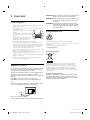
The contents of the box
The box contains the following items:
• TV
• TV stand
• Quick Start Setup Guide (this document)
• Warranty sheet
• Remote control
• 2 x AAA, 1.5V batteries
• TV stand hardware
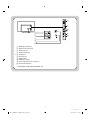
A
B
C
D
E
F
G
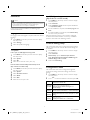
RESET/UPGRADE
GUIDE
RECALL/INFO
HOME
MENU
BACK/PP
Stand-to-TV screws
(x 3 for 42HFL5784D, 42HFL5784L, 39HFL5784D,
39HFL5784L)
(x 4 for 46HFL5784L)
• Stand -to-Stand neck screw
(x 4 for 46HFL5784L)
• Stand pin
(x 2 for 42HFL5784D, 42HFL5784L, 39HFL5784D,
39HFL5784L)
• Screw for Stand pin
(x 4 for 42HFL5784D, 42HFL5784L, 39HFL5784D,
39HFL5784L)
• TV security package
• Stand-to-TV security hex screws
(x 3 for 42HFL5784D, 42HFL5784L, 39HFL5784D,
39HFL5784L)
(x 4 for 46HFL5784L)
• Stand -to-Stand neck security hex screw
(x 4 for 46HFL5784L)
• Security bolt and cap (x 2)
• Washer (x 2)
• Security nut (x 2)
• Security double-sided tape (x 4)
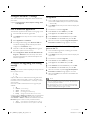
OPTIONS
ALARM/CLOCK
SMART
TELETEXT
CC
•
MUTE
TV
VOL
P
ABC
DEF
GHI
JKL
MNO
PQRS
TUV
WXYZ
AV
RC5 GUEST
SLEEP
RC5 SETUP
RC6 GUEST
RC6 SETUP
HOSPITALITY
Note
• The items are available on selected models only.
• An optional security tool is required to tighten the security
screws and nuts. Please contact your Philips authorized agent or
distributor to purchase the tool.
6
46 42 39HFL5784D L
LC11_PHILIPS_hospitality_EN_QG.indd 6
2013/07/22 17:41:49