1
To further troubleshoot your printer please visit:
http://www.inkjet411.com
4.
5.
Release both buttons. The 10-tap test prints.
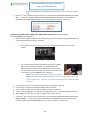
Review test pattern; ensure all colors are firing. A missing horizontal block or blocks within the nozzle stair
step pattern indicates a misfiring ink nozzle. Perform cartridge cleaning to correct.
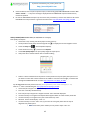
Tap 41 Cartridge Health Diagnostics (see video: http://inkjet411.com/?page_id=1741):
1. Turn printer Power ON – allow printer to fully energize.
2. Press and HOLD the Power Button
3. Press the Cancel (X) button 4 times
4. Press the Scan button once
5. Release the Power button. The test page prints.
NOTE: A good HP 93/95/97 color cartridge should display 600 good nozzles, while a good HP 92/94/96/98
black ink cartridge should show 672 good nozzles. On some models you may remove the tri-color cartridge,
reactivate the tap 41 test and the printer will print the diagnostic test print in black ink.
Deskjet 6940, 6940dt, 6980, 6988 Printers (HP 96, 97, 99, 100 ink cartridges)
Tap 41 Test Print (see reference video on how to read diagnostic test repor: http://inkjet411.com/?page_id=1741):
1. Turn the printer on.
2. Press and hold the ‘POWER’ button.
3. Press the ‘Cancel’ (X) button four (4) times.
4. Press the ‘RESUME’ button (Down Arrow) once.
5. Release the POWER button.
6. The Tap 41 diagnostics page prints.
NOTE: A good HP 93/95/97 color cartridge should display 600 good nozzles, while a good HP 92/94/96/98
black ink cartridge should show 672 good nozzles. On some models you may remove the tri-color cartridge,
reactivate the tap 41 test and the printer will print the diagnostic test print in black ink.
Tap 10 Extended Self-Test Print (Cartridge Nozzle Health; typically with HP 96 & 97 installed)
1. Turn the printer on.
2. Press and hold the ‘POWER’ button.
3. Press the ‘Cancel’ (X) button once.
4. Release the Power Button
5. The self-test prints.
Resetting the printer:
4. Press and hold down the check mark (report page) button
5. Press cancel button three (3) times.
6. Release the check mark button
Deskjet 9800 Printers (HP 94, 95, 96, 97, 99, 100 ink cartridges)
Tap 41 Test Print (Cartridge Diagnostics)
7. Turn the printer on.
8. Press and hold the ‘POWER’ button.
9. Press the ‘Cancel’ (X) button four (4) times.
10. Press the ‘RESUME’ button (Down Arrow) once.
11. Release the POWER button.
11