1
Copyright 2004-2008 Beijing Smackbio Technology Co., Ltd. SB6000F
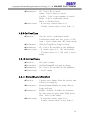
zReturn value
User’s Manual
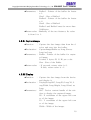
mode – User’s verification mode to use
FileName – The path of the face image
file.
It is valid when mode value is 3, namel
y <ID + Face> mode.
bSave – Decide whether save the image
data as a file or not.
If this value is TRUE, the Image data wi
ll be saved as the name with the ID in
the database directory.
: If succeed, return value is more than
0.
If fails, return value is -1.
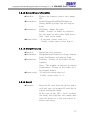
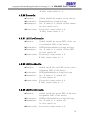
4.2.16 GetFeatureFromDB
zFunction
:
zDeclaration :
zParameters :
zReturn value
Get the face features which is correspo
nding to the ID and card number from t
he database.
GetFeatureFromDB(ID as Long, CardNo
as Long, Buffer as Long, Size as Long) as
Long
ID – ID to get the features.
CardNo – Card number.
Buffer – Pointer of the buffer for the en
rollment data.
Its size must be more than 5848 bytes.
Size – Size of the buffer.
: If succeed, return value is 0.
If fails, return value is less than 0.
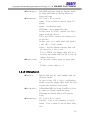
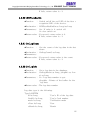
4.2.17 SetFeatureToDB
zFunction
:
zDeclaration :
zParameters :
Set the features on the ID and card nu
mber in the database.
SetFeatureFromDB(ID as Long, CardNo
as Long,Buffer as Long, Size as Long) as
Long
ID – User’s ID to set
17