1
English
•
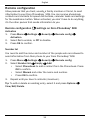
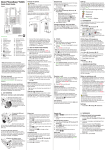
Press left selection button
to access the phone Menu or right
selection button
Name to access your saved contacts in the
phonebook.
Tip: You can always press
to return to standby.
Scroll
•
Use the arrow buttons
/
to scroll in menus.
Step-by-step instructions
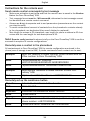
The arrow ( ) indicates next action in step-by-step instructions. To confirm an action, press OK. To select an item, scroll or highlight the item using
/
and then press OK.
Example:
•
Press Menu
Phonebook
-New contact-
Add.
®
To perform the example on your Doro PhoneEasy 508 you should do the
following:
1.
2.
Press Menu, scroll to Phonebook and press OK.
Select -New contact- and press Add.
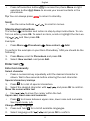
Enter text
Enter text manually
Select character
• Press a numerical key repeatedly until the desired character is
shown. Wait a few seconds before entering the next character.
Special characters/smileys
1. Press * for a list of special characters.
2. Select the desired character with
/
and press OK to confirm.
Move the cursor within text
• Use
/
to move the cursor within the text.
Upper case, lower case and numerals
•
Press # to choose between upper case, lower case and numerals.
See Input mode, p.5.
Change writing language
1.
2.
Press and hold # for a list of available languages.
Select language with
/
and press OK to confirm.
4