1
PROBLEMS AT THE HOST
The first problems in this category are for when there are other users who have Telnet sessions
working.
PROBLEM:
When you click the Connect icon, ES/TCP comes up with a message that says: “Cannot connect to the
host due to network timeout. Be sure that TCP/IP is properly installed and configured at the
host.” After you click OK to this message, it reports “Unable to connect to Device xxxxxx”.
POSSIBLE CAUSES:
You may have plugged in the wrong IP address for the AS/400.
The AS/400 may not have TCP/IP, Telnet, or the Virtual Device Server may not be running.
ACTION:
Verify the IP address, if it is correct, then verify that the Ethernet line is active.
PROBLEM:
You do not know the IP Address of the AS/400.
SOLUTION:
You'll need access to the AS/400's command line. This may imply you have to get your AS/400 System
Administrator involved. Ask him or her to provide you with the correct IP address for the AS/400 that you
want to connect to. For those that don't know, or would like to know the AS/400 command is as follows:
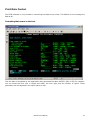
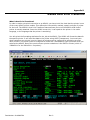
After signing on to the AS/400 with the appropriate privileges, type "CFGTCP" and strike the <Enter>
key at any command line.
On the next screen, type "1" (Work with TCP/IP Interfaces) and hit the <Enter> key.
Locate the interface that you are going to connect to. (If you only see 127.0.0.1 this means TCP/IP has not
been properly configured on your AS/400.DO NOT use 127.0.0.1. If you do so you will NEVER get a sign
on from the AS/400. If TCP/IP is not configured on your AS/400 we recommend you follow the instructions
from IBM. The name of the book is called "Getting Your AS/400 Working for You". Publication
number is SC41-5161-00. You'll find helpful information on TCP/IP in Chapter 6.) Write down the IP
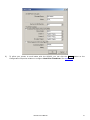
address and enter that in the ES/TCP configuration for IP Address:
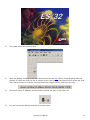
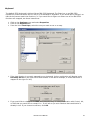
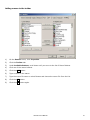
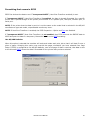
Start / Program files / ES32 / Display Emulator
File menu / Configure
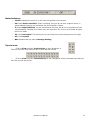
Click on the + next to TCP/IP to find your device, then double-click on it.
60
ES/TCP User’s Manual