1
AT Command Set V2.00
Inventek Systems, Inc.
DOC-UM-20035-1.1
User Manual
eS-WiFi Module
4.11.1. ‘T0’ Ping IP Target Address
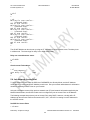
The AT Command ‘T0’ will Ping a remote host returning the round-trip time or a timeout message. The
host IP Address used by Ping must be set up by using the AT Command ‘T1’.
Usage: T0<CR>
Default Value: None
4.11.2. ‘T1’ Set Ping Target Address
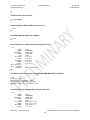
The AT Command ‘T1’ is used to set the IP Address of the host to Ping.
Usage T1=<xxx.xxx.xxx.xxx><CR>
Default Value: 000.000.000.000
4.11.3. ‘T2’ Set Ping Repeat Count
The AT Command ‘T2’ is used to define the number of times to repeat a Ping of a host on the network.
Usage T2=<Repeats><CR>
Default Value: T2=0
4.11.4. ‘T3’ Set Ping Delay (ms)
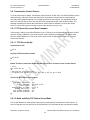
The AT Command ‘T3’ is used to define the amount of time to wait between Pinging a host on the
network. The amount of time to wait is defined in milliseconds and is limited to the range of 0 to 5000.
Usage T3=<delay in ms><CR>
Default Value: T3=0
4.11.5. ‘T?’ Show Ping Settings
Return current Ping Settings.
Usage: T?<CR>
Default Value: None
4.12. Configure UART
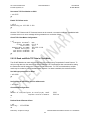
The eS-WiFi module can be configured to use it’s serial interface for communications with a host
computers or a terminal console programs. Currently, the only UART Configuration mode for the eS-WiFi
module is the serial interface, which is set to 8 data bits, no parity, one stop bits. The eS-WiFi module
can support baud rates from 1200 to 921600 baud. The AT Command ‘U2’ is used to set the baud rate.
The eS-WiFi module interface can also be set up in ASCII or Binary mode for data. In addition, the eSWiFi module can be configured to generate timeout messages on the serial communications.
4.12.1. ‘U0’ Activate UART Settings
Preliminary - Subject to change
eS-WiFi Module User Manual Version v1.2 01/02/2012
24