1
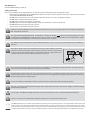
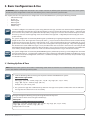
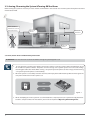
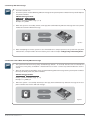
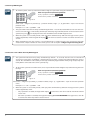
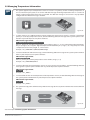
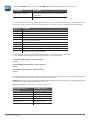
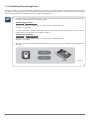
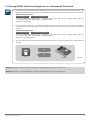
3. Basic Configuration & Use ATTENTION: System configuration described in this chapter is based on default system parameter values. Your alarm system installer may have changed those values. For more details, please, contact your alarm system installer. This chapter provides a description of basic configuration and use of ESIM364 alarm system by the following methods: • SMS text message. • Phone call. • EKB2 keypad. • EKB3 keypad. • EKB3W keypad. • iButton® key. SMS EKB2 EKB3/ EKB3W In order to configure and control the system using SMS text message, send the text command to the ESIM364 system phone number from one of the preset user phone numbers. In this user manual the underscore symbol ”_” represents one space character. Every underscore symbol must be replaced by a single space character. There must be no spaces or other unnecesary characters at the beginning and at the end of the message. ssss – 4-digit SMS password set by your alarm system installer. The system configuration and control by EKB2 keypad is performed by navigating throughout the menu section list dis played on LCD screen. To navigate in the menu path, touch ↓, ↑ keys to select the desired menu section and touch OK key to open the selected section. To enter a required value, use 0... 9 keys and touch OK key for value confirmation or cancel/ go one menu section back by touching ←key. The value can be typed in directly by touching 0... 9 keys while highlighting the desired menu section. EKB2 menu type is “circle”, therefore when the last section in the menu list is selected, you will be brought back to the beginning of the list after touching the ↓ key. In this user manual, the menu path is provided under “tree” view by starting at home screen view. In this user manual valid parameter range is indicated in brackets.. The system configuration and control by EKB3/EKB3W keypad is performed by entering a valid configuration command using the number keys 0... 9 and [#] key for confirmation. Some commands require [BYPS], [CODE] and [STAY] keys as well. The structure of standard configuration command is a combination of digits. In this user manual, valid parameter range is indicated in brackets. 3.1 Setting Up Date & Time NOTE: When the alarm system is connected to a monitoring station the date and time are set automatically. The system retrie ves this data from the monitoring station by itself. SMS 1. Send the following SMS text message to the phone number of ESIM364 alarm system: SMS text message content: ssss_yyyy.mm.dd_hr:mn Value: yyyy – year; mm – month, range – [01... 12]; dd – day, range - [01... 31]; hr – hours, range – [00... 23], mn – minutes, range – [00... 59]. Example: 1111_2011.12.15_13:45 2. The system will reply with confirmation by SMS text message to user phone number who sent the SMS text message after the date & time is set successfully. EKB2 Navigate through the following menu path using OK and arrow keys and enter the date and time values using the number keys: Menu path: OK → DATE/TIME SET → OK → yyyy-mm-dd_hr:mn → OK Value: yyyy – year; mm – month, range – [01... 12]; dd – day, range - [01... 31]; hr – hours, range – [00... 23], mn – minutes, range – [00... 59]. Example: 2011-12-15 13:45 MANUAL ELDES ESIM364 v1.1 11