1
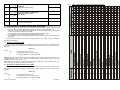
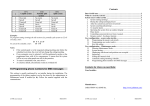
3.3. SMS texts editing 2. SMS and audible alarm reports setting The list of SMS texts stored in the dialer consists of texts reported as event reports (installation name, event name and source name) and texts for remote control instructions. All these texts can be edited by the following SMS sent from a mobile phone. yyyyy∗TXT∗z,text, z,text where: yyyyy TXT z , text ∗ is the remote access code; default setting is 1111; this code can be changed, see section 4.1 is the text programming command is the text index (110 - 711 see table 3.3.1). comma (separator) is the new text string. Neither a comma nor a dot can be used inside the text. Space inside the text is a valid character (dialer ignores spaces out of the “text” string) separator (asterisk or space) Note: If you change texts of command SMS this way (texts no. 703 to 711), then you will actually change the commands which the system reacts to. E.g.: if you change text „MO“ (text no. 705) to „STATE OF THE ALARM SYSTEM?“ then this command can only be used to learn the status of the system. You can change texts for your needs and also insert a password to protect against unauthorized use of SMS commands. The following information is for use by an alarm system administrator who knows the master code. All settings can be programmed via a keypad. A sequence can be canceled anytime by pressing the “N” key (e.g. entry error). When a sequence is complete, the system will store it into the memory. The following settings are made in the user mode, which can be entered by: F 0 master code. (this mode is indicated by the “U” character on the keypad’s LED display). Example: If the master code is 1234 then enter: F0 1234 Press “N” to exit the user mode. 2.1. Telephone numbers setting The dialer has 8 telephone number memories. Each memory has particular SMS reports assigned to it and/or audible warnings according to the default setting – see table 2.2. By entering a telephone number to a particular memory selects what will be reported to this number: 7t xxx...x F0 Example: If the factory default code for the dialer is 1111, then the sending of SMS: 1111*TXT*201, uncle Sam’s controller, 202, aunt Mary’s controller to the dialer will change names of remote controllers No. 1 and 2. 3.3.1. The factory default settings allow the GSM dialer to send SMS reports and audible warnings when the control panel generates important pertinent information (alarms, arming, etc.). It is only necessary to set the telephone numbers to where the information should be reported. If you want to report additional or different events than the factory default provides, see section 3. where: t xxx...x Table of SMS texts Text index z Factory default text 110 201 202 203 204 205 206 207 208 501 502 503 504 505 506 507 508 509 510 511 512 513 514 700 703 704 705 706 707 708 710 711 Master code Controller #1 Controller #2 Controller #3 Controller #4 Controller #5 Controller #6 Controller #7 Controller #8 User code #1 User code #2 User code #3 User code #4 User code #5 User code #6 User code #7 User code #8 User code #9 User code #10 User code #11 User code #12 User code #13 User code #14 Alarm system reports: AM DM MO ME AUXON AUXOFF PGON PGOFF User manual JA-60GSM Text index z 301 302 303 304 305 306 307 308 309 310 311 312 313 314 315 316 401 402 403 404 405 406 407 408 409 410 411 412 413 414 415 416 -8- Factory default text is a memory from 1 to 7 is a telephone number (max. 20 digits), enter F9 before the number, if you need + prefix for international calls. To use an attached SMS phone set enter code 001 instead of the telephone number To disable reporting to a particular number, delete this number from the memory by entering: Wired detector #1 Wired detector #2 Wired detector #3 Wired detector #4 Wired detector #5 Wired detector #6 Wired detector #7 Wired detector #8 Wired detector #9 Wired detector #10 Wired detector #11 Wired detector #12 Wired detector #13 Wired detector #14 Wired detector #15 Wired detector #16 Wireless detector #1 Wireless detector #2 Wireless detector #3 Wireless detector #4 Wireless detector #5 Wireless detector #6 Wireless detector #7 Wireless detector #8 Wireless detector #9 Wireless detector #10 Wireless detector #11 Wireless detector #12 Wireless detector #13 Wireless detector #14 Wireless detector #15 Wireless detector #16 7tF0 where: t is a memory from 1 to 7 Report testing: If you wish to report any alarm, arming and disarming via an SMS followed by a notifying call and your mobile phone number is 123456789, then enter 75123456789F0 (while the control panel is in the programming mode). Then exit the programming mode by pressing the N key. Now when you arm the system your mobile phone will receive a reporting SMS. Notes: For SMS transfers use only numbers of mobile phones or call centers that can transfer SMS messages. Audible warnings can be used on both GSM and landline networks. The GSM dialer can report all event information from the alarm system via SMS and audible warnings. The setting of reported events for all numbers can be changed – see chapter 3. 2.2. Telephone numbers table Memory Entering sequence 1. 71 ____ F0 To this pair of numbers will be sent (factory default): Telephone numbers - ALARM SMS - Technical SMS 2. 72 ____ F0 MFJ51808 User manual JA-60GSM -5- MFJ51808