1
Enjoying TV
Enjoying other
components
CENTER
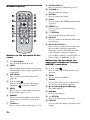
?/1
SUBWOOFER
INPUT SELECTOR
DISPLAY
LEVEL
RETURN
INPUT
SELECTOR
+/–
AMP MENU
CENTER
LEVEL
DISPLAY
?/1
SUBWOOFER
AMP MENU
MENU
PRESET-
NIGHT DIMMER PRESET+
RETURN
TUNING-
MENU
TUNING+
PRESET-
NIGHT DIMMER PRESET+
MUTING
TUNING-
VOLUME
TUNING+
SOUND FIELD
MUTING
VOLUME
+/–
VOLUME
SOUND FIELD
VOLUME
+/–
1
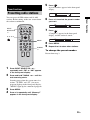
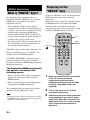
Turn on the TV and choose a program.
Refer to the operating instructions of your
TV for details.
2
3
4
Turn the stand on.
Enjoying a satellite tuner or
cable television tuner
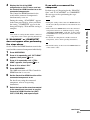
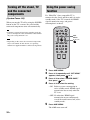
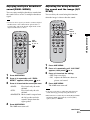
Press INPUT SELECTOR + or –
repeatedly until “TV” appears in the
front panel display.
1
Adjust the volume by pressing
VOLUME +/–.
2
Tip
• The sound may be output from the TV’s speaker. In
this case, turn the volume of the TV’s speaker down
to the minimum.
Turn on the TV.
Refer to the operating instructions of your
TV for details.
3
4
Turn the satellite/cable television tuner
and stand on.
Press INPUT SELECTOR + or –
repeatedly until “SAT/CATV” appears
in the front panel display.
Change the TV input.
Refer to the operating instructions of your
TV for details.
5
Adjust the volume by pressing
VOLUME +/–.
continued
21GB
Playback Options
INPUT SELECTOR
INPUT
SELECTOR
+/–