1
Using the camera and camcorder - 33
USING
THE CAMERA AND CAMCORDER
Your tablet features a front-facing digital camera. This section will take
you through all the steps in taking photos and videos with your tablet.
Note
It is recommended that you insert a microSD card into the microSD slot
before using the camera.
You can only save photos and videos to internal memory or a microSD card,
not an external USB storage device.
To activate the camera or camcorder, open the application menu and
tap Camera.
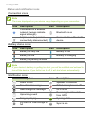
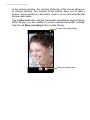
Camera/camcorder icons and indicators
Effects
Mute microphone
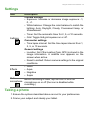
Settings
Remaining capacity*
Zoom
Record button
Last picture/video taken
Shutter button
* The listed capacity is the approximate number of images that can be taken at the current resolution.