1
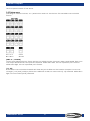
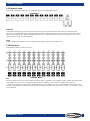
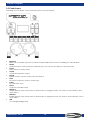
Creator Compact 8.4 Include a step In the menu of editing chase, press the <Playback> button of the desired step to include the step data. 8.5 Global time In Level 1 menu, press <Time>, then, press the desired chase for editing. Use the Menu Up/Down buttons to select option and Wheel A/B to change value; Press <Enter> to confirm. 8.6 Delete a scene In Level 1 of Programming Mode, press <Delete>, then, press the <Playback> button of the desired scene twice to delete it. 8.7 Copy a chase In Level 1 of Programming Mode, press the <Playback> button of the desired chase to copy, then, press another <Playback> button to paste. 8.8 Run Set the controller to Running Mode. Raise the fader, the corresponding chase on the current page will be output. If Chase triggered by fader Press the corresponding <Playback> button, the chase will pause or play. If current step is link off, the chase will pause until press the corresponding <Playback> button. While the chase is pause, the LED of the corresponding <Playback> button will flash. If Chase is not triggered Hold the <Playback> button, the chase will playback. And after release, chase will close. Ordercode: 50729 20