1
UFS3 User's manual
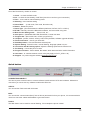
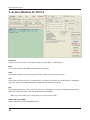
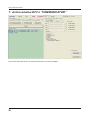
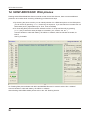
UI OPTION:
You can double click this item to execute each one individually and immediately.
SAVE USER SETTING:
You can backup / save the main user setting before starting any job with the phone.
UI DEFAULTS:
Set the user setting back to default (Phone setting etc…)
FULL FACTORY DEFAULTS:
Set the phone to the factory default setting, including resetting the wakrup graphics, Security code, phone
book etc…
INIT SIM LOCKS:
Unlock the SP-Locks / Network locks
SET FAID:
Calculate the "FAID", (Flash Authority ID) which must be set after flashing the MCU or PPM.
Note: If this set FAID fails you will not get network on phone or cannot register to the network, or signal
will up down for few seconds and will be restart it self.
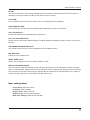
RESET USER LOCK:
Set the user lock (Security Code) to factory default (12345)
Reboot in Normal Mode:
You can insert a sim card and after processing the phone will reboot into normal operating mode. Use this to
check normal operation. Please note that many USB ports cannot supply enough power for the phone to
transmit, so the phone may shut down when trying to register with the network when using this feature. It is
mainly to confirm the phone will power on and accept the sim card etc…
LCD CONTRAST:
Set the LCD contrast
FEATURES 3310 > 3315:
Convert a 3310 to 3315 to enable extra menus. (This option only to be able for 3310 with version 5.45 and
above.
3315 > 3310:
convert 3315 to 3310
3210 Vibra On / Vibra Off:
Enable or disable vibra menu for 3210
14