1
5
bside.cn
Zero calibration: Long press for 1 second to perform zero
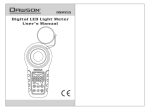
1.3 Name and function of components
calibration function.
1.3.1 Plan view
⑧Compound key for relative value and peak value measurement:
① Opto-sensor protection cover
Relative value measurement: Short press the key to enter/
② Opto-sensor
exit relative value measurement mode.
③ LCD display screen
Peak value measurement: Long press for 1 second to
④ Compound key for main
enter/exit peak value measurement mode.
power and touch tone:
⑨Key for manual range switching: Short press the key for
Power on/off: Short press the
20.00Lux ( 200.0Lux ( 2000Lux ( 20000Lux (
key to activate the machine
200000Lux (or 20.00Fc ( 200.0Fc ( 2000Fc (
and long press for 1 second to
20000Fc) circulation; Long press for 1 second to exit
shut it down.
manual range switching mode.
Touch tone on/off: Under
working
mode, short press
1.3.2 LCD display interface
the key to turn
on
1.Prompt
and off the touch tone.
⑤ max and min values inquiry key
ELM02 plan
⑥ Lux/Fc unit conversion key
⑦ Compound key for data hold
and zero calibration:
Data hold: Short press the key to enter/exit data hold mode.
ELM02 Lux meter
for
manual
range switching
mode
2.Prompt for data
hold mode
3.The analog bar
shows the current
LCD display interface