1
Close Out
VIII. Close Out
1.
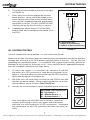
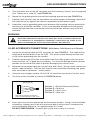
Locate the cover of the M4 controller and the installation hardware provided (screw
and flat washer).
2.
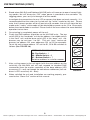
Check the gasket in the inside of the cover for damage and then turn the cover as
appropriate to orient the exterior silk-screened logos and/or lettering.
3.
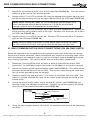
Install the cover using the installation hardware. Torque each of the four screws to
12 in-lbs of torque maximum.
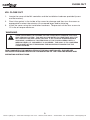
WARNING
Over tightening the screws on the cover will damage the case
and sealing system. This MAY allow water to penetrate into the
M4 controller and cause failure. If no torque screwdriver is
available, carefully tighten each of the four screws until a
medium level of “snugness” is achieved. The goal is to compress
the gasket without damaging the mounting flanges for the
cover screws.
THIS COMPLETES THE INSTALLATION OF THE M4 CONTROLLER. PLEASE SEE
THE QUICK PROGRAM GUIDE FOR A DESCRIPTION OF THE LIGHTING MODES AND
OPERATING INSTRUCTIONS.
9
Nexxus Lighting, Inc. • 9400-200 Southridge Park Court • •Orlando, Florida 32819 •• 407.857.9900 • Fax 407.857.0050 • nexxuslighting.com