1
Working with a Lifegroup
The Lifegroup Leader Toolbox provides you with easy to use tools to see who is a member of
your Lifegroup, request to add a new Lifegroup member, change basic demographics of your
Lifegroup members, email your Lifegroup members, text your Lifegroup members, and take
attendance after each time your Lifegroup meets.
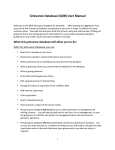
To see the tools available to use, click on the Lifegroup name. The following bar will be
displayed under the Lifegroup name:
Viewing your Lifegroup Members
To see a list of the members of your Lifegroup, click on the
button. A screen
similar to the one below will be displayed with all of the members of your Lifegroup:
By default, only active, connected members of your Lifegroup are shown. To see inactive
members (if there are any), deselect the checkbox next to Active Only.
Within the My Group Members List, you can view details of each individual member of your
Lifegroup by simply clicking on the Lifegroup members name (blurred for privacy within this
manual). If you click on their email address, you can send an email from your email program to
that individual. The speech bubble next to the phone number indicates that you can also text
this individual.