1
PadClient User Manual
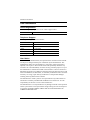
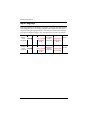
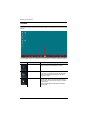
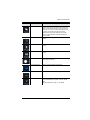
Button
Name
Relative Mouse
Description
There are two mouse modes. With Relative
Mouse mode, put your finger on the screen and
slide it in the direction that you want the mouse
cursor to move. The mouse cursor will not move
to where your finger is but will move in the
direction that your finger slides on the screen.
Click to toggle between Absolute and Relative
mouse mode.
Center Mouse
Resets the mouse position to the center of the
screen.
Fit Height
Auto resizes the desktop height to fit the iPad
screen.
Fit Width
Auto resizes the desktop width to fit the iPad
screen.
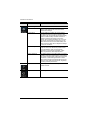
Zoom Bar
Desktop Zoom: Drag bar to right to zoom in. Drag
bar to left to zoom out.
Mouse Scroll Down
Click to scroll the mouse wheel down.
Mouse Scroll Up
Click to scroll the mouse wheel up.
PON
Allows power control of a port on a KVM switch
that is associated to an outlet on a “PN” series
PDU.
See PON Operation, page 13, for details.
11