1
-
CONTENTS -
Chapter I
Introduction ................................................................................................ 3
1.1
Highlights of your new Network IP Camera ..........................................................3
1.2
Key feature of this network IP camera include: .....................................................4
1.3
Safety Instructions ...............................................................................................5
1.4
Packaging Contents .............................................................................................6
1.5
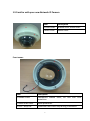
Familiar with your new Network IP Camera..........................................................7
1.6
Installation of the Network IP Camera ..................................................................9
Chapter II
Using Network IP Camera by Web Interface ............................................... 13
2.1 Locate the IP address of Network IP Camera ............................................................. 13
2.2 Connect to IP Camera’s Web User Interface and Install ActiveX Plugin ....................... 16
2.3 Viewing Live Video ................................................................................................... 20
2.4 Client Settings .......................................................................................................... 23
Chapter III Advanced Configuration ................................................................................ 25
3-1 System ..................................................................................................................... 26
3-2 Security.................................................................................................................... 28
3-3 Network................................................................................................................... 30
3-3-1 ‘General’ setup page .................................................................................................. 30
3-3-2 ‘Advanced’ setup page ............................................................................................... 33
3-4 IP Filter .................................................................................................................... 35
3-5 Video ....................................................................................................................... 37
3-5-1 Image Setting ............................................................................................................. 38
3-5-2 Video Setting .............................................................................................................. 40
3-5-3 Overlay Setting........................................................................................................... 42
3-6 Audio ....................................................................................................................... 44
3-7 Motion..................................................................................................................... 45
1