1
Table of Contents
Product Overview.......................................................................... 4
Package Contents.................................................................. 4
Introduction............................................................................. 5
System Requirements.......................................................... 5
Features..................................................................................... 6
Hardware Overview.............................................................. 7
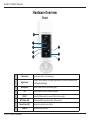
Front....................................................................................... 7
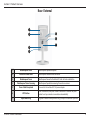
Rear: External....................................................................... 8
Rear: Internal....................................................................... 9
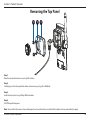
Removing the Top Panel...................................................10
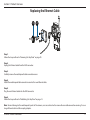
Replacing the Ethernet Cable.....................................11
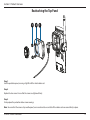
Reattaching the Top Panel............................................12
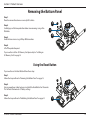
Removing the Bottom Panel...........................................13
Using the Reset Button..................................................13
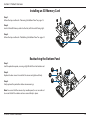
Installing an SD Memory Card....................................14
Reattaching the Bottom Panel....................................14
Installation.....................................................................................16
Zero Configuration Setup.................................................16
Camera Installation Wizard..............................................19
Windows Users.....................................................................19
Mac Users...............................................................................20
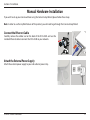
Manual Hardware Installation.........................................21
mydlink............................................................................................22
Configuration................................................................................23
Using the Configuration Interface.................................23
Live Video...............................................................................24
D-Link DCS-2330L User Manual
Setup........................................................................................26
Setup Wizard.....................................................................26
Network Setup..................................................................32
Wireless Setup...................................................................35
Dynamic DNS....................................................................36
Image Setup......................................................................37
Audio and Video...............................................................39
Preset....................................................................................41
Motion Detection............................................................43
Time and Date...................................................................45
Event Setup........................................................................46
SD Card................................................................................54
Advanced................................................................................55
ICR and IR............................................................................55
HTTPS...................................................................................56
Access List...........................................................................57
Maintenance..........................................................................58
Device Management......................................................58
System.................................................................................59
Firmware Upgrade...........................................................60
Status.......................................................................................61
Device Info.............................................................................61
Logs......................................................................................62
Help......................................................................................63
Technical Specifications............................................................64
3