1
TW263R4
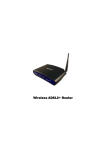
Wireless ADSL2+ Router
If you have a PSTN telephone
connect the router as shown below:
line (normal analog line)
1. Connect the supplied RJ45 Ethernet cable from your PC's Ethernet port to
any of the 4 WLAN ADSL2+ Router's LAN Ports.
2. Connect the supplied RJ11 telephone cable from your home's telephone
jack to the “LINE” port of the supplied splitter. Connect the other supplied
RJ11 telephone cable to the “DSL” port of the splitter and connect the other
end of this cable to the “LINE” port of your WLAN ADSL2+ Router.
3. Connect a RJ11 telephone cable to the “PHONE” port of the splitter and
connect the other end to your telephone.
4 Connect the power adapter to the power inlet (PWR) of the WLAN ADSL2+
Router and turn the power switch (SW) of your WLAN ADSL2+ Router on.
4