1
www.cleantouch.com.pk
School Management System 3.0 (Full)
User Manual
Company Profile:
Cleantouch Software Corporation was established in 1999 to provide customized accounting software. Cleantouch is now a reliable name for
Desktop & LAN Based Application. We offer wide range of readymade accounting software. We have successfully implemented our 300+
accounting & management software in more then 1000+ organization. Customer list of Cleantouch have both small & large size of companies &
the number of users is increasing day by day. Most of customers are completely satisfied with the support and services of Cleantouch. We are the
first company, who releases English to Urdu Dictionary, Urdu to English Dictionary and Khazain-ul-Hidayat software application to read, listen and
research within Al-Qur’an-e-Kareem worldwide. Thousands of peoples are using that product. We are the only company of Pakistan, which
have awarded by many download portals for the development of Virus, Adware & Spyware free software. In 2012 our CEO has been nominated as
"Winner" for 10th Teradata National IT Excellence Award in the category of "Excellence in Software Development" Many of our software are listed on
major download websites. Interviews & review of our products get frequently published by News Papers, Magazines & E-News Portals.
Getting Started Tips:
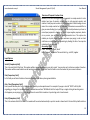
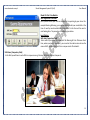
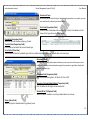
1. First of all Load CD Roam or Download Link of our sent software
2. Copy Software in your computer’s safe drive e.g. D:\Cleantouch
3. After installation procedure, you may create shortcut icon on your desktop to provide easy access to your program, Software will start by
double clicking to exe file from software folder or from shortcut.
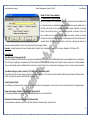
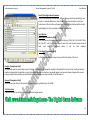
4. When you see the main screen appears you will have to note Computer generated information and call or email us to getting PIN Code
then you can successfully enter into the system for registration.
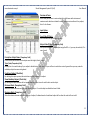
5. This system uses PIN Code (Personal Identification Number) as a security measure.
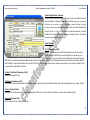
6. The default password given is ‘123’, and you have to change it to your own password from system utilities menu to maintain its
confidentiality
7. Multi Users and Network capability enabled users will ask of mapping and access procedure on call or email because of leakage.
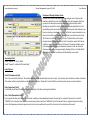
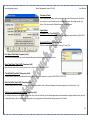
8. You may press [F5] Key any time where you don't have remember the code of system
9. In feeding form You may uses the shortcut (Alt+S)for Save, (Alt+R) for refresh, (Alt+D) for delete, (Alt+E) for exit, (Alt+P) for previous,
(Alt+N) for next and (Alt+P) for printing any report.
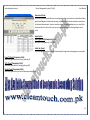
10. You can email / fax any report of our software to anybody by installation of Winfax 10 or Acrobat Writer
2