1
User Manual
WARNING!
TO AVO ID TH E RISK OF FIRE OR ELECT RICAL SHOCK. N EVER EXPOSE THIS PRO DUC T TO WATER OR
OPER ATE IN A H IGH HU MID IT Y EN VIRONME NT.
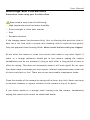
Keep camera away from the following:
High temperatures and excessive humidity
Direct sunlight or other heat sources
Dust
Extreme vibration
If the camera lens becomes dirty, first try blowing dust particles from it.
Next use a lint free cloth or proper lens cleaning cloth to wipe the lens gently.
Only use approved lens cleaning fluids. Never touch the lens with your
fingers! Do not allow the camera to come into contact with water or any
other liquid. If water or a foreign substance should get in the camera,
unplug the camera immediately and do not attempt to plug in until after a
long period of time to allow for drying. This does not necessarily mean it will
work again! Do not open the camera case or attempt your own repairs.
Internal components may create risk of electrical shock or fire. There are no
user serviceable components inside. Clean the outside of the camera by
wiping with a clean, dry cloth. Never use harsh or abrasive cleaners or
organic solvents on the camera or any of its parts. If you notice smoke or a
strange smell coming from the camera, immediately unplug the camera and
consult an authorized dealer.