1
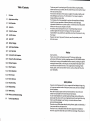
Table of Contents
I
1.1
1,2
Overuiew
Appearance and Keys
Basic
Operation
1.2.1 Switch on
1.2.2 UnlocktheScreen
1.2.3 Lockthe
Screen
1.2.4 Switch Off
Thanks verry much for purchasing our MID product! Before using this product,
please read the manual carefully. We will consider that you have read this manual
when you use this product
The functions information of this manual is subject to the product itself; we will
keep developing new functions. The information in this manual is subject to
change without any prior notice
The Company will not be responsible for any loss of personal data and damage
caused by incorrect operation of software/Hardware, artificial damages,
replacement of batteries or any other accident. To avoid loss ofyour data, please
backup your data to your computer at any time.
We cannot control any dispute from users' misunderstanding or incorrect
operation against the manual, the Company will not take any relevant
responsibility for any accidental loss potentially occurring in the process of using
this manual,
Please do not repair it by yourself, otherwise, we will not provide you with
after-sale service.
1.2.5 BatteryCharging
1.2.6 Switch input Methods
1.2.7
Use T-Flash Card
1.2.8
Connected
1.2.9 Browsethe
tothe Computer
File inthe Device
1.2,10 Startup programs
1.2.11 Close Programs
1.2.12 Screen Operation
Preface
Dear Customers,
Thanks very much for purchasing our product! This device is built-in high
performance Wifi receiver module, supporting external 3G USB-DONGLE wireless
network card, turning on the broadband wireless networks, breaking through the
restraint of network cable; it will bring you into the portable media player world
and fulfill your entertainment needs. lt also support picture browsing, E-book
Reader, games, online chat and other functions, various settings will fully show
your individuality.
1.2.13 Home Screen
1.2.14 Screen Gestures
Safety Notices
1.2.15 Security Setting
1.2.16 DisplaySetting
1.2.U HDM|Setting
1.2.18 Wireless and Network Settings
1.3
TechnicalSpecifications
do not let the player fall or rub or compact with hard objects during using,
or it may cause surface scratch of the player, battery loose, data lose or damages
of other hardware.
Never let this product expose to the humid environment or rain as the water
leaked into may disable it to the extent beyond maintenance.
You are recommended not to use the headset with large volume continuously,
please adjust the volume to the size of appropriate security and control the usjng
time to avoid the damage to your hearing, as excessive volume will cause
permanent hearing damage.
Please do not cut off the power abruptly during software update and download, or
it may cause date loss and system error.
Please don't turn on the device where the wireless equipment is forbidden or
when the usage of the device will cause interference and danger. please observe
Please