1
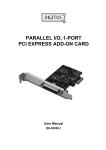
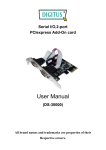
Parallel I/O,1-port PCIexpress Add-On card User Manual (DS-30020) All brand names and trademarks are properties of their Respective owners. Features and Benefits Features Compliant with PCI Express Base spec 1.1 Compliant with PCI Power Management 1.2 Add one IEEE1284 Parallel port on system Supports Standard Parallel Port (SPP), Enhanced Parallel Port (EPP) & Enhanced Capability Port (ECP) Data transfer rate up to 2.5Mbps Bus PCI-Express x1 Connectors 1 x DB25 female connector System Requirements Windows 7, Vista, XP, 2000 PCI Express-enabled system with an available PCI Express slot Page 2 Hardware Installation 1. Turn Off the power to your computer. 2. Unplug the power cord and remove your computer’s cover. 3. Remove the slot bracket from an available PCIe slot. 4. To install the card, carefully align the card’s bus connector with the selected PCIe slot on the motherboard. Push the board down firmly. 5. Replace the slot bracket’s holding screw to secure the card. 6. Replace the computer cover and reconnect the power cord. Driver Installation For Windows® 2000 1. Insert the Driver CD into the CD-ROM drive. 2. At the Found New Hardware Wizard, click Next. 3. Select Search for a suitable driver for my device (recommended), and click Next. 4. Check CD-ROM drives, uncheck the other boxes, then click Next. 5. Click Next. 6. Click Finish to complete the driver installation. Page 3 For Windows® XP/Server 2003/XP-x64/Server 2003-x64 1. Insert the Driver CD into the CD-ROM drive. 2. At the Found New Hardware Wizard, select Install the software automatically (Recommended), then click Next. 3. If the Hardware Installation window pops up, click Continue Anyway, then click Finish to complete the driver installation. For Windows® Vista/Vista-x64 1. Insert the Driver CD into the CD-ROM drive. 2. At the Found New Hardware Wizard, select Locate and install driver software (recommended). 3. Click Next to continue to setup. 4. The Add New Hardware Wizard will now ask you Would you like to install this device software. Click Install to continue to setup. 5. Click Close to complete the driver installation. Page 4 To Verify Windows® Driver Installation Click on the Device Manager tab in System Properties, which you access from the Windows Control Panel. You should see one PCI Express ECP Parallel Port … installed under Ports (COM & LPT) item. Page 5