1
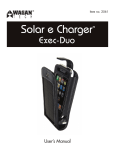
Solar e Charger™ Solo by Wagan Tech
User’s Manual—Read before using this equipment
Basic Operation
1. Insert and attach the iPhone ® to the charging jack inside the
Solar e Charger™ Solo.
2. Turn the power switch to “ON” to charge the iPhone. (If none of the
LEDs light up, the solar charger’s internal Lithium polymer battery
might be depleted and may need to be recharged.)
3. Once the iPhone is fully charged, turn off the solar charger.
Monocrystalline
Solar Panel
4. Turn the power switch to “ON” to check the battery status of the solar
charger. Three micro LEDs (located to the left of the power button) will
light up to indicate the percentage of charge on the battery according
to the designated intervals: 25%, 50%, and 100%.
Charging iPhone & Solar e Charger
Battery Status
(25%, 50%, 100%)
Mini USB Port
Power switch
The Solo™ can charge both the iPhone and its own internal battery via
sunlight or with a standard mini USB charging cable (included).
Charging with Sunlight via Solar Panels:
Charging jack
1. To charge the iPhone, follow the steps 1-2 in “Basic Operation”
section and expose the solar panels under direct sunlight. Under
continuous sunlight, the iPhone will be charged in less than 3 hours.
Once the iPhone’s battery is fully charged, turn the power switch off
to preserve the life of the solar charger’s internal battery.
2. To charge internal Lithium polymer battery of the solar charger, turn
the power switch to “OFF” and the internal battery of the solar
charger will automatically charge instead of charging your iPhone.
Under direct sunlight, the Lithium polymer battery will be fully
charged in 12 hours. Solar charging intensity will be shown by the
1
www.wagan.com
©2010 Wagan Corporation
All Rights Reserved
Wagan and wagan.com are trademarks used by Wagan Corporation
2