1
4
BASIC OPERATION
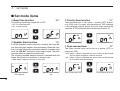
■ Adjusting the volume level
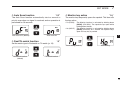
■ Adjusting the squelch level
The volume level can be adjusted using [VOL/SQL] and [Y]
or [Z].
The squelch level can be adjusted using [VOL/SQL] and [Y]
or [Z].
In order to properly receive signals, as well as for the scan
to effectively function, the squelch must be adjusted to the
proper level.
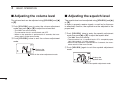
q Push [VOL/SQL] once to enter the volume adjustment
mode, then push [Y] or [Z] to adjust the volume level.
• The “VOL” icon starts blinking.
• The transceiver has 31 volume levels and OFF.
• When no key operation is performed for 5 seconds, the transceiver returns to the normal mode.
w Push [VOL/SQL] twice to exit the volume adjustment
mode.
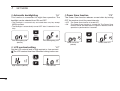
Displays the
volume level.
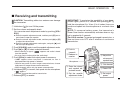
q Push [VOL/SQL] twice to enter the squelch adjustment
mode, then push [Y] or [Z] to adjust the squelch level.
• The “SQL” icon starts blinking.
• The transceiver has 11 squelch levels: OP is completely open;
10 is tight squelch; 1 is loose squelch.
• When no key operation is performed for 5 seconds, the transceiver returns to the normal mode.
w Push [VOL/SQL] again to exit the squelch adjustment
mode.
Blinks in the volume adjustment mode.
Displays the
squelch level.
Blinks in the squelch adjustment mode.
10