1
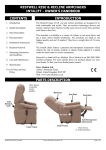
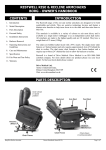
INSTALLATION INSTRUCTIONS To assemble your recline armchair, first install the back rest. Slide the back on ensuring the two back rest brackets go over the two back rest receiver brackets on the armchair. Push down hard on the back rest to lock in position. Ensure both sides of the back rest are locked in position before use. Your dealer may have done this prior to delivery. This procedure is described in more detail with photographs on a separate sheet supplied with the armchair. A copy of this sheet is also included in the back of this handbook. Then plug the armchair in to the mains and operate the armchair so it moves. To install the battery backup, first unplug the armchair. Then press the plastic tab on the battery compartment lid whilst removing. Install two 9V PP3 batteries in to the battery back up place on the main control box underneath the chair. Replace the battery compartment lid. (See appendix B for a photo showing the compartment’s location). Your armchair comes supplied with all peripherals (i.e. handset and actuator) connected. If you need to plug or unplug any of the peripherals please contact your dealer for information on how to this. Please contact Drive Medical should you require the wiring configuration details for any of the armchairs OPERATING INSTRUCTIONS AND GUIDELINES General Operation (all electrical model) Operation ( Standard Handset ) FACE To allow the armchair to operate, the key jack must first be inserted in to the safety lock. This is a safety precaution and the key jack should be removed when the handset is not in use to prevent accidental movement of the armchair. Operation ( Basic Handset ) SIDE FACE POWER LED POWER LED RECLINE BUTTON DOWN BUTTON RETURN BUTTON UP BUTTON The power LED will illuminate when the armchair is operating. Ensure that you have read the section on personal safety before operating the armchair. SIDE KEY SLOT KEY SLOT KEY JACK The rise armchair is controlled by the standard handset. The electric recline armchair is controlled by the basic KEY JACK Restwell Rise & Recline Armchair Owner’s Handbook Press the ‘Up’ button to raise the back rest to the upright position, lower the leg rest and raise / tilt the armchair to allow easy access. Press the ‘Down’ button to lower the armchair, elevate the leg rest and recline the back rest. The leg rest elevates and the back rest reclines simultaneously. Press the ‘Recline” button to lower the armchair, elevate the leg rest and recline the back rest. The leg rest elevates and the back rest reclines simultaneously. Press the ‘Return’ button to raise the back rest and lower the leg rest to the armchair normal chair position. Part Code: Z50989 (Rev C) Page 3 of 7