1
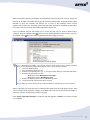
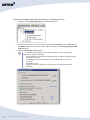
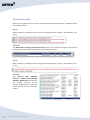
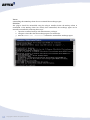
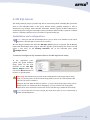
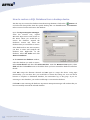
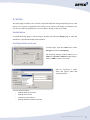
Attix5 Pro Plug-ins V7.0.0 User Manual for Microsoft Windows Your guide to installing and using Attix5 Pro plug-ins. 2012/10 Copyright notice and proprietary information All rights reserved. © Attix5, 2012 Trademarks ® - Microsoft, Windows, Microsoft Windows, Microsoft Windows Server, MS Windows, MS Exchange, MS SQL, MS SharePoint, Exchange, System State, Windows Backup, Windows Explorer and VMware are registered trademarks of their respective owners. Copyright © Attix5. All rights reserved. 2 Instruction symbols The following icons appear in the User Manual: The information icon precedes important information. The example icon indicates a practical illustration of a process or procedure. The hint icon indicates a suggestion or hint to guide or assist you with performing a task. The warning icon provides a warning against potential mistakes and actions that could cause critical error. 3 Copyright © Attix5. All rights reserved. Contents 1. Plug-in Installer ................................................................................. 5 Installation and configuration............................................................................... 5 2. Plug-ins .............................................................................................. 8 1. 2. 3. 4. 5. 6. 7. Email Notification......................................................................................... 9 Exchange Single Item Recovery Plus (SIR Plus) ............................................ 11 MS SQL Server .......................................................................................... 26 Script ....................................................................................................... 30 System State ............................................................................................. 32 VMware (ESX 3.5 and 4.1) .......................................................................... 38 VSS (Exchange 2003/7/10, MS SQL 2005/8) ................................................. 41 Copyright © Attix5. All rights reserved. 4 1. Plug-in Installer The Plug-in Installer allows you to upgrade existing Server Edition (SE) Backup Clients with added functionality by installing application-specific plug-ins and other monitoring tools. You can update existing plug-ins with this installer. Alternatively, if enabled on the Storage Platform, plug-ins can also be auto-updated during the backup process. Warnings: If a plug-in has been deprecated, the Backup Client will only be auto-updated to the latest version in which the plug-in was still supported. If you manually upgrade a Backup Client that contains deprecated plug-ins, these plug-ins will be removed. The SE Backup Client must be installed on the computer before you can install any plug-ins. SE plug-ins require working space for the cache and disk space for creating a data dump and patches. Notes: Ensure that the drive on which the SE Backup Client is installed has enough free hard drive space to store an extra copy of all the selected files. If not, move the ToBackup, Cache and dump folders to another drive. For certain plug-ins (SIR Plus, VSS etc.), the backup selection size is an estimate only. The true size of the backup is calculated during the backup when the data is dumped and might not match the selection size. Installation and configuration The application that the plug-in will be working on does not have to be installed before installing the SE Backup Client. The installer will detect the current SE Backup Client installation location and confirm it as part of the installation process. Note: The Plug-in Installer and SE Backup Client have to be the same version. If this is not the case, a warning will be shown and you will not be able to continue. 5 Copyright © Attix5. All rights reserved. After ensuring that the Plug-in Installer and SE Backup Client are the same version, simply run the Plug-in Installer executable and supply the necessary information. If the SE Backup Client interface is open, the installer will prompt you to close it. The installer checks various requirements (such as the operating system and MS .NET Framework installation) and adds a note next to the plug-in name should the requirement not be met. A list of available plug-ins will enable you to select the plug-ins you wish to install and/or configure. Plug-ins marked with a ins marked with a green icon are already installed on the system. Any plug- blue icon will be upgraded to the latest plug-in version. Note: Manually upgrading a tree-based plug-in could result in your backup selection being lost. In that case, follow these steps to restore your backup selection: 1. Close the Backup Client 2. Stop the Backup Client service 3. Browse to the install folder e.g.: C:\Program Files\Attix5 Pro\Backup Client SE 4. Rename the following two files: Backupset.xml to Backupset.xml.upgr Backupset.xml.0 to Backupset.xml 5. Restart the Backup Client service and Backup Client 6. Confirm that the selection has been restored See the Plug-ins section below for more information on which plug-ins are tree-based. Select or deselect any of the plug-ins by clicking in the check box next to the plug-in name. After you have made all the necessary changes, click Next. The next step in the wizard will display a summary of all the changes that you have requested. Click Apply requested changes to continue with the upgrade or Back if you want to modify your selection. Copyright © Attix5. All rights reserved. 6 The Plug-in Installer stops the SE Backup Client service, installs/upgrades/uninstalls the selected plug-ins and starts the service again. Click Finish to close the application. After installing the plug-ins, open the SE Backup Client and configure the installed plug-ins. Note: As a precaution, the Plug-in Installer does not remove the dump folder used by the plug-ins or any plug-in-specific settings when you remove plug-ins. You have to remove them manually if needed. 7 Copyright © Attix5. All rights reserved. 2. Plug-ins Adding to its features and functionality, the SE Backup Client plug-ins provide a solution for numerous databases and applications. Once installed, plug-ins display in one of two areas of the SE Backup Client application: in the Backup Selection tree or in a dedicated dialog box. Plug-ins available in the selection tree can be selected/excluded for backup in the same manner as all other items in the tree. Plug-ins available in dialog boxes can be enabled/disabled/configured via the Tools menu. The table below lists the plug-ins supported by the SE Backup Client (in the same order as displayed in the Plug-in Installer’s GUI) with the latest version available and the associated ID. Server Edition plug-ins currently available Plug-in name Description Plug-in ID (as listed in Plug-in Installer) Backup Client location Email Notification V2.17 19 Dialogue Exchange 2010 Single Item Recovery V1.3 (SIR Plus) 37 Tree V3.14 7 Dialogue Plus MS SQL Server (2000/2005/2008) Script V1.9 20 Dialogue System State V3.3 NTBackup – 25 Dialogue WSB – 36 VMware (ESX 3.5 and 4.1) V1.2 (20, 5, 50 & Plus) 32-35 Tree VSS (Exchange 2003/7/10, MS SQL V2.12 29 Tree 2005/8) Note: Only plug-ins in the selection tree can be used in secondary backup sets. Copyright © Attix5. All rights reserved. 8 1. Email Notification The Email Notification plug-in enables you to receive email notification on backup activity. You can configure the plug-in to notify you on a specified email address when a backup has been successful, when it failed or both. The level of information can also be specified. Note: Please refer to the Server Edition Backup Client User Manual; this plug-in comes standard with every SE Backup Client installation. Installation This plug-in has been included in SE installers since v4.2. If it is not installed, run the Plug-in Installer and select the Email Notification plug-in. Note: The Plug-in Installer will run automatically during the SE Backup Client installation if located in the same folder as the Client MSI. Configuration and use To configure the email notification plug-in: 1. On the Tools menu, point to Plugins, and then click Email Notification. 2. Select the Use email notification check box to enable the plug-in. 3. Select the types of notifications to be emailed. The following options are available: Notify me when a backup fails Notify me after a successful backup Append the subject line with the following options and message: 9 Warnings Errors Copyright © Attix5. All rights reserved. Notes: You can modify the Email subject and content for each of the options by clicking in the relevant message box, and then editing the text. The Backup Account name is automatically included in the subject, e.g. “Backup Completed [Backup Account name]”. 4. In the Mail settings area, type To and From email addresses in the fields provided and supply the SMTP server address and authentication information if necessary. Tips: In the SMTP Server box, you can specify the SMTP Server name in isolation (e.g. mail.company.com) or you can include the port number (e.g. mail. company.com:80). When no port is specified, 25 will be used by default. 5. Click the Test button to verify that the settings are correct. A test email will be sent to the address specified in the To field and a message will appear confirming if the email was sent successfully. Click OK to close the message and return to the Email Notification settings dialog box. 6. Select the Attach files check box to include a log file and/or report as attachments. 7. In the Attachment settings area, select from the following options: Summary, warnings and errors Entire log file (as per Advanced Options log level setting) Backup selection report – Provides a summary of the backup selection 8. Click OK to save the settings and close the Email Notification settings dialog box. The Email Notification plug-in is now activated and will start emailing reports during the next backup. Copyright © Attix5. All rights reserved. 10 2. Exchange Single Item Recovery Plus (SIR Plus) The Attix5 Pro Exchange SIR Plus plug-in allows mailbox or item-level restores to be done for Exchange 2010 SP1 (build 218.15) or later. This includes mailbox folders, emails, local contacts, tasks and calendar items. The Exchange SIR Plus plug-in does not replace the Exchange Single Item Recovery plug-in and is not backwards compatible with it. Example: To restore an individual email from a mailbox an administrator would use the Exchange SIR Plus plug-in to back up the mailbox. When restoring, he would then be able to navigate to and restore an individual email instead of having to restore the entire mailbox. Notes: The Exchange SIR Plus plug-in is not designed for use as a full disaster recovery option. If this is a requirement, it should be used in conjunction with the VSS plugin. Backing up individual mails requires more space and takes longer than backing up an entire Exchange server. The more mailboxes that are selected for backup via the SIR Plus plug-in, the longer the backup process will take. It is therefore recommended that you only select a limited number of mailboxes for SIR Plus backup. E.g. A mailbox including 100 000 items occupying approximately 10 GB could take 2 hours and 50 minutes to back up on a machine with a quad-core Xeon 3.6 GHz processor and 12 GB of memory, although this time varies depending on hardware performance. Installation To install the Exchange SIR Plus plug-in on an existing SE Backup Client, run the Plug-in Installer, select the Exchange 2010 Single Item Recovery Plus plug-in and complete the installation. Notes: The SE Backup Client and plug-in must be installed locally on the Exchange server. When installing the plug-in in a multi-server deployment, the Backup Client and plug-in must be installed on a Client Access Server (CAS) role. Outlook must not be installed on the Exchange server. To restore directly to Exchange, Microsoft Exchange server MAPI Client and Collaboration Data Objects 1.2.1 needs to be installed. The plug-in also requires the Microsoft .NET Framework 3.5 to be installed. The Exchange Agent will not work with only Microsoft .NET Framework 4.0 installed. The plug-in needs to be licensed to function. 11 Copyright © Attix5. All rights reserved. Configuration To configure the Exchange SIR Plus plug-in: 1. Select the Exchange Mailboxes node and click Configure Now. This brings up the Exchange Single Item Recovery Settings dialog box. 2. Ensure that the Host and Port boxes are correct. Note: The Host should always be set to localhost. 3. Enter the Domain, Username and Password details. These boxes specify the Domain user credentials that the Exchange Agent runs as. Note: The Exchange Agent must run as a Domain user that has been granted Copyright © Attix5. All rights reserved. 12 full permission to the mailbox(es). This will be done automatically by the Backup Client, unless the user deselects the Automatically assign mailbox permissions… check box. 4. Ensure that the Dump mailbox data to and Extract mailbox items to boxes are correct. These boxes specify the temporary working folders for the Exchange SIR Plus plug-in and are used during the backup and restore processes. 5. Select the Automatically assign required roles… check box if you want the Exchange Agent to automatically give its run-as user the necessary Import/Export roles in Exchange. These roles are needed in order to perform a successful backup. If this is check box is not selected, the roles will need to be manually assigned to the run-as user from the Exchange Management Shell or the Exchange Management Console. 6. Select the Automatically assign mailbox permissions… check box if you want to automatically assign full access permissions for the Exchange Agent run-as user to the selected mailboxes when a backup starts. Assigning mailbox rights could take up to 15 minutes to take effect depending on Active Directory replication. Tip: The Plug-ins > Exchange SIR Plus > Assign mailbox rights menu item can be used to assign selected mailboxes the required rights. Alternatively, the administrator can use the Exchange Management Shell to manually assign rights. 7. Click the Apply or OK button to change the Exchange SIR Plus plug-in’s settings. If you have selected the Automatically assign required roles… check box, the plug-in will automatically assign the needed Exchange roles to the Exchange Agent run-as user. Note: Any errors will be shown above the Run the Exchange Agent on section and next to the field where the error occurs. Note: Clicking the Apply or OK buttons causes the plug-in to run a series of checks to ensure that it is working correctly. These checks include: The connection between the Backup Client and the Exchange Agent The run-as user credentials Whether the Exchange Agent is installed or not (it will install it if it isn’t) The Exchange version The MAPI version and connection points 13 Copyright © Attix5. All rights reserved. Whether Outlook is installed or not Whether Microsoft .NET Framework 3.5 is installed. The Exchange Agent will not work with only Microsoft .NET Framework 4.0 installed. Tip: The Task Progress dialog box contains a lot of detailed information. You can rightclick the dialog box and copy the contents to the clipboard if needed for support purposes. The plug-in’s configuration has now been updated, and the Exchange Agent automatically installed. The Exchange SIR Plus plug-in node is displayed in the standard backup selection tree and forms part of the existing backup selection. Copyright © Attix5. All rights reserved. 14 After the Exchange SIR Plus plug-in has been configured, selecting the Exchange Mailboxes node displays the current Exchange server details and allows you to change the configuration. Tip: The Exchange Single Item Recovery Plug-in Settings dialog box can also be opened using the Tools > Plug-ins > Exchange SIR Plus > Settings menu item. 15 Copyright © Attix5. All rights reserved. Exchange SIR Plus menu: When the Exchange SIR Plus plug-in is installed its menu is added to the menu bar under the Plug-ins item. Note: Certain Exchange SIR Plus menu items (Assign mailbox rights, Agent Uninstall and Test Connection) are only available if the Exchange Agent is installed. The table below provides a description of the options available in the Exchange SIR Plus menu. Tools > Plug-ins > Exchange SIR Plus Option Click the option to… Assign mailbox Automatically assigns full access permissions for the Exchange Agent run-as user rights to the selected mailboxes when a backup starts. Note: Assigning mailbox rights could take up to 15 minutes to take effect depending on Active Directory replication. Agent Reinstall Automatically uninstalls, reinstalls and starts the Exchange Agent with the credentials that you specify in the domain, username and password boxes. Agent Uninstall Automatically uninstalls the Exchange Agent. Test Connection Tests the connection between the Backup Client and the Exchange Agent. If the Backup Client cannot connect to the Exchange Agent, it provides an error detailing why. Settings Opens the Exchange Single Item Recovery Plug-in Settings dialog box that enables the configuration of the plug-in. Copyright © Attix5. All rights reserved. 16 Backup All selected mailboxes will be included with the next backup performed by the SE Backup Client using the temporary folders as specified. Selecting a mailbox displays the mailbox details, including the alias, display name, and GUID among others. The plug-in will back up the entire mailbox. Note: The same checks that take place when configuring the plug-in occur when backing up Exchange items. Tip: The backup progress dialog box contains a lot of detailed information. You can right-click the dialog box and copy the contents to the clipboard if needed for support purposes. 17 Copyright © Attix5. All rights reserved. Note: The backup log contains a lot of detailed information that could be useful for support purposes. Copyright © Attix5. All rights reserved. 18 Restore The Exchange SIR Plus plug-in allows mailbox or item-level restores to be done for Exchange 2010 SP1 (build 218.15) or later. This includes mailbox folders, emails, local contacts, tasks and calendar items. Files and Exchange items cannot be restored in a single restore and attempting to do so results in an error message. Separate restores have to be performed for the files and Exchange items. Notes: If you want to restore mailbox data, ensure that Microsoft Exchange server MAPI Client and Collaboration Data Objects 1.2.1 is installed on the local machine. This can be downloaded from the Microsoft website at: http://www.microsoft.com/downloads/details.aspx?FamilyID=E17E7F31-079A43A9-BFF2-0A110307611E&displaylang=en. Ensure that Outlook is not installed as this will cause the restore to fail. If the mailbox contains folders with illegal characters, e.g. /, \, *, etc., these characters will be replaced with plus (+) characters on restore. To restore Exchange items to a folder structure or a ZIP file: 1. 19 Navigate to the Exchange Items node in the Restore tree. Copyright © Attix5. All rights reserved. 2. Select the items that you want to restore, and then click Restore on the File menu or the Restore button on the main toolbar. This will launch the Exchange Plugin: SIR Plus dialog box. 3. Ensure that the Local folder path is correct. The Exchange items will be restored here. Note: Ensure that this folder has sufficient space to hold the items being restored. 4. Select the format that the Exchange items should be restored as. You can choose either Folders and .MSG files or ZIP (one per mailbox). 5. Select the Maintain directory structure check box to maintain the directory structure instead of restoring all items to the root folder. Note: If you are restoring a mailbox that contains folders with special characters (e.g. ê, ë, etc.) to a ZIP file, you should use 7-Zip to extract the contents as the Windows compression tool will replace these special characters with plus (+) characters. 6. Click OK to begin the restore. The Exchange items are restored to the location specified in the Local folder box in the chosen format. Copyright © Attix5. All rights reserved. 20 To restore Exchange items directly back into an Exchange server: 1. Navigate to the Exchange Items node in the Restore tree. 2. Select the items that you want to restore, and then click Restore on the File menu or the Restore button on the main toolbar. This will launch the Exchange Plug-in: SIR Plus dialog box. 3. Select the Exchange server option. Note: Selecting the Exchange server option initiates a series of Exchange configuration checks, including: The connection to the Exchange Agent and the IP address of the Exchange server that it runs on The Exchange version (Exchange 2010 SP1 [build 218.15] or later is required) The MAPI version Whether Outlook is installed or not (the restore will fail if Outlook is installed) 21 Copyright © Attix5. All rights reserved. 4. Ensure that the Temporary restore location path is correct. The plug-in will store the Exchange items in this folder until it can transfer them to the Exchange server. 5. Click Change settings to launch the Exchange Single Item Recovery Settings dialog box if you want to change the Exchange SIR Plus settings. 6. Review the additional options and click Change to change the relevant setting: Maintain directory structure maintains the directory structure instead of restoring all items to the root folder. Recreate missing mailboxes recreates any mailboxes that no longer exist. Warnings: The mailboxes are recreated with P@ssword0123! as the default password. The administrator needs to reset the password and configure any other user-associated settings. When mailboxes are recreated, certain attributes (group membership, full Active Directory attribute set etc.) are NOT restored. Only a subset of necessary attributes is restored. If you’re using Outlook Web App, the recreated mailbox may not be available initially (for up to one hour). Microsoft Outlook can, however, access the mailbox immediately. Automatically assign mailbox rights automatically assigns the correct mailbox rights to the Exchange Agent. 7. Click OK to begin the restore. The Exchange items are restored directly into the Exchange server. Tip: The restore progress dialog box contains a lot of detailed information. You can right-click the dialog box and copy the contents to the clipboard if needed for support purposes. Notes: When restoring directly into an Exchange server, ensure that sufficient free space exists to accommodate the data that is being restored. Exchange recreates mailboxes with the default size configured by your administrator. You may need to increase this size or remove the limit on the mailbox using Exchange Management Console. Alternatively, you can reduce the amount of data being restored. The restore log contains a lot of detailed information that could be useful for support purposes. Copyright © Attix5. All rights reserved. 22 Troubleshooting Should you encounter any errors when using the Exchange SIR Plus plug-in, check this section for possible solutions. Issue: When backing up Exchange items using the Exchange SIR Plus plug-in, the following error occurs. Solution: The Microsoft Exchange RPC Client Access service is not running. Navigate to the Services Management Console and ensure that the service has been started. Issue: When backing up Exchange items using the Exchange SIR Plus plug-in, the following error occurs. Solution: The Net.Tcp Port Sharing Service and Microsoft Exchange Mailbox Replication services are not running. Navigate to the Services Management Console and ensure that the services have been started. 23 Copyright © Attix5. All rights reserved. Issue: When backing up Exchange items using the Exchange SIR Plus plug-in, the following error occurs: “Mailbox dump request in queued state for too long”. Solution: This error occurs when a mailbox dump request times out. To increase the dump request timeout: 1. In your SE Backup Client installation folder (default location is C:\Program Files\Attix5 Pro\Backup Client SE), open a5backup.properties. 2. Search for the following setting and increase its value from 5 minutes to 10: plugin.exchange-sir-plus.mailbox-dump-request-timeout=5 If the setting is not present, add it. Issue: When changing the SIR Plus plug-in’s configuration, the following error occurs. Solution: The user does not have the correct permissions. Add the user to the Domain Admins group to solve the problem. Issue: If a mailbox is recreated and viewed in Outlook Web App, the restored mails may appear as threads in Conversation View. Solution: Conversation View is the default view, and can be disabled per folder to re-enable the traditional, pre-2010 list view. Copyright © Attix5. All rights reserved. 24 Issue: Uninstalling the SE Backup Client does not uninstall the Exchange Agent. Solution: The plug-in should be uninstalled using the Plug-in Installer before the Backup Client is uninstalled. If the Backup Client has already been uninstalled, the Exchange Agent can be manually uninstalled by following these steps: 1. Open the Command Prompt with Administrator privileges. 2. Navigate to the folder that the Exchange Agent was installed in. 3. Run the A5EAS.exe –uninstall command to uninstall the Exchange Agent. 25 Copyright © Attix5. All rights reserved. 3. MS SQL Server The Attix5 MS SQL plug-in provides SQL Server 2000/2005/2008 (including R2) protection down to the individual table or file group. Execute binary patching backups as well as Transaction Log backups with automatic truncation. Restore options include redirection to another SQL Server using the native SQL restore procedures and the ability to perform “rollback restores”, enabling a database to be recovered to a specific backup job. Installation and configuration Note: Attix5 Pro SE and the MS SQL Server plug-in need to be installed on the actual SQL Server and the SQL services must be running. Run the Plug-in Installer and select the MS SQL Server plug-in to upgrade the SE Backup Client with the MS SQL Server plug-in. After the upgrade, open the Attix5 Pro Client. You will notice a new entry on the Backup Selection tab, in the left-hand pane, called MS SQL Server. To add and configure a SQL instance click on the MS SQL Server entry: In the right-hand pane, specify the global database dump folder for the SQL instances in the MS SQL Server Plugin section. You can use the Browse button to browse to a specific folder. Warning: The database dump folder itself is deleted and created again before being used, so if a UNC path is used, the actual dump folder must not be a shared folder (this will cause an access violation). Example: the UNC path should be as follows: \\server\share\dump where dump can be deleted by the user mentioned above. Specifying \\server\share as the dump folder might cause access violations, because the service will then try to delete the share itself. Note: Ensure that the server has enough free hard drive space to store a data dump of all the selected databases. Copyright © Attix5. All rights reserved. 26 Log Maintenance enables you to specify whether the SQL plug-in must truncate the MS SQL logs once the backup has been completed to ensure that the log files will not use unnecessary disk space. Click the Apply button to add the first SQL Server instance. A sub-node will be created in the MSSQL Server section in the left-hand pane, as displayed in the image below. Use the MS SQL Server Instance section pane to configure this SQL instance. MS SQL Server Instance: Last status provides information about the last connection to the SQL Server. Enter the Server address, port, SQL username and password that the SE Backup Client must use to connect to the SQL Server. Note: You need to manually enable TCP/IP ports in the SQL 2005 Management tools. Click Apply. The list of the available SQL databases is populated in the left-hand pane as sub-notes of the selected instance, from where you can select the database that you want to backup. If you select the entire section, all databases will be included, as well as any new databases created. Select the database(s) that you wish to backup. Backup & Restore operations are not allowed on the tempdb database (SQL-DMO ODBC SQLState: 42000). To add another instance, click the MSSQL Server entry in the left-hand pane, and then click the Add new server button in the right-hand MSSQL Server plug-in section. A new node will be added. Configure the SQL Server settings and select the necessary databases. Note: Ensure that you have sufficient rights if protecting a remote server. Verify that you have included all the required SQL databases in the left-hand pane before you initiate the first backup. To create your first backup, select Backup Now on the File menu. Attix5 Pro will create an exact copy of the selected databases in the dump folder. These files will 27 Copyright © Attix5. All rights reserved. be compressed and transferred to the Storage Platform. The next backup will compare the selected storage groups with the selection from the previous backup, which is stored in the cache. Attix5 Pro will create a patch file for each database. This file consists of all the changes made to the database since the last backup. Only the patch files and any new selections will be backed up. Copyright © Attix5. All rights reserved. 28 How to restore a SQL Database from a backup device The first step is to restore the database from the Storage Platform. Click on the Restore tab and select the dump folder from the specific backup date. On the File menu, click Restore. Select a restore location and restore the database. Open the SQL Enterprise Manager. From the Console root, expand Microsoft SQL Servers and browse to the Server where you would like to restore the databases database. section and Expand the select the database that you would like to restore. If the database does not exist anymore, you have to create and configure the database first. Right-click on the database, select All Tasks and click Restore Database. In the Restore as database window, select the database you wish to restore. Select From device and then click Select Devices. From the Restore from option, select disk and then click Add. Browse to the folder where you have restored the database and select the file. Click OK accept the filename selected and OK again to accept the device. Using SQL functionality, you can select how you would like to restore the backup set. You can choose between a complete or differential database, the transaction log or file group. If you are restoring to a new database, you need to enable SQL to overwrite the database. Click OK to start restoring the database. SQL Server Enterprise Manager will confirm that you have successfully restored the selected database. 29 Copyright © Attix5. All rights reserved. 4. Script The Script plug-in enables you to execute scripts and batch files during the backup process. This allows you to prepare an application for backup and to create a data dump of a database. You can also stop and start applications or services before, during or after any backup. Installation To install the Script plug-in, run the Plug-in Installer and select the Script plug-in. After the installation, open the SE Backup Client interface. Configuration and use To add scripts, open the Tools menu, select Plug-ins and click on Scripting. The Scripting settings window allows you to Add new and Edit or Delete existing scripts. Click on Add to create a new script. Start by supplying a Script name and specify when this script should run. You can choose between: Backup/Restore start/end Backup data created Connection open/closed Backup/Restore Transfer start/end Copyright © Attix5. All rights reserved. 30 Browse to the application or batch file that should be executed. Supply a location where it should be executed as well as any other Parameters needed. Specify whether you want the SE Backup Client to wait for the process to be completed before continuing with backup process by enabling the check box next to Wait for process to complete. Click Ok to save the new script. You can enable/disable scripts by clicking in the check box next to the Script Name. After you have configured all your scripts, click Ok to close the Scripting settings window. 31 Copyright © Attix5. All rights reserved. 5. System State When the System State plug-in is selected for installation, two plug-ins are actually installed. The plug-in used to perform a System State backup or restore depends on the operating system that it’s installed on: System State (using WSB) for Windows 2008 and later System State (using NTBackup) for operating systems prior to Windows 2008 Notes: The VSS plug-in sometimes picks up a System State writer. This writer is not supported and should not be used. For System State backup and restore, use the System State plug-in. System State for Windows Server 2008 requires .NET 3.5. System State for Windows Server 2012 requires .NET 4. Installation To install the plug-ins, run the Plug-in Installer and follow the steps outlined below to completion. Notes: The Attix5 Pro Server Edition Client must be installed on the computer before you can install any plug-ins. SE plug-ins require working space for the cache and disk space for creating a data dump and patches. Step 1: Specify Backup Client folder location 1. Ensure that the correct Backup Client folder location is selected. If not, click the Browse button, select the correct folder, and then click OK. 2. Click Next. Step 2: Modify plug-in selection 1. Select the System State check box. 2. Click Next. Copyright © Attix5. All rights reserved. 32 Step 3: Apply changes On the Summary page, click the Apply requested changes button, and then click Next. Step 4: Close the Plug-in Installer Click Finish to close the Plug-in Installer. 33 Copyright © Attix5. All rights reserved. System State (using WSB) for Windows 2008 and later Notes: On a new Windows Server 2008 R2 installation, Windows Server Backup Features are not installed by default. To install Windows Server backup and recovery tools, follow the instructions as specified by Microsoft: http://technet.microsoft.com/en-us/library/cc732081.aspx. Space requirement for Optimise for speed option: Because the WSB plug-in splits the VHD into separate files when the Optimise for speed option is selected, the drive where the System State backup is stored needs to have enough space for two copies of the System State backup. For example, if the System State backup is 8 GB, a drive with at least 16 GB of space is required. Configuration 1. On the Tools menu, point to Plug-ins, and then click System State (using WSB). 2. In the Backup Settings dialog box that appears, select the Enabled check box. Warning: Global Exclusions should not be used with the System State (using WSB) plug-in as this will result in files being excluded from the WSB backup. In this case, you will not be able to restore your System State data. 3. The Optimise for disk usage option is selected by default. This ensures that the plugin only uses as much disk space as the VHD, plus a small amount for workspace (potentially as large as the largest file in the VHD). Select Optimise for speed if disk space is not an issue and you would like to improve the backup speed. Note: Optimise for disk space reduces the disk space usage by between 30% and 50%. 4. Select a dump target drive. Note: A System State backup can be over 10 GB large. Ensure that you choose a drive with enough disk space. 5. Click Ok. Copyright © Attix5. All rights reserved. 34 Backup Once the plug-in is enabled, you can select other data to back up, and then schedule backups or initiate one manually by clicking the Backup button on the toolbar. Warning: If installed on a Windows 2008 server, the plug-in will also back up Remote Installation server images. These are included in the backup selection and can inflate the backup significantly. Tip: While the backup is in progress, it is useful to monitor its status in detail. To do this, open a Command Prompt window and run the following command: Wbadmin get status. Note: The plug-in will abort the backup if it runs out of disk space. Restore process To restore the System State via WSB, you need to restore the System State data to its original location and then launch the Windows Server Backup restore process via the command prompt. To restore System State data: 1. In the Backup Client, click the Restore tab. 2. Under the System State Backup target drive node, navigate to the WindowsImageBackup folder. 3. Right click the folder name, and then click Include. 4. Click the Restore button on the toolbar. 5. In the Save files in area of the Restore Options dialog box, select Original location. 6. Click Ok. 7. Once the contents of the WindowsImageBackup files are restored to their original locations, you can invoke the Windows Server Backup tool to complete the restore process. To launch the Windows Server Backup restore process: 1. In Windows Explorer, navigate to: <System State Backup target drive>\WindowsImageBackup\<Machine Name>\SystemStateBackup. 2. Open the restore.txt file and follow the instructions contained therein. 35 Copyright © Attix5. All rights reserved. System State (using NTBackup) for operating systems prior to Windows 2008 The Attix5 Pro System State plug-in enables you to back up a collection of system-specific components as a unit to a target directory that is automatically included in the daily backup routine. These components include the following (depending on the operating system): Boot files, including system files, and all files protected by Windows File Protection (WFP) The registry. COM+ Class Registration database Active Directory SYSVOL directory This plug-in is included in the SE installer. If it is not installed, run the Attix5 Pro Plug-in Installer and select the System State Backup plug-in. After the installation, open the SE Backup Client application window. Note: This plug-in is used for Windows Server 2003 only. Installation and configuration Windows Server 2003 1. On the Tools menu, point to Plug-ins, and then click System State. 2. In the System State Backup dialog box that appears, select the Enable System State backups check box. 3. A local target folder is required to create the System State backup. Type the path to a folder in the Backup to box or use the Browse button to specify it, and then click OK. If the target folder does not exist, the SE Backup Client will display a message asking if it should create the folder. Click Yes. This folder will be included in the backup selection list automatically. Copyright © Attix5. All rights reserved. 36 The System State plug-in is initiated at the beginning of each backup and uses Windows Backup and Recovery tools to create the backup file. SE continues with the rest of the backup procedure after the System State backup has been saved in the specified target folder. Restore process Windows Server 2003 (complete recovery): 1. Click the Restore tab in the Backup Client. 2. Expand the backup date folder to restore from in the left-hand pane and restore the sysstate.bkf file located in the target folder. 3. Open Backup the and Windows Recovery application (Start > All Programs > Accessories > System Tools > Backup). 4. If the Restore Wizard does not appear by default, click Restore Wizard on the Tools menu. In the Restore Wizard, click Next to proceed to the Backup or Restore step. 5. Select Restore files and settings, and then click Next. 6. Browse to the restored sysstate.bkf file. (The default restore location is C:\SystemState.) 7. In the left-hand pane, expand File > sysstate.bkf created, and then select the System State check box. 8. Click Next, and then click Finish to complete the Restore Wizard. 37 Copyright © Attix5. All rights reserved. 6. VMware (ESX 3.5 and 4.1) The Attix5 Pro VMware Plug-in has been designed for the backup of complete VM hosts via VMware Consolidated Backup (VCB). Supports the following subsets and related products: ESX 3.5 through VCB ESX 4.1 through VCB The VMware plug-in will connect to an ESX Server (or VirtualCenter Server) and show you the list of installed VMs from which they can then be selected for backup. With every backup, the VMware plug-in will dump a copy of each selected VM to a specified location from which it will be backed up. Subsequent backups will result in patches being generated. (Sufficient disk space and processing needed.) This process does not require the VMs to be shut down or suspended prior to backup. Installation VCB as a third party application is required for the Attix5 Plug-in to work. It can be downloaded from the on-site VM Server. Note the installation location of VCB seeing that you need to point the Attix5 VMware Plug-in to this location as part of the configuration below. To install the VMware plug-in on an existing SE Backup Client, run the Plug-in Installer and select the appropriate VM bundle subset that applies to your environment and licence acquired. One of the following can be selected, providing that adequate licensing has been provisioned for: 5 VMs 20 VMs 50 VMs Plus (Unlimited VMs) Copyright © Attix5. All rights reserved. 38 Configuration The VMware Plug-in will be shown underneath the standard backup selection tree and forms part of the existing backup selection tree. All configuration needs to be done within this view. Start by selecting the main VMware (VCB) node in the tree. All required VMware settings will be shown in the right-hand panel. Verify the VCB Path and required Dump location. Each VM being backed up can be compacted to save space for the dumps being created with degradation in the patching to be performed during consecutive backups. The default option to Create a single file for each VM can be switched off and method of transfer can be selected in the drop-down options. Click Apply and select the Add New Server Instance link next to the Apply button. Select the Newhost(x) node in the tree that will allow for further configuration. 39 Copyright © Attix5. All rights reserved. The default host name can be changed by replacing the current name and then entering the Username and Password to be used by the Attix5 SE Backup Client when connecting to the VM server(s). Click the Apply button, and then select the new VMware (VCB) node in the tree view that will invoke a scan of the VMs that can be accessed through the provided settings. Backup All VMs selected will be included with the next backup to be performed by the SE Backup Client by dumping the complete image first and then using patching on every consecutive backup. Restore For restores, the VM image that was backed up must first be restored by selecting the appropriate VM and then restoring it like any other item on the Restore tab and providing a Restore location. The standard VMware Converter Tool, amongst various options for restoring VMware images, can be used after restoring the image to convert and import the VM image. Copyright © Attix5. All rights reserved. 40 7. VSS (Exchange 2003/7/10, MS SQL 2005/8) Attix5 Pro makes use of the MS Volume Shadow Copy Service (VSS) to back up open files like your Outlook PST file, which is just a fraction of what VSS can do. The VSS plug-in utilises VSS on a much more advanced level by allowing you to protect any VSS-enabled database and application available on your server with a single plug-in; without the need for a database dump. VSS explained Please note that this explanation will only focus on functionality related to databases, even though VSS is not limited to databases. VSS (Volume Shadow Copy Service) consists of three basic components: 1. Writers (e.g. MSSQL) It is the responsibility of each database vendor (MS SQL, Oracle, Exchange, etc.) to develop a VSS writer which will allow a requestor (see below) to back up the data without having to understand the exact inner workings of the database engine. The writer ensures data consistency and provides a safe way to back up the data, even while the application or database is still running. It provides a common backup interface that is similar across all databases, regardless of the vendor. Using writers is a way to ensure that the database vendor controls the data access, not an outside party. 2. Requestors (e.g. Attix5 Pro) A requestor initiates the VSS process. The requestor uses a generic set of instructions to initiate the VSS process and read data from the database. The instructions are the same regardless of the database being backed up. 3. Providers (e.g. Microsoft Windows) The provider is the interface to the point-in-time imaging capabilities. An in-depth discussion of providers is not needed for the purpose of this document. It is more important to understand the Writer and Requestor. 41 Copyright © Attix5. All rights reserved. Attix5 Pro VSS plug-in explained The VSS plug-in is a “Requestor” that (in theory) can back up any database or service that has a VSS writer. These would include MS Exchange and MS SQL to name a few. In short, it works like this: 1. During the first backup, the VSS plug-in connects to the VSS writer of the database, reads all the data and compresses it to the ToBackup folder from where it is transmitted to the Storage Platform - no database dump is done. 2. After the backup, the data that has been sent to the Storage Platform is moved from the ToBackup folder to the cache. 3. For subsequent backups, the data in the cache is compared to the database data as it is being read by the VSS plug-in, to work out patches which are again stored in the ToBackup folder. 4. The patches are transmitted to the Storage Platform. 5. After transmission to the Storage Platform the cache is updated by applying the patches to the files in the cache. 6. Repeat from step 3. Notes: The VSS plug-in sometimes picks up a System State writer. This writer is not supported and should not be used. For System State backup and restore, use the System State plug-in. It can be seen that with the VSS plug-in, databases are treated as large files with no need to dump them separately. If delta blocking is used, the disk space requirements are further reduced (at the expense of larger backups). Advantages Makes use of a generic set of instructions. So as new Writers are developed for databases, Attix5 Pro should be able to back them up via the VSS plug-in. NO DUMP SPACE needed. The VSS plug-in reads the data directly from the database, without the need to make a database dump. The backup should be much quicker since data is not first dumped and then patched and compressed. Disadvantages Not all the features that are provided in the existing Attix5 Pro plug-ins are available in the VSS plug-in (for example to use an Exchange recovery group). Copyright © Attix5. All rights reserved. 42 Installation and configuration Note: The VSS plug-in can only support VSS-enabled databases, applications and files on the local machine where it is installed. Run the Attix5 Pro Plug-in Installer and select the VSS plug-in to upgrade the SE Backup Client with the plug-in. After the upgrade, open the Attix5 Pro Client. You will note a new entry in the left-hand pane, called VSS Plug-in. The VSS plug-in will automatically display all the writers available on the server. If you do not see the expand option (+) next to the VSS Plug-in node, right-click the node, and then select Refresh on the shortcut menu that appears. When you select the VSS Plug-in node, the VSS Backup options display in the right-hand pane. Select the type of backup you wish to perform: Full Backup or Copy Backup. Full Backup Following a Full Backup, the backup history of each file will be updated and, in the case of Exchange writers, the backup transaction logs will be truncated. Warning: If employing other backup/archiving processes in addition to Attix5 Pro that require full backup transaction logs (e.g. Exchange tape backup), it is recommended that you use Copy Backup instead, as Copy Backups retain full transaction logs. Copy Backup Copy Backups leave the backup history of each file and the application logs as they were before the backup. This is recommended if using additional backup/archiving processes that require full backup transaction logs. Warning: If both the SQL database and Exchange server are on the same machine, the Full/Copy setting will apply to both. 43 Copyright © Attix5. All rights reserved. Browse through the available writers and select the items as you would select folders in the lefthand pane. Once you have made your selection, you can click the Backup toolbar button to initiate the first VSS plug-in backup, as described earlier in this document. Note: If the MS SQL Server item does not appear in the Backup Selection tree under the VSS plug-in, ensure that the SQL Service VSS Writer service is running. Tip: If selecting the Microsoft Exchange Writer, you have the option to bypass the database integrity check. Please note that integrity checking is recommended by Microsoft but may slow the backup preparation process down significantly. It should only be skipped if it is certain that the files are in a good state and can be used for recovery. Restoration of databases using the VSS plug-in Open the Restore tab, select the required databases and files in the VSS Writers section and then click on the Restore button in the toolbar. The Restore Options dialog box will appear. On the General tab, you will note that you cannot restore to the original location when selecting any items from the VSS Database section as VSS will do that once the data is restored. Select a temporary restore location using the Browse button or enter a path to on in the Temporary folder box. Warning: VSS restores can overwrite current live data. During a restore, data is downloaded from the Storage Platform and written to a temporary location on the hard drive. This location is a folder that will temporarily hold the restored data, before it is streamed back into the database from where it was initially backed up. Therefore, take care when doing test restores as they will overwrite any current data in the database with the data from the restore. Naturally, if you restore only a certain section of data (i.e. one information store), the rest of the database will not be affected. The only way to avoid this scenario is to restore to a different machine, although some other components like Active Directory may need to be set up first. Copyright © Attix5. All rights reserved. 44 Tip: A VSS Plug-in: Exchange tab in the Restore Options dialog box enables you to configure VSS Exchange-specific restore options. If restoring Exchange Writer items, ensure that you configure this tab, before proceeding to the next step. Once you have configured all the relevant restore options, click Ok. Warning: Restoring the SQL Server master database using the SQL/MSDE Writer sometimes fails and causes errors. When performing a restore, it is recommended that you exclude the master database and restore it individually as described in the following links: http://msdn.microsoft.com/en-us/library/aa173557%28v=SQL.80%29.aspx http://msdn.microsoft.com/en-us/library/aa173515%28v=SQL.80%29.aspx The SE Backup Client will restore the files to the specified location and VSS will thereafter pick up the files and restore them to the applicable database. Confirmation will be supplied in the Restore dialog box and the log file once the restore is completed. Note: For MS SQL Server restorations, if you make your restore selection on the file level, the VSS plug-in will not be used to restore the entire database. Instead, the files that you have selected will only be restored to the location that you specified. You will have to attach the files to the database yourself. 45 Copyright © Attix5. All rights reserved. Example: Restoration of Microsoft Exchange Writer using the VSS plug-in 1. Open the Restore tab, expand the VSS Writers node, and then select the Microsoft Exchange Writer node. 2. Include the writer by right-clicking the node, and then selecting Include on the shortcut menu that appears. 3. Click the Restore button in the toolbar. The Restore Options dialog box will appear. 4. On the General tab, you will note that you cannot restore to the original location when selecting any items from the VSS Database section as VSS will do that once the data is restored. Select a temporary restore location using the Browse button or enter a path to on in the Temporary folder box. 5. Click the VSS Plug-in: Exchange tab and configure the restore options. Tips: It is recommended that Replay outstanding transaction logs be enabled when restoring from the most recent database backup. Please note that you need to disable this option if restoring from a backup prior to the most recent one. Automatically dismount databases and allow overwrites is disabled by default (as a safety precaution) but enabling it is recommended to prevent restore failures due to Exchange settings. Only databases selected for restore will be overwritten. 6. Click Ok. Copyright © Attix5. All rights reserved. 46 Backup and restoration of Exchange 2010 DAGs Attix5 Pro can be configured to support the backup and restoration of Exchange 2010 Database Availability Groups (DAGs). Configuration To back up or restore Exchange 2010 DAGs using Attix5 Pro, you will need: 1. SE Backup Client 2. System State plug-in 3. VSS plug-in Configuration steps 1. Install the SE Backup Client and configure System State backup on the appropriate Domain Controller as this will be required in a Disaster Recovery scenario. 2. On each Exchange Server, disable the Exchange Replica Writer (VSS writer) and restart the Exchange Replication service as detailed in this article: http://exchangeserverpro.com/event-id-2137-windows-server-backup-completedwarnings-exchange-2010-mailbox-server. 3. Using the Registry Editor, go to: HKEY_LOCAL_MACHINE\SOFTWARE\Microsoft\ExchangeServer\V14\Re play\Parameters and add a DWORD entry of “EnableVSSWriter” with a value of 0 (zero). 47 Copyright © Attix5. All rights reserved. 4. Using PowerShell, restart the Exchange Replication service as follows: [PS] C:\>Restart-Service MSExchangeRepl 5. Install an SE Backup Client and VSS plug-in on each Exchange DAG member. Backup On each Exchange DAG member, open the SE Backup Client and include the Exchange Writer node for backup. When backups run, only mounted databases (i.e. the active ones) will be backed up, and the logs transacted. Any healthy (i.e. standby) databases will be ignored. After the logs are transacted, native DAG replication will replicate the transaction to the other members. If a server has no active databases, only the Exchange writer details will be backed up. Typically, this backup would be less than 2 KB in size. If a database is promoted to "mounted" status, it will be included in the selection and added. If a database is demoted to "healthy" status, it will be deselected and removed. Note: As databases are promoted or demoted, they will be added or removed from the backup selection on each Backup Client. This means that they will be added as full files when promoted, which will impact data transmission. If the database status does not change, the active databases will patch as normal. The display status within the Backup Client’s GUI may not refresh within a timely fashion, although the databases do back up successfully (the status may refresh after the backup runs, with demoted databases disappearing from the writer). Restore In a DR scenario the Active Directory environment should first be restored and the Exchange databases reinstalled. Thereafter, they should be reconnected to the DAG via Active Directory exactly as with a conventional Exchange restore. Databases can be restored to mounted (i.e. active) copies, rather than to the healthy copies which remain invisible to VSS. It is recommended to restore these to the last active peer from which they backed up. Note: Restores operate through the normal VSS method, with the normal settings recommendations applying for older database copies and so on. Copyright © Attix5. All rights reserved. 48 After restoring, in a non-DR scenario, it may be necessary to force the standby copy to synchronise. If the standby copy database shows as healthy it should first be suspended, and then resumed or updated. 49 Copyright © Attix5. All rights reserved. If updating, the database will be replicated in full from the active database, whilst the resume might only be successful if the copy has been deliberately suspended and the database remains in sync. Note: Updating is effectively reseeding, which Microsoft warns can take several hours, but may be the only successful method. If the standby "healthy" copy is not fully synchronised the restored mounted database (i.e. the active one) will not truncate logs on subsequent backups, and may fill up the disk. You are advised to monitor these for a short period after the restore and ensure that synchronisation is operating correctly. Copyright © Attix5. All rights reserved. 50