1
Single port KVM over IP
Video Settings through the remote console
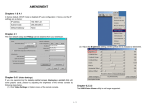
Figure 5-10. Video Settings Panel
Brightness Controls the brightness of the picture
Contrast Controls the contrast of the picture
Clock Defines the horizontal frequency for a video line and depends on
the video mode. Different video card types may require different values
here. The default settings in conjuction with the auto adjustment
procedure should be adequate for all common configurations. If the
picture quality is still bad after auto adjustment you may try to change
this setting together with the sampling phase to achieve a better
quality.
Phase Defines the phase for video sampling, used to control the display
quality together with the setting for sampling clock.
Horizontal Position Use the left and right buttons to move the picture in
horizontal direction while this option is selected.
Vertical Position Use the left and right buttons to move the picture in
vertical direction while this option is selected.
Reset this Mode Reset mode specific settings (Clock , Phase and
Position) to the factory-made defaults.
Reset all Modes Reset all settings to the factory-made defaults.
Save changes Save changes permanently
Undo Changes Restore last settings
• Refresh Video
Click to run this menu item for retrieving the whole video again from the
controlled host and displayed on Remote Console. In normal situation, only
changed parts of video will be packed and sent from IP-KVM, for saving network
34 / 90