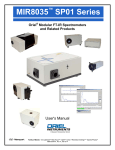
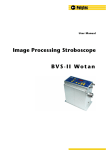
1
Title User Manual Laser Doppler Vibrometer Controller OFV-3001 Sensor Heads OFV-303 / -353 OFV-511 / -512 Warranty and Service The warranty for this equipment complies with the regulations in our general terms and conditions in their respective valid version. This is conditional on the equipment being used as it is intended and as described in this manual. The warranty does not apply to damage caused by incorrect usage, external mechanical influences or by not keeping to the operating conditions. The warranty also is invalidated in the case of the equipment being tampered with or modified without authorization. To return the equipment always use the original packaging. Otherwise we reserve the right to check the equipment for transport damage. Please mark the package as fragile and sensitive to frost. Include an explanation of the reason for returning it as well as an exact description of the fault. You can find advice on fault diagnosis in chapter 6. Trademarks Brand and product names mentioned in this manual could be trademarks or registered trademarks of their respective companies or organizations. Identification Labels Controller Sensor Head Contents Contents 1 Safety Information 1-1 1.1 Laser Safety ....................................................................................................................... 1-1 1.2 Laser Warning Labels ......................................................................................................... 1-2 1.2.1 EC Countries ............................................................................................................ 1-2 1.3 Laser Warning Labels ......................................................................................................... 1-4 1.3.1 Non-EC Countries ..................................................................................................... 1-4 1.4 Electrical Safety .................................................................................................................. 1-6 2 Introduction 2-1 2.1 System Overview ................................................................................................................ 2-1 2.2 Component Summary ......................................................................................................... 2-2 3 First Steps 3-1 3.1 Operating and Maintenance Requirements ......................................................................... 3-1 3.2 Unpacking and Inspection ................................................................................................... 3-2 3.3 Control Elements of the Vibrometer .................................................................................... 3-3 3.3.1 Controller .................................................................................................................. 3-3 3.3.2 Sensor Head OFV-303 .............................................................................................. 3-7 3.3.3 Sensor Head OFV-353 .............................................................................................. 3-8 3.3.4 Sensor Head OFV-511 .............................................................................................. 3-9 3.3.5 Sensor Head OFV-512 .............................................................................................3-11 3.4 Installation and Functional Test ......................................................................................... 3-13 3.4.1 Vibrometer with Sensor Head OFV-303/-353........................................................... 3-13 3.4.2 Vibrometer with Sensor Head OFV-511/-512 ........................................................... 3-14 4 Making Measurements 4-1 4.1 Start-up ............................................................................................................................... 4-1 4.1.1 Vibrometer with Sensor Head OFV-303/-353............................................................. 4-1 4.1.2 Vibrometer with Sensor Head OFV-511/-512 ............................................................. 4-2 4.1.3 Displaying the Output Signals ................................................................................... 4-3 4.2 Selecting Suitable Settings ................................................................................................. 4-4 4.2.1 Velocity or Displacement Measurement ? .................................................................. 4-4 4.2.2 Settings for Velocity Measurement ............................................................................ 4-5 4.2.3 Settings for Displacement Measurement (optional) ................................................. 4-10 4.2.4 Optimal Stand-Off Distances for the Sensor Heads ................................................. 4-14 i Contents 5 Operating the Vibrometer 5-1 5.1 5.2 5.3 5.4 5.5 5.6 5.7 5.8 5.9 Switching On and Off ...........................................................................................................5-1 Beam Shutter and Emission Indicator ..................................................................................5-1 Signal Level Display ............................................................................................................5-2 Focusing the Laser Beam ....................................................................................................5-2 Exchanging the Front Lens ..................................................................................................5-4 Making Single Point Measurements with the Sensor Head OFV-512 ...................................5-5 Fixing the Focus (only OFV-353) .........................................................................................5-5 Transport Safety Mechanism (only OFV-511/-512)...............................................................5-6 Operating the Vibrometer via the Display of the Controller ...................................................5-7 5.9.1 Operating Philosophy.................................................................................................5-7 5.9.2 Organization of the Menus .........................................................................................5-8 5.9.3 The Individual Menus .................................................................................................5-9 5.10 Setting Measurement Ranges and Filters ........................................................................ 5-11 5.11 Displaying the Configuration of the Controller .................................................................. 5-11 5.12 Configuring the Interfaces................................................................................................ 5-11 6 Fault Diagnosis 6.1 6.2 6.3 6.4 6-1 General Tests ......................................................................................................................6-1 No Laser Beam....................................................................................................................6-2 No Measurement Signal ......................................................................................................6-3 Checklist for Fault Diagnosis ...............................................................................................6-5 6.4.1 Controller OFV-3001 with the Sensor Head OFV-303/-353 ........................................6-5 6.4.2 Controller OFV-3001 with the Sensor Head OFV-511/-512 .........................................6-6 7 Technical Specifications 7-1 7.1 Controller OFV-3001 ............................................................................................................7-1 7.1.1 General Data .............................................................................................................7-1 7.1.2 Interfaces...................................................................................................................7-1 7.1.3 Low Pass Filter ..........................................................................................................7-2 7.1.4 Signal Voltage Output VELOCITY OUTPUT ...............................................................7-2 7.1.5 Signal Voltage Output DISPLACEMENT OUTPUT (optional) .....................................7-5 7.2 Sensor Head OFV-303/-353 ................................................................................................7-6 7.2.1 General Data .............................................................................................................7-6 7.2.2 Optics ........................................................................................................................7-6 7.3 Sensor Head OFV-511/-512.................................................................................................7-8 7.3.1 General Data .............................................................................................................7-8 7.3.2 Optics ........................................................................................................................7-8 Appendix A: Optional Accessories for the Sensor Head OFV-303/-353 Appendix B: Optional Accessories for the Sensor Head OFV-511/-512 Appendix C: Basics of the Measurement Procedure Appendix D: Functional Description of the Controller Appendix E: Interface Operation RS-232 and IEEE-488 / GPIB ii 1 Safety Information 1 Safety Information 1.1 Laser Safety The light source of the vibrometer is a helium neon laser. It is important to understand that laser light has different properties than ordinary light sources. Laser radiation is generally extremely intense due to the beam's low divergence and great care should be taken when handling laser instruments that the direct or reflected beam does not enter the eye. To ensure this, the following precautions have been taken: • • • • • • • • In general, Polytec equipment complies with the standards EN 60825-1 (DIN VDE 0837) and CFR 1040.10 (US). The optical output of the laser is less than 1 mW for the sensor heads OFV-303/-353 and OFV-511providing the equipment is used in the manner for which it was intended. This means that the vibrometer conforms with laser class 2 (II) and is generally very safe. Even when optimally focused, the laser radiation is not intense enough to harm the skin. The optical output of the laser is less than 5 mW (< 1 mW per fibre) for the sensor head OFV-512 providing the equipment is used in the manner for which it was intended. This means that the vibrometer conforms with laser class 3R (IIIa) and is generally very safe. Even when optimally focused, the laser radiation is not intense enough to harm the skin. The sensor head has been equipped with a beam shutter which can be used to block the laser beam during the warm-up phase or when the vibrometer is not in use, although switched on. The emission indicator on the sensor head indicates the activity of the laser and thus potential harm caused by emitted laser beams. The beam shutter is always less then 2 m away from the aperture of the laser beam. Special editions of the fiber optical sensor heads with fiber lengths of 3 m are fitted with an additional emission indicator which is integrated in the fibers. The laser is switched on via a key switch on the controller. The key can only be removed when the controller is switched off. It is not necessary to open the housing of the sensor head when using the vibrometer as intended. Opening the housing will invalidate the warranty. Please pay attention to the following safety precautions when using the vibrometer: • • • • Never look directly into the laser beam with the naked eye or with the aid of mirrors or optical instruments ! Only switch the beam shutter to the ON position when you are making measurements ! To position the sensor head, switch the beam shutter to the OFF position. Only when the sensor head is roughly in place and has been fixed in a stable position, switch the beam shutter to ON. Do not use any reflective tools, watches etc. when you are working in the path of the laser beam ! 1-1 1 Safety Information 1.2 Laser Warning Labels 1.2.1 EC Countries Warning labels The laser warning labels for the sensor heads in EC countries are shown in figure 1.1. Label 2, 3 and 4 are affixed or enclosed in the language of the customer’s country. Their position on the sensor head OFV-303/-353 is shown in figure 1.2 and on the sensor head OFV-511 resp. OFV-512 in figure 1.3. Laser class 2 for OFV-303/-353 and OFV-511 Laser class 3R for OFV-512 1 2 3 4 Figure 1.1: Laser warning labels for the vibrometer in EC countries 1-2 1 Safety Information Position The position of the laser warning labels in EC countries on the sensor head OFV-303/-353 is shown in figure 1.2. 3 1 2 4 B e a m Figure 1.2: Position of the laser warning labels on the sensor head OFV-303/-353 in EC countries The position of the laser warning labels in EC countries on the sensor head OFV-511 resp. OFV-512 is shown in figure 1.3. For the sensor head OFV-511, label 3 is affixed inside. For the sensor head OFV-512, label 4 is affixed inside and label 3 is enclosed with the sensor head as it is not possible to affix it on the mini sensor due to its size. Please affix this label clearly visible near the mounted mini sensor or fiber head. 1 A C H T U N G ! B itte v o r d e m T r a n s p o r t d ie T r a n s p o r ts ic h e r u n g b e tä tig e n C A U T IO N ! S IG N A L P R O C E S S O R P le a s e s e c u r e tr a n s p o r t m e c h a n is m b e fo r e s h ip m e n t M E A S U R E M E N T T R A N S P O R T B e a m 2 Figure 1.3: Position of the laser warning labels on the sensor head OFV-511/-512 in EC countries 1-3 1 Safety Information 1.3 Laser Warning Labels 1.3.1 Non-EC Countries Warning labels The laser warning labels for the sensor heads in non-EC countries are shown in figure 1.4. Their position on the sensor head OFV-303/-353 is shown in figure 1.5 and on the sensor head OFV-511 resp. OFV-512 in figure 1.6. Laser class II for OFV-303/-353 and OFV-511 Laser class III a for OFV-512 Figure 1.4: Laser warning labels for the vibrometer in non-EC countries 1-4 1 Safety Information Position The position of the laser warning labels in non-EC countries on the sensor head OFV-303/-353 is shown in figure 1.5. 3 1 4 2 B e a m Figure 1.5: Position of the laser warning labels on the sensor head OFV-303/-353 in non-EC countries The position of the laser warning labels in non-EC countries on the sensor head OFV-511 resp. OFV-512 is shown in figure 1.6. Label 4 is affixed inside. Label 3 is enclosed with the sensor head as it is not possible to affix it on the mini sensor due to its size. Please affix this label clearly visible near the mounted mini sensor or fiber head. 1 A C H T U N G ! B itte v o r d e m T r a n s p o r t d ie T r a n s p o r ts ic h e r u n g b e tä tig e n C A U T IO N ! S IG N A L P R O C E S S O R P le a s e s e c u r e tr a n s p o r t m e c h a n is m b e fo r e s h ip m e n t M E A S U R E M E N T T R A N S P O R T B e a m 2 Figure 1.6: Position of the laser warning labels on the sensor ead OFV-511/-512 in non-EC countries 1-5 1 Safety Information 1.4 Electrical Safety The vibrometer complies with the electrical safety class I. Electrical shock protection is achieved by a fully metallic housing connected to protective ground. Please pay attention to the following safety precautions when using the vibrometer: • • • • 1-6 The vibrometer should only be connected via a three pin mains cable to an AC mains supply 50 / 60 Hz with a grounded protective conductor with a nominal voltage which corresponds to the voltage set on the voltage selector. Defective mains fuses may only be replaced by fuses of the same kind with their rating given on the back of the controller. None of the equipment may be used with open housing. As a general rule, before removing parts of the housing, the mains cable has to be unplugged. Air inlets and outlets must always be kept uncovered to ensure effective cooling. If the cooling fan stops working, the vibrometer is to be switched off immediately. 2 Introduction 2 Introduction 2.1 System Overview Polytec vibrometers are instruments for non-contact measurement of surface vibrations based on laser interferometry. The vibrometer consists of the controller OFV-3001 and the sensor head OFV-303/-353 or OFV-511/-512. The signal paths in the vibrometer are shown schematically in figure 2.1. S e n s o r h e a d O b je c t fm f0 j j o d m o d V e lo c ity d e c o d e r 0 F re q u e n c y x (t) v (t)= d x /d t D f v (t) V D is p la c e m e n t d e c o d e r ( o p tio n a l) P h a s e D j x (t) V Figure 2.1: Signals in the vibrometer The beam of a helium neon laser is focused on the object under investigation, scattered back from there and coupled back into the interferometer in the sensor head. The interferometer compares the phase ϕmod and frequency fmod of the object beam with those of the internal reference beam ϕ0 and f0. The frequency difference is proportional to the instantaneous velocity and the phase difference is proportional to the instantaneous position of the object. In the controller, the resulting signal is decoded using the velocity decoder and optionally the displacement decoder. Two voltage signals are generated which are respectively proportional to the instantaneous VELOCITY and to the instantaneous position (DISPLACEMENT) of the object. Both signals are available at the front of the controller as an analog voltage and can be processed further externally. Additional functions such as filters and signal level display raise the level of comfort for the vibrometer user. The settings of the vibrometer are selected via the display of the controller or via PC interfaces. To display and analyze measurement results on a workstation, the Polytec Vibrometer Software (VibSoft) is available optionally. The software is described in a separate manual. 2-1 2 Introduction 2.2 Component Summary Polytec assembles the vibrometer on the modular principle thus permitting a user-specific configuration. The combination of the controller OFV-3001 with the most useful decoders as well as a suitable sensor head provide the solution to a multitude of measurement tasks. Thus a manageable number of components cover a wide range of applications. A summary of the components is shown in figure 2.2. F ib e r o p tic a l s e n s o r h e a d s S ta n d a rd s e n s o r h e a d s O F V -5 1 1 O F V -5 1 2 O F V -3 0 3 O F V -3 5 3 O F V -3 0 0 1 V e lo c ity d e c o d e r s D is p la c e m e n t d e c o d e r s O V D -0 1 O V D -0 2 O V D O V D O V D O V D -1 0 -2 0 -3 0 -4 0 Figure 2.2: Compatibility of the controller OFV-3001 with sensor heads and decoders The modularity is achieved initially through strict separation of optics and electronics. Every decoder can be combined with every sensor head. The controller is equipped with one of the two available velocity decoders as standard. A maximum of two velocity decoders can be installed. The velocity decoders are described in section D.4.1. As an option, the controller can be fitted with one of the four available displacement decoders as well as be supplemented by a PC-based displacement decoder (refer to section D.5.2). The various standard and fiber optical sensor heads comply with the different requirements of the vibrometer’s optics. For every sensor head a selection of lenses covers a wide range of stand-off distances. 2-2 3 First Steps 3 First Steps 3.1 Operating and Maintenance Requirements Operating environment The vibrometer can be operated in dry rooms under normal climate conditions (refer to chapter 7). In particular the optical components in the sensor head are sensitive to moisture, high temperatures, jolting and dirt. When the vibrometer is taken into operation after being stored somewhere cool, a sufficient acclimatization period should be allowed for before switching it on. Avoid condensation on the optical components caused by a rapid change in temperature. Mains connection Before taking the vibrometer into operation, please ensure that the supply voltage set with the voltage selector corresponds with the local mains voltage. Only replace defective fuses by fuses of the same kind and equal rating. Warming-up The helium neon laser in the sensor head requires a certain period of time to reach optimum stability. The vibrometer should thus be switched on 20 minutes before the first measurements are made to ensure that it is in thermal equilibrium with the surroundings. Assembly The sensor head OFV-303 should not be positioned provisionally but mounted properly on a stable tripod using the threads provided. Transport The sensor head OFV-511/-512 is equipped with a transport safety mechanism which always has to be activated before moving the sensor head (refer to section 5.8). Connecting cables As a general rule the vibrometer must not be switched on until all cables are connected. Make sure that all jacks are connected properly and firmly. Protect the cables from mechanical damage and from high temperatures. Cleaning The housing surfaces of the instrument can be cleaned with mild detergent solutions. Organic solvents must not be used. Optical components Handle all optical components with great care. Dirt may only be removed very carefully with a soft, dry cloth, an optics brush and bellow. Cooling It is very important to ensure that there is sufficient air circulation to keep the controller and the sensor head cool. The air vents of the sensor head must never be covered up and the back panel of the controller must be at least 50 mm away from the wall. Opening up Opening up of the equipment without authorization is not necessary for its the equipment operation and will invalidate the warranty. 3-1 3 First Steps 3.2 Unpacking and Inspection The vibrometer consists of the following components: • • • • controller OFV-3001 sensor head OFV-303/-353 or OFV-511/-512 connecting cable from the controller to the sensor head (length 5 m) earthed mains cable Caution ! Protect the unpacked sensor head from hard jolts as these can lead to misalignment of the interferometer ! Caution ! Handle the front lens of the sensor head with great care ! Dirt may only be removed very carefully with a soft, dry cloth, an optics brush and bellow ! Please pay attention to the following steps when unpacking: 1. After unpacking, check all components for external damage (scratches, loose screws, damaged lens etc.). 2. Check the packaging for signs of unsuitable handling during transport. 3. In the case of a wrong delivery, damage or missing parts, inform your local Polytec representative immediately and give them the serial number of the sensor head and the controller. The identification labels can be found on the back of the instruments and also on the inside cover of this manual. 4. Carefully retain the original packaging in case you have to return the instrument. 5. Install the vibrometer and carry out a first functional test as described in section 3.4.1 (sensor head OFV-303/-353) or section 3.4.2 (sensor head OFV-511/-512). 3-2 3 First Steps 3.3 Control Elements of the Vibrometer 3.3.1 Controller The front panel of the controller is shown in figure 3.1. 4 3 5 6 7 V E L O C IT Y O F V 3 0 0 1 V IB R O M E T E R C O N T R O L L E R + F U N C T IO N - P O W E R O U T P U T O V E R S E T T IN G D IS P L A C E M E N T C L E A R O I L L O 2 1 R E S E T R E M O T E 1 3 1 2 1 1 O U T P U T 1 0 9 8 Figure 3.1: Front view of the controller 1 POWER - LED The L ED lights up when the key switch on the controller is turned to position I and indicates that the controller is ready to operate. 2 Mains Switch This key switch disconnects the vibrometer from the mains (position O) and is used to switch it off in the case of danger. Caution ! Always connect the connecting cable to the sensor head before switching the controller on ! 3 Liquid Crystal Display (LCD) with background lighting This display shows the configuration and the settings of the vibrometer. The organization of the display and how to use it to operate the vibrometer are described in detail in section 5.9. 4 FUNCTION - keys Using these keys the cursor is moved vertically up (↑) or down (↓) on the display. This is used to select parameters or to change between menus (refer to section 5.9.1). 5 SETTING - keys Using these keys the settings are changed to higher (+) or lower (−) values (refer to section 5.9.1). 3-3 3 First Steps 6 OVER - indicator for the velocity The LED lights up when the output voltage exceeds either of the positive or negative full scale of the velocity measurement range. If it lights up permanently, the next highest velocity measurement range must be selected (refer also to section 4.2.2). 7 Analog voltage OUTPUT for the VELOCITY signal (BNC jack) The voltage at this output is proportional to the instantaneous vibration velocity of the object under investigation. The voltage is positive when the object is moving towards the sensor head. 8 CLEAR - input for the displacement decoder (BNC jack) This input is only active, if a displacement decoder is installed. It allows synchronized resetting of the displacement decoder. This can be used to remove a DC component which is superimposed on a periodic vibration (refer to section 4.2.3). 9 Analog voltage OUTPUT for the DISPLACEMENT signal (BNC jack) This output is only active, if a displacement decoder is installed. The voltage at this jack is proportional to the instantaneous displacement of the object to be measured. The voltage increases when the object is moving towards the sensor head. 10 CLEAR - key for the displacement decoder This key is only active, if a displacement decoder is installed. Using this key the displacement decoder can be reset manually (refer to section 4.2.3). 11 RESET - key Using this key the controller processor can be reset. The setting of the controller is subsequently the same as it was straight after switching on the mains. 12 REMOTE - LED The LED is lit when the controller is being operated remotely via one of the PC interfaces (refer to appendix E). Manual operation with the keys ↑, ↓, +, - is also still possible (as oppose to the status Local Lock Out). 13 LLO - LED This L ED is lit when the status Local Lock Out has been activated via one of the PC interfaces (refer to appendix E). The keys ↑, ↓, +, − are then deactivated and the controller can only be operated via the PC interfaces. 3-4 3 First Steps The back panel of the controller is shown in figure 3.2. 6 7 R S 2 3 2 G P IB / IE E E -4 8 8 S IG N A L 8 2 IN T E R F E R O M E T E R E X T . D E C . R E M O T E F O C U S 5 1 4 3 Figure 3.2: Rear view of the controller 1 INTERFEROMETER - connector (Sub-D jack) Jack for the connecting cable to the sensor head 2 Mains connection combination Socket for standard power cord with built-in fuses and mains voltage selector (refer to section 3.1) Warning ! Always disconnect from the mains before checking the fuses ! Caution ! Always check the setting of the voltage selector as well as the fuses before installing the controller ! 3 EXTernal DECoder - interface Interface for an external PC-based displacement decoder (refer to section D.5.2) 4 REMOTE FOCUS - interface Interface for the optional hand terminal OFV-310 to focus the laser beam (refer to section A.1) 5 SIGNAL - output (BNC jack) The DC voltage at this output is proportional to the logarithm of the optical signal level. 6 GPIB / IEEE-488 - interface Jack for the IEEE-488 / GPIB cable (refer to appendix E) 3-5 3 First Steps 7 Cooling Fan Caution ! This opening must always be kept free to ensure sufficient cooling. The distance from the wall should be at least 50 mm ! 8 3-6 RS-232 - interface (Sub-D jack) Jack of the serial interface (refer to appendix E) 3 First Steps 3.3.2 Sensor Head OFV-303 The back panel and the front panel of the sensor head OFV-303 are shown in figure 3.3. 5 3 2 1 S C O N T R O L L E R O F F L A S E R N A I A U T O 7 M A N L & O N G 6 E M IS S IO N 4 Figure 3.3: Rear view and front view of the sensor head OFV-303 1 Beam shutter In position OFF the laser beam is blocked. Warning ! Only switch the beam shutter to position ON when you are making measurements ! 2 CONTROLLER - connector (Sub-D jack) Jack for the connecting cable to the controller 3 Signal level display The length of the bar is a measure of the amount of light scattered back from the surface of the object. 4 LASER - LED The L ED lights up when the laser is switched on (key switch on the controller in position I) i.e. even if the beam shutter is closed (refer to section 5.2). 5 Switch AUTO / MAN This knob is used to switch between remote-controlled and manual focusing (refer to section 5.4). 6 Front lens Exchange of the front lens is described in section 5.5. 7 Focusing ring Focusing ring for manual focusing of the laser beam (refer to section 5.4) 3-7 3 First Steps 3.3.3 Sensor Head OFV-353 The back panel and the front panel of the sensor head OFV-353 are shown in figure 3.4. 2 1 5 3 6 7 B R A K E S C O N T R O L L E R O F F L A S E R N A I O N O F F L & O N G E M IS S IO N 4 Figure 3.4: Rear view and front view of the sensor head OFV-353 1 Beam shutter In position OFF the laser beam is blocked. Warning ! Only switch the beam shutter to position ON when you are making measurements ! 3-8 2 CONTROLLER - connector (Sub-D jack) Jack for the connecting cable to the controller 3 Signal level display The length of the bar is a measure of the amount of light scattered back from the surface of the object. 4 LASER - L ED The LED lights up when the laser is switched on (key switch on the controller in position I) i.e. even if the beam shutter is closed (refer to section 5.2). 5 Switch BRAKE ON / OFF This knob is used to fix the focus (refer to section 5.7). 6 Front lens Exchange of the front lens is described in section 5.5. 7 Focusing ring Focusing ring for focusing of the laser beam (refer to section 5.4) 3 First Steps 3.3.4 Sensor Head OFV-511 The front panel of the sensor head OFV-511 is shown in figure 3.5. 5 6 S IG N A L O F V -5 1 1 F IB E R IN T E R F E R O M E T E R O N L A S E R S T A N D B Y 1 2 3 4 Figure 3.5: Front view of the sensor head OFV-511 1 LASER - beam shutter key Pressing this key the beam shutter is opened and pressing this key a second time the beam shutter is closed again (refer to section 5.2). The beam shutter is closed automatically when the controller is switched on (key switch on the controller in position I). 2 LASER STANDBY - L ED The LED goes on when the controller is switched on. This then shows that the laser is operational. However, no laser beam is emitted yet as the beam shutter is still closed (LED ON is out). The LED goes out when the beam shutter key is pressed and thus the laser beam is emitted (L ED ON is then on). 3 LASER ON - LED The L ED goes on when the beam shutter key LASER is pressed and thus the laser beam is emitted. At the same time the L ED STANDBY goes out. Pressing the beam shutter key LASER a second time the beam shutter is closed and the L ED ON goes out and the LED STANDBY goes on again. 4 Signal level display The length of the bar is a measure of the amount of light scattered back from the surface of the object. 3-9 3 First Steps 5 Fiber optic cable 6 Mini sensor (Diameter 10 mm) The mini sensor contains a lens to focus the laser beam. Exchange of the mini sensor with a fiber head is described in section B.3. Note ! Each mini sensor is exactly adjusted to its fiber. Never exchange the mini sensor with a mini sensor of another sensor head ! The back panel of the sensor head OFV-511 is shown in figure 3.6. 3 4 A C H T U N G ! B itte v o r d e m T r a n s p o r t d ie T r a n s p o r ts ic h e r u n g b e tä tig e n C A U T IO N ! S IG N A L P R O C E S S O R P le a s e s e c u r e tr a n s p o r t m e c h a n is m b e fo r e s h ip m e n t M E A S U R E M E N T T R A N S P O R T 2 1 Figure 3.6: Rear view of the sensor head OFV-511 7 Transport handle Caution ! Always activate the transport safety mechanism before moving the sensor head ! 8 Sensor mount To transport the sensor head, the mini sensor can be plugged into this sensor mount. 9 SIGNAL PROCESSOR - connector (Sub-D jack) Jack for the connecting cable to the controller 10 Transport safety mechanism The transport safety mechanism is (de)activated by turning the screw with the Allen key provided (refer to section 5.8). 3-10 3 First Steps 3.3.5 Sensor Head OFV-512 The front panel of the sensor head OFV-512 is shown in figure 3.7. 5 6 S IG N A L O F V -5 1 2 F IB E R IN T E R F E R O M E T E R O N L A S E R S T A N D B Y 2 1 3 4 Figure 3.7: Front view of the sensor head OFV-512 1 LASER - beam shutter key Pressing this key the beam shutter is opened and pressing this key a second time the beam shutter is closed again (refer to section 5.2). The beam shutter is closed automatically when the controller is switched on (key switch on the controller in position I). 2 LASER STANDBY - L ED The LED goes on when the controller is switched on. This then shows that the laser is operational. However, no laser beam is emitted yet as the beam shutter is still closed (LED ON is out). The LED goes out when the beam shutter key is pressed and thus the laser beam is emitted (L ED ON is then on). 3 LASER ON - LED The L ED goes on when the beam shutter key LASER is pressed and thus the laser beam is emitted. At the same time the L ED STANDBY goes out. Pressing the beam shutter key LASER a second time the beam shutter is closed and the L ED ON goes out and the LED STANDBY goes on again. 4 Signal level display The length of the bar is a measure of the amount of light scattered back from the surface of the object. 5 Fiber optic cable The fiber optic cable branches off via a Y-piece. The reference fiber is marked with a red dot. 3-11 3 First Steps 6 Mini sensors (Diameter 10 mm) Each mini sensor contains a lens to focus the laser beam. The mini sensor of the reference fiber is marked with a red dot. Exchange of the mini sensors with fiber heads is described in section B.3. Note ! Each mini sensor is exactly adjusted to its fiber. Never exchange the mini sensors of a sensor head with each other or with mini sensors of other sensor heads ! The back panel of the sensor head OFV-512 is shown in figure 3.8. 3 4 A C H T U N G ! B itte v o r d e m T r a n s p o r t d ie T r a n s p o r ts ic h e r u n g b e tä tig e n C A U T IO N ! S IG N A L P R O C E S S O R P le a s e s e c u r e tr a n s p o r t m e c h a n is m b e fo r e s h ip m e n t M E A S U R E M E N T T R A N S P O R T 2 1 Figure 3.8: Rear view of the sensor head OFV-512 7 Transport handle Caution ! Always activate the transport safety mechanism before moving the sensor head ! 8 Sensor mount To transport the sensor head the mini sensors can be plugged into this sensor mount. 9 SIGNAL PROCESSOR - connector (Sub-D jack) Jack for the connecting cable to the controller 10 Transport safety mechanism The transport safety mechanism is (de)activated by turning the screw with the Allen key provided (refer to section 5.8). 3-12 3 First Steps 3.4 Installation and Functional Test 3.4.1 Vibrometer with Sensor Head OFV-303/-353 For the installation and an initial functional test of the vibrometer, proceed as follows: Preparing 1. Make sure that the key switch on the controller is in position O and the beam shutter on the sensor head is in position OFF. 2. Check the setting on the mains voltage selector on the back of the controller as well as the fuses. Cabling 3. Plug the connecting cable into the Sub-D jack CONTROLLER on the back of the sensor head and into the Sub-D jack INTERFEROMETER on the back of the controller. Fix the connections with the screws provided. All connections must be easy to plug in. If not, check the plug for bent contact pins to avoid serious damage being incurred. 4. Use the earthed mains cable to connect the controller to a wall outlet providing protective grounding. Switching on 5. Switch the controller on by turning the key switch to position I. On the front of the controller the LED POWER lights up. Providing the connecting cable has been installed correctly, the LED LASER on the sensor head also lights up. Laser light is not yet emitted as the beam shutter is still closed. 6. Before now opening the beam shutter, remember the information on laser safety provided in section 1.1 ! 7. Open the beam shutter on the sensor head by turning the knob to position ON. The laser beam is now emitted from the sensor head. Test 8. Put a piece of reflective film (enclosed in this manual) at approximately 45 cm from the front panel of the sensor head in the beam path. 9. OFV-303: Pull the knob AUTO / MAN out until it clicks into place and turn the focusing ring until the adjustment mechanism clicks into place. OFV-353: Pull the knob BRAKE ON / OFF out until it clicks into place and turn the focusing ring until the adjustment mechanism clicks into place. Now the laser beam can be focused. 10. Focus the laser beam on the reflective film using the focusing ring on the sensor head. Providing the sensor head and the input section of the controller are working correctly, the signal level display will fully light up. 11. If you have not been able to observe the effect described under 10., check the signal level again after 20 minutes. After this warm-up phase the laser has reached its working temperature (refer also to section 4.2.4). 3-13 3 First Steps If the functional test has been successful you can now make measurements as described in chapter 4. If your vibrometer does not perform as described above, read through the information on fault diagnosis provided in chapter 6 and, if necessary, contact your local Polytec representative. 3.4.2 Vibrometer with Sensor Head OFV-511/-512 For the installation and an initial functional test of the vibrometer, proceed as follows: Preparing 1. Only OFV-512: Unscrew the mini sensor from the reference fiber. The reference fiber is marked with a red dot. Mount the reference head OFV-151 on the reference fiber as described in section 5.6. 2. Deactivate the transport safety mechanism on the back of the sensor head by turning the screw with the Allen key provided to position MEASUREMENT (refer to section 5.8). 3. Make sure that the key switch on the controller is in position O. 4. Check the setting on the mains voltage selector on the back of the controller as well as the fuses. Cabling 5. Plug the connecting cable into the Sub-D jack SIGNAL PROCESSOR on the back of the sensor head and into the Sub-D jack INTERFEROMETER on the back of the controller. Fix the connections with the screws provided. All connections must be easy to plug in. If not, check the plug for bent contact pins to avoid serious damage being incurred. 6. Use the earthed mains cable to connect the controller to a wall outlet providing protective grounding. Switching on 7. Switch the controller on by turning the key switch to position I. On the front of the controller the LED POWER lights up. Providing the connecting cable has been installed correctly, the LED STANDBY on the sensor head also lights up. Laser light is not yet emitted as the beam shutter is still closed. 8. Before now opening the beam shutter, remember the information on laser safety provided in section 1.1 ! 9. Open the beam shutter on the sensor head by pressing the key LASER on the front of the sensor head. The LED ON on the sensor head lights up. At the same time the LED STANDBY goes out. The laser beam is now emitted from the mini sensor. 3-14 3 First Steps Test 10. Put a piece of reflective film (enclosed in this manual) at approximately 12 cm from the front lens of the mini sensor in the beam path. 11. Focus the laser beam on the reflective film by turning the mini sensor. Providing the sensor head and the input section of the controller are working correctly, the signal level display will fully light up. 12. If you have not been able to observe the effect described under 11., check the signal level again after 20 minutes. After this warm-up phase the laser has reached its working temperature (refer also to section 4.2.4). If the functional test has been successful you can now make measurements as described in chapter 4. If your vibrometer does not perform as described above, read through the information on fault diagnosis provided in chapter 6 and, if necessary, contact your local Polytec representative. 3-15 3 First Steps 3-16 4 Making Measurements 4 Making Measurements 4.1 Start-up 4.1.1 Vibrometer with Sensor Head OFV-303/-353 Setup 1. Make sure that the key switch on the controller is in position O and the beam shutter on the sensor head are in position OFF. 2. Fix the sensor head as appropriate with the M 6 or 1/4 " threaded mounting holes onto a universal tripod with a fluid head. This ensures secure support and makes it easier to focus on the object. 3. Position the sensor head according to the information on optimal stand-off distances in section 4.2.4. 4. Align the sensor head such that the laser beam points along the velocity vector to be measured i.e. in general perpendicular to the surface of the object. Switching on 5. Switch the controller on by turning the key switch to position I. Please allow 20 minutes for the laser to warm up before making measurements. On the front of the controller the LED POWER lights up. Providing the connecting cable has been installed correctly, the LED LASER on the sensor head also lights up. Laser light is not yet emitted as the beam shutter is still closed. 6. Before now opening the beam shutter, remember the information on laser safety provided in section 1.1 ! 7. Open the beam shutter on the sensor head. The laser beam is now emitted from the sensor head. Measuring 8. Focus the laser beam on the surface of the object. The signal-to-noise ratio is maximal if the signal level display fully lights up. You can often still make measurements even if none of the bar L EDs is lit up. The output signal in this case, however, contains more noise. 9. If the signal level is low or highly fluctuating, change the stand-off distance by 10 cm as it may be that the sensor head has been positioned at an unsuitable distance (refer to section 4.2.4). 4-1 4 Making Measurements 4.1.2 Vibrometer with Sensor Head OFV-511/-512 Setup 1. OFV-511: If desired, exchange the mini sensor with a fiber head (refer to section B.3). OFV-512: If desired, exchange both mini sensors with fiber heads (refer to section B.3) or for single point measurements exchange the mini sensor of the reference fiber with a reference head (refer to section 5.6 and section B.1) and the other mini sensor with a fiber head. 2. Make sure that the key switch on the controller is in position O. 3. Fix the mini sensor as appropriate to the flexible arm OFV-039 (refer to section B.4) or to the OFV-036. This ensures a secure position and makes it easier to focus on the object. 4. Position the mini sensor or fiber head according to the information on optimal stand-off distances in section 4.2.4. 5. Align the mini sensor or fiber head such that the laser beam points along the velocity vector to be measured, i.e. in general perpendicular to the surface of the object. Switching on 6. Switch the controller on by turning the key switch to position I. Please allow 20 minutes for the laser to warm up before making measurements. On the front of the controller the LED POWER lights up. Providing the connecting cable has been installed correctly, the LED STANDBY on the sensor head also lights up. Laser light is not yet emitted as the beam shutter is still closed. 7. Before now opening the beam shutter, remember the information on laser safety provided in section 1.1 ! 8. Open the beam shutter on the sensor head by pressing the key LASER on the front of the sensor head. The LED ON on the sensor head lights up. At the same time the LED STANDBY goes out. The laser beam is now emitted from the mini sensor or fiber head. Measuring 9. Focus the laser beam on the surface of the object. The signal-to-noise ratio is maximal if the signal level display fully lights up. You can often still make measurements even if none of the bar LEDs is lit up. The output signal in this case, however, contains more noise. 10. If the signal level is low or highly fluctuating, change the stand-off distance by 10 cm as it may be that the mini sensor or fiber head has been positioned at an unsuitable distance (refer to section 4.2.4). 4-2 4 Making Measurements 4.1.3 Displaying the Output Signals To display the output signals, proceed as follows: Velocity signal 1. Connect an oscilloscope to the BNC jack VELOCITY OUTPUT on the front of the controller. With a suitable selected measurement range, the expected signal form should be visible at the VELOCITY OUTPUT. 2. Select the next highest measurement range if the L ED OVER is continuously lit up at the front of the controller (refer to section 4.2.2). Then the maximum velocity exceeds the full scale range. The display may light up briefly while a different velocity measurement range is being set or due to noise spikes. 3. Increase the intensity of the light scattered back by various surface materials. The noise level of the velocity output decreases. The minimum noise level shows the optimal alignment and focusing for the surface quality present. Displacement signal (optional) 4. Connect an oscilloscope to the BNC jack DISPLACEMENT OUTPUT on the front of the controller. At the DISPLACEMENT OUTPUT, as a general rule the expected signal form can not be seen initially. 5. Press the CLEAR key several times. After pressing the key several times, the expected signal form should be visible on the oscilloscope (refer to section 4.2.3, CLEAR function). If not, then the displacement measurement range is unsuitable and should be selected according to the information provided in section 4.2.3. Sign convention The following sign convention for direction applies to the output signals: A movement towards the sensor head is considered as being positive. In this case the velocity output voltage is positive and the displacement output voltage is increasing. 4-3 4 Making Measurements 4.2 Selecting Suitable Settings 4.2.1 Velocity or Displacement Measurement ? The vibrometer can provide both velocity and displacement signals independently of each other. If the vibrometer is equipped with both velocity and displacement decoders, for many measurements a decision then has to be made on which is the optimal quantity to be measured. This applies in particular to harmonic vibrations, as in this case the velocity and the displacement signal provide the same information according to v̂ = 2π ⋅ f ⋅ x̂ Equation 4.1 v̂…velocity amplitude x̂…displacement amplitude f…frequency In contrast, transient movements in most cases are shown much more clearly by the displacement signal. Apart from these application-specific aspects, there are some aspects affecting the choice of the quantity to be measured which depend on the measurement procedure. These are explained in the following. Dynamic range Due to the 12 bit digital resolution of the fringe counter system, the relative resolution of each displacement measurement range is 2048 steps with a symmetric output voltage swing. This corresponds to a dynamic range of approximately 66 dB. The background noise lies generally below the resolution and therefore does not affect the measurement. In contrast, the resolution in velocity measurement is only limited by the background noise. With good optical signals (e.g. on reflective film) and a spectral resolution bandwidth of several Hertz, the background noise is typically more than 100 dB below full scale range. This corresponds to a dynamic range which is about 100 times higher than that of the displacement measurement. Resolution If the absolute, noise limited resolution of the velocity decoder (approximately µm 0.2 -------s ⁄ Hz ) is rearranged according to equation 4.1 to obtain the corresponding amplitude of a sinusoidal vibration with a frequency of 100 kHz, – 13 this results to approximately 3 ⋅ 10 mm or 0.3 pm ! This means that with high frequencies in particular, significantly higher resolutions can be attained with the velocity measurement. Signal-tonoise ratio 4-4 The vibration to be measured is usually superimposed by interference vibrations from the surroundings or from the object itself. These background vibrations (e.g. building vibrations) often have low frequencies but high displacement amplitudes. To prevent overranging, the displacement measurement range must be selected taking the amplitude of the background vibrations into consideration. If the required signal is then resolved at all, at least a bad signal-to-noise ratio is obtained at the output. 4 Making Measurements The situation for the velocity measurement is however quite different. For the same displacement amplitude but a higher frequency, the velocity amplitude of the required signal is a factor of 2π ⋅ f higher than the background vibration (refer to equation 4.1). Thus at velocity measurement the signal-to-noise ratio is higher per definition. A realistic ultrasound application should make this clearer: Vibration to be measured: e.g. f Signal = 100kHz , x̂ Signal = 1µm –1 ⇒ v̂ Signal = 6, 28 ⋅ 10 m/s (refer to equation 4.1) Background vibration: typically f Background < 100Hz , x̂ Background < 10µm –3 ⇒ v̂ Background < 6, 28 ⋅ 10 m/s Thus the signal-to-noise ratio here for velocity measurements is two orders of magnitude higher, even with a 10 times higher amplitude of the background vibrations. If the displacement signal is expressly required, it can be calculated very precisely by external signal integration after cutting off the interference frequencies below 1 kHz with a suitable high pass filter. 4.2.2 Settings for Velocity Measurement Measurement range When selecting a suitable velocity measurement range the maximum expected values for velocity, acceleration and frequency have to be taken into consideration. Orientation purely on the velocity is often not enough, as the various velocity decoders and measurement ranges have different bandwidths and maximum accelerations. The respective values are given in the specifications (refer to section 7.1.4). It is easiest to select the velocity measurement range for the universal decoder OVD-02. As long as the frequency remains below 250 kHz, any of the four measurement ranges can be selected. To maximize the signal-to-noise ratio however, the smallest possible range should be used in which the output signal is not clipped. For frequencies above 250 kHz only the top three measurement ranges are suitable. Acceleration limits usually do not have to be taken into consideration. Even with maximum amplitude, it can still process the highest specified frequency in every measurement range. With the decoder OVD-01 the technical limits for acceleration have to be taken into consideration in some velocity measurement ranges. According to the relation â = 2π ⋅ f ⋅ v̂ Equation 4.2 â…acceleration amplitude v̂…velocity amplitude f…frequency 4-5 4 Making Measurements in these ranges the permissible frequency decreases with increasing amplitude. If the condition 4.2 is infringed upon, the signal is seriously distorted. In this case, a higher velocity measurement range has to be selected. In all velocity measurement ranges the LED OVER on the front of the controller lights up if either the positive or negative end of range is exceeded. As a general rule, the next highest measurement range should then be selected. Please note however, that the LED is activated by very short overrange already which could be caused by noise spikes. In such cases the velocity measurement range can be retained as long as it is suitable for the amplitude of the required signal. Observing the signal on the oscilloscope will provide clarification on this (refer to section 4.1.3). Tracking filter The tracking filter is used to improve the signal-to-noise ratio of the input signal from the sensor head. This is advantageous to bridge short dropouts in particular, which always occur due to the speckled nature of the light scattered back from the object. The bridging capability is generally better with a high time constant SLOW, however it may not be possible to follow highly dynamic signals any more. In this case FAST or OFF has to be selected. The best setting therefore has to be determined from case to case or be estimated based on the range diagram in 4.1. The range diagram shows the dynamic limits for both settings of the tracking filter, plotted versus the frequency. V e lo c ity / m / s 1 0 v e lo c ity lim it 3 m /s 3 S L O 1 W a c c e le ra n lim it fr e q u e n c y lim it 1 0 0 k H z 0 .3 tio 0 .1 0 .0 3 0 .0 1 0 .0 3 0 .1 0 .3 1 3 1 0 3 0 1 0 0 3 0 0 F re q u e n c y / k H z Figure 4.1: Range diagram of the tracking filter A constant velocity limit of approximately 3 m / s is characteristic for the lower frequency range. If the velocity exceeds this value, the tracking filter can generally not be used and has to be switched off. For special applications a tracking filter can be installed for which this velocity limit does not apply. This is however coupled at worse noise suppression. In the medium frequency range, the velocity limit changes over to become an acceleration limit i.e. the velocity limit decreases inversely proportional to the frequency (refer to equation 4.2). 4-6 4 Making Measurements In the upper frequency range, a constant velocity limit becomes effective again. To set the tracking filter, the range diagram in figure 4.1 can be summarized with the following rules of thumb: • • Below a particular velocity, no dynamic limits have to be taken into --------consideration. Thus in the lower measurement ranges (1 mm s - ⁄ V and mm--------5 s ⁄ V) the setting SLOW can generally be selected. For medium velocities and frequencies, the acceleration limits of the tracking filter have to be taken into consideration. The optimal setting must be found with the range diagram. If the velocity or acceleration limits are exceeded, the tracking filter loses lock (refer to section D.2). This will cause serious signal distortions an example of which can be seen on the oscilloscope trace in figure 4.2. The signal A shows a sinusoidal velocity signal with the tracking filter in position OFF. Signal B shows the signal with the tracking filter in position SLOW. The tracking filter is on the limit of the range where it loses lock, the signal is partly distorted. Figure 4.2: True velocity signal (A) and signal when the tracking filter loses lock (B) • For frequencies above 100 kHz as a general rule the tracking filter should be switched off. In principle it can follow higher frequencies but in this range amplitude errors of up to approximately 10% can occur due to dynamic errors. With good optical signals, the tracking filter can not improve the signal-tonoise ratio due to physical reasons. It should be switched off if unfavorable effects are observed. 4-7 4 Making Measurements Low pass filter The controller is equipped with an adjustable low pass filter which adapts the bandwidth of the measurement signal to the respective application. When displaying a signal in the time domain, the signal-to-noise ratio can be improved by limiting the bandwidth to the necessary extent. When analyzing in the frequency domain with an external FFT analyzer, filters only play a subordinate role. Here they can prevent the FFT analyzer from overranging due to noise spikes. In the OFV-3001 controller, low pass filters with 3rd order Bessel characteristics are used. Characteristic of this type of filter is the phase linearity from the frequency zero up to the cutoff frequency i.e. the phase shift increases proportionally to the frequency. These filters however cause amplitude errors in the passband which can be roughly estimated: Up to 40% of the cutoff frequency, the amplitude error is less than - 5%. This range can be considered to be exact for amplitude measurement. Up to 70% of the cutoff frequency, the amplitude error increases to about - 15%. The upper 30 % of the passband should only be used for orientation measurements. At the cutoff frequency of the filter, the amplitude error is -3 dB (approximately - 30%). • • • The phase shift increases proportionally to the frequency from close to zero degree at a few Hertz to approximately - 100 degrees at the cutoff frequency (refer to figure 4.5). Due to this linear phase frequency response, the filter shows optimal transmission behavior for pulses as all frequencies of a complex wave are subjected to the same time delay. Thus the shape of the pulse is not falsified but it is merely delayed. The complete amplitude frequency response of a 3rd order Bessel low pass filter is shown in figure 4.3. The frequency is normalized to the cutoff frequency fc. A m p litu d e / d B 1 0 0 -1 0 -2 0 -3 0 -4 0 -5 0 f -6 0 0 .1 0 .2 0 .5 1 2 5 1 0 2 0 Figure 4.3: Amplitude frequency response of a 3rd order Bessel low pass filter 4-8 fC 4 Making Measurements The amplitude error caused by the filter can be determined from figure 4.4. A m p litu d e e r r o r / % 0 -5 -1 0 -1 5 -2 0 -2 5 f -3 0 0 .0 0 .1 0 .2 0 .3 0 .4 0 .5 0 .6 0 .7 0 .8 0 .9 1 .0 fC Figure 4.4: Amplitude error of a 3rd order Bessel low pass filter in the passband The phase frequency response of the filter is shown in figure 4.5. P h a s e / d e g re e s 0 -2 0 -4 0 -6 0 -8 0 f -1 0 0 0 .0 0 .2 0 .4 0 .6 0 .8 1 .0 fC Figure 4.5: Phase frequency response of a 3rd order Bessel low pass filter in the passband 4-9 4 Making Measurements An additional time delay is caused by the velocity decoder. It depends on both velocity decoder and velocity measurement range and is approximately a few microseconds. The resulting overall phase shift ∆Φ can be estimated using the following simple equation: f ∆Φ = 100° ⋅ --- + p d ⋅ f fc Equation 4.3 f…frequency in kHz f c …cutoff frequency of the low pass filter in kHz p d …specific phase roll-off (refer to section 7.1.4) 4.2.3 Settings for Displacement Measurement (optional) Measurement range The most important consideration for selecting the displacement measurement range is of course the maximum expected displacement. To prevent the displacement decoder overranging however, a higher displacement measurement range often has to be selected if low frequency interference vibrations are present. Basically the displacement measurement range should be selected such that the output signal is as high as possible but with its peak values definitely remaining below the maximum signal amplitude of ± 8 V (refer also to section 4.2.3, CLEAR function). Another aspect is the maximum expected velocity. For technical reasons, the absolute velocity limit of the vibrometer (10 m / s) can only be made use of in the upper displacement measurement ranges (80 µm / V; 320 µm / V; 1,280 µm / V; 5,120 µm / V). In the lower displacement measurement ranges, however, several counts per fringe are generated by interpolation whereby bandwidth and count frequency multiply correspondingly (refer to section D.5.3). As a result, the maximum permissible velocity decreases to about the same extent as the displacement resolution increases. Due to this correlation, the peak values of the lower displacement measurement ranges (0.5 µm / V; 2 µm / V; 8 µm / V; 20 µm / V) can only be made use of for frequencies of up to approximately 2.5 kHz. Above this value the maximum measurable amplitude x̂ decreases with increasing frequency according to equation v̂ = 2π ⋅ f ⋅ x̂ = const. Equation 4.4 v̂…velocity amplitude x̂…displacement amplitude f…frequency From the correlations described, it can be concluded that the frequency also has to be taken into consideration when selecting the displacement measurement range. The specified maximum frequency can only be measured in the upper displacement measurement ranges. In the lower ranges there are technical limits which can not be exceeded, even when in compliance with condition 4.4. Furthermore, attention must be paid to the fact that the specified accuracy is only complied with up to a characteristic maximum frequency (refer to section 7.1.5). The resulting range diagram for all measurement ranges is shown in figure 4.6. 4-10 4 Making Measurements x / m m 1 0 0 ,0 0 0 5 0 ,0 0 0 4 0 ,0 0 0 5 ,1 2 0 m m /V 2 5 ,0 0 0 1 0 ,0 0 0 1 ,2 8 0 m m /V 5 ,0 0 0 2 ,5 0 0 3 2 0 m m /V 1 ,0 0 0 6 4 0 5 0 0 8 0 m m /V 2 5 0 3 2 0 2 0 m m /V 1 0 0 v 6 4 5 0 m 8 m m /V ax = 10 m v 2 5 /s m ax = 5 v m 1 6 m /s ax = 2 m m /V 1 m 1 0 /s v m ax = 2 0. 5 5 v 4 m m 0 .5 m m /V /s ax = 0 0. 2 .5 6 m /s 1 p r a c tic a l lo w e r a m p litu d e lim it 0 .1 1 0 2 5 5 0 1 0 0 2 5 0 5 0 0 1 k 2 .5 k 5 k 1 0 k 2 5 k 5 0 k 2 5 0 k H z 2 5 k H z 0 .2 5 7 5 k H z 0 .5 1 0 0 k 2 5 0 k f / H z Figure 4.6: Combined range diagram for the displacement decoders OVD-10, OVD-20 and OVD-40 When the measurement range limits shown in figure 4.6 are exceeded, overrange effects and loss of lock can occur which make a useful evaluation of the signal impossible (refer also to figure 4.8). 4-11 4 Making Measurements Optimizing the The input of the vibrometer is equipped with an RF band-pass filter (refer to RF bandwidth section D.2). To achieve optimal adaptation to the FM-signal bandwidth, the RF bandwidth is automatically adjusted according to the velocity measurement range set. As this process also affects the input signal of the displacement decoder, the setting of the velocity measurement range is relevant, even if only the displacement output is being used. The signal-to-noise ratio of the displacement measurement can be improved with targeted limitation of the RF bandwidth which is particularly important in the case of weak optical signals. This means that the velocity measurement range should be selected to be as low as the application allows. The maximum velocity must not exceed the respective full scale range i.e. 10 --------times the scaling factor (e.g. 50 mm / s for the measurement range 5 mm s - ⁄ V ). If the LED VELOCITY OVER lights up continuously or the displacement signal breaks down, the next highest velocity measurement range has to be selected. mmIf however the optical signal is constantly good, the range 1,000 --------s ⁄ V should be selected as it does not limit the bandwidth and therefore its influence does not need to be taken into consideration. Using the CLEAR function As there is no lower frequency limit for the displacement decoder, it can also measure stationary signals (DC). After setting a certain displacement measurement range, a certain voltage is present at the output (the so-called DC offset) which depends on the distance of the object to the sensor head and on the thermal drift of the interferometer. Dynamic displacements of the object (AC) are correctly added to or subtracted from this DC offset as long as the output voltage does not exceed ± 8 V. Otherwise the output voltage will jump from the positive end of range to the negative and vice versa as the internal counter overflows (refer to section D.5.3), and as a result the AC signal is distorted. This is shown as an example in the oscilloscope trace in figure 4.7. Figure 4.7: Displacement signal when the counter overflows due a DC offset 4-12 4 Making Measurements Before making a measurement, the DC offset should therefore be reset to zero to make use of the full displacement measurement range. This can be done by pressing the CLEAR key on the front of the controller or by feeding an electrical pulse to the corresponding BNC jack. The latter is particularly advantageous in the case of periodic signals with a superimposed translation. In such cases the counter quickly overflows due to the DC signal of the translation. A higher displacement measurement range must be selected which then, however, provides worse resolution of the vibration. The best AC resolution can be maintained however, by periodically resetting the counter and thus suppressing unwanted DC drift of the signal. The CLEAR signal does not necessarily have to be provided externally but can in the simplest case be taken from the VELOCITY OUTPUT itself. Each zero crossing of a rising velocity signal then resets the displacement decoder. This requires however a certain quality of the velocity signal. If it is too noisy, the displacement signal becomes unstable. As the CLEAR input has a relatively low input impedance, an amplitude error of -5 % to -10 % is induced at the velocity output in this type of operation (refer to section 7.1.5). Tracking filter The correlations shown in section 4.2.2 for the tracking filter also apply in principle for the displacement measurement. If the range limits shown in figure 4.1 are exceeded the tracking filter loses lock and induces phase jumps in the input signal which make the displacement signal discontinuous. The oscilloscope trace in figure 4.8 shows the distorted displacement signal of a sinusoidal vibration at an acceleration where the tracking filter loses lock. Figure 4.8: Displacement signal when the tracking filter loses lock In this case the velocity signal should be evaluated and the most suitable setting for the tracking filter should be determined with the aid of figure 4.1. 4-13 4 Making Measurements 4.2.4 Optimal Stand-Off Distances for the Sensor Heads OFV-303/-353 The stand-off distance is measured from the front panel of the sensor head OFV-303/-353. The optimal stand-off distances are: 232mm + n ⋅ 203mm , n = 0; 1; 2; ... i.e. at 232 mm; 435 mm; 638 mm; etc. OFV-511 The stand-off distance is measured from the shoulder of the connector for the mini sensor or the fiber head. The optimal stand-off distances are: 135mm + n ⋅ 203mm , n = 0; 1; 2; ... i.e. at 135 mm; 338 mm; 541 mm; etc. OFV-512 When making two point measurements the stand-off distance is the difference between the stand-off distances of both arms. The optimal stand-off distances are: 0mm + n ⋅ 203mm , n = 0; 1; 2; ... i.e. at 0 mm; 203 mm; 406 mm; etc. When making single point measurements with the reference head OFV-151 the stand-off distance is measured from the shoulder of the connector for the mini sensor or the fiber head. The optimal stand-off distances are: 63mm + n ⋅ 203mm , n = 0; 1; 2; ... i.e. at 63 mm; 266 mm; 469 mm; etc. Maxima of visibility The light source of the vibrometer is a helium neon laser. This is a multimode laser in which a maximum of two modes can exist. The interference of the two modes leads to the intensity of the resulting optical signal varying periodically with the stand-off distance. The intensity increases to a maximum i.e. a maximum of visibility is present if the optical path difference is an even numbered multiple of the length of the laser cavity (203 mm). As the optical path difference is equal to twice the stand-off distance (the beam goes there and back), a maximum of visibility is present once per laser cavity length. In practice, it is not usually necessary to search for the maximum of visibility as the vibrometer is sensitive enough to make a measurement even close to the minimum. A minimum is indicated during the warm-up phase by periodic fluctuation on the signal level display. 4-14 5 Operating the Vibrometer 5 Operating the Vibrometer 5.1 Switching On and Off The vibrometer is switched on by turning the key switch on the front of the controller to position I. The LED POWER above the key switch then lights up and shows that the controller is ready to operate. OFV-303/-353 Providing the connecting cable from the controller to the sensor head has been correctly installed, the L ED LASER on the back of the sensor head also lights up and shows that the sensor head is ready to operate and that the laser is active, even if the beam shutter is closed (refer to section 5.2). OFV-511/-512 Providing the connecting cable from the controller to the sensor head has been correctly installed, the L ED LASER STANDBY on the front of the sensor head also lights up and shows that the sensor head is ready to operate and that the laser is active, even if the beam shutter is closed (refer to section 5.2). 5.2 Beam Shutter and Emission Indicator The sensor head is equipped with a beam shutter. This can be used to block the laser beam without switching off the laser, thus keeping the system at a thermal equilibrium. Warning ! Only open the beam shutter when you are making measurements ! Warning ! To position the sensor head, switch the beam shutter to the OFF position. Only when the sensor head is roughly in place and has been fixed in a stable position, switch the beam shutter to ON ! OFV-303/-353 The rotary knob for the beam shutter is on the back of the sensor head and is labeled EMISSION ON / OFF. To block the laser beam, turn the knob clockwise until the red mark points at OFF. The emission indicator is the LED LASER on the right of the rotary knob. The LED is lit when the laser is active (key switch on the front of the controller in position I). The L ED is lit regardless of whether the beam shutter is open or closed. OFV-511/-512 The key for the beam shutter is on the front of the sensor head and is labeled LASER. When the controller is switched on, the beam shutter is automatically closed. To open the beam shutter, press the LASER key. To close the beam shutter again press the LASER key a second time. The emission indicators are two LEDs STANDBY and ON next to the shutter key. The L ED STANDBY lights up when the controller is switched on. This then shows that the laser is active but the laser beam is not emitted yet as the beam shutter is still closed. When the beam shutter key LASER is pressed, the LED STANDBY goes out and the LED ON lights up. This then shows that the laser beam is being emitted. 5-1 5 Operating the Vibrometer 5.3 Signal Level Display The signal level display helps you to optimize the focus of the laser beam. The signal level is shown as a 20-part bar on the display of the controller (refer to section 5.9). OFV-303/-353 The signal level is also shown on the back of the sensor head as a 10-part bar display. OFV-511/-512 The signal level is also shown on the front of the sensor head as a 10-part bar display. 5.4 Focusing the Laser Beam OFV-303 There are different ways to focus the laser beam of the sensor head OFV-303: • • • • manually with the focusing ring remotely via the display of the controller remotely with a PC via the interfaces RS-232 or IEEE-488 / GPIB remotely with the hand terminal OFV-310 (optional) You can switch between manual focusing and remote focusing with the knob AUTO / MAN on the front of the sensor head. Manual focusing To switch to manual focusing, you proceed as follows: 1. Pull the knob AUTO / MAN out until it clicks into place. 2. Then turn the focusing ring until the adjustment mechanism clicks into place. 3. You can now focus the laser beam manually by turning the focusing ring. Warning ! Never look directly into the laser beam with the naked eye or with the aid of mirrors or optical instruments ! 4. When you are looking onto the front panel of the sensor head 5-2 • to focus on infinity: turn clockwise (to the right) • to focus close-up: turn anti-clockwise (to the left) 5 Operating the Vibrometer Remote focusing To switch to remote focusing, you proceed as follows: 1. Press the knob AUTO / MAN into the front panel until it stops. 2. You can now focus remotely OFV-353 • via the display of the controller as described in section 5.9.3 • via the PC interfaces as described in appendix E • with the optional hand terminal OFV-310 as described in section A.1. To focus the laser beam, you proceed as follows: 1. Pull the knob BRAKE ON / OFF out until it clicks into place. 2. Then turn the focusing ring until the adjustment mechanism clicks into place. 3. You can now focus the laser beam by turning the focusing ring. Warning ! Never look directly into the laser beam with the naked eye or with the aid of mirrors or optical instruments ! 4. When you are looking onto the front panel of the sensor head • to focus on infinity: turn clockwise (to the right) • to focus close-up: turn anti-clockwise (to the left) 5. To fix the focus, press the knob BRAKE ON / OFF into the front panel until it stops (refer also to section 5.7). OFV-511/-512 To focus the laser beam, you proceed as follows: • Turn the mini sensor or the focusing ring of the fiber head mounted. 5-3 5 Operating the Vibrometer 5.5 Exchanging the Front Lens OFV-303/-353 By using different front lenses for the sensor head the vibrometer can be optimally adapted to the different ranges of stand-off distance. The standard front lens OFV-MR (mid range) is suitable for stand-off distances from 175 mm to over 10 m. The ideal front lens for short range OFV-SR (short range) has been optimized for distances from 65 mm up to 5 m. For long range from 450 mm to over 100 m the front lens OFV-QR (long range) should be used. A label on the side of the sensor head shows the front lens model which is fitted. The components of the front lens mount are shown in figure 5.1. 1 2 3 4 5 Figure 5.1: The components of the front lens mount To exchange the front lens, proceed as follows: Caution ! Make sure that everything is kept clean and take great care when exchanging the front lens so that no dirt gets into the housing and the optical components are not damaged ! 1. Turn the threaded cover 5 anti-clockwise until it can be removed. 2. Remove the mount 4 for the λ / 4-plate and put it to one side. 3. Pull the front lens 3 out of the lens mount 1. 4. Carefully put the new front lens into the lens mount. Turn it in the lens mount until the pin 2 slots into place. 5. Put the λ / 4-mount 4 in the lens mount in such a way that the pin slots into place in the slit in the λ / 4-mount. 6. Turn the threaded cover 5 on the lens mount until it is securely seated. 7. Exchange the label for the front lens model on the side of the sensor head. OFV-511/-512 5-4 Exchange of the mini sensors with fiber heads is described in section B.3. 5 Operating the Vibrometer 5.6 Making Single Point Measurements with the Sensor Head OFV-512 If single point measurements are carried out with the sensor head OFV-512, one of the two fibers must be terminated with a reference head. The reference head is marked with a red dot. Always mount the reference head to the reference fiber, also marked with a red dot. As default each sensor head OFV-512 is delivered with the reference head OFV-151. The reference head is exactly adjusted to its sensor head. Therefore each reference head has a own serial number which is noted in the examination protocol. Note ! Never exchange the reference head of a sensor head with a reference head of another sensor head ! Optionally you can use the reference head OFV-152 with adjustable stand-off distance. You will find information on this in section B.1. Assembly To mount the reference head OFV-151 onto the reference fiber, proceed as follows: 1. Unscrew the mini sensor from the reference fiber and keep in a safe place because each mini sensor is exactly adjusted to its fiber. 2. Screw the reference head onto the end of the fiber until it is securely fixed. The reference head can now be used. 5.7 Fixing the Focus (only OFV-353) The OFV-353 sensor head is particularly suitable for applications in which the sensor head is subjected to some mechanical stress (shaking etc.). If the front lens is fixed, the focus remains stable for a long period of time. The focus fixing mechanism is operated by the knob BRAKE ON / OFF. Proceed as follows: 1. To fix the focus, press the knob BRAKE ON / OFF into the front panel until it stops (BRAKE ON). The mechanism is stopped internally with a series of cogs. The fixing positions of the lens are therefore not continuous but are very close to each other. 2. To release the fixing mechanism, pull the knob BRAKE ON / OFF out until it clicks into place (BRAKE OFF). Then turn the focusing ring until the adjustment mechanism clicks into place. You can now focus the laser beam as described in section 5.4. 5-5 5 Operating the Vibrometer 5.8 Transport Safety Mechanism (only OFV-511/-512) Caution ! Always activate the transport safety mechanism before moving the sensor head ! If the sensor head is being transported, the shock absorbing feet of the housing do not provide sufficient protection. For this reason, the interferometer must additionally be secured with a transport safety mechanism. To activate the transport safety mechanism, you proceed as follows: 1. Turn the screw on the back of the sensor head to position TRANSPORT. A 5 mm Allan key is supplied for this purpose in the tool kit for the vibrometer. 2. Only set the transport safety mechanism to position MEASUREMENT when you are making measurements or when the system is kept in one and the same position. 5-6 5 Operating the Vibrometer 5.9 Operating the Vibrometer via the Display of the Controller 5.9.1 Operating Philosophy The vibrometer is operated via a menu on the display of the controller using the keys FUNCTION and SETTING. The operating structure is mainly selfexplanatory. The individual menus are described in section 5.9.3. FUNCTION: Using the keys ↑ and ↓ a menu is selected and within the menu a parameter is selected. SETTING: Using the keys + and − the setting of the parameter is changed. The menu SETTINGS is shown in figure 5.2 as an example of the display. Focus ↑ ⇒Tracking Filter Fast Velocity Decoder HF Velocity Range 125 mm/s/V Velocity Filter off (1.5 MHz) Displacement Range 5120 µm/V Signal Config ↓ Figure 5.2: Example of the display The parameters are run through vertically on the display using the keys ↑ and ↓ . Once the end of the display is reached, it changes to the next menu. The possibility of branching off to other menus is shown at the top and the bottom on the right. The cursor ⇒ on the left marks a selected parameter. The setting of the parameter is changed to higher and lower values with the keys + and − . Adjusted settings are activated straight away. As the control processor has a battery supported memory, the settings are stored when the controller is switched off. The settings are reloaded when the controller is switched on again or after RESET. This saves time making adjustments for repeated measurements. Operating the vibrometer with a PC via the PC interfaces RS-232 or IEEE-488 / GPIB is described in appendix E. 5-7 5 Operating the Vibrometer 5.9.2 Organization of the Menus The organization of the menus is shown in figure 5.3. S E T T IN G S IN T R O F O C U S C O N F IG Figure 5.3: Organization of the controller’s menus (menu FOCUS only with OFV-303) The two menus CONFIG and SETTINGS are available as standard. Vibrometers with the sensor head OFV-303 have a third menu FOCUS. The menus are organized as follows: 5-8 INTRO: The start menu appears after switching on the controller or after RESET. SETTINGS: This is the most important menu in which all settings for a measurement are made i.e. the measurement ranges and the filters are selected. It also displays the signal level. CONFIG: This menu provides information on the configuration of the controller i.e. the decoders and interfaces installed. The interfaces can be configured in this menu. FOCUS: This menu is only available in vibrometers with the sensor head OFV-303. The laser beam can be remotely focused in this menu. It also displays the signal level. 5 Operating the Vibrometer 5.9.3 The Individual Menus Menu INTRO After switching on or RESET, the controller shows that it is ready to operate with the menu INTRO. It is not possible to change back to this menu as it does not have a control function. Menu CONFIG This menu provides information on the decoders and interfaces installed. The individual configurations are described in the following. Velocity Decoder This line shows the velocity decoders installed and the number of available velocity measurement ranges. The following abbreviations are used for the individual decoders: Table 5.1: Abbreviations of the individual velocity decoders Abbreviation Decoder PLL OVD-01 HF OVD-02 Example: 5PLL + 4HF means that the velocity decoder OVD-01 is installed with 5 velocity measurement ranges and the velocity decoder OVD-02 is installed with 4 velocity measurement ranges. Displacement Decoder This line is only present if a displacement decoder is installed. This line shows the number of available displacement measurement ranges. Remote Focus This line shows whether the option REMOTE FOCUS is installed. With this option the laser beam can be remotely focused using the sensor head OFV-303 (refer to section 5.4). IEEE Bus Interface When operating the vibrometer via the IEEE-488 / GPIB interface on the back of the controller in this line the instrument address can be set in the range 1 ... 30. The preset address is 5 (refer to appendix E). Serial Interface When operating the vibrometer via the RS-232 interface on the back of the controller it is possible to switch between the transfer rates 4,800 Baud and 9,600 Baud (refer to appendix E). 5-9 5 Operating the Vibrometer Menu SETTINGS In the menu SETTINGS the measurement ranges and filters are set. The contents of the menu depends on the decoders installed. The individual settings are described in the following. Tracking Filter In this line you can set the tracking filter. The input signal from the sensor head is pre-processed with the tracking filter. You will find information on the settings OFF / SLOW / FAST of the tracking filter in section 4.2.2 and in section 4.2.3. Velocity Decoder In this line you can set the active velocity decoder. This line is only present if both decoders OVD-01 and OVD-02 are installed. The velocity decoders are abbreviated as described above in table 5.1. Note ! mm ⁄ If the PLL decoder is selected and the velocity measurement range 1 --------s - V is set, it is not possible to change to the HF decoder because this decoder does not have the velocity measurement range available. Velocity Range In this line you can set the velocity measurement range. The possible settings depend on the velocity decoder selected. You will find information on setting the velocity measurement range in section 4.2.2. Velocity Filter In this line you can set the cutoff frequency of the low pass filter. In position OFF the upper frequency limit of the active velocity decoder is shown. You will find information on setting the low pass filter in section 4.2.2. Displacement Range This line is only present if a displacement decoder is installed. In this line you can set the displacement measurement range. The possible settings depend on the displacement decoder installed. You will find information on setting the displacement measurement range in section 4.2.3. Signal This line shows the optical signal level as a bar display. 5-10 5 Operating the Vibrometer Menu FOCUS (only with OFV-303) This menu is only available in vibrometers with the sensor head OFV-303. In this menu, the motor which moves the front lens is controlled using the + and - keys. The movement of the motor is shown on the display of the controller with following symbols: < and > Motor is running slowly << and >> Motor is running quickly |<< and >>| Motor has stopped at the end of the adjustment range The bar in the lower line of the display shows the optical signal level. 5.10 Setting Measurement Ranges and Filters Controller You set the measurement ranges and filters via the display of the controller in the menu SETTINGS (refer to section 5.9.3). Interface You can also set the measurement ranges and filters via the RS-232 interface or the IEEE-488 / GPIB interface on the back of the controller. Adjusting the settings via the PC interfaces is described in appendix E. 5.11 Displaying the Configuration of the Controller The configuration of the controller is displayed in the menu CONFIG (refer to section 5.9.3). You will find information about the velocity and displacement decoders installed. Additionally the display shows whether the option REMOTE FOCUS is installed and the configuration of the PC interfaces. 5.12 Configuring the Interfaces The interfaces RS-232 and IEEE-488 / GPIB can be configured via the display of the controller in the menu CONFIG (refer to section 5.9.3 and section E.1). 5-11 5 Operating the Vibrometer 5-12 6 Fault Diagnosis 6 Fault Diagnosis Simple tests are described in the following which you can carry out yourself in the case of malfunction. In the case of more difficult faults in individual functions, please contact our service personnel. The tests described here are not meant to lead you to carry out maintenance work yourself but to provide our service personnel with information which is as accurate as possible. Testing the vibrometer is limited to such tests in which the housing does not have to be opened. Opening the housing without authorization invalidates the warranty. If required, please contact our service department. Based on your fault description, further procedure will be determined. If the vibrometer has to be sent back for repair, always use the original packaging and enclose an exact description of the fault. Please use the corresponding checklist in section 6.4, when you consult Polytec or your nearest representative. 6.1 General Tests If the vibrometer does not function properly, please first check the following: 1. Is the controller connected to the mains ? 2. Is the mains switch in position I ? 3. Is the LED POWER on the front of the controller lit up ? Warning ! Always disconnect from the mains before checking the fuses ! If the LED is not lit up, it can be assumed that there is a a fault with the mains power supply. Disconnect the mains plug and check the fuses on the back of the controller. Note that there are two active fuses which can both lead to failure. 6-1 6 Fault Diagnosis 6.2 No Laser Beam If no laser beam is emitted, please check the following: 1. Is the connecting cable between the controller and the sensor head installed correctly ? 2. Are the jacks on the connecting cable screwed in securely ? OFV-303/-353 3. Is the L ED LASER on the back of the sensor head lit up after switching the controller on ? Warning ! Always disconnect from the mains before checking the fuses ! If the LED is not lit up, it can be assumed that there is a a fault with the mains power supply of the controller. Disconnect the mains plug and check the fuses on the back of the controller. Note that there are two active fuses which can both lead to failure. 4. Is the beam shutter on the back of the sensor head in position ON ? 5. After approximately 20 minutes operation, does the housing of the sensor head feel warm to the touch as normal, indicating that the laser is operating ? OFV-511/-512 6. Is the LED LASER STANDBY on the front of the sensor head lit up after switching the controller on ? Warning ! Always disconnect from the mains before checking the fuses ! If the LED is not lit up, it can be assumed that there is a a fault with the mains power supply of the controller. Disconnect the mains plug and check the fuses on the back of the controller. Note that there are two active fuses which can both lead to failure. 7. Is the beam shutter key LASER on the front of the sensor head pressed once after switching the controller on ? The LED LASER ON lights up when the beam shutter key LASER is once pressed and thus the laser beam is emitted. At the same time the LED LASER STANDBY goes out. Pressing the beam shutter key LASER a second time the beam shutter is closed, at the same time the LED LASER ON goes out and the LED LASER STANDBY lights up again. 8. Is a break of the optical fiber cable visible ? 6-2 6 Fault Diagnosis 6.3 No Measurement Signal If the laser beam is emitted but there is no measurement signal, check the following: Signal level display 1. Put a piece of reflective film at an optimal stand-off distance according to the information given in section 4.2.4 in the beam path. Focus the laser beam on the reflective film. Does the signal level display react ? If the signal level display does not react, the input section of the controller is faulty. Now check the output signals of the controller as follows: Velocity signal 2. Connect an oscilloscope to the BNC jack VELOCITY OUTPUT on the front of the controller. Does the output signal react to the movement of the reflective film ? 3. If the output signal does not react, check whether a significant DC offset is present. Normally a DC voltage of less than ±20 mV can be measured. 4. Set the oscilloscope to 1 V / DIV and block the laser beam. Is the output signal noisy or is a straight line shown ? Noise must occur when the laser beam is blocked. Displacement signal (optional) 5. Connect the oscilloscope to the BNC jack DISPLACEMENT OUTPUT on the front of the controller. Does the output signal react to the movement of the reflective film ? Now check the internal operating voltages of the vibrometer as follows: Internal operating voltages 6. Switch off the controller by turning the key switch to position O. 7. Disconnect the cable to the sensor head from the back of the controller. 8. Using a multimeter, measure the internal operating voltages at the Sub-D jack INTERFEROMETER. Figure 6.1 shows the pin configuration of the jack. The following voltages must be measurable with a tolerance of ± 0.2 V at the individual pins referred to GND. Pin No. 1, 4, 7, 8 and 15 Voltage GND 3, 6 and 9 + 16.0 V 2 +5.0 V 13 - 5.2 V 5 and 10 - 15.0 V 6-3 6 Fault Diagnosis 7 A 2 1 5 1 A 1 8 Figure 6.1: Pin configuration of the Sub-D jack INTERFEROMETER 6-4 6 Fault Diagnosis 6.4 Checklist for Fault Diagnosis 6.4.1 Controller OFV-3001 with the Sensor Head OFV-303/-353 Serial Number Controller: Serial Number Sensor Head: OFV-303 OFV-353 The serial numbers can be found on the back of the instruments and also on the inside cover of this manual. Target 1. Is the LED POWER on the front of the controller lit up ? Yes 2. Is the LED LASER on the back of the sensor head lit up ? Yes 3. After approximately 20 minutes operation, does the housing of the sensor head feel warm to the touch as normal ? Yes 4. Is the laser beam emitted ? Yes 5. Does the signal level display on the back of the sensor head react ? Yes 6. Does the signal level display on the display of the controller react ? Yes 7. Does the output signal VELOCITY OUTPUT on the front of the controller react to the movement of the reflective film? Yes 8. If the output signal does not react: How high is the DC offset ? 9. Is the output signal noisy when the laser beam is blocked ? 10. Only for controller with displacement decoder: Does the output signal DISPLACEMENT OUTPUT on the front of the controller react to the movement of the reflective film? Actual < 20 mV Yes Yes 11. How high are the voltages at the Sub-D jack INTERFEROMETER on the back of the controller ? Pin 1, 4, 7, 8 and 15 GND Pin 3, 6 and 9 + 16.0 V Pin 2 +5.0 V Pin 13 - 5.2 V Pin 5 and 10 - 15.0 V Further observations: 6-5 6 Fault Diagnosis 6.4.2 Controller OFV-3001 with the Sensor Head OFV-511/-512 Serial Number Controller: Serial Number Sensor Head: OFV-511 OFV-512 The serial numbers can be found on the back of the instruments and also on the inside cover of this manual. Target 1. Is the LED POWER on the front of the controller lit up ? Yes 2. Is the LED LASER ON on the front of the sensor head lit up ? Yes 3. After approximately 20 minutes operation, does the housing of the sensor head feel warm to the touch as normal ? Yes 4. Is the laser beam emitted ? Yes 5. Is a break of the optical fiber cable visible ? No 6. Does the signal level display on the front of the sensor head react ? Yes 7. Does the signal level display on the display of the controller react ? Yes 8. Does the output signal VELOCITY OUTPUT on the front of the controller react to the movement of the reflective film? Yes 9. If the output signal does not react: How high is the DC offset ? < 20 mV 10. Is the output signal noisy when the laser beam is blocked ? Yes 11. Only for controller with displacement decoder: Does the output signal DISPLACEMENT OUTPUT on the front of the controller react to the movement of the reflective film? Yes 12. How high are the voltages at the Sub-D jack INTERFEROMETER on the back of the controller ? Pin 1, 4, 7, 8 and 15 Pin 3, 6 and 9 + 16.0 V Pin 2 +5.0 V Pin 13 - 5.2 V Pin 5 and 10 - 15.0 V Further observations: 6-6 GND Actual 7 Technical Specifications 7 Technical Specifications 7.1 Controller OFV-3001 7.1.1 General Data Mains voltage: 100 / 115 / 230 VAC ± 10%, 50 / 60 Hz, adjustable at the back panel Power consumption: max. 150 VA Fuses: 1.0 A / slow-blow for 230 V 2.0 A / slow-blow for 100 / 115 V Protection class: I (protective grounding) Operating temperature: + 5°C... + 40°C (41°F... 104°F) Storage temperature: − 15°C ... + 65°C (5°F... 149°F) Relative humidity: max. 80%, non-condensing Dimensions: 450 mm × 355 mm × 135 mm Weight: 10.8 kg Calibration recommended: every 2 years Standards Applied Electrical safety: EN 60950 (IEC 950), EN 61010 (IEC1010) EMC: Emission: EN50081-1 (FCC Class B) Immunity: EN50082-1, EN 50082-2 (IEC801-1...-5) Laser safety: EN 60825-1 (CFR 1040.10, CFR1040.11) 7.1.2 Interfaces RS-232: 8 data bits, no parity, baud rate 4,800 or 9,600 9-pin female Sub-D cable to the workstation, 1:1 wired IEEE-488 / GPIB: according to IEEE-488.1 REMOTE FOCUS: special interface for the hand terminal OFV-310 EXT. DEC.: special interface for the PC-based displacement decoder VibSoft FC SIGNAL: 0 V... 3 V DC, proportional to the logarithm of the optical signal level, load resistance ≥ 10 kΩ 7-1 7 Technical Specifications 7.1.3 Low Pass Filter For typical amplitude and phase frequency response, refer to section 4.2.2. Filter type: Bessel 3rd order Cutoff frequencies: 5 kHz, 20 kHz, 100 kHz, adjustable Frequency roll-off: − 60 dB / dec = − 18 dB/ oct Stop band rejection: >70 dB 7.1.4 Signal Voltage Output VELOCITY OUTPUT General Data Output swing: 20 Vp-p Output impedance: 50 Ω Minimum load resistance: 10 kΩ (− 0.5% additional error) Overrange indicator threshold: typ. 95% of full scale ± 20 mV Maximum DC offset: Measurement Ranges Velocity decoder Measurement range Resolution1 Maximum frequency2 Maximum acceleration mm --------s- µ m --------s kHz g Full scale output (scaling factor) (peak - peak) mm --------s- 7-2 ⁄V OVD-01 1 20 0.3 20 150 (PLL) 5 100 0.6 50 1,600 25 500 0.8 50 8,000 125 2,500 1.0 50 25,000 1,000 20,000 2.0 50 200,000 OVD-02 5 100 0.5 250 8,000 (HF) 25 500 1.5 1,500 240,000 125 2,500 2.0 1,500 1,200,000 1,000 20,000 5.0 1,500 9,600,000 1 Resolution is defined as the signal amplitude (rms) at which the signal-to-noise ratio is 0 dB in a 10 Hz spectral bandwidth (RBW), measured at 3M Scotchlite Tape. 2 - 1 dB maximum error 7 Technical Specifications Calibration Accuracy Velocity decoder Measurement range mm --------s- ⁄V Amplitude error @ T = (25 ± 5) °C (T = (77 ± 9)°F) in the temperature range 5°C ... 40°C (41°F... 104°F) % of rms reading % of rms reading OVD-01 1 ... 1,000 ± 1.0 ± 1.2 OVD-02 5 ± 1.0 ± 1.5 25 ± 1.0 ± 2.0 125 and 1,000 ± 1.0 ± 2.5 Conditions: sinusoidal vibration, f = 1 kHz, amplitude 70 % of full scale range, load resistance ≥ 1 MΩ Amplitude Linearity Maximum linearity error1 Velocity decoder 1 One particular range Overall % of rms reading % of rms reading OVD-01 ± 0.5 ± 1.0 OVD-02 ± 1.0 ± 2.5 Linearity error is defined as the amplitude-dependent, relative deviation of the scale factor referred to the scale factor under calibration conditions. Amplitude Frequency Response (Flatness) Measurement range Velocity decoder OVD-01 OVD-02 1 ⁄V Max. additional error referred to f = 1 kHz 1 0.5 Hz 10 Hz 15 kHz - 10 Hz : ± 0.5 dB 15 kHz : ± 0.1 dB 20 kHz : + 0.1 dB/ − 0.25 dB 5 and 25 0.5 Hz 10 Hz 20 kHz - 10 Hz : ± 0.5 dB 20 kHz : ± 0.1 dB 50 kHz : ± 0.2 dB 125 and 1,0001 0 Hz 20 kHz - 20 kHz : ± 0.1 dB 50 kHz : ± 0.2 dB mm --------s- 5 0.5 Hz - 10 Hz : ± 0.5 dB 10 Hz - 100 kHz : ± 0.1 dB 100 kHz - 250 kHz : + 0.1 dB/ − 1 dB 25; 125 and 1,000 0.5 Hz - 10 Hz : ± 0.5 dB 10 Hz - 250 kHz : ± 0.1 dB 250 kHz - 1.5 MHz: + 0.5 dB/ − 1 dB These two measurement ranges can be used from the frequency 0 Hz (full DC capability). 7-3 7 Technical Specifications Phase Frequency Response With the low pass filter switched off, the vibrometer behaves as a system of constant time delay i.e. the phase shift is proportional to the frequency. The phase shift depends, however, on the measurement range set. . Time delay td (typ.) Specific phase roll-off pd (typ.) µs ° / kHz 1 23.9 − 8.6 5 7.1 − 2.56 25 and 125 6.0 − 2.15 1,000 5.2 − 1.9 5 6.4 − 2.3 25 and 125 1.9 − 0.7 1,000 0.9 − 0.33 Velocity decoder Measurement range OVD-01 OVD-02 mm --------s- ⁄V Harmonic Distortions Velocity decoder Measurement range OVD-01 1 < 0.25% (< − 52 dB) 5; 25; 125 and 1,000 < 0.10% (< − 60 dB) 5 and 25 < 0.20% (< − 54 dB) 125 and 1,000 < 0.30% (< − 50 dB) OVD-02 7-4 mm --------s- ⁄V THD @ f = 1 kHz 10%... 90% of full scale range 7 Technical Specifications 7.1.5 Signal Voltage Output DISPLACEMENT OUTPUT (optional) General Data Voltage swing: 16 Vp-p Output impedance: 50Ω Minimum load resistance: 10 kΩ (− 0.5 % additional error) Measurement Ranges Measurement range (scaling factor) Full scale output (peak- peak) Resolution1 Maximum velocity Bandwidth Max. frequency for specified accuracy µm/ V µm µm m/ s kHz kHz 20 320 0.08 2.5 0 ... 250 100 80 1,280 0.32 10 0 ... 250 100 320 5,120 1.3 10 0 ... 250 100 1,280 20,480 5.0 10 0 ... 250 100 5,120 81,920 20 10 0 ... 250 100 OVD-20 0.5 8 0.002 0.06 0 ... 25 10 and 2 32 0.008 0.25 0 ... 75 15 OVD-40 8 128 0.032 1 0 ... 75 25 20 320 0.08 2.5 0 ... 250 100 80 1,280 0.32 10 0 ... 250 100 320 5,120 1.3 10 0 ... 250 100 1,280 20,480 5.0 10 0 ... 250 100 5,120 81,920 20 10 0 ... 250 100 Displacement decoder OVD-10 1 The resolution is defined as 1 increment of the fringe counter output which is equivalent to a 4 mV output voltage step. Calibration Accuracy Amplitude error: ± 1% of rms reading ± 1 increment Conditions: Sinusoidal vibration, f = 100 Hz, amplitude 50% of full scale range, load resistance ≥ 1 MΩ Amplitude Linearity Maximum linearity error: Ranges 20µm/ V... 5,120 µm/ V: ± 1 increment Ranges 0.5µm/ V... 8 µm/ V: ± 2 increments 7-5 7 Technical Specifications Trigger (CLEAR Input) Threshold: + 10 mV (typ.), rising edge Hysteresis: 5 mV (typ.) Maximum input voltage: ± 14 V Pulse rate: 40 Hz ... 16 kHz Input impedance: > 0.5 kΩ (depending on the pulse frequency) 7.2 Sensor Head OFV-303/-353 7.2.1 General Data Laser type: helium neon Wavelength: 633 nm Cavity length: 203 mm Laser safety class: 2 (in non-EC countries: II) Laser output power: < 1 mW Power consumption: ca. 15 W Output center frequency: 40 MHz Operating temperature: + 0°C... + 40°C (32°F... 104°F) Storage temperature: − 15°C ... + 65°C (5°F... 149°F) Relative humidity: max. 80%, non-condensing Dimensions: refer to figure 7.1 Weight: 3.5 kg 7.2.2 Optics Front lens1 Long range Mid range Short range (QR) (MR) (SR) Focal length mm 100 60 30 Minimum stand-off distance2 mm 450 175 65 Aperture diameter (1 / e2) mm 12 7 3.5 Spot size (typ.) µm @ 175 mm - 10 30 @ 450 mm 15 33 75 @ 1,000 mm 42 79 170 50 84 167 @ each additional meter plus Maxima of visibility 7-6 3 232 mm + n · 203 mm, n = 0; 1; 2; ... 1 A label on the side of the sensor head shows the front lens model which is fitted. 2 The maximum stand-off distance depends on the back scattering properties of the object. It can range up to 250 m for the sensor head OFV-303 and a surface with reflective coating. 3 Measured from the front panel of the sensor head. 7 Technical Specifications ø 4 F 8 M 6 3 4 3 .5 2 8 0 2 5 8 .5 2 4 5 2 6 0 1 /4 " - 2 0 1 4 0 M 6 3 5 2 0 2 1 .5 ø 4 F 8 6 0 O F F O N L A S E R S G N A I 8 0 C O N T R O L L E R L E M IS S IO N 1 2 0 Figure 7.1: Rear view and bottom view of the sensor head OFV-303/-353 (dimensions not specified are given in mm) 7-7 7 Technical Specifications 7.3 Sensor Head OFV-511/-512 7.3.1 General Data Laser type: helium neon Wavelength: 633 nm Cavity length: 203 mm Power consumption: ca. 15 W Output center frequency: 40 MHz Operating temperature: + 0°C... + 40°C (32°F... 104°F) Storage temperature: − 15°C ... + 65°C (5°F... 149°F) Relative humidity: max. 80%, non-condensing Minimum bending radius: 50 mm Dimensions without cable: 235 mm × 355 mm × 140 mm Weight: approx. 8.0 kg OFV-511 Laser safety class: 2 (in non-EC countries: II) Laser output power: < 1 mW Length of fiber cable: 2,000 mm (3,000 mm for option OFV-C-11) OFV-512 Laser safety class: 3R (in non-EC countries: IIIa) Laser output power: < 5 mW (< 1 mW per fiber) Length of fiber cable from - housing to Y-junction: 1,500 mm (2,400 mm for option OFV-C-21) - Y-junction to fiber head: 500 mm (600 mm for option OFV-C-21) 7.3.2 Optics Fiber head Mini sensor OFV-101 OFV-102 OFV-200 OFV-130-3 OFV-130-5 Focal length mm 16 20 20 501 60 80 Minimum stand-off distance2 mm 60 80 80 600 55 ± 2 76 ± 2 Aperture diameter (1/e2) mm 3.2 4 4 10 16 16 Spot size (typ.) µm @ 55 mm 15 - - - 3 - @ 76 mm 20 - - - - 5 @ 100 mm 27 27 27 - - - @ 300 mm 90 75 75 - - - @ 1,000 mm 320 250 250 100 - - @ each additional meter plus 320 250 250 100 - - 1 With standard objective (Nikon) 2 The maximum stand-off distance depends on the back scattering properties of the object and is measured form the shoulder of the connector for the minisensor or the fiber head. 7-8 7 Technical Specifications Maxima of Visibility Sensor head OFV-511 Maxima of visibility 135 mm + n · 203 mm, n = 0; 1; 2; ... 1 OFV-512 2 (two point measurement) 0 mm + n · 203 mm, n = 0; 1; 2; ... OFV-512 1 (single point measurement with the reference head OFV-151) 63 mm + n · 203 mm, n = 0; 1; 2; ... 1 Measured from the shoulder of the connector for the mini sensor or the fiber head 2 Difference between the stand-off distances of both arms Focusing motion A circular motion of the laser beam is visible during focusing. At 1 m stand-off distance, the maximum diameter of the circle is: for the mini sensor: 5 mm for the fiber head OFV-101: 1 mm for the fiber head OFV-102: 0.25 mm Dimensions of the Fiber Heads OFV-101 Length: ca. 43 mm Diameter: 20 mm Diameter of the focusing ring: 22.5 mm OFV-102 Length: 57 mm Diameter: 20 mm Diameter of the focusing ring: 24 mm OFV-130-3, OFV-130-5 Length: ca. 105 mm Diameter: 20 mm Diameter of the focusing ring: 24 mm OFV-200 Dimensions incl. objective: 165 mm x 79 mm x 68 mm 7-9 7 Technical Specifications Dimensions of the Side Exit Heads OFV-C-102 2 5 7 .5 9 6 .5 Æ 5 Æ 1 5 1 5 7 .5 7 5 c a . 1 3 0 Figure 7.2: View of the side exit head OFV-C-102 (dimensions not specified are given in mm) OFV-C-110 2 5 7 .5 1 5 7 .5 Æ 1 0 Æ 1 5 9 6 .5 8 5 c a . 1 3 0 Figure 7.3: View of the side exit head OFV-C-110 (dimensions not specified are given in mm) Dimensions of the Reference Heads OFV-151 Length: ca. 70 mm Diameter: 20 mm Diameter of the focusing ring: 22.5 mm OFV-152 (refer also to figure B.1) 7-10 Length: ca. 310.5 mm Diameter: 20 mm A Optional Accessories for the Sensor Head OFV-303/-353 Appendix A: Optional Accessories for the Sensor Head OFV-303/-353 A.1 Hand Terminal OFV-310 With the hand terminal OFV-310 shown in figure A.1, the laser beam of the sensor head OFV-303 can be remotely focused. S IG N A L F O C U S O F V 3 1 0 F O C U S C O N T R O L Figure A.1: Hand terminal OFV-310 The hand terminal is connected to the jack REMOTE FOCUS on the back of the controller. Using the two keys, the laser beam is focused as follows: • to focus on infinity: key ∆ • to focus close-up: key ∇ If the keys are pressed for more than approximately one second, the motor switches over to fast mode. For fine positioning, the keys can be repeatedly pressed briefly. At the end of the adjustment range the motor stops automatically and the respective directional symbol ∆ or ∇ lights up. There is also a signal level display on the hand terminal which helps to optimize the focus. The signal shown is identical to that on the sensor head and on the display of the controller. A-1 A Optional Accessories for the Sensor Head OFV-303/-353 A.2 Side Exit Adapter OFV-C-128 Using the side exit adapter OFV-C-128 the laser beam can be deflected by 90 degrees and allows thus the use of the sensor head OFV-303/-353 on otherwise inaccessible parts. The telescopic front tube can be rotated by 360 degrees and it can be extended from 297 mm to 377 mm. The maximum of visibility (refer also to section 4.2.4) lies between 40 mm and 120 mm from the protective window, depending on the telescopic extension. The side exit adapter is shown in figure A.2. P r o te c tiv e W in d o w Æ 1 6 T e le s c o p ic F r o n t T u b e C la m p in g R in g A d a p te r T u b e Figure A.2: Side exit adapter OFV-C-128 The high sensitivity of the sensor head OFV-303/-353 is maintained because a high reflectivity mirror is used and the protective window is tilted. Caution ! Always take great care to keep the protective window clean ! Assembly To mount the side exit adapter, proceed as follows: 1. Turn the threaded cover on the sensor head anti-clockwise until it can be removed 2. Screw the side exit adapter on in its place. Store the threaded cover in a safe place to be used again when returning to normal operation. 3. To extend or rotate the telescopic front tube, release the chromium-plated clamping ring one or two turns. Position the tube as required and tighten the clamping ring again before taking the sensor head into operation. A-2 A Optional Accessories for the Sensor Head OFV-303/-353 A.3 Tip-Tilt Stage OFV-P5 with Optional Targeting Telescope The OFV-P5 is a tip-tilt assembly which allows fine positioning of the laser beam when working at long distances. With this unit the laser beam can be tilted ± 1.5 degrees in horizontal direction and ± 1 degree in vertical direction (refer to figure A.4). The optional telescope is fitted with an interference filter for the laser wavelength (632.8 nm) to enhance the spot in daylit conditions. The ready assembled tip-tilt stage is shown in figure A.3. Figure A.3: Tip-tilt stage OFV-P5 with fitted targeting telescope and sensor head The underside of the assembly has standard M6 and 1/4" threads as well as the mountings for the hexagonal quick release Manfrotto tripod system (refer also to figure A.4). Technical specification Tilt in horizontal direction: ± 1.5° Tilt in vertical direction: ± 1° Weight tip-tilt stage: 2.4 kg Weight incl. targeting telescope: 3.0 kg Dimensions: refer to figure A.4 A-3 A Optional Accessories for the Sensor Head OFV-303/-353 4 2 6 1 .5 0 ° 1 /4 " 1 8 5 1 2 0 2 x M 6 M o u n tin g P la te fo r M a n fr o tto - T r ip o d 1 6 0 2 8 0 1 ° 6 5 3 1 T e le s c o p e w ith F ix in g 1 8 2 .5 0 O F V -3 0 3 Figure A.4: Bottom view and side view of the OFV-P5 with fitted targeting telescope and sensor head. All dimensions are given in mm. A-4 B Optional Accessories for the Sensor Head OFV-511/-512 Appendix B: Optional Accessories for the Sensor Head OFV-511/-512 B.1 Reference Head OFV-152 If single point measurements are carried out with the sensor head OFV-512, one of the two fibers must be terminated with a reference head. The reference head is marked with a red dot. Always mount the reference head to the reference fiber, also marked with a red dot. As described in section 4.2.4, the intensity of the optical signal varies periodically with the stand-off distance. The adjustable reference head OFV-152 is suitable for measurements which have to be carried out near a maximum of visibility, but in which the stand-off distance of the fiber head can not be changed e.g. using the fiber head OFV-130-3 or OFV-130-5. 4 0 ø 2 0 ø 4 0 Using the OFV-152, the distance between mirror and fiber can be varied over a wide range. This is achieved by moving the retroprism in the reference head. In addition the intensity of the signal can be optimized by collimating the laser beam onto the retroprism with a lens. It is easy to access the lens through a drilled hole in the reference head. The reference head OFV-152 is shown in figure B.1. 3 1 0 .5 M 6 7 1 9 2 7 3 8 1 /4 " - 2 0 G D IN 7 4 -K f3 1 4 2 5 3 5 5 4 6 0 Figure B.1: Side view and bottom view of the reference head OFV-152 (dimensions not specified are given in mm) B-1 B Optional Accessories for the Sensor Head OFV-511/-512 Assembly You will need an adapter and a swivel nut to mount the reference head OFV-152. You will find them both in the tool kit for the vibrometer. The assembly of the reference head OFV-152 is shown in figure B.2. To mount the reference head, proceed as follows: 1. Unscrew the mini sensor from the reference fiber and keep in a safe place because each mini sensor is exactly adjusted to its fiber. 2. Slide the swivel nut over the end of this fiber. 3. Screw the adapter onto the end of the fiber and gently tighten the stud screws. 4. Remove the protective cap from the OFV-152 and plug the adapter into the drilled hole on the OFV-152. 5. Screw the swivel nut tight. O F V -1 5 2 S w iv e l N u t F ib e r E n d S tu d S c re w A d a p te r Figure B.2: Mounting the reference head OFV-152 You can now use with the reference head as described above. B-2 B Optional Accessories for the Sensor Head OFV-511/-512 B.2 Side Exit Head OFV-C-102 and OFV-C-110 The side exit heads have a mirror and a side exit window. The laser beam can thus be deflected by 90 degrees from the output direction from the fiber. The following side exit heads are available for the sensor head OFV-511/-512: • • Assembly OFV-C-102, 90° steering head, diameter 5 mm OFV-C-110, 90° steering head, diameter 10 mm The side exit head OFV-C-110 with mini sensor mounted is shown in figure B.3. The assembly of the side exit head OFV-C-102 are made in the same way. To mount the side exit head, proceed as follows: 1. Place the mini sensor 4 into the side exit head as far as the shoulder of the connector for the mini sensor is positioned at the edge of the opening 5. The distance from the edge of the opening 5 to the exit window 1 is about 130 mm. 2. Fix the mini sensor by gently tightening the stud screw 6. 3. Fix the holding device provided onto the grip 7 of the side exit head. 4. Position the side exit head at the measurement location. 5. You can position the exit window 1 subsequently by removing the knurled screw 3, turning the probe 2 and fixing the knurled screw again. 6. Focus the laser beam by turning the focusing ring of the mini sensor 4 through the opening on the side exit head. 7 6 5 4 3 2 1 Figure B.3: Side exit head OFV-C-110 with mini sensor mounted B-3 B Optional Accessories for the Sensor Head OFV-511/-512 B.3 Fiber Heads The following fiber heads are available for the sensor head OFV-511/-512: • • • • • Assembly OFV-101 OFV-102 OFV-130-3 OFV-130-5 OFV-101 OFV-102 standard fiber head OFV-130-3 for beam diameter 3 µm OFV-130-5 for beam diameter 5 µm OFV-200 high accuracy fiber head To mount the fiber head onto the fiber, proceed as follows: 1. Unscrew the mini sensor from the fiber and keep in a safe place because each mini sensor is exactly adjusted to its fiber. 2. Screw the fiber head onto the end of the fiber until it is securely fixed. The fiber head can now be used. Assembly OFV-200 The fiber head OFV-200 is equipped with a Nikon bayonet mount which can take a Nikon camera lens. To mount this head onto the fiber it has to be partially opened and then you proceed as follows: 1. Undo two of the four Allen screws on the back panel of the OFV-200 and remove one half of the back panel. 2. Undo the four Allen screws on the front panel of the head and take off the front panel. 3. Thread the fibers through the opened back panel and through the fiber head itself and screw the end of the fiber into the front panel until it sits tightly. 4. Re-assemble the head by starting with the front panel. Make sure while doing so that you orient the bayonet mounting plate so that you can read the inscription on the front lens from above. The fiber head can now be used. B-4 B Optional Accessories for the Sensor Head OFV-511/-512 B.4 Flexible Arm OFV-039 The flexible arm OFV-039 is a mount device for the mini sensor of the sensor head OFV-511/-512. The mini sensor can thus be easily positioned in places which are difficult to access. The heavy steel base ensures that it stands securely and if required the steel base can be screwed onto the surface beneath via the drilled mounting holes (refer to figure B.5). Alternatively, the flexible arm can be attached to any magnetic surface which is large enough using the magnetic base. The flexible arm is shown in figure B.4. 5 4 6 3 2 1 Figure B.4: Flexible arm OFV-039 for the mini sensor Technical Specification 1 Base plate with drilled mounting holes (refer also to figure B.5) 2 Magnet foot with switch 3 Locking wheel for the joints 4 Knurled screw for fine positioning 5 Mount for the mini sensor 6 Allen screw M3 to mount the mini sensor Weight incl. base plate: 3.2 kg Height: max. 400 mm Base plate dimensions: refer to figure B.5 B-5 B Optional Accessories for the Sensor Head OFV-511/-512 A ø 1 2 0 2 x 4 5 ° ø 8 5 0 ø 1 0 M 8 0 .5 0 1 8 A C o u n te r s in k in g D I N 7 4 K m 6 (3 x ) A - A Figure B.5: Base plate for the flexible arm OFV-039 (dimensions not specified are given in mm) B-6 C Basics of the Measurement Procedure Appendix C: Basics of the Measurement Procedure C.1 Theory of Interferometric Velocity and Displacement Measurement Optical interference can be observed when two coherent light beams are made to coincide. The resulting intensity e.g. on a photo detector varies with the phase difference ∆ϕ between the two beams according to the equation I max - ⋅ ( 1 + cos ∆ϕ ) I ( ∆ϕ ) = -------2 Equation C.1 The phase difference ∆ϕ is a function of the path difference ∆L between the two beams according to ∆L ∆ϕ = 2π ⋅ ------λ Equation C.2 where λ is the laser wavelength. If one of the two beams is scattered back from a moving object (the object beam), the path difference becomes a function of time ∆L = ∆L (t). The interference fringe pattern moves on the detector and the displacement of the object can be determined using directionally sensitive counting of the passing fringe pattern. On scattering from the object the object beam is subjected to a small frequency shift which is called Doppler shift f D and is a function of the velocity component in the direction of the object beam according to v fD = 2 ⋅ ----λ Equation C.3 Superimposing object beam and internal reference beam i.e. two electromagnetic waves with slightly different frequencies generates a beat frequency at the detector which is equal to the Doppler shift. The ratio C.3 to determine the velocity is, however, independent of its sign. The direction of the velocity can be determined by introducing an additional fixed frequency shift fB in the interferometer to which the Doppler shift is added with the correct sign. Thus the resulting frequency at the detector f mod is given by v f mod = f B + 2 ⋅ --λ Equation C.4 Interferometers of this type which are directionally sensitive are described as heterodyne. C-1 C Basics of the Measurement Procedure C.2 Optical Configuration in the Sensor Head OFV-303/-353 In Polytec’s vibrometers, the velocity and displacement measurement is carried out using a modified Mach-Zehnder interferometer. The optical configuration in the sensor head OFV-303/-353 is shown schematically in figure C.1. B S 1 L a s e r B S 2 l /4 L e n s O b je c t O b je c t B e a m R e fe re n c e B e a m B r a g g C e ll P r is m B S 3 D e te c to r Figure C.1: Optical configuration of the interferometer in the sensor head OFV-303/-353 The light source is a helium neon laser which provides a linear polarized beam. The polarizing beam splitter BS1 splits the beam into the object beam and the reference beam. The object beam passes through the polarizing beam splitter BS2 as well as a λ / 4 plate, is then focused by the lens on the object and scattered back from there. The polarizing beam splitter BS2 then functions as an optical directional coupler together with the λ / 4 plate, and deflects the object beam to the beam splitter BS3. As both arms of the "internal" interferometer are symmetrical, the optical path difference between the object beam and the reference beam vanishes within the interferometer. The resulting path difference is equal to twice the distance between the beam splitter BS2 and the object. The Bragg cell in the reference arm of the interferometer generates the additional frequency offset to determine the sign of the velocity. The resulting interference signal of the object beam and reference beam is converted into an electrical signal in the photo detector and subsequently decoded in the controller. C-2 C Basics of the Measurement Procedure C.3 Optical Configuration in the Sensor Head OFV-511/-512 In Polytec’s vibrometers, the velocity and displacement measurement is carried out using a modified Mach-Zehnder interferometer. OFV-511 The optical configuration in the sensor head OFV-511 is shown schematically in figure C.2. L a s e r B S 1 B S 2 C o u p le r F ib e r l /4 F ib e r H e a d o r M in i S e n s o r O b je c t O b je c t B e a m R e fe re n c e B e a m P r is m B r a g g C e ll B S 3 D e te c to r Figure C.2: Optical configuration of the interferometer in the sensor head OFV-511 The light source is a helium neon laser which provides a linear polarized beam. The polarizing beam splitter BS1 splits the beam into the object beam and the reference beam. The object beam passes through the polarizing beam splitter BS2 and is focused into the fiber with an input coupler. The beam is then emitted from the end of the fiber, passes through a λ / 4 plate and is focused using the fiber head or the mini sensor on the object and scattered back from there. The polarizing beam splitter BS2 then functions as an optical directional coupler together with the λ / 4 plate, and deflects the object beam to the beam splitter BS3. As both arms of the "internal" interferometer are symmetrical, the optical path difference vanishes within the interferometer. The resulting path difference is equal to twice the distance between the beam splitter BS2 and the object. The Bragg cell in the reference arm generates the additional frequency offset to determine the sign of the velocity. The resulting interference signal of the object beam and reference beam is converted into an electrical signal in the photo detector and subsequently decoded in the controller. C-3 C Basics of the Measurement Procedure OFV-512 The optical configuration of the sensor head OFV-512 is shown schematically in figure C.3. L a s e r B S 1 B S 2 C o u p le r F ib e r l /4 F ib e r H e a d o r M in i S e n s o r O b je c t 1 O b je c t B e a m R e fe re n c e B e a m B S 4 B r a g g C e ll B S 3 C o u p le r F ib e r D e te c to r l /4 F ib e r H e a d o r M in i S e n s o r O b je c t 2 Figure C.3: Optical configuration of the interferometer in the sensor head OFV-512 In contrast to the OFV-511, the beam is coupled out of the reference arm as well as the object arm here. As the resulting signal only depends on the path difference, this allows optical generation of a true difference signal. With the OFV-512 the prism in the reference arm is replaced by another beam splitter BS4 which has the same characteristics as the beam splitter BS2. The signal measured here is thus the relative velocity or displacement between the two objects. C-4 D Functional Description of the Controller Appendix D: Functional Description of the Controller D.1 Overview The main function of the controller is to demodulate the radio frequency signal (RF signal) provided by the interferometer in the sensor head. The frequency of the signal is the carrier of the velocity information and the phase is the carrier of the displacement information. Secondary functions such as human interfacing, display and filters improve the user friendliness of the vibrometer. An overview of the functional structure of the controller is shown in figure D.1. P C -b a s e d D is p la c e m e n t D e c o d e r A m p lifie r j j S ig n a l C o n d itio n in g D is p la c e m e n t O u tp u t re f IE E E -4 8 8 O s c illa to r fL S e n s o r D is p la c e m e n t D e c o d e r ( o p tio n a l) m o d O S y s te m In p u t V e lo fB B r a g g C e ll R S -2 3 2 D r iv e O u t F ro n t P a n e l C o n tro l B u s L e v e l D e te c to r D fm o d D f V m o d V D e m o d u la to r I S ig n a l L e v e l D is p C o n tro l S ig n a l L e v e l D is p la y V e lo c ity O u tp u t O u tp u t S w itc h D fm o d D e m o d u la to r II D f V m o d L o w P a s s A m p lifie r V Figure D.1: Block diagram of the controller OFV-3001 The RF signal from the sensor head (sensor input) initially passes the functional block signal conditioning where it is pre-processed to optimally drive the following blocks. Subsequently the signal path is split up into the branches velocity signal decoding (below) and displacement signal decoding (above). If the controller is fully equipped there are two velocity decoders installed (demodulator I and demodulator II). The velocity is modulated on the radio frequency of the input signal. In the velocity decoder, an AC voltage is generated which is proportional to the instantaneous velocity of the object with the aid of so-called FM demodulators. In the displacement decoder, optionally the phase of the RF signal is demodulated. In doing so, an AC voltage is generated which is proportional to the instantaneous position of the object. The individual demodulators require different reference frequencies which are in a fixed relationship to the driver frequency of the Bragg cell in the interferometer. They are generated in the central oscillator block, synchronized with the driver signal for the Bragg cell. D-1 D Functional Description of the Controller The velocity decoder is followed by a low pass filter which suppresses spurious RF components and limits the bandwidth of the output signal to reduce background noise. Via the system control, various cutoff frequencies can be set for the low pass filter. The last block in each signal path is an amplifier which scales the output signals and can optimally drive subsequent signal processing units. The system control manages the communication of the controller with the environment via the front panel and PC interfaces and also the internal setting of all parameters for the individual functional blocks. Not included in the block diagram is the power supply unit which generates all supply voltages for the sensor head and the controller. D.2 Signal Conditioning The RF signal from the sensor head first of all has to be pre-processed to optimally drive the various demodulators. The signal conditioning includes the following functions: • • • • • Measurement of the input signal level Stabilization of the signal amplitude Limitation of the bandwidth Drop-out reduction via the tracking filter Down-mixing of the frequency Measurement of the input signal level The measurement of the input signal level is required to provide the user with information of the back scattering properties of the object and as a help to optimally focus the laser beam. The level is converted to a logarithmically scaled DC voltage. This signal is visualized on the sensor head and on the controller as a bar display and is available at the BNC jack SIGNAL for external usage. Stabilization of the signal amplitude Stabilization of the signal amplitude is necessary for the following signal processing steps as the input signal level can fluctuate by several orders of magnitude due to the extremely different back scattering properties of the objects. Limitation of Limitation of the bandwidth at the input of the signal processing electronics is the bandwidth required because, for low velocities, only a narrow section of the system bandwidth is occupied by the FM signal. In the remaining bandwidth only noise is recorded. For this reason, at the input section of the controller, a switchable filter is installed which limits the noise bandwidth depending on the velocity measurement range set. As this is carried out right at the input, however, the bandwidth limitation also affects the displacement decoding and under certain circumstances has to be taken into consideration (refer also to section 4.2.3, Optimizing the RF bandwidth). D-2 D Functional Description of the Controller Drop-out reduction via the tracking filter Drop-out reduction via the tracking filter plays a very important role in optical signal processing. The light scattered back from the object has a speckled nature i.e. at any instant the detector sees a light or a dark speckle. The low signal amplitude of the dark speckle can lead to loss of signal, so-called dropouts. When decoding the velocity, this interruption of the input signal causes short but high noise signals, so-called spikes which make it very difficult to analyze the output signal. These drop-outs are effectively reduced by a socalled tracking filter integrated in the input section of the controller. This is done by an electronic circuit to regenerate high frequency signals based on the principle of the phase locked loop (PLL). The principle of signal regeneration by the tracking filter is based on replacing the input signal with a distorted amplitude by a stable signal from a voltage controlled oscillator which is synchronized with the frequency and the phase of the input signal. Suitable circuit design can make it possible to maintain the synchronized condition approximately, even if the input signal is temporarily lost. The mechanical analog for this design is a flywheel which may lose a small portion of its energy if the driving force is briefly interrupted but continues to run at almost the same number of revolutions per minute and can drive a subsequent mechanism without disruption. It is easy to see that this effect gets better, the higher the inertia of the wheel is. At the same time the flywheel however loses the ability to follow rapid changes in the revolutions per minute i.e. the dynamic response of the drive system gets worse. The same correlation also applies to the electronic tracking filter which thus always represents a compromise between the regeneration effect and the dynamic tracking behavior of the input signal. Basically, good drop-out elimination or noise suppression is always involved with limited dynamic response. If the maximum acceleration is exceeded, the synchronization between the input signal and the oscillator is lost (the tracking filter loses lock) which leads to drastic signal distortions at the signal output. Practical advice for setting the tracking filter can be found in section 4.2.2 and section 4.2.3. The internal structure of the tracking filter circuit is shown in figure D.2. The function of the voltage controlled oscillator (VCO) has already been mentioned. The control signal which synchronizes the oscillator is generated in the phase detector which monitors the phase difference between the input signal and the oscillator signal. The dynamic characteristics of the configuration are mainly determined by the internal low pass filter. The maximum acceleration which the tracking filter can still follow depends on the filter bandwidth. The low pass time constant is switched between SLOW and FAST via the system control and thus adapts the dynamic characteristics to the application. The tracking filter can be turned off via a bypass if the accelerations are too high or in the case of good optical signals. o ff O u tp u t A m p lifie r P h a s e d e te c to r L o w p a s s filte r In p u t V C O o n V f C o n tro l B u s Figure D.2: Block diagram of the tracking filter circuit D-3 D Functional Description of the Controller Down-mixing of the frequency Down-mixing of the frequency in the input section is required to convert the carrier frequency of the FM signal from 40 MHz originally to lower intermediate frequencies. With these intermediate frequencies, the velocity decoder can work optimally in the individual measurement ranges. Downmixing is carried out by a mixing process which does not affect the modulation content of the FM signal. The variable frequency fLO is produced by the socalled local oscillator in a fixed relationship to the drive frequency of the Bragg cell. D.3 Oscillator Section The oscillator section generates all drive frequencies for operating the other subassemblies in the vibrometer. The drive frequency for the Bragg cell is of central importance as it directly determines the optical frequency offset in the interferometer and thus the center frequency of the carrier signal. The phase reference signal ϕref for the displacement decoder is generated with a fixed relationship to the carrier frequency f B. The variable mixing frequency fLO is automatically set by the system control dependent on the selected velocity measurement range. D-4 D Functional Description of the Controller D.4 Velocity Decoder D.4.1 The Various Velocity Decoders Technically it is just about impossible to attain all desirable and realizable characteristics of the velocity decoder in a single universal subassembly. The modular concept of the controller thus permits the use of two different velocity decoders which can be installed simultaneously. The selection of the decoders depends on the application. The models available are the OVD-01 and OVD-02 which feature the following characteristics. OVD-01 The OVD-01 is a velocity decoder for applications in the acoustic frequency range up to approximately 20 kHz. In this range, it has excellent linearity and --------accuracy characteristics. With five measurement ranges from 1 mm s - ⁄ V to mm 1,000 --------s - ⁄ V it covers the full dynamic range of the vibrometer with high resolution. The upper four measurement ranges can be used up to frequencies of 50 kHz and higher while retaining their good characteristics, however amplitude accuracy and linearity decrease with higher frequencies. mm--------The measurement ranges 125 mm s - ⁄ V and 1,000 --------s ⁄ V can be used from the frequency 0 Hz (full DC capability). OVD-02 The OVD-02 as a broad band decoder is suitable universally for almost all applications in the frequency range up to 1.5 MHz. Four measurement ranges mm--------from 5 mm s - ⁄ V to 1,000 --------s ⁄ V cover most technical applications with sufficient amplitude resolution. Characteristic is the excellent amplitude and phase frequency response with extremely good amplitude flatness up to the highest mm--------frequencies. In the measurement ranges 125 mm s - ⁄ V and 1,000 --------s ⁄ V the OVD-02 can detect DC velocity components. This is useful e.g. when measuring on rotating discs. When setting up the sensor head, large DC components which might otherwise overload the measurement range can then be minimized. D-5 D Functional Description of the Controller D.4.2 Operating Principle The velocity decoder determines the essential measurement properties of the vibrometer. Velocity decoding is in principal an FM demodulation process which converts the velocity dependent Doppler frequency of the interferometer signal into an AC voltage. The linearity and bandwidth of the demodulator determine the accuracy of the vibrometer. In contrast to FM radio which works with the same modulation procedure, considerably higher frequency deviations occur in the vibrometer which make significantly higher demands on the demodulators: FM radio: max. frequency deviation 75 kHz, max. modulation frequency 53 kHz (stereo) Vibrometer: max. frequency deviation 32 MHz, max. modulation frequency 1.5 MHz In the OFV-3001 controller, different respectively optimally adapted modulators are switched on in the individual velocity measurement ranges. A maximum of two velocity decoders can be installed which in measurement ranges which are in part the same, satisfy differing requirements with regards to the maximum frequency or linearity. The decoders and measurement ranges are selected via the system control and the internal bus. At the same time, the corresponding settings on the subassemblies oscillator and signal conditioning are carried out internally. D.4.3 Low Pass Filter The signal generated by the FM demodulator always contains spurious RF components and its noise bandwidth corresponds with the maximum frequency of the respective measurement range. A subsequent low pass filter suppresses the RF components and limits the noise bandwidth according to its cutoff frequency. This makes a rough adaptation of the measurement bandwidth to the application possible and makes the signal evaluation in the time domain significantly easier due to the improved signal-to-noise ratio. The filters are adjusted via the system control. In the OFV-3001 controller low pass filters with 3rd order Bessel characteristics are used. Bessel filters have the advantage of a linear phase response and thus optimal transmission behavior for pulses. Bessel filters were selected, as the signal processing before the low pass also shows a linear phase response and thus this advantage is retained even when the filter is switched on. Due to the characteristics of the Bessel filter, however signal amplitudes are attenuated even at relative low frequencies. This has to be taken into consideration for accurate measurements. The filter characteristics as well as rules of thumb for using them are provided in section 4.2.2. D-6 D Functional Description of the Controller D.5 Displacement Decoder D.5.1 Mode of Operation The phase of the interferometer signal is the carrier of the displacement information. To be directionally sensitive, Polytec’s vibrometers work on the heterodyne principle i.e. the phase is modulated onto a carrier signal. The information required thus rides on the phase difference between the driver signal for the Bragg cell and the modulated signal at the photo detector. A displacement of the object by ± λ / 2 produces a full demodulation period (a fringe passage) at the photo detector. The number of fringes counted is thus a measure of the displacement of the object with an accuracy and resolution of λ / 2 which is 316.4 nm for the helium neon laser. The mode of operation in which merely the number of fringes is counted is called the direct counting mode. It corresponds with the measurement range 80 µm / V. As the interferometric phase changes continuously with the displacement of the object, displacements of less than λ / 2 can also be resolved with the aid of electronic interpolation techniques. This is realized in the measurement ranges below 80 µm / V in which resolutions down to 2 nm can be attained. The specified resolution corresponds to one increment (count pulse) which is accumulated directionally sensitive by a 12 bit counter in the displacement decoders OVD-10 and OVD-20. For certain applications, in particular for low frequency vibrations, the limitation of the measurement range to 1.3 mm in the direct counting mode due to the 12 bit counting range may not be sufficient. The displacement decoder has therefore been equipped with three adjustable range extensions which cover a displacement measurement range up to 82 mm (± 41 mm amplitude). The measurement range is extended by digitally dividing the number of counts by integers. This procedure of course decreases the resolution, however the accuracy is retained. D.5.2 The Various Displacement Decoders OVD-10 OVD-20 In the following sections the digital phase modulation of the standard displacement decoders OVD-10 and OVD-20 will be described. OVD-30 The displacement decoder OVD-30 is suitable for ultrasonic measurements at frequencies down to 20 MHz and operates with analog phase demodulation. It is described in a separate manual. VibSoft FC The PC-based displacement decoder VibSoft FC extends the counting range of the internal displacement decoders OVD-10 and OVD-20 to 32 bit and thus offers a significant extension of the measurement range. The counter content is handled directly as a numerical value thus increasing the measurement accuracy. The PC-based displacement decoder is also described in a separate manual. OVD-40 The model OVD-40 has been designed exclusively for operation with the external PC-based displacement decoder VibSoft FC. It provides the same resolution as the OVD-20, but does not generate an analog displacement signal. D-7 D Functional Description of the Controller D.5.3 Operating Principle The functional structure of the displacement decoder is shown schematically in figure D.3. O s c illa to r j j m o d P h a s e M u ltip lie r n x j re f D /A C o n v e rte r D IR E C T IO N m o d Q u a d ra tu re D e m o d u la to r 1 2 b it C o u n te r C O U N T C o n tro l B u s L o w P a s s D A D is p la c e m e n t S ig n a l C L E A R Figure D.3: Block diagram of the displacement decoder The subassembly phase multiplier is only included in the high resolution models OVD-20 and OVD-40. In the displacement decoder OVD-10, the modulated signal ϕmod is processed directly in the functional block quadrature demodulator. Here the displacement information is digitally reconstructed from the phase difference between the reference signal ϕref and the modulated signal ϕmod. As a result, the pulses COUNT and DIRECTION are generated. Each COUNT pulse corresponds to one period of the interferometer signal i.e. a displacement of the object by λ / 2. The binary value of the signal DIRECTION provides the sign. Both pulses are counted by the binary forward-reverse counter, the status of which thus corresponds with the instantaneous position of the object. The counting range is of 12 bit which corresponds to 4,096 increments. As each increment is equivalent to 316.4 nm, total displacements of up to approximately 1.28 mm (± 0.64 mm amplitude) can be measured in the so-called direct counting mode with a resolution of 316.4 nm. To make use of the full counting range, the counter is reset as appropriate with an external CLEAR pulse at each zero crossing of the object (refer to section 4.2.3, CLEAR function). To be able to present the displacement signal in real-time with an oscilloscope e.g., the counter content is converted by a 12 bit digital-to-analog converter into an analog voltage with a step resolution of approximately 4 mV. The steps are smoothed with a low pass filter at high frequencies. A subsequent amplifier stage scales the signal according to the measurement range set. In the high resolution displacement decoders OVD-20 and OVD-40, the additional functional block phase multiplier realizes an even higher resolution. In this subassembly, the interferometer signal ϕmod is pre-processed in the sense of an interpolation before the quadrature demodulator converts it into a pulse train with a higher resolution. This generates integer multiples of the phase deviation ∆ϕ and thus increases the resolution of the displacement decoder by the same factor. This means that in the lowest measurement range (0.5 µm / V) an increment of approximately 2 nm is attained. As the counting range is always 12 bit, the total measurement range is decreased by the respective multiplier. In the lowest range thus displacements up to approximately 8 µm (± 4 µm amplitude) can be measured. Bear in mind D-8 D Functional Description of the Controller however, that due to the phase multiplication both the original bandwidth of the modulated signal and the pulse frequency at the counter are increased. The technical limits in the direct counting mode are reached at a velocity of 10 m / s, however in the high resolution ranges this value decreases approximately by the multiplier (refer also to section 4.2.3, Measurement range). D.5.4 Accuracy Due to its working principle, the displacement decoder attains its highest accuracy in the direct counting mode. As long as the optical signal is free of drop-outs, exactly one COUNT pulse is generated and accumulated for each phase cycle of the interferometer. The accuracy of the equivalent increment of 316.4 nm is solely determined by the wavelength stability of the helium neon laser which is in the order of magnitude of 10-5. Helium neon lasers are a generally recognized standard for length measurements. Apart from the digital residual error, the status of the digital fringe counter thus very accurately corresponds with the instantaneous position of the object, independent of the influence from electronic components. The same applies for the extended measurement ranges where only every nth COUNT pulse is accumulated. Due to tolerances and drift of the analog components however, the subsequent digital-to-analog conversion and amplification cause an additional static calibration error of maximum ± 1% of the measurement value. At higher frequencies, the amplitude frequency response of the smoothing filter causes an additional frequency dependent error of ± 0.5%. In the high resolution ranges, the interpolation (phase multiplication) is an additional potential source of error. As with every interpolation, additional linearity errors can occur between the known values, which depend on the frequency and acceleration of the object. Up to a characteristic frequency for every measurement range, this dynamic amplitude error can practically be ignored as it remains below 1%. Above this frequency which is to be taken from the decoder specifications, the amplitude error can increase up to approximately 10%. A precise error diagram can not be presented in a clear way due to the dependency on acceleration. D-9 D Functional Description of the Controller D-10 E Interface Operation RS-232 and IEEE-488 / GPIB Appendix E: Interface Operation RS-232 and IEEE-488 / GPIB E.1 Configuration of the Interfaces Using the interfaces RS-232 and IEEE-488 / GPIB the following commands are supported: • • • • query and change the settings of the controller query the overrange query the optical signal level focus the laser beam only for vibrometers with the sensor head OFV-303 The interfaces can be configured via the display of the controller in the menu CONFIG (refer to section 5.9.3). RS-232 The two following configurations are possible: • • IEEE-488 / GPIB 9,600 Baud, 8 data bits, 1 stop bit, no parity bit (factory setting) 4,800 Baud, 8 data bits, 1 stop bit, no parity bit For the interface IEEE-488 / GPIB, every address in the range from 0 up to and including 30 can be set. The factory setting is: Address = 5 The interface has the following functions which comply with the standard IEC-488.1: SH1, AH1, T4, L2, TE0, LE0, SR0, RL1, PP0, DC1, DT0, C0 E.2 Interface Commands E.2.1 Control Commands RS-232 REM Queries the operation mode: Answer Answer with ECHOON 0 = LOCAL REM0 1 = REMOTE REM1 2 = LLO REM2 GTL Sets the status LOCAL (REM = 0). REN Sets the status REMOTE (REM = 1). LLO Sets the status LLO (LOCAL LOCK OUT) (REM = 2). E-1 E Interface Operation RS-232 and IEEE-488 / GPIB RENDCL Sets the status REMOTE and loads the following initialization settings: TRACK = 1 (OFF) VELO =4 FILT =1 --------(1,000 mm s - V) (OFF) AMPL =7 (5,120 µm/ V) ⁄ DCL Loads the initialization settings (see above) without changing the current REM status i.e. the respective status LOCAL, REMOTE or LLO is maintained. IFC Loads the initialization settings and sets the status LOCAL. The command corresponds to DCL + GTL. E.2.2 Control Commands IEEE-488 / GPIB The controller recognizes three different operating modes for remote control via the interface IEEE-488 / GPIB: LOCAL The vibrometer is controlled via the display and the keys on the front of the controller. REMOTE The vibrometer can be controlled via the front panel and via the interface. The status REMOTE is set when an IEEE-488 / GPIB bus controller asserts the signal REN and addresses the controller. LLO = LOCAL LOCK OUT. The status LLO can only be set from the status REMOTE. In this mode, it is only possible to operate via the interface IEEE-488 / GPIB. Key input on the front panel is ignored, only the key RESET retains its function. The operating mode of the controller is shown on the front panel with the LEDs REMOTE and LLO as follows: Operating mode LED REMOTE LLO LOCAL Off Off REMOTE On Off LLO On On E.2.3 Echo Commands ECHOON As default, the echo function is switched off when the system is being controlled remotely. With this command an echo is returned for valid commands. ECHOOFF The echo function is switched off. An answer is only returned on the corresponding commands. E-2 E Interface Operation RS-232 and IEEE-488 / GPIB E.2.4 Measurement Range Setting and Query All transmissions from and to the controller are terminated with the ASCII character LF (Line Feed) i.e. decimal 10, hexadecimal 0x0a. In the examples given here, this character is described with the escape sequence "\n" according to its presentation in the programming language C. Invalid settings are ignored. Velocity Decoder Command Answer with ECHOON Description Answer VELO? Queries the measurement range set Range number (ASCII character) 1 ... 9 (refer to table below) VELO1 ... VELO9 VELO1 ... VELO9 Sets the corresponding measurement range (refer to table below) - VELO1 ... VELO9 VELO Loads the initialization setting for the measurement range (refer to command RENDCL) - VELO OVR Queries whether the full scale range has been exceeded (Overrange) 0 = no overrange 1 = overrange OVR0 OVR1 Measurement range mm --------s- ⁄V Range number OVD-01 OVD-02 1 5 - 5 1 6 25 2 7 125 3 8 1,000 4 9 Examples: VELO2\n If an OVD-01 is installed, the measurement range is set to --------25 mm s -⁄ V. VELO7\n If an OVD-02 is installed, this velocity decoder is selected and --------the measurement range is set to 25 mm s - ⁄ V. VELO?\n As an answer, a string with the number of the velocity measurement range set is returned. --------If the measurement range 25 mm s - ⁄ V of the OVD-02 is selected, the controller returns the string "7\n". E-3 E Interface Operation RS-232 and IEEE-488 / GPIB Displacement Decoder Command Description Answer Answer with ECHOON AMPL? Queries the set measurement range Range number (ASCII character) 1 ... 7 (refer to table below) AMPL1 ... AMPL7 AMPL1 ... AMPL7 Sets the corresponding measurement range (refer to table below) - AMPL1 ... AMPL7 AMPL Loads the initialization settings for the measurement range (refer to command RENDCL) - AMPL RES Triggers the reset function of the displacement decoder - RES Measurement range Range number µm/ V OVD-10 OVD-20 0.5 - 0 2 - 1 8 - 2 20 3 3 80 4 4 320 5 5 1,280 6 6 5,120 7 7 Examples: E-4 AMPL2\n If an OVD-20 is installed, the measurement range is set to 8 µm / V. AMPL7\n The measurement range is set to 5,120 µm / V. AMPL?\n As an answer, a string with the number of the displacement measurement range set is returned. If the measurement range 320 µm / V is selected, the controller returns the string "5\n". E Interface Operation RS-232 and IEEE-488 / GPIB E.2.5 Filter Setting and Query Tracking Filter Description Answer Answer with ECHOON TRACK? Queries the setting of the tracking filter 1 = OFF 3 = SLOW 4 = FAST TRACK1 TRACK3 TRACK4 TRACK1 TRACK3 TRACK4 Sets the tracking filter to this value - TRACK1 TRACK3 TRACK4 TRACK Loads the initialization setting for the tracking filter (refer to command RENDCL) - TRACK Answer Answer with ECHOON Command Low Pass Filter Command Description 1 = OFF 2 = 100 kHz 3 = 20 kHz 4 = 5 kHz FILT1 ... FILT4 FILT? Queries the setting of the low pass filter FILT1 ... FILT4 Sets the low pass filter to this value - FILT1 ... FILT4 FILT Loads the initialization setting for the low pass filter (refer to command RENDCL) - FILT E-5 E Interface Operation RS-232 and IEEE-488 / GPIB E.2.6 Signal Level Query and Motor Control Commands Signal Level Command LEV Description Queries the optical signal level Answer with ECHOON Answer 0 = no level 1 = level 1 2 = level 1 and 2 3 = level 1 to 3 ... 40 = level 1 to 40 LEV0 ... LEV40 Motor Control Commands Command E-6 Description Answer Answer with ECHOON l Slowly drive the motor to the left until the command N is received - l L Quickly drive the motor to the left until the command N is received - L r Slowly drive the motor to the right until the command N is received - r R Quickly drive the motor to the right until the command N is received - R N Stops the motor - N LIM Queries the status of the motor while it is in motion R = reached right limit L = reached left limit N = not yet reached limit Contact Polytec Deutschland Polytec International POLYTEC GmbH Polytec-Platz 1-7 D-76337 Waldbronn Tel.: (07243) 604-0 Fax: (07243) 699 44 E-mail: [email protected] Internet: http://www.polytec.de Germany (D) POLYTEC GmbH Polytec-Platz 1-7 D-76337 Waldbronn Tel.: (+49) 7243 604-0 Fax: (+49) 7243 699 44 E-mail: [email protected] Internet: http://www.polytec.com POLYTEC Physik Instrumente Vertriebs- und Beratungsbüro Berlin Schwarzschildstraße 1 D-12489 Berlin Tel.: (030) 6392-5140 Fax: (030) 6392-5141 E-mail: [email protected] Internet: http://www.polytec.de France (F) Polytec PI / RMP S.A. 32, rue Délizy F-93694 Pantin Cédex Tel.: (+33) 1-4810 39 30 Fax: (+33) 1-4810 08 03 E-mail: [email protected] Internet: http://www.polytec-pi.fr Great Britain (GB) Lambda Photometrics Ltd. Lambda House, Batford Mill GB-Harpenden, Hertfordshire AL5 5BZ Tel.: (+44) 1582-76 43 34 Fax: (+44) 1582-71 20 84 E-mail: [email protected] Internet: http://www.lambdaphoto.co.uk Japan (J) PI-Polytec KK Akebono-cho 2-38-5 Tachikawa-shi J-Tokyo 190 Tel.: (+81) 425-26 73 00 Fax: (+81) 425-26 73 01 E-mail: [email protected] USA East Polytec PI, Inc. 16 Albert Street Auburn, MA 01 501 Tel.: (+1) 508-832 34 56 Fax: (+1) 508-832 05 06 E-mail: [email protected] Internet: http://www.polytecpi.com USA West Polytec PI, Inc. 1342 Bell Avenue, Suite 3 A Tustin, CA 92 780 Tel.: (+1) 714-850 18 35 Fax: (+1) 714-850 18 31 E-mail: [email protected] Internet: http://www.polytecpi.com Man-Vib-OFV3001-1202-05e