1
Attention!
•
•
Ensure that the operating voltage of the Powerbox and the connected unit have
matching mains voltage specifications.
Also, please note that continuous operation of the modelling light greatly reduces
the energy supply through the Powerbox. Therefore, we recommend to work
without modelling light.
2. Start up
2.1
Mains voltage
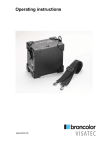
The Powerbox 900 is available in two different versions:
a) as a unit version designed exclusively for 230 V / 50 Hz mains voltage.
b) as a unit version designed exclusively for 120 V / 60 Hz mains voltage.
2.2
Connection
Check that the voltage data on the Powerbox 900 corresponds to the voltage of the unit
that is connected.
Ensure that there is an adequate natural circulation of air at the Powerbox 900. Never
cover the Powerbox 900 (3) and never operate the unit near combustible materials.
Connect the Powerbox 900 with the desired unit and switch it on.
2.3
Battery charge with charger
The Powerbox 900 is charged via the socket on the unit (5). Please check that your
mains voltage corresponds to the data on the type label of the charger. The charger
(36.128.XX) charges the Powerbox 900 in 2 levels which are displayed by the integrated
LEDs of the charger:
LED red (8):
battery empty
LED yellow (7):
the battery is being charged in fast charge mode up to 90 %
of full charge. Duration, depending on state of charge, up to
2.5 hours.
LED green (6):
the battery is being fully recharged slowly (duration, up to an
additional 30 minutes) and then kept on charge
Attention!
Do not connect a fully charged battery to a charger.
-7-