1
sitting in it.) The setup for a hot seat game is very similar to a single player game, however,
each of the opponents have to be selected and assigned as players or AI opponents.
Game
The game menu in hot seat mode works exactly as it does in single player mode.
Sorcerer Lords
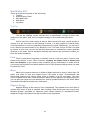
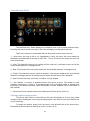
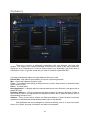
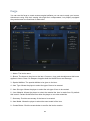
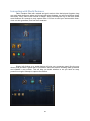
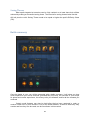
From here the player defines each of the opponents that will take part in the hot seat
game. To add a new opponent simply click one of the Add Sorcerer Lord bars. Each of the
sorcerer lords bars displays information about the lord and allows you to edit them.
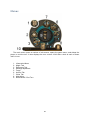
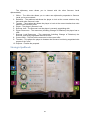
To change the sorcerer lord click the current sorcerer lord’s name. A drop down menu will
appear that allows you to select a different sorcerer lord (including a custom lord). To edit the
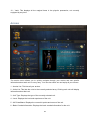
exact details about a lord click the Preview button. It will allow you to change the lord’s
starting race, edit his/her disciplines and spell circles, and select his/her starting skills. You
can also click the banner color button to select a new banner color for that lord. The
Human/AI button determines whether or not the sorcerer lord is controlled by the AI or a
human player.
Once you have all the lords as you want them you are ready to start your hot seat game.
Arena
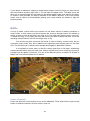
Arena mode allows players to test battlefield strategies without having to play a full
game. You can use it to test the power of units and hone your strategic skills. There are only
two options when creating an arena game:
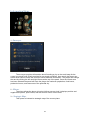
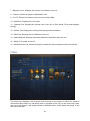
Battleground
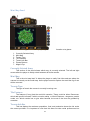
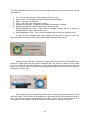
From here you select which battleground you want to play on. At this point in time the
choice is totally aesthetic. None of the battlegrounds have any tactical advantages. So,
simply select the one you find the most visually pleasing at the moment.
Armies
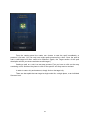
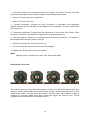
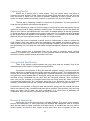
The armies menu allows the player to assemble the army each side will use. You can
add units from any of the factions in the game. There is also a Randomize button for each
army that allows the player to quickly create random armies.
Once a battleground has been selected and each army is assembled the game is ready to
play.
Options
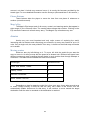
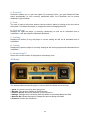
The options menu allows the player to change a wide range of settings from music
volume to the way the mouse works.
13