1
US008156070B2
(12) Ulllted States Patent
(10) Patent N0.:
Buck et a].
(54)
US 8,156,070 B2
(45) Date of Patent:
INSULIN PUMP PROGRAMMING
,
,
i
glam
stes et
et aall. . .~~~~~~~~~~~~~~~~~
...
. .~~. ..
SOFTWARE WITH BASAL PROFILE
8,088,098 B2 *
l/20l2 Yodfat et al.
PREVIEW FEATURE
8,114,066 B2 *
2/2012 Naef 61 al. ............... .. 604/890.1
(75) Inventors: Schuyler Buck, Muncie, IN (US);
2003/0060765 A1
3/2003 Campbell et al.
6/2006 Wakabayashi
Cohen et al.
Jason Bush Fishers
.
’
Robert
’
.
’
2007/0033074 A1
2/2007 NltZaIl et al.
2007/0066956 A1
3/2007
5/2007 Sloan 61 al.
Hellwfg> Bern (CH); Dam‘ Bradley
2007/0106135 A1
Marklsohn, lndlanapohs, IN (US); Leon
2007/0112298 A1
R. Organ, III, Indianapolis, IN (US)
2007/0239686 A1
(73) Assignee: lleiche
Dialt'gn?sItigsgperations, Inc.,
n lana 0 is
Notice:
5/2007 Mueller, Jr. et a1.
W0
i
'
_
_
ver. 02 (Jun. 2005).
Medtronic Minimed, “Solutions Pumps and Meters Software,”
(21) Appl. No.. 12/205,570
Manual, ve?'o (2005)‘
_
Disetronic Medical Systems AG, “Accu-Chek Insulin Pump Con
sep' 5’ 2008
(65)
P _
nor
?guration Software,” User Manual, (2005).
P bl_
u
t_
1ca ion
D t
Animans Corporation, “eZManager Plus,” User Manual, (2007).
a a
*
US 2010/0064236 A1
(51)
_
D1setron1c,“D1agLog Pump Programmlng Tool,” Reference Manual,
_
(22) Flled'
10/2000
()THER PUBLICATIONS
_
U S C 154(1)) by 825 days
.
WO 00/60529
Subject to any disclaimer, the term of this
i
5/2008 Blomquist
FOREIGN PATENT DOCUMENTS
’
patent is extended or adjusted under 35
'
Finkel
10/2007 Quinn-Jacobs
2008/0106431 A1
p
604/67
2006/0123349 A1
Andreas Buhr’ Derendingen
(*)
Apr. 10, 2012
Mar. 11, 2010
.
.
“ted by exammer
Int Cl
Primary Examiner * Michael B Holmes
G081? 25/18
(2006 01)
G06F 15/00
(2006.01)
(74) Attorney, Agent, or Firm * Faegre Baker Daniels
(57)
....................................................... ..
US. Cl.
(58)
Field of Classi?cation Search ................... .. 706/62
1115111111 PumPPrPgrammmg Software/1S dlsclosed ‘haPgeneF'
See application ?le for Complete Search history'
References Cited
ates thumbnail images of basal rate pro?le data contained in
source ?les and displays the images to permit an operator to
select the desired pro?le data without opening the source
U.S. PATENT DOCUMENTS
?les. The software also permits the operator to Verify changes
to pump pro?les before programming the pump by displaying
(56)
6,977,074 B2*
6,994,851 Bl*
7,364,729 132*
7,815,602 B2 *
706/62
ABSTRACT
(52)
_
_
_
thumbnail images of the current pump pro?le and the new
Pump Pro?le
12/2005 Kundig et al. ............. .. 424/937
2/2006 Kundig etal.
4/2008 Kundig etal.
_
424/937
424/937
10/2010 Mann et a1. ................. .. 604/131
24 Claims, 15 Drawing Sheets
ALERT
MECHANISM
68
DISPLAY
MEMORY DEVICE
66
‘
‘
'
INTERFACE
7
'
T0 DISPLAY
—>
32
56
PRocEssoR
5"
KEYPAD
INTERFACE
4
TIMER
‘
60
T
T0 KEYS
—> 3A,35,38,ll0
58
A
V
PUMP ACTUATOR
INTERFACE
52
-
PUMP AcTuAToR
all
,
US. Patent
Apr. 10, 2012
Sheet 1 0115
US 8,156,070 B2
10\‘
24
3o
d/1u
26
12
/
28
[INSIDE]
13
I
PROCESSOR
/
MEMORY
SOFTWARE
I
/
’/
DATA
/
I
17
FIG. 1
'15
-\\_19
20
US. Patent
Apr. 10, 2012
Sheet 2 0f 15
US 8,156,070 B2
US. Patent
Apr. 10, 2012
Sheet 3 0f 15
US 8,156,070 B2
2.23m ; NmA|
><|Ew BE H
mm
mm
A
V
mm
zowmu
4
:m
mm
A
EmuoHz>mE
mo
HE:
m.0:
US. Patent
Apr. 10, 2012
Sheet 5 0f 15
US 8,156,070 B2
m6E
US 8,l56,070 B2
1
2
INSULIN PUMP PROGRAMMING
SOFTWARE WITH BASAL PROFILE
PREVIEW FEATURE
the desired pro?le. The operator then either edits the pro?le
before using it as a replacement for an existing pump pro?le,
or saves the unedited pro?le directly to the pump.
In the process of replacing or editing a pump pro?le, the
operator must take care in avoiding any inadvertent changes
as unintentional modi?cations to insulin delivery parameters
may directly affect the health of the user. Under delivery of
FIELD OF THE INVENTION
The present teachings generally relate to programming
basal rate pro?les before accessing the ?le containing the
insulin may result in hyperglycemia (high blood glucose lev
els), Which may increase the risk of infection and, if persistent
for long periods, may cause damage to the retinas and kid
underlying data or replacing a pro?le stored on a pump With
neys, and nerve damage. Over delivery of insulin may imme
the represented pro?le.
diately lead to hypoglycemia, Which may result in seiZures,
unconsciousness, and other highly undesirable manifesta
tions of loW blood glucose levels. Accordingly, conventional
insulin pumps and more speci?cally to pump programming
software that permits previeWing graphic representations of
BACKGROUND
programming softWare incorporates safety features that
An insulin pump is a ?uid infusion device for delivering
insulin to people Who suffer from diabetes. The pump, Which
is Worn by the user and eliminates the need for multiple daily
prompt the operator to revieW the proposed modi?cations to
pump pro?les before the pump is programmed.
As illustrated by the above-described characteristics, insu
lin pump basal rate pro?le programming may be a relatively
insulin injections, closely imitates a normally functioning
pancreas by releasing hundreds of small doses of insulin each
day into the body through an infusion set to regulate blood
glucose levels. The rate of delivery of these small doses (i.e.,
20
performed incorrectly, may lead to serious health risks for the
pump user. Accordingly, pump programming softWare should
be designed to simplify, to the extent possible, the program
the basal rate) varies from user to user. Indeed, even for a
particular user, the basal rate varies throughout the day, and
depends upon a variety of factors such as the user’s internal
ming processes While simultaneously incorporating safety
25
clock, metabolism, physical health, and level of stress and
exercise.
A basal rate pro?le consists of one or more basal rates
de?ned to cover the 24 hours of the day (e.g., 24 hourly basal
rates). Many users use different basal rate pro?les for differ
ent circumstances. For example, one basal rate pro?le may be
time-consuming, complicated, and error-prone task Which, if
30
used for Weekdays, another pro?le (i.e., With different hourly
measures to prevent operators from inadvertently program
ming a pump With parameter settings that may harm the user
or adversely affect the operation of the pump. Features that
facilitate simple, safe pump programming are particularly
helpful to health care providers Who may be responsible for
programming multiple pumps on a regular basis.
SUMMARY
basal rates) for Weekends, and another pro?le for vacation
days. These different basal rate pro?les are designed to
accommodate the expected differences in the user’s back
ground insulin needs resulting from variations in the user’s
The present teachings provide pump programming soft
35
including graphical representations of basal rate pro?les,
either individual pro?les or entire sets of pro?les, Without
having to access the ?le containing the underlying basal rate
sleep patterns, levels of exercise and stress, health condition,
menstrual cycle status, etc. during such periods.
As the amount and rate of insulin delivery (both basal and
bolus) must be tailored to the individual needs of the user,
modern pumps are programmable. Some pumps are capable
of communicating With a separate computing device, and are
Ware that permits the operator to previeW thumbnail images
40
data. This previeW feature permits the operator to quickly and
accurately identify a desired pro?le for editing and/or for use
as a replacement of a pro?le existing on a user’ s pump. When
an operator is saving a pro?le to a pump as a replacement of
compatible With softWare applications that may be executed
an existing pump pro?le, the softWare further provides
on the computing device. The softWare permits an operator,
thumbnail images of the replacement pro?le and the existing
pro?le to permit the operator to visually con?rm the changes
such as the user or a health care provider, to customiZe the 45
settings of the various parameters that affect the pump’s
operation. In particular, it is commonly necessary to make
about to be made to the existing pump pro?le.
In an exemplary embodiment of the present disclosure,
there is disclosed a method of managing basal rate pro?les for
adjustments to the basal rate pro?les stored in a user’s pump.
As multiple pro?les (i.e., pro?le sets) are typically stored in a
use on an insulin pump. The method includes the step of
the data for each of the pro?les to decide Which pro?le(s)
storing a ?le containing data corresponding to a basal rate
pro?le for use by an insulin pump. The method further
require modi?cation. Sometimes a single pro?le requires
modi?cation. Other times, entire pro?le sets require modi?
graphical representation of the pro?le. The method further
pump as mentioned above, the operator may need to revieW
50
includes the step of generating a thumbnail image including a
includes the step of, Without opening the ?le to access the
cation. To determine Which pro?les must be changed on a
user’s pump, the operator using conventional programming
softWare activates each pro?le by accessing the ?le contain
ing the underlying basal rate pro?le data, and vieWs the data
55
resentation of the thumbnail image Whether to access the data.
in a tabular or graphical format.
Finally, the method includes the step of opening the ?le to
The above-mentioned pro?le modi?cations may be
accomplished by replacing a pro?le or set of pro?les existing
data, simultaneously displaying a ?le indicator associated
With the ?le and the thumbnail image. The method also
includes the step of determining based on the graphical rep
60
access the data in response to an operator’s selection of the
pro?le represented by the thumbnail image. In a variation
on a pump With pro?les (or edited versions of pro?les) exist
ing in source ?les stored on the computing device. An opera
continue to access the various source ?les to vieW the under
thereof, the ?le is stored in a memory location of a computing
device. In another variation, the thumbnail image includes a
representation of each basal rate in the pro?le on a graph
having a time axis and a units per hour axis. In an extension of
this variation, the thumbnail image further includes a total
lying data until the operator identi?es a source ?le containing
daily basal insulin value. In another variation, the ?le indica
tor, such as a health care provider, may use a computing
device that stores many such source ?les. Accordingly, the
operator using conventional programming softWare must
65
US 8,156,070 B2
3
4
tor includes a name of the ?le. In yet another variation, the ?le
include the step of displaying a ?le indicator With the ?rst
is a con?guration ?le including general con?guration data
thumbnail image, the operator’ s selection including selection
of the ?le indicator. In yet another variation, the ?rst thumb
nail image is displayed in a previeW pane With a plurality of
other thumbnail images corresponding to other basal rate
pro?le data. In a still further variation, the replacing step
and a plurality of basal rate pro?les. In another variation, the
?le is an individual basal rate pro?le ?le. In yet another
variation, the thumbnail image is displayed in a previeW pane
With a plurality of other thumbnail images corresponding to
other basal rate pro?les. In an extension of this variation, the
previeW pane includes a scrollbar for broWsing the plurality of
thumbnail images. In another variation of the disclosed
further includes the step of displaying a critical change con
?rmation dialog box including the ?rst and second thumbnail
images When a daily basal insulin total represented by the ?rst
thumbnail image is greater than a daily basal insulin total
method, the generating step includes the step of receiving a
basal insulin calculation input. In an extension of this varia
tion, the thumbnail image represents a standardized basal rate
pro?le modi?ed based on the basal insulin calculation input.
In another variation, the ?le is a pro?le set ?le including a
represented by the second thumbnail image.
In another exemplary embodiment of the present disclo
sure, there is disclosed a system for programming an insulin
pump. The system includes means for generating a ?rst
plurality of basal rate pro?les.
In another exemplary embodiment of the present disclo
thumbnail image including a graphical representation of
sure, there is disclosed a method of programming basal rate
pro?les for use on an insulin pump. The method includes the
basal rate pro?le data contained in a source ?le. The system
step of retrieving a source ?le including data corresponding to
Without opening the source ?le to access the data. The system
also includes means for accessing the data in response to an
a ?rst basal rate pro?le for use by an insulin pump. The
also includes means for displaying the ?rst thumbnail image
20
method further includes the step of generating a ?rst thumb
operator’s selection of the ?rst thumbnail image. The system
nail image including a graphical representation of the ?rst
also includes means for replacing basal rate pro?le data con
pro?le. The method further includes the step of replacing a
tained in a target ?le stored on a pump With the data repre
target ?le on an insulin pump corresponding to a second basal
rate pro?le With the source ?le. In this embodiment, the
sented by the ?rst thumbnail image. In this embodiment, the
25
replacing step includes the step of displaying the ?rst thumb
nail image With a second thumbnail image including a graphi
cal representation of the second pro?le to permit an operator
to revieW differences betWeen the images and provide an
input con?rming a desire to complete the replacing step. In a
variation thereof, the method further includes the step of
modifying the source ?le. In another variation, the replacing
step further includes the step of displaying a critical change
con?rmation dialog box including the ?rst and second thumb
nail images When a daily basal insulin total corresponding to
the ?rst pro?le is greater than a daily basal insulin total
graphical representation of the basal rate data contained in the
target ?le to permit the operator to revieW differences
betWeen the images.
30
BRIEF DESCRIPTION OF THE DRAWINGS
The above-mentioned aspects of the present teachings and
35
closure, there is disclosed a computer readable medium tan
gibly embodying a program of instructions executable by a
the manner of obtaining them Will become more apparent and
the teachings Will be better understood by reference to the
folloWing description of the embodiments taken in conjunc
tion With the accompanying draWings, Wherein:
corresponding to the second pro?le. In an extension of this
variation, the replacing step further includes the step of
receiving a second input from the operator con?rming a
desire to complete the replacing step. In a further extension,
the second input is a keyboard entry of the daily basal insulin
total corresponding to the ?rst pro?le.
In yet another exemplary embodiment of the present dis
replacing means includes means for displaying the ?rst
thumbnail image With a second thumbnail image including a
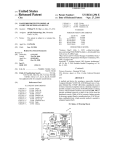
FIG. 1 is a conceptual diagram of a computing device in
40
communication With an insulin pump;
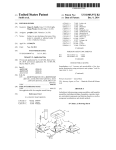
FIG. 2 is perspective vieW of an insulin pump coupled to an
infusion set;
FIG. 3 is a block diagram of internal components of the
45
pump of FIG. 2.
FIG. 4 is a screenshot of a home screen displayed upon
computing device to perform method steps for programming
activation of softWare according to teachings of the present
insulin pumps. The method steps include the step of generat
ing a ?rst thumbnail image including a graphical representa
disclosure;
FIG. 5 is a screenshot including an open ?le dialog box;
FIG. 6 is a screenshot of a display generated upon activat
tion of basal rate pro?le data contained in a source ?le. The
method further includes the step of, Without opening the
50
ing a con?guration ?le;
source ?le to access the data, displaying the ?rst thumbnail
FIG. 7 is a screenshot of a display depicting a pro?le edit
image. The method further includes the step of opening the
dialog box generated upon accessing a basal rate pro?le;
FIG. 8 is a screenshot including an open pro?le dialog box;
FIG. 9 is a screenshot including a copy pro?le dialog box;
source ?le to access the data in response to an operator’s
selection of the ?rst thumbnail image. The method further
includes the step of replacing basal rate pro?le data contained
55
in a target ?le stored on a pump With the data represented by
the ?rst thumbnail image. In this embodiment, the replacing
step includes the step of displaying the ?rst thumbnail image
With a second thumbnail image including a graphical repre
sentation of the basal rate data contained in the target ?le to
permit the operator to revieW differences betWeen the images.
In a variation thereof, the method steps further include the
step of providing a dialog box for editing the data represented
by the ?rst thumbnail image. In another variation, the ?rst
thumbnail image includes a representation of tWenty-four
FIG. 10 is a screenshot including a basal options dialog
box;
FIG. 11 is a screenshot including a pro?le selection dialog
box;
60
FIG. 12 is a screenshot including an open pro?le set dialog
box;
FIG. 13 is a screenshot including a save settings dialog box;
FIG. 14 is a screenshot Wherein a communication status
hourly basal rates on a graph having a time axis and a units per
dialog box includes a comparison of information to be pro
grammed on a pump and a con?rm change box; and
FIG. 15 is a screenshot including a critical change con?r
hour axis. In another variation, the method steps further
mation box for basal pro?le changes.
65
US 8,l56,070 B2
6
5
Corresponding reference characters indicate correspond
ing parts throughout the several vieWs.
receive information from, infusion pump 24. Again, While an
DETAILED DESCRIPTION
described herein, it shouldbe understood that the teachings of
System 10 is con?gured to provide information to, and
infusion pump, and more particularly an insulin pump, is
the present disclosure may also apply to devices such as
The embodiments of the present teachings described beloW
“smart” insulin pens or other such devices knoWn or hereafter
are not intended to be exhaustive or to limit the teachings to
developed. In FIG. 1, computing device 12 is shoWn coupled
the precise forms disclosed in the folloWing detailed descrip
to communication media or dongle 26, in this case a modu
tion. Rather, the embodiments are chosen and described so
lated signal transceiver, accessible to computing device 12 by
that others skilled in the art may appreciate and understand
means of cable 28, and con?gured to transmit and receive
the principles and practices of the present teachings.
modulated signal 30 to establish logical communication With
pump 24. In another exemplary embodiment, computing
It should be understood that although the concepts beloW
are described as relating to insulin pump con?guration soft
Ware, such as the ACCU-CHEK® Insulin Pump Con?gura
device 12 and pump 24 may include ports con?gured to
establish a physical connection. By Way of example, and not
tion Software provided by Roche Diagnostics Corporation,
limitation, dongle 26 may include Wired media such as a
Wired netWork or direct Wired connection, and Wireless media
such as acoustic, RF, infrared and other Wireless media. More
the concepts may also relate to diabetes management soft
Ware systems for tracking and analyZing health data, such as,
for example, the ACCU-CHEK® 3600 product provided by
Roche Diagnostics Corporation. Moreover, the concepts
described herein may also have applicability to apparatuses,
methods, systems, and softWare in ?elds that are unrelated to
healthcare. Furthermore, it should be understood that refer
ences in this patent application to devices, pumps, meters,
speci?cally, dongle 26 as depicted includes an infrared port
20
displaying information to an operator or user, a menu button
34 for navigating though the various functions provided by
pump 24, a check button 36 for selecting options, an up key 38
monitors, or related items are intended to encompass any
currently existing or later developed apparatus that includes
25
some or all of the features attributed to the referred to appa
ratus, including but not limited to the ACCU-CHEK® Active,
ACCU-CHEK® Aviva, ACCU-CHEK® Compact, ACCU
CHEK® Compact Plus, ACCU-CHEK® Integra, ACCU
CHEK® Go, ACCU-CHEK® Performa, ACCU-CHEK®
Spirit, ACCU-CHEK® D-Tron Plus, and ACCU-CHEK®
30
Voicemate Plus, all provided by Roche Diagnostics Corpora
tion or divisions thereof.
Turning noW to the ?gures, FIG. 1 depicts an exemplary
embodiment of a system 10, some or all of the components of
for communication With a similar infrared port of pump 24.
Referring noW to FIG. 2, pump 24 includes a display 32 for
35
and doWn key 40 for scrolling through options and controlling
certain insulin delivery functions, a cartridge receptacle 42
for storing an insulin cartridge 44, a battery 46 (shoWn par
tially inserted), a battery cap 48 (shoWn unsecured to pump
24), an adapter 50 for physically coupling cartridge 44 to an
infusion set 52, and a communication port 53 for sending
information to, or receiving information from, computing
device 12 through dongle 26.
FIG. 3 provides a block diagram representation of internal
components of pump 24. As shoWn, pump 24 includes a
processor 54 coupled to a display interface 56, Which is
coupled to display 32. Processor 54 is also coupled to a
keypad interface 58 Which is coupled to keys 34, 36, 38, 40,
Which may be used in conjunction With the teachings of the
present disclosure. System 10 generally includes a computing
device 12, shoWn here in the form of a computer having
and a pump actuator interface 62 Which is coupled to an
actuator 64 suitable for delivering insulin doses (medical
display device 14, in this case a computer video screen or
monitor having screen 18, a keyboard 16, a processor 13, and
memory 15, Which may contain the softWare 17 of the present
disclosure and data 19 as is further described herein. While
described and depicted herein With speci?c reference to a
computer, certain concepts of the present disclosure may be
40
utiliZed in conjunction With any computing device capable of
operating pump programming softWare. Computing device
45
infusion pumps other than insulin pumps Will deliver doses of
other medicament). Processor 54 is further coupled to a
memory device 66 that stores application programs and data,
including the con?guration ?les described herein. Memory
device 66 is constructed of any combination of volatile and/or
nonvolatile memory suitable for a particular embodiment.
Processor 54 is also coupled to an alert mechanism 68, that, in
various embodiments is a buZZer, a vibrator, a light emitting
12 also has a pointing device or mouse 20 connected to it by
diode, or the like, suitable for providing audible, tactile, or
cable 22 (or Wirelessly). While mouse 20 and keyboard 16 are
shoWn, system 10 may include any input device such as a
visual alerts to an insulin pump user. Finally, processor 54 is
touchpad, joystick, touch screen, trackball, etc.
Computing device 12 may include a variety of computer
readable media. Computer-readable media can be any avail
able media that can be accessed by computing device 12 and
includes both volatile and non-volatile media, and removable
and non-removable media. By Way of example, and not limi
coupled to a timer 60, Which is capable of maintaining a
50
current time, including time of day and day of the Week.
55
tion of softWare 17. Home screen 100 generally includes a
toolbar 102, a navigation menu 104, and an active WindoW
106. Toolbar 102 includes a read pump icon 108, an open ?le
icon 110, a date/time icon 112, a print icon 114, a load all
pro?les from ?le icon 116, and a save all pro?les to a ?le icon
118. Navigation menu 104 includes a save settings button
120, a basal rates and bolus button 122, an insulin pump
FIG. 4 depicts the home screen 100 displayed upon activa
tation, computer-readable media may comprise computer
storage media and communication media. Storage media
includes, but is not limited to, RAM, ROM, EEPROM, ?ash
memory or other memory technology, CD-ROM, Digital Ver
satile Disk (DVD) or other optical disk storage, magnetic
cassettes, magnetic tape, magnetic disk storage or other mag
60
operation being performed by softWare 17. Here, active Win
netic storage devices, or any other medium Which can be used
to store computer-readable instructions, softWare, data struc
tures, program modules and other data and Which can be
accessed by computing device 12. Computer-readable media
may be accessed directly or through a netWork such as the
Internet.
options button 126, and a setting report button 130. The
content of active WindoW 106 changes depending upon the
65
doW 106 includes a start up dialog box 132.
Start up dialog box 132 includes a message area 134, a read
pump button 136, an open ?le button 138, a set date/time
button 140, and an exit button 142. For the purpose of this
description, the operator Will be described as obtaining an
insulin pump con?guration ?le from memory 15 on comput
US 8,156,070 B2
7
8
ing device 12 using open ?le button 138. As is further
described herein, the process for saving information to pump
pli?ed graphical representation of the underlying pro?les
Without actually accessing the data. This simpli?es the opera
tor’s task of locating and selecting a pro?le to edit during the
24 or to memory 15 on computing device 12 differs. The
programming operation.
process for obtaining or retrieving information from either
pump 24 or memory 15 on computing device 12, hoWever, is
not meaningfully different for the purpose of the present
disclosure.
As is shoWn in FIG. 5, When the operator activates open ?le
button 138, start up dialog box 132 in active WindoW 106 is
As shoWn in FIG. 7, When the operator activates options
button 170 associated With pro?le 1 of 5, a pro?le edit dialog
box 180 pops up over active area 106. At this point, the data
associated With pro?le 1 has been accessed and used to popu
late dialog box 180. Pro?le edit dialog box 180 includes a title
bar 182 that identi?es the pro?le being edited, a message area
184 that provides information and instructions to the operator,
a tool bar 186, a pro?le con?guration WindoW 188, an OK
replaced by open settings ?le dialog box 144. Open settings
?le dialog box 144 includes a title bar 146 Which describes the
operation being performed, a message area 148 Which pro
vides instructions to the operator for performing the opera
button 190 and a cancel button 192. Tool bar 186 includes a
load from ?le button 194, a save as ?le button 196, a copy
tion, a ?le selection WindoW 150, an OK button 152 and a
cancel button 154. File selection WindoW 150 includes a ?le
from button 198, and a pro?le Wizard button 200. The basal
rate pro?le data for a pro?le loaded in pro?le edit dialog box
location area 156 for de?ning a folder location of ?les using
a conventional tree structure, a ?le information area 158 that
180 may be modi?ed in the manner described in co-pending
provides information, including ?le indicators 163, about the
patent applications entitled “USER INTERFACE FOR
?les in the folder selected using ?le location area 156, a ?le
MANIPULATING GROUPS OF DATA REPRESENTA
name area 160 that includes the name of a ?le selected from 20 TIONS OF A GRAPHICAL DISPLA ,”, and “INSULIN
PUMP CONFIGURATION PROGRAMMING INVALID
?le information area 158, and a ?le type area 162 for limiting,
in a conventional manner, the types of ?les in the currently
selected folder to be displayed in the ?le information area
158.
In this example, the operator selects a con?guration ?le
named Source File #1.360CONF (hereinafter, “Source File
#1”) and activates OK button 152. After Source File #1 is
retrieved from memory 15 of computing device 12, the opera
tor is provided information in active WindoW 106 regarding
the basal rate pro?les included in Source File #1 as depicted
in FIG. 6. In the depicted context, active WindoW 106 includes
SETTINGS NOTIFICATIONAND CORRECTION,”, (here
inafter, “the Invalid Settings Application”), the entire con
tents of Which are hereby expressly incorporated herein by
25
reference.
The above-mentioned simpli?cation of thumbnail images
can be appreciated by comparing thumbnail image 166A
(FIG. 6) With the content of pro?le con?guration WindoW 188
(FIG. 7). As shoWn, the X andY axis units are larger and the
30
basal rate pro?le values provided in FIG. 7 are not included in
thumbnail image 166A. When displayed in the context of
a title bar 164 that identi?es Source File #1 as the active
FIG. 6, thumbnail image 166A does, however, include the
con?guration ?le, a plurality of thumbnail images 166A-C
daily basal insulin total associated With pro?le 1.
As indicated by the content of tool bar 186, pro?le edit
that function as graphic previeWs of the data associated With
the basal rate pro?les included in Source File #1, a plurality of
?le indicators 168A-C indicating the number of the basal rate
35
pro?le of the pro?le set in Source File #1 represented by the
associated thumbnail image 166A-C, an options button 170
6. For example, pro?le 1 depicted in FIG. 7 may be replaced
by loading another pro?le stored either on a pump or in
associated With each ?le indicator 168A-C, and either an
active icon 172 or an activate button 174 associated With each
dialog box 180 may be used to access pro?les other than the
pro?le made active using one of activate buttons 174 of FIG.
40
memory 15 of computing device 12. For simplicity, only the
process for loading a pro?le from memory 15 of computing
?le indicator 168A-C. Finally, active WindoW 106 further
device 12 is described herein.
includes a status bar 178 Which indicates the status of the
The operator may select another pro?le to populate pro?le
edit dialog box 180 by activating load from ?le button 194 of
currently active con?guration ?le. Here, the status is
unchanged.
It should be understood that although portions of this
description refer to hourly basal rate pro?les, basal rates and
45
basal rate pro?les may cover more or less than a one hour time
period. Indeed, the time periods covered by basal rates in a
pro?le need not be equal. The concepts of the present disclo
sure are not limited by the duration of an individual basal rate,
50
and the references to hourly basal rates are only exemplary.
In this example, Source File #1 includes a basal rate pro?le
set 143 consisting of ?ve individual basal rate pro?les.
Accordingly, as depicted in the ?gure, a thumbnail image
166A-C, pro?le designation 168A-C, options button 170, and
With reference to ?le selection WindoW 150 (FIG. 5).
55
pro?le in pro?le set 143. In the description that folloWs, only
the ?rst three of the ?ve possible basal rate pro?les are used.
The operator may vieW basal rate pro?le information not
60
As shoWn in FIG. 8, When a ?le indicator 220 in ?le
information area 218 is highlighted such as by operator selec
tion using a pointing device, a thumbnail image 226 corre
sponding to the underlying data of the pro?le associated With
?le indicator 220 is provided in previeW pane 210. Thumbnail
image 226 is similar to thumbnail images 166A-C described
above. Accordingly, previeW pane 210 (and thumbnail
images 226 presented therein), permits the operator to broWse
through pro?les by highlighting ?le indicators 220 and vieW
Ware 17. As such, active icon 172 instead of activate button
174 is shoWn in association With thumbnail image 166A.
Although thumbnail image 166A is identi?ed as “active,”
the data of the basal rate pro?le 1 (or any of the other pro?les
in pro?le set 143) is not yet loaded for editing. Thumbnail
images 166A-C provide the operator the ability to see a sim
includes a ?le location area 216, a ?le information area 218
that includes ?le indicators 220, a ?le name area 222, and a
?le type area 224. The functions of the various elements of ?le
selection WindoW 208 are similar to those described above
active icon 172 or activate button 174 is displayed for each
shoWn in active WindoW 106 by using scroll bar 176. By
default, the ?rst listed pro?le is designated as active by soft
tool bar 186. This causes softWare 17 to generate open pro?le
dialog box 202 as depicted in FIG. 8. Dialog box 202 includes
a title bar 204 describing the function of dialog box 202, a
message area 206 that provides instructions to the operator, a
?le selection WindoW 208, a previeW pane 210, an OK button
212, and a cancel button 214. File selection WindoW 208
65
ing thumbnail images 226 to locate a desired pro?le before
selecting it. The operator may access the pro?le data under
lying the selected pro?le by highlighting the appropriate ?le
indicator 220 (Which automatically populates ?le name area