1
Connecting to wireless networks
Wi-Fi
Access emails, surf the Internet, and share applications via social
networking sites using your Notebook PC’s Wi-Fi connection.
IMPORTANT! The Airplane mode disables this feature. Ensure that
Airplane mode is turned off before enabling the Wi-Fi connection of your
Notebook PC.
Enabling Wi-Fi
Activate Wi-Fi in your Notebook PC using the following steps on your
touch screen panel or touchpad.
1.
Launch the Charms bar.
2.
Tap/click
3.
Select an access point from the list of available Wi-Fi
connections.
4.
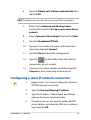
Tap/click Connect to start the network connection.
and tap/click
.
NOTE: You may be prompted to enter a security key to
activate the Wi-Fi connection.
5.
58
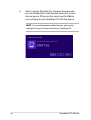
If you want to enable sharing between your
Notebook PC and other wireless-enabled systems,
tap/click Yes. Tap/click No if you do not want to
enable the sharing function.
Notebook PC E-Manual