1
Before operating this unit, please read this manual
thoroughly and retain it for future reference.
User’s Manual
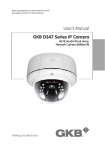
GKB D447 Series IP Camera
HD IR Waterproof Bullet
Network Camera (Brilliant IR)
GKB D447 Series IP Camera About this Manual
This user manual is for use with the GKB D447 Series
IP Camera. This document contains important information and
instructions detailing proper operation and maintenance of GKB
D447 Series IP Camera. Installation instructions for these cameras
are provided separately in the Installation Guide.
Be aware that GKB D447 Series IP Camera must be installed
and used in accordance with the instructions given in this
manual. Before installing or operating the unit, please read all
safety notes and warnings provided in this manual.
GKB D447 Series IP Camera is a surveillance device for use in
security systems that assist in the management of security. GKB is
not liable nor can be held responsible for any material loss and/or
personal injuries cause by robbery, fire, natural disaster or problems
of any kind resulting from the use of this device.
Do not dispose this camera as general waste. This product must be treated
as a recyclable product. Contact your local government recycling program or
the supplier of the product to confirm the proper method of disposal
GKB D447 Series IP Camera Warning and Precaution
Warning
This information is provided to ensure your safety and to
prevent loss either physical or financial. Read carefully before
using the product. Read all sections of this manual where the
following marks are shown.
Ignoring this may result in material loss
and/or serious personal injury including
death.
Ignoring this may result in material loss
and/or slight personal injuries.
Do not disassemble.
Precaution
1. Do not drop the camera.
GKB DZ Series IP Camera is not designed to resist heavy
impact. Handle with care to avoid damage to sensitive
internal components.
2. Do not expose the camera to radioactivity and mount facing
strong light sources. Exposing the camera to radioactivity or
strong light over long periods of time will damage the
camera’s sensor.
3. Do not supply voltage higher than GKB DZ Series regulated
voltage.
Before supplying power to your camera, please make sure
the power supply voltage is supported by your camera.
4. Do not install the camera under unstable light conditions.
Installing GKB DZ Series in environments
with unstable light conditions may cause the camera to
function abnormally.
GKB D447 Series IP Camera Package Content
Bullet Camera X 1
Accessory Pack X 1
Dimensions (Unit: mm)
User’s Manual X 1
GKB D447 Series IP Camera Features
GKB D447 Series
!
!
!
!
!
!
!
!
CMOS Megapixel Sensor
H.264 Video Compression
Cloud Platform service
Waterproof (IP66)
8 video streams
Brilliant IR
2 way audio
DI / DO
Software
!
GKB_Loader includes Cam_setup, NVR10, Viewer11.
!
Cloud-NVR:http://www.cloud-nvr.com
http://www.gkbsecurity.com/software/GKB_Loader_Package.zip
GKB D447 Series IP Camera Specification
Model No.
Video
Camera
General
Networking
Software
GKB D44724
Resolution
Frame Rate
Video Compression
Video Streams
Image Sensor
Lens
Min. Illumination
Infrared Distance
Infrared Quantity
Night Mode
White Balance
BLC
GKB D44731
720P(1280*720),VGA,QVGA 1080P(1920*1080),VGA,QVGA
Up to 720P, 30 fps
Up to 1080P, 25 fps
H.264
8
1/4” CMOS HD Sensor
1/2.5” CMOS HD Sensor
2.8~12mm lens
0.1 Lux (color mode)
30 meters; Brilliant IR
2 pcs
Auto
AWB
Yes
1/10~1/10,000 sec
Shutter Control
Electronic rolling shutter(ERS)
Scanning System
Progressive
Gamma
0.45
S/N Ratio
>44 dB
Power Supply
12V DC / PoE (IEEE 802.3af)
Power Consumption
<7W
Audio compression
GSM
Storage
MicroSD Card up to 32GB (Enable Remote Site Playback)
DI:12V~24V DC
DI / DO
DO:30V DC-1A or 125V AC-0.5A
RJ-45 x 1
Audio In x 1
Connector
Audio Out x 1
DI x 1, DO x 1
Composite Video Output x 1
Dimension
231(L) x 117(H) x 89(⌀) mm
Operating
-20℃~60℃
Temperature
Weight
1000 g
HTTP,TCP,UDP,DNS,DHCP,PPPoE,
Protocol
Samba,RTP,RTCP,RTSP
Ethernet
10/100Mps Fast Ethernet RJ-45 port
Operating System
Windows XP and above
NVR-10: 64 Channel NVR
Viewer-11
Software Package
Cloud-NVR
Setup Software Utility
http://www.cloud-nvr.com
GKB D447 Series IP Camera How to install GKB D447 Series?
Wire hole 1.
Bracket hole location and size Screw hole 2. Lock the screws and fix bracket onto wall GKB D447 Series IP Camera 3. Loose screws to adjust angle 4. Adjust focal length externally Warranty Policy
For detailed information on product warranties and warranty claim, please
contact your local GKB distributor or agent.
CR100000334 © 2014 GKB Security Corporation. Specifications are subject to change without prior notice.