1
Synchronization
48 dB
PAL:1/50-1/100,000sec;NTSC:1/60-1/100,000
Sync. System
S/N Ratio
Electronic Shutter
4-9mm
36EA
30 meters
DC12V 400mA, Adapter DC12V 1.5A
96*96*63mm
463g/pcs
-10-45℃
Lens
LED
IR Distance
Power supply
Dimensions
Weight
Operating
Temperature
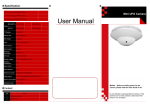
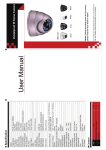
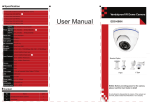
Vandalproof IR Dome Camera
UserGuide
1.
2.
No
Name
Auto
AGC
Content
1 Vpp,75 Ohms
Video Output
1
1
QTY.
0Lux
Minimum llumination
Gamma Correction 0.45
2:1Deinterlacing
NTSC:510×492
Scanning System
PAL:500×582
420TVL
NTSC:811×508
PAL:19.3125 / NISC:19.0699
PAL:795×596
Pixels 540TVL
NTSC:976*494
Clock frequency
PAL:976*582
700/TVL
1/3"Sony Color CCD 420TVL
1/3"Sony Color CCD 540TVL
1/3"Sony Color CCD 540TVL Low Lux 0.05Lux
1/3"Sony Color CCD 540TVL HQ1
1/3" Sony Effio-E 960H Exview CCD Maximum 700TVL
Specification
User Manual
Do not attempt to disassemble the camera. If the camera can
not work, please contact local franchiser or our company.
Notes:Before providing power for the camera,
please read this User Guide in detail!
Vandalproof IR Dome Camera
Power
Video
Link
wire
DC12V Power Supply
12V DC
Video
●The power supply must through safe attestation. Its output
voltage、current、voltage polarity and operating temperature
must match the camera’s requirement.
●When using the camera in the thunderbolt condition,please
note to mount Anti-thunder device or put off the power supply
plug and cable.
●In order to capture high quality pictures, the power supply’s
cable and video output cable should not be too long.
Notes:
Monitor
CONNECTING
4. The picture smear too mass
. The power supply’s voltage unstable.
. Connecting cables not connect correctly or have high impedance.
3. The picture background color changes continuously
. The fluorescent lamp’s electromagnetic field cause color roll. This is proper
phenomenon of the cameras.
. Reduce the fluorescent lamp numbers or increase the distance between the
camera and the fluorescent lamps can improve it.
. Use power supply external sync. camera can solve it.
2. The picture level direction have flowing interference ripples
. May be caused by the power supply AC ripples, it need filter the wave of the
power supply.
. Check the monitor and peripheral equipments used.
1. No Picture after providing power
. May be the power supply voltage abnormity, please check the power
supply voltage and pole whether exactitude.
. Please check all the connecting cable and monitors whether be connected
correctly or not.
TROUBLE AND SOLUTION
PRODUCT IMAGE
● Please note the camera’s operating temperature and its
using environment requirement. Avoid using the camera at
too high or too low temperatures. The operating temperature
is -10℃-50℃. (Recommendatory operating temperature is 5℃--40℃.)
● Never make the camera face the sun or bright object. Otherwise, it will damage the CCD.
● Do not mount the camera near by the radiator or heater.
Note:
CAUTION:
To prevent electric shocks and risk of fire hazards,
do NOT use other than specified power source.
CAUTION: TO REDUCE THE RISK OF ELECTRIC SHOCK
DO NOT REMOVE COVER OR BANCK NO USER
SERVICEABLE PARTS INSIDE. REFER SERVICING
TO OUALIFIED SERVICE PERSONNEL.
RISK OF ELECTRIC. DO NOT OPEN
CAUTION:
a risk of electric shock to persons.
enclosure that may be of sufficient Magnitude to constitute
uninsulated ‘dangerous voltage’ within the product’s
The symbol is intended to alert the user to the presence of
Instructions in the literature accompanying the appliance.
important operating and maintenance (servicing)
The symbol is intended to alert the user to the presence of
into water too long time directly.
To prevent fire or shock hazarded. Do not expose the unit
Congratulations on your purchase of this product. We
adopt the latest SONY technical of sensor and driver. The
most attractive characteristics are water-resistant, and widely
applicable to day & night, indoor & outdoor. In addition, it
owns the characters of high definition and stability, strong
anti-jamming, rich and real color. Fixing and using this model
are convenient too. It is very good for you to apply to yours
CCTV system.
Please read this instruction manual carefully to ensure
proper use of the product.
INTRODUCTION