1
X8821e/X8821m / X8824e/X8824m User’s Guide
Table of Contents
1
Introduction................................................................................................. 1
Features ................................................................................................................................1
Device Requirements ...........................................................................................................2
Using this Document.............................................................................................................2
Notational conventions .................................................................................................................. 2
Typographical conventions............................................................................................................ 2
Special messages.......................................................................................................................... 2
2
Getting to know the device........................................................................ 3
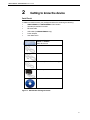
Parts Check...........................................................................................................................3
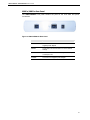
X8821e/X8821m Front Panel...............................................................................................4
X8821e/X8821m Rear Panel ...............................................................................................5
X8824e/X8824m Front Panel...............................................................................................6
X8824e/X8824m Rear Panel ...............................................................................................7
3
Connecting your device............................................................................. 8
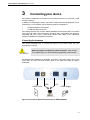
Connecting the Hardware.....................................................................................................8
Step 1. Connect the DSL cable ..................................................................................................... 9
Step 2. Connect the Ethernet cable .............................................................................................. 9
Step 3. Attach the power connector .............................................................................................. 9
Step 4. Configure your Ethernet PCs............................................................................................ 9
Step 5. Install an USB driver (for X8824e/X8824m only).............................................................. 9
Next step........................................................................................................................................ 9
4
Getting Started with the Web pages....................................................... 10
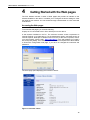
Accessing the Web pages..................................................................................................10
Commonly used buttons.....................................................................................................12
Help information..................................................................................................................12
Testing your Setup..............................................................................................................13
Default device settings........................................................................................................14
5
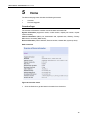
Home .......................................................................................................... 15
Overview Page....................................................................................................................15
Basic Overview ............................................................................................................................ 15
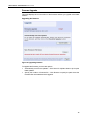
Firmware Upgrade ..............................................................................................................16
Upgrading the firmware ............................................................................................................... 16
6
Configuration ............................................................................................ 17
Quick Setup.........................................................................................................................17
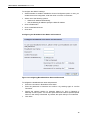
Configuring ATM PVC ................................................................................................................. 18
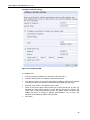
Configuring the Connection Type................................................................................................ 18
Configuring the WAN IP Settings if PPP over ATM (PPPoA) or PPP over Ethernet (PPPoE).. 18
III