1
Magnetic Stripe Reader & Writer
User - The User format allows data to be written in a non-standard format. The data
density and bits per character are defined in the Setup Window. The bits per
character include a parity bit. See Setup section for additional information. The SS
& ES characters, density, parity, and BPC are selectable in the Setup Window for
the User Card type. Information written in this format may not be readable by ISO
standard reading devices (MagStripe readers), as the User format chosen may not
meet the ISO standards requirements.
RAW – This is not a true “Card Type”. This is a data decoding & display format for
the three tracks. The text boxes display data in “raw binary” using the hexadecimal
number format. Data read from a card is decoded into binary starting with the first
“binary one” bit (usually the first bit of a start sentinel). All the bits (in Hex) are
displayed and including approximately fifteen trailing zero bits at the end of the track
data. Writing to a card in this mode is not recommended except for special
purposes. When writing in this mode the data density and the number of leading
zeros is controlled by the selections in the Setup Window. Information written in this
mode may not be readable by ISO standard reading devices (MagStripe readers), as
the RAW format chosen may not meet the ISO standards requirements.
Setup
Setup is used to specify the track formatting used when reading or writing. Two fixed track
parameters are the track locations and the data encoding method. Track locations are
track 1 at the top side near the card edge, then track 2 and track 3 toward the middle. The
data encoding method is F/2F. These cannot be changed. The track longitudinal
redundancy check (LRC) character is automatically calculated by the Application Software
and added to the end of track data. Listed below are format parameters that can be
changed:
Reader/Writer format selections include:
o The Data density can be selected as either 75 or 210 bits per inch.
o The Start Sentinel (SS) location from the card edge is selected.
o The limited selection of SS characters for each track.
o The limited selection of End Sentinels (ES) characters for each track.
o The number of bits per character can be selected from 4 BPC to 7 BPC
o The character parity bit logic selection
In addition to the formatting selections, selection of writing Lo-Co or Hi-Co type cards is
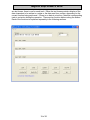
provided. Click the Setup button for the Setup window. Two folder tabs are available.
There are “default” buttons in each tab window; these default buttons force the format
settings in the window to be reset to the standardized ISO settings. See Appendix B for
additional technical information.
Note: Always use the Default Setup settings unless there is a known, specific, and
understood reason for not using the default settings.
17 of 36