1
6
6
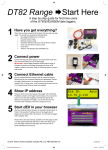
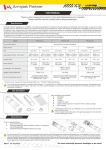
Select “Install USB driver”
Click on the “Install USB driver…” button to install the USB drivers for
use with the logger. The installer will guide you through this process.
Once fully installed proceed to the next step.
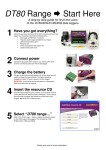
Select “Install USB driver”
Click on the “Install USB driver…” button to install the USB drivers for
use with the logger. The installer will guide you through this process.
Once fully installed proceed to the next step.
7
7
Connect USB cable
Connect the USB communications cable to the logger and your
Connect
USB cable
computer.
8
8
dEX starts automatically
Shortly after connecting the USB communications cable the built-in
dEX
starts automatically
logger software, dEX, will start automatically.
Connect the USB communications cable to the logger and your
computer.
Shortly after connecting the USB communications cable the built-in
logger
dEX,
will start
automatically.
Pleasesoftware,
refer to the
User’s
Manual,
available on the help pages in dEX
or on the supplied dataTaker USB stick, to learn more about using
Please
refer
to theExplore
User’s the
Manual,
available
the helpfiles
pages
dEX
your data
logger.
help pages
andonresource
for in
further
or
on
the
supplied
dataTaker
USB
stick,
to
learn
more
about
using
information and resources.
your data logger. Explore the help pages and resource files for further
information and resources.
© 2011 Thermo Fisher Scientific Australia Pty. Ltd. ABN 058 390 917
IS-0051-B3
© 2014 Thermo Fisher Scientific Australia Pty. Ltd. ABN 058 390 917
IS-0051-B3
TF_DT80_DatatakerSheet.indd 2
17/01/14 12:28 PM