1
Thank you for purchasing the BBS200 Pocket Speaker from BEEWI.
Please read the following instructions to learn how to confi gure and use
more effectively your product.
The BBS020 Solar Speaker is a high performance full duplex hands-free solution specially designed for users to
enjoy the convenience and freedom of wireless hands-free communication in the car, but also at home or in the
office. It includes advanced built-in microphone and 1W speaker with Digital Sound Processor (DSP) for echo
cancellation and noise reduction that gives a loud and clear full duplex sound quality. The BBS020 Solar
Speaker is a Bluetooth 2.1+EDR wireless speaker compatible with all Bluetooth compliant devices using HFP
profiles such as mobile phones.
Warning: always obey local legislation regarding the use of mobile phones in the car.
1. Product Description
1.1. Packaging content
- Bluetooth Speaker
- USB cable
- 12-24V Car Adapter with USB port
- Car visor clip
- User Manual
1.2. Features
- Full Duplex, background noise reduction with CVC Digital Signal Processor
( DSP)
- Multipoint Technology to connect 2 mobile phones simultaneously
- Extra Slim size and light weight
- No installation required
- Unlimited standby time, up to 5 hours continuous talk time in worst
conditions
- 9 hours full solar recharge time under optimal conditions
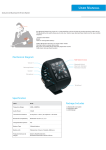
1.3. Product Overview
- (1) Speaker
- (2) Microphone
- (3) LED
- (4) Charging Socket (Micro-USB)
- (5) MFB (Multi-Function Button)
- (6) Volume Up (V+) & Down (V-)
- (7) Solar Panel (on the back)
1.4. Product Specification
Bluetooth Specification
Bluetooth Profiles
Frequency Band
Power class & range
Number of Paired Devices
Max Audio Output Power
Standby Time
Talking Time
Battery
Battery Charging Time
Dimensions
Weight
Bluetooth V2.1+EDR
HSP, HFP1.5
2.4GHz~2.48 GHz ISM Band
Class 2, Up to 10 meters
Up to 8 devices
1W
Up to 1000 hours (40 days)
Up to 5 hours
340mAH Li-Polymer rechargeable battery
Up to 2 hours, solar charge 9 hours min.
100L x 48W x 8D mm
42 g
2. Using the product
2.1. Car Installation
Slide the speaker into the plastic holder and stick
it on the top left of the windscreen as shown
below. Make sure the speaker is firmly attached
with the microphone pointing towards the driver.
2.2. Charging
Prior to using the speaker the first time, it is recommended to fully charge the battery. Normal full
charge time is approximately 2 hours. The red LED will stay on while charging and will be off as soon
as it is completed.
For an efficient solar charge, direct the speaker solar panel on the back towards the sun as
recommended above. 2 hours of sun light exposure will give approximately 1 hour of talk time. Using
solar power charge, operation time will be extended continuously without any additional charge
required by the car charger.
2.3. Power On / Power Off
Power On: press and hold the MFB button for 3 seconds until you hear a short beep. The flashing blue
LED light indicator comes on, and the speakerphone automatically connects to the mobile phone it has
been paired with already.
Power Off: press and hold the MFB button for 3 seconds until you hear a short beep. The flashing red
LED light indication goes off.
2.4. Pair and connect
Refer to the Bluetooth pairing procedures in the mobile phone user manual.
When the speaker is off, long press the MFB button for about 5 seconds until the light indicator flashes
red and blue alternatively, then release the button. The alternated flashes indicate that the speaker is in
pairing mode.
2.5. Status indicators
Status
Power On
Power Off
Pairing
Standby Mode (Connected)
Standby Mode (Disconnected)
During Communication
Low Battery
Charging
Charging Completed
LED
Blue
Red
Blue/Red
Blue
Blue
Blue
Red
Red
Red
Descriptions
3 seconds flash
3 seconds flash, then Off
Alternated blinking
Blinking every 3 seconds
Blinking twice every 3 seconds
Blinking every 6 seconds
Blinking every 3 seconds
Light on
Light off
2.6. Connection
The speaker automatically connects to the last connected device when it is turned on. If the device is not found,
the speaker will connect to a previous device in the paired list.
In case the connection is not made automatically, it is possible to reconnect manually either from the speaker by
pressing the MFB or from the mobile device (refer to the phone user manual). It is also possible to disconnect
the speaker either manually or by moving out of range. When losing the connection/link, the speaker will
automatically power off after 15 minutes.
2.7. Multipoint
The Multipoint function allows a simultaneous connection to 2 mobile phones. In default setting of the
speaker’s Multipoint function is disabled.
- To enable Multipoint function: in standby mode, press and hold “V+” button for 3 seconds until a beep is
heard. If 2 mobile phones are already paired to the speaker, they will connect automatically when powering on
the speaker.
- To disable Multipoint function: in standby mode, press and hold “V-” button for 3 seconds until a beep is
heard. The speaker will turn off multipoint function and power off automatically. When powering on again, the
speaker will only connect to the last connected Bluetooth device.
2.8. Function Matrix
Feature
Power On
Key
Conditions
Powered off
Operation
Long press 3 seconds
Power Off
Powered on
Long press 3 seconds
Pairing
Powered off
Long press 6 seconds
Answer a call
Incoming Call
Short press
Hang up a call
Talking
Short press
Reject incoming call
Incoming Call
Long press 3 seconds
Voice dial / Cancel
Voice Dial
Last number redial
Standby Mode
Short press
Standby Mode
Short press twice
Switch active calls*
2 Calls in process
Short press twice
Hang up call 1 and
answer call 2*
Reject call 2*
2 Calls in process
Short press
2 Calls in process
Long press 3 seconds
Switch audio to/from
In call
+&phone
Mute microphone
In call
Un-mute microphone
+
Volume up
+
In call
Volume down
In call
* 3-way calling not supported if Multipoint function enabled
Simultaneous press
Long press 3 seconds
Long press 3 seconds
Short press
Short press
2.9. Restore to Default Setting
To reset the speaker to the original settings and remove all the previous pairing and connections, just press and
hold both “V+” and “V-” buttons simultaneously for 10 seconds until the blue and red LED lights flash 5 times.
Contacts:
JSC „Ainera“
Tel: +370 37 209747
E-mail: [email protected]
www.ainera.lt