1
TABLE OF CONTENTS
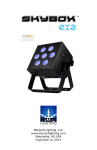
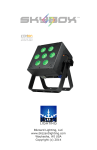
SkyBox™ Chroma1
1. Getting Started4
What’s In The Box?4
Getting It Out Of The Box
4
Powering Up!4
Getting A Hold Of Us4
Safety Instructions (Don’t run with scissors!)
5
2. Meet The SkyBox™ Chroma
6
Features6
DMX Quick Reference 6
The SkyBox™ Chroma Pin-up Picture
7
3. Setup 8
Connecting A Bunch Of SkyBox™ Chroma Fixtures
8
Data/DMX Cables 8
Using Skywire™ Wireless DMX 8
Using The Intelion™ Battery System 9
Cable Connectors 10
3-Pin??? 5-Pin??? Huh?10
Take It To The Next Level: Setting up DMX Control
10
Fixture Linking (Master/Slave Mode)11
Mounting/Rigging11
4. Operating Adjustments 12
Navigating The Control Panel12
Control Panel Menu Structure
13
DMX Mode 14
Set the Starting DMX Address14
Select the DMX Channel Mode14
Slave Mode14
Auto Mode / Static Colors14
Speed14
Fade14
Strobe15
Manual Color Mixing15
Sound Active Mode15
Dimming Mode15
Auto Mode / Static Colors15
Set the Wireless Group ID15
Auto Mode / Static Colors15
IR Remote Control Mode15
Power Output Mode15
Using the IR Remote Control16
DMX Channel Values In-Depth17
Troubleshooting 19
5. Appendix 20
A Quick DMX Lesson20
Keeping Your SkyBox™ Chroma As Good As New
21
Returns (Gasp!) 21
Shipping Issues21
Tech Specs 22
Dimensional Drawings23
SkyBox™ Chroma Manual Rev. B Page 2
© 2014 Blizzard Lighting, LLC