1
Connections and Setup
Connecting the Speakers
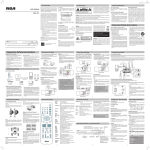
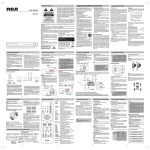
Speaker wires are color-coded to match the terminals. Connect the speaker wire from the back of each
speaker to the corresponding color terminal at the back of the unit. Press down the tab to open the terminal
and insert the wire. Release the tab to lock wire in the terminal.
Front Speakers
Center Speaker
Subwoofer
Green and Black
Purple and Black
Right
Left
Red and
Black
White and Black
Insert
Press
Gray and Black
Blue and Black
Release
Right
Left
Rear Speakers
(Surround Sound)
To adjust each speaker volume level for optimum listening experience.
(1) Press LEVEL button / or on the remote control to select FL (front Left speaker).
(2) Press
or buttons to adjust the value up or down (between -10dB and +10dB).
(3) Repeat step (1) and (2) for the other speakers FR, CT, SW, SL, SR.
Speaker gains may be set to levels of up to +10dB, actual max levels may also depend on your Volume
Setting.
Note:
When connecting the speakers, make sure the polarities (“+” speaker wire to “+” on the receiver)
of speaker wires and terminals match. For example, red wire to red terminal on the receiver. If the
cords are reversed, the sound will be distorted. Do not let the speaker wires touch each other, it
will damage the system’s amplifier.
EN-8