1
Infiltec DM1-Onset Data Logging Manual
Version 1.0
User Manual for DM1 Micromanometer Analog Data Logging With Onset U12-012 Data Loggers
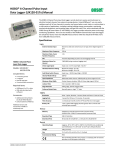
The Infiltec Model DM1 micromanometer has an optional analog voltage output that can be recorded by Onset data
loggers with voltage inputs. Figure 1 shows a DM1 with the optional voltage output jack, analog data cable, and
Onset U12-012 data logger. Figure 2 shows a plot of data logging with this system in a building, including inside
temperature, inside humidity, inside light level, and inside-outside pressure during a windy period.
Figure 1 – DM1 micro-manomter, Analog Data Cable, Onset U12-012, ¼” Pressure connect tubing
Figure 2 – Example Data Logger Plot from HOBOware Software including temperature, humidity, light &
pressure
Equipment Required: Infiltec DM1 micro-manometer with analog output option, analog cable, Onset U12-012
data logger, HOBOware Pro software, and USB cable.
Getting Started:
1. Install HOBOware Pro software.
WWW.INFILTEC.COM
1
Phone (540) 943-2776
Infiltec DM1-Onset Data Logging Manual
2.
3.
4.
5.
6.
7.
8.
9.
10.
11.
12.
13.
14.
15.
16.
17.
Version 1.0
Install latest online updates to HOBOware Pro software.
Connect USB cable to your computer and to the U12-012 data logger.
Start HOBOware Pro software – it should recognize your U12-012 data logger with message “1 device
connected” at lower right of screen.
Plug data cable into DM1 micro-manometer and U12-012 data logger.
Turn DM1 on and make sure its 9 volt battery voltage is between 8-10 volts if you plan on extended data
logging. Note that the DM1 can operate at battery voltages down to about 5.5 volts.
Note that the DM1 keypad settings for pressure Units, Time Averaging, and Zero do not affect the data logging
since the data logger is connected directly to the analog sensor output and not to the DM1 digital output where
the keys control the display.
Launch the data logger by clicking on the top left HOBOware Pro software screen button “Launch Device”.
You will see a “Launch Logger” screen that will allow you to select which sensors will be recorded and what
time averaging will be used.
Note that the more sensors you record and the shorter the “logging Interval”, the shorter the “Logging Duration”
until the logger memory fills up. If you save all the sensors by checking their boxes and select the shortest
logging interval of 1 second, the duration is only 2 hours and 35 minutes.
Sensor 4 should read “CABLE 2.5 STEREO (Voltage Input)” and that is connected to the DM1 pressure sensor
voltage.
Press the “Scaling” button to see how the DM1 pressure sensor voltage is converted to pressure units. These
calibration values are different for each units (inches of water column or Pascals) and they are different for each
DM1 and U12-012 pair. The Infiltec values for these calibration values are printed on a small label on the back
of the U12-012. You can re-enter them if the U12-012 memory becomes corrupted. Press “OK” to close the
“Linear Scaling” window. You can also change the units name that is displayed on the graph.
To run the logger without recording data, press the “Status” button on the “Launch Logger” screen. You will
see the data coming from all the sensors you have checked. The DM1 pressure should read close to zero if the
two brass ports of the DM1 are both open and there is no wind blowing on them. You can put a fingertip on
one of the brass ports to generate some pressure. Press “OK” to go back to the Launch screen.
After you have made your final selection of sensors to record and logging interval, press the “Launch” button to
start data logging. The USB cable can now be removed from the data logger until it is time to read the data out.
The DM1 differential pressure sensor is generally connected to the location you want to monitor the pressure by
¼” tubing connected to the right-hand “signal port side” brass port. The left-hand “reference port side” brass
port is often left open. Pressure measurements across a floor or wall are often made by drilling a ¼” hole,
inserting the ¼” tubing, and sealing around the hole with a caulk or putty like “Mooretite” brand rope caulk sold
in hardware stores. Note that higher pressures at the end of the signal port tubing, relative to the pressure at the
reference port, will generate a positive pressure value.
To read out the data logger, connect the USB cable to the computer and the U12-012 and start HOBOware Pro.
Press the second button from the top left of the screen, “Readout Data”, and then click “Stop” to stop the logger.
Then save your data and a “Plot Data” screen will appear. If you press the “Plot” button, a graph of your data
will appear. There are many interactive changes you can make to change the graph and examine your data. The
HOBOware Pro manual can help you with this.
If you have more questions about the DM1 and its use with the U12-012, please call the Infiltec factory at (540)
943-2776.
Pressure Range & Resolution: The U12-012 data logger records 12 bits (4096 steps) over the DM1 calibrated
range of -3.0 to +2.2 ” WC (-750 to 548 Pascal) for a resolution of about 0.0017 “ WC (0.4 Pascal). Note that the
pressure sensor error may exceed 1% outside the -3.0 to +2.2 ” WC (-750 to 548 Pascal) limits, but the logger will
record data without an error indication. There is some jitter in the Onset data logger, and that can be reduced by
averaging longer than the Onset minimum of 1 second.
Pressure Accuracy: Infiltec presets the U12-012 & DM1 par to a zero data logger pressure reading to within the
data logger resolution of 0.0017 ”WC (0.4 Pascal) at a temperature of about 70 F (20 C), and Infiltec adjusts the
data logger voltage channel scale to within a error 1% of the pressure reading or +/- 1 resolution unit (whichever is
greater) over the DM1 calibrated pressure range. The data logger has a jitter of about +/- 1 resolution unit at a
sampling rate of 1 second, but time averages longer than 1 second will reduce this error. Temperature changes will
cause the pressure zero to drift, and this offset will be most noticeable in the error at low pressures.
WWW.INFILTEC.COM
2
Phone (540) 943-2776
Infiltec DM1-Onset Data Logging Manual
Version 1.0
Zero Pressure: data logger zero pressure depends on offsets in each DM1 and U12-012, so each pair of devices has
been zeroed by Infiltec and no further adjustment is recommended. Note that the DM1 keypad keys for zero, units
and time averaging do not have any effect on the U12-012 data logging because the U12-012 is connected to the
analog DM1 circuit and not to the digital DM1 circuit. The data logger zero is will drift with changes in temperature
and it is recommended that the DM1 be placed in a location where there are minimum temperature changes during
data logging.
Scaling Setup – Infiltec calibrates each Onset U12-012 logger with an Infiltec DM1 micro-manometer for logging
the voltage sensor in units of inches of water column (WC) or Pascals. Figure 3 shows Onset HOBOware Pro
software screen with an example of a scaling factor used to change the Onset voltage scaling to DM1 pressure
scaling in inches of water column (“WC). Note that the scaling coefficients depend on the units and particular DM1
and Onset U12-012. The Onset logger stores this scaling in memory unless its memory is corrupted.
Figure 3- Example Scaling Setup Screen in HOBOware Pro Software
WWW.INFILTEC.COM
3
Phone (540) 943-2776
Infiltec DM1-Onset Data Logging Manual
Version 1.0
Zero Setup – Infiltec zeroes each Onset U12-012 data logger with an Infiltec DM1 micro-manometer, and Figure 4
shows a zero pressure of -0.00086 inches of water column when both DM1 ports were open. Note that the
resolution of the Onset 12 bit ADC is about 7/4096 = 0.0017 inches WC. Temperature changes will cause some
zero drift, so install the DM1 in a location with the most stable temperature.
Figure 4 – Example of Zero Adjust Screen in HOBOware Pro Software
WWW.INFILTEC.COM
4
Phone (540) 943-2776