1
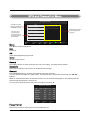
On time
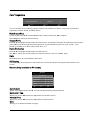
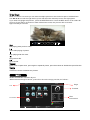
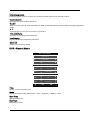
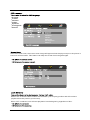
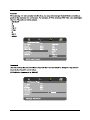
You can specify a time, input source, channel and volume for the TV to turn on.
Press ▲▼ to select Repeat mode and use ◄► to select your preference as above.
Use ▲▼ to select the other parameters and ◄► to adjust.
On Time
Repeat
◄
Once
►
Hour
◄
12
►
Minute
◄
◄
◄
◄
00
►
►
►
►
Source
Channel
Volume
Move
MENU
Back
DTV
1
30
EXIT
Quit
Press MENU to confirm and return to TIME menu.
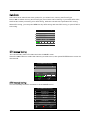
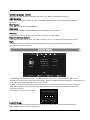
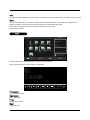
Sleep time
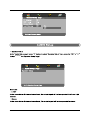
Press OK to enter Sleep Time sub menu, use ▲▼ to set the sleep time. You can select from the
following Sleep times: 10, 20, 30, 60, 90, 120, 180, 240 minutes or Off to disable the Sleep time
function. Then press OK or MENU to confirm..
Auto Sleep
Press ◄►to select ON/OFF..
This function allows you to set your TV to automatically turn off after 10 minutes if the TV detects
no signal from the inputs.
Time zone
Press OK to enter Time Zone sub menu, use ▲▼ to set time zone for your local area. Press OK or MENU
to confirm.
OPTION Menu
Audio Languages
OPTION
MENU
1st
English
2nd
English
OSD Language
English
Subtitle Languages
Audio Languages 1st
English
OSD Duration
40s
Audio Languages 2nd
English
Blue Screen
On
Subtitle Languages 1st
English
Subtitle Languages 2nd
English
Back
OK
Select
50
Back Light
OPTION
Australia
Country
40S
OSD Duration
Move
English
2nd
Subtitle Languages
Restore Factory Default
EXIT
Quit
Move
MENU
Back
OK
Select
EXIT
Quit
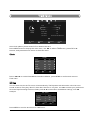
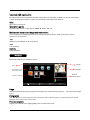
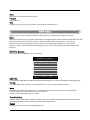
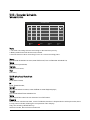
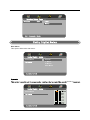
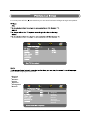
Press MENU to display main menu, use ◄►to select OPTION menu, then press OK or ▼ to
enter, press MENU to return to main menu.
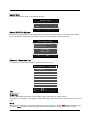
OSD Language
Press OK to enter OSD Language sub menu, use ▲▼ to set OSD language.
Audio Language 1St/2nd
Press OK to enter Audio Language sub menu, use ▲▼ to set Audio language.
23