1
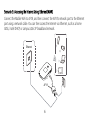
Using a Wi-Fi Network 1. 2. Ensure that the Wi-Fi extender function is enabled. The Mobile WiFi automatically connects to a Wi-Fi hotspot set by your service provider or and the Wi-Fi yourself. When the Mobile WiFi is connected to a Wi-Fi network, hotspot SSID are displayed on the screen. Note: After connecting to a Wi-Fi network, the Mobile WiFi automatically reconnects to the network the next time you are under that network's coverage. For details about adding Wi-Fi hotspots, see “Adding a Wi-Fi Hotspot”. 20