1
26
25
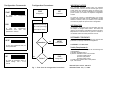
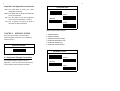
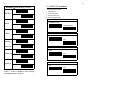
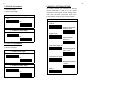
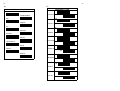
4.1.10 Scanner Multi Read
Scanner Multi Read
Code Mark Parameters
Code 39
ITF 2/5
* single read
double read
IND 2/5
MTX 2/5
CODABAR
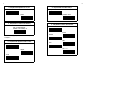
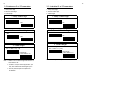
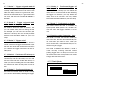
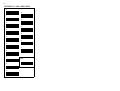
4.1.11 Buzzer Mode
Buzzer Mode
* Buzzer on
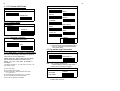
EAN-13/UPC-A
EAN-8
Buzzer off
UPC-E
Code 128
4.1.12 Vibrating Indicator
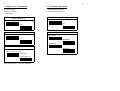
CANCEL
Vibrating Indicator
ON
*OFF
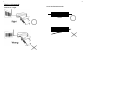
Note: 1. Read code type and then CANCEL label.
2. Please follow the rule for cancellation step by
step, i.e.: to read one code type and then
scan CANCEL label.
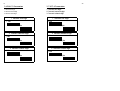
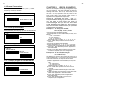
4.3 Pre-amble and Post-amble
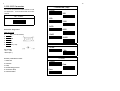
4.2 Code Mark ( Code ID) Parameters
You may use the example listed below to define the
Pre-amble & Post-amble
Pre-amble=??
code mark for your own applications.
Please note that each code mark you define
has to follow the steps as example shown
below . You may also refer to Chapter 5
for details.
For example: to define " Z " as code mark for code 39. , the
steps will be as under :
a) Scan " Start " label.
b) Scan Code 39 label as below.
c) Refer to Appendix A. ASCII Code Table where shows
" 5" "A" stand for " Z".
d) From Appendix D. Hex-Label to scan " 5" "A" labels.
e) Scan " EXIT" label also from Hex-Label Table.
f) Scan " END" to complete your definition
Post-amble=??
Note: 1. You can define maximum 10
characters/digits for each pre-/post-amble.
2. Please refer to examples in Chapter 5.
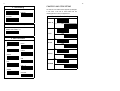
Cancellation of Pre-amble & Post-amble
Pre-amble
CANCEL
Post-amble
Note: Read pre-amble for post-amble first and then
CANCEL label afterwards.