1
Operating instructions
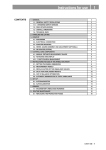
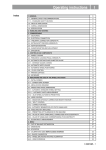
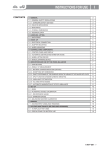
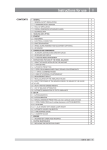
Contents
I
page
1- GENERAL ....................................................................................................................................................................................3
1.1 - GENERAL SAFETY RECOMMENDATIONS ..............................................................................................................3
1.2 - FIELD OF APPLICATION ............................................................................................................................................3
1.3 - OVERALL DIMENSIONS (42" GUARD)......................................................................................................................3
1.4 - SPECIFICATION .........................................................................................................................................................4
2 - HANDLING AND HOISTING ......................................................................................................................................................4
3 - COMMISSIONING ......................................................................................................................................................................5
3.1 - ANCHORING ...............................................................................................................................................................5
3.2 - ELECTRICAL CONNECTION .....................................................................................................................................5
3.3 - PNEUMATIC CONNECTION (SE VERSION) ...........................................................................................................5
3.4- EXTRA SAFETY DEVICES (SE VERSION) ................................................................................................................5
3.5 - ADAPTER MOUNTING ...............................................................................................................................................5
3.6 - GUARD MOUNTING AND ADJUSTMENT..................................................................................................................8
3.7 - SPACER WD ...............................................................................................................................................................8
4 - CONTROLS AND COMPONENTS .............................................................................................................................................9
4.1 - BRAKE PEDAL............................................................................................................................................................9
4.2 - PNEUMATIC LOCKING PEDAL (SE VERSION) ........................................................................................................9
4.3 - AUTOMATIC DISTANCE AND DIAMETER GAUGE ...................................................................................................9
4.4 - AUTOMATIC WIDTH GAUGE (OPTIONAL)................................................................................................................9
4.5 - AUTOMATIC WHEEL POSITIONING ..........................................................................................................................9
4.6 - CLOCK CONTROL.....................................................................................................................................................9
4.7 - PRINTER (OPTION)....................................................................................................................................................9
4.8 - KEYBOARD...............................................................................................................................................................10
5 - INDICATIONS AND USE OF THE WHEEL BALANCER .........................................................................................................11
5.1 - INITIAL SCREEN......................................................................................................................................................11
5.1.1 - SCREEN-SAVE SCREEN ......................................................................................................................................11
5.2 - MENU ACCESS DIAGRAM.......................................................................................................................................12
5.3 - PRESETTING OF WHEEL DIMENSIONS ................................................................................................................13
5.3.2 - MANUAL PRESETTING .........................................................................................................................................16
5.4 - USER CONTROL ......................................................................................................................................................17
5.5 - RESULT OF MEASUREMENT ..................................................................................................................................18
5.5.1 - INDICATION OF EXACT CORRECTION WEIGHT POSITION ............................................................................19
5.5.3 - UNBALANCE OPTIMIZATION ...............................................................................................................................21
5.5.4 - CORRECTION MODE............................................................................................................................................21
5.5.5 - AUTOMATIC MINIMIZATION OF STATIC UNBALANCE .......................................................................................22
5.6 - STATISTICS...............................................................................................................................................................23
5.7 - WHEN AND WHY MATCHING ..................................................................................................................................24
5.8 - ECCENTRICITY MEASUREMENT (OPTIONAL)......................................................................................................26
6 - SETUP ......................................................................................................................................................................................28
6.1 - LANGUAGE...............................................................................................................................................................28
6.2 - UNIT OF UNBALANCE MEASUREMENT ................................................................................................................28
6.3 - TOLERANCE (ALSO SEE CORRECTION METHOD ) .............................................................................................28
6.4 - UNBALANCE DISPLAY PITCH .................................................................................................................................29
6.5 - SPIN WITH GUARD CLOSED ..................................................................................................................................29
6.6 - SCREEN-SAVER TIME .............................................................................................................................................29
6.7 - VISUAL ECCENTRICITY CHECK .............................................................................................................................29
6.8 - ACOUSTIC SIGNAL ..................................................................................................................................................29
6.9 - TO SET THE CLOCK ................................................................................................................................................29
6.10 - ECCENTRICITY UNIT OF MEASURE ....................................................................................................................29
6.11 - FIRST HARMONIC LIMIT ........................................................................................................................................29
6.13 - CORRECTION METHOD ........................................................................................................................................30
6.13.1 - STANDARD CORRECTION METHOD ................................................................................................................30
6.13.2 - EXTERNAL PLANE CORRECTION METHOD ....................................................................................................30
6.13.3 - IC (INTELLIGENT CORRECTION) CORRECTION METHOD ............................................................................30
6.14 -
b FOR I.C. .........................................................................................................................................................31
7 - SPECIAL CALIBRATIONS AND FUNCTIONS (SEE MENU ACCESS DIAGRAM ) ..................................................... 32
7.1 - ENABLING OF WIDTH MEASUREMENT.................................................................................................................32
7.2 - PRESETTING THE CUSTOMER AND USER NAME ...............................................................................................32
7.3 - ENABLING OF ECCENTRICITY MEASUREMENT .................................................................................................32
7.4 - CALIBRATIONS ........................................................................................................................................................32
7.4.1 - GAUGE CALIBRATION ..........................................................................................................................................32
7.4.2 - ADAPTER ECCENTRICITY CORRECTION ..........................................................................................................32
7.4.3 - WHEEL BALANCER CALIBRATION ......................................................................................................................33
7.4.4 - AMBIENT TEMPERATURE ....................................................................................................................................33
7.4.5 - VIDEO INTERFACE ...............................................................................................................................................33
7.4.6 - SELF-DIAGNOSTICS.............................................................................................................................................33
7.4.6.1 - TO CHECK THE ENCODER ...............................................................................................................................33
7.5 - SERIAL PORT OPTIONS (OPTION) .........................................................................................................................34
7.5.1 - CONTROL OF SERIAL OUTPUT RS232C ...........................................................................................................34
7.5.2 - PRINTER MANAGEMENT ....................................................................................................................................34
8 - ERRORS ...................................................................................................................................................................................35
I 0522 GB - 1
9 - ROUTINE MAINTENANCE.......................................................................................................................................................37
9.1 - TO REPLACE THE FUSES .......................................................................................................................................37
I 0522 GB - 2
1- General
1.1 - General safety recommendations
- The balancing machine should only be used by duly authorized and trained personnel.
- The balancing machine should not be used for purposes other than those described in the instruction
manual.
- Under no way should the balancing machine be modified except for those modifications made explicitly by
the manufacturer.
- Never remove the safety devices. Any work on the machine should only be carried out by duly authorized
specialist personnel.
- Do not use strong jets of compressed air for cleaning.
- Use alcohol to clean plastic panels or shelves (AVOID LIQUIDS CONTAINING SOLVENTS).
- Before starting the wheel balancing cycle, make sure that the wheel is securely locked on the adapter.
- The machine operator should not wear clothes with flapping edges. Make sure that unauthorized personnel
do not approach the balancing machine during the work cycle.
- Avoid placing counterweights or other objects in the base which could impair the correct operation of the
balancing machine.
1.1.1 - Standard safety devices
- STOP push button for stopping the wheel under emergency conditions.
- The safety guard of high impact plastic is with shape and size designed to prevent risk of counterweights
from flying out in any direction except towards the floor.
- A microswitch prevents starting the machine if the guard is not lowered and stops the wheel whenever the
guard is raised.
1.2 - Field of application
The machine is designed for balancing car or motorcycle wheels weighing less than 75 kg. It can be operated within a
temperature range of 0° to + 45°C.
It can measure the geometric radial run-out of the wheels (optional)
It can print a balancing certificate (option).
1.3 - Overall dimensions (42" guard)
1
I 0522 GB - 3
1.4 - Specification
Single phase power supply......................................115 - 230 V 50-60 Hz
Protection class .......................................................IP 54
Max. power consumption.........................................1,1 Kw
Monitor ....................................................................SVGA 15"
Balancing speed approx. .........................................180 min-1
Cycle time for average wheel (14 Kg) ..................6 seconds
Balancing accuracy .................................................0,5 grams
Position resolution ...................................................± 1.4 °
Average noise level .................................................< 70 dB(A)
Distance rim - machine ............................................0 - 280 mm (400 mm can be preset)
Rim width setting range ..........................................1.5" ÷ 20" or 40 ÷ 510 mm
Diameter setting range ............................................10" ÷ 30" or 265 ÷ 765 mm
Total wheel diameter within guard ...........................1067mm (42")
Total wheel width within guard .................................500 mm (42")
Min/max. compressed air pressure ........................7 ÷ 10 Kg/cm2
.................................................................................approx. 0.7 to 1 Mpa;
.................................................................................approx. 7 to 10 BAR;
.................................................................................approx. 100 to 145 PSI.
2 - Handling and hoisting
N.B.: DO NOT HOIST THE WHEEL BALANCER USING DIFFERENT GRIPS.
2
I 0522 GB - 4
2a
3 - Commissioning
3.1 - Anchoring
The machine can be operated on any flat non-resilient floor.
Make sure that the machine rests solely on the three support points provided (fig. 2a).
If possible, it is advisable to anchor to the floor using relative mounting feet (see fig. 2a) in the event of continual use
with wheels weighing over 35 Kg.
3.2 - Electrical connection
The machine is supplied with a single phase mains cable plus earth (ground).
The supply voltage (and mains frequency) is given on the machine nameplate. It may NOT be changed.
Connection to the mains should always be made by expert personnel.
The machine should not be started up without proper earth (ground) connection.
Connection to the mains should be through a slow acting safety switch rated at 4A amp (230V) or 10 amp (115V) .
3.3 - Pneumatic connection (SE Version)
For operation of the spindle with pneumatic locking (constant thrust air spring) connect the balancing machine to the
compressed air main. The connection fitting is located at the back of the machine. A pressure of at least 7 kg/cm2 (approx.
0.7 MPa or 7 BAR or 100 PSI) is required for correction operation of the release device.
3.4- Extra safety devices (SE Version)
- Wheel always locked even when there is pressure failure during the balancing cycle. Always actuate the
unlocking control pedal with the machine stationary in order to avoid stress and abnormal wear on the
adapter.
3.5 - Adapter mounting
The balancing machine is supplied complete with cone adapter for fastening wheels with central bore. Other optional
flanges can be mounted once the terminal part is removed (also see enclosed brochures)
N.B. : CAREFULLY CLEAN THE COUPLING SURFACES BEFORE PERFORMING ANY OPERATION.
DISMOUNTING THREADED END PIECE
3
A
B
a) Back-off screw B and remove threaded end-piece A.
b) Fit the new adapter.
I 0522 GB - 5
SE2-Mounting
0m
m
B
A
1-2
mm
C
D
E
F
G
SE2_ 0140
SE2-Dismounting
36
0°
A
B
C
D
Cone
E
- Quando possibile, centrare le ruote con cono dall'interno (vedi disegno).
- Evitare di usare il manicotto RL con cerchi di ferro.
- Whenever possible, centre the wheels with the cone from the inside (see the drawing).
- Avoid using the RL sleeve with metal rims.
- Lorsque c’est possible, centrer les roues avec le cône de l’intérieur (voir dessin).
- Eviter d’utiliser le manchon RL avec les jantes en fer.
- Wenn möglich, die Räder mit Konus von Innen heraus zentrieren (siehe Zeichnung).
- Bei Eisenfelgen die Verwendung der Muffe RL vermeiden.
- Siempre que sea posible, centrar las ruedas con cono desde dentro (véase dibujo).
- Evitar usar el manguito RL con llantas de hierro.
- Quando possível, centre as rodas com cone pelo lado de dentro (ver figura).
- Evite utilizar a luva RL com jantes de ferro.
SE2_ 0140
3.6 - Guard mounting and adjustment
a) Fasten the components to the base as illustrated in specific exploded view.
b) The position of the wheel guard when closed can be adjusted with relative screw accessible at the back. Correct
position is the one which keeps the tube exactly horizontal with wheel guard closed.
c) Check that the microswitch is held down when the guard is closed.
d) Adjust the angular position of microswitch control.
3.7 - Spacer WD
When balancing very wide wheels (9”), there is not enough space to turn the distance gauge. To withdraw the wheel
from the machine side, fit spacer WD on the adapter body and secure it with the standard issue nuts. When centring
the wheel with the cone on the inside, fit the other cone as a spacer to obtain spring thrust.
4
DC
Spring
I 0522 GB - 8
WD
Cone
4 - Controls and components
4.1 - Brake pedal
5
This pedal allows the operator to hold the
wheel when fitting the counterweights. It
must not be actuated during the measuring cycle.
4.2 - Pneumatic locking pedal (SE Version)
6
This pedal allows releasing the device
fastening the wheel on the adapter. Do not
actuate this pedal during the machine
cycle and/or when adapters other than the
standard cone adapter are mounted.
The pedal has two stable positions:
top, wheel unclamped; bottom, wheel
clamped.
4.3 - Automatic distance and diameter gauge
This gauge allows measurement of the distance of the wheel from the machine and the wheel diameter at the point of
application of the counterweight. It also allows correct positioning of the counterweights on the inside rim by using the
specific function (see INDICATION OF EXACT CORRECTION WEIGHT POSITION ) which allows reading, on the monitor,
the position used for the measurement within the rim (For calibration, see the corresponding section).
The gauge can only be used with the counterweight pincers mounted.
4.4 - Automatic width gauge (optional)
Width gauging is through a SONAR device which measures the distance of the wheel without mechanical contact,
merely by closing the guard and each time a valid measurement has been made with gauge AUTOMATIC DISTANCE
AND DIAMETER GAUGE.
4.5 - Automatic wheel positioning
At the end of the spin, the wheel is positioned according to the unbalance on the outside or else according to the static
unbalance (when selected).
Accuracy is ± 20 degrees.
4.6 - Clock control
The wheel balancer is provided with a clock having a back-up of about one month with the machine switched off. If the
machine remains off for a long period, at the first switch on, check the date and time (see CLOCK SET-UP), adjusting
them if necessary.
4.7 - Printer (option)
Used to print useful information for the vehicle, residual imbalance and eccentricity for the balanced tyre.
I 0522 GB - 9
4.8 - Keyboard
7
FUNCTION KEYS: they immediately select corresponding function
Confirm
Selection of special functions
N.B.
Starts measuring cycle
Stops measuring cycle
- Press the buttons with the fingers only: never use the counterweight pincers or other pointed
objects.
- When the beep signal is enabled (see section ACOUSTIC SIGNAL), pressing of any push button is
accompanied by a “beep”.
I 0522 GB - 10
5 - Indications and use of the wheel balancer
The monitor shows several information and suggests various alternative ways of use to the operator.
This is through various “screens”.
5.1 - Initial screen
Static
Buttons enabled
: main functions screen (see MENU ACCESS DIAGRAM)
: selecting static correction
: balancing spin (see RESULT OF MEASUREMENT)
Dimensions gauge: when extracted, the Dimensions screen is selected (see PRESETTING OF WHEEL
DIMENSIONS).
If the machine remains on the initial screen for a certain amount of time without being used, the system is
automatically switched to a screen-save. Striking of any key, movement of the wheel of distance
+ diameter gauge will cause automatic switching from the screen-save menu to the initial screen.
5.1.1 - Screen-save screen
N.B.: Name of the wheel balancer’s owner. Can be preset via the monitor.
I 0522 GB - 11
5.2 - Menu access diagram
N.B. :
- The symbol
indicates the presence of a further menu.
- To return to the previous menu, press button
- To return to the initial screen, press button
A
Set-up machine parameters
Load user
User control
Language
Save user
Optimization
Unbalance measuring unit
Unbalance threshold
Dimensions
B
Visualization step
Statistics
Set-up
Start by wheel guard lowering
Special functions
Screensave time
Abort
More
Abort
H
C
Set-up machine parameters
PASSWORD :
D
Visual eccentricity check
+
+
For specialized personnel only
Acustic signal
Special functions
Width measure
Clock setting
selections
Eccentricity measuring unit
Eccentricity measureament
1st harmonic limit
User control
Dynamic + static
Previous
Owner address
Users name
Calibrations
Abort
5
Abort
G
E
F
Calibrations
Distance
Diameter
Width
Abort
I 0522 GB - 12
+
5.3 - Presetting of wheel dimensions
5.3.1 - Automatic presetting (see also CORRECTION MODE)
5.3.1.1 - Standard wheels
INDICATOR
L.T. function enabled
(see Buttons
Enabled)
INDICATOR: Width
Sonar function
enabled
Load
Manual
Save
The screen appears upon removing the distance + diameter gauge.
The “dimension acquired” message is indicated by the correction weight symbol, which changes from blue to red.
- INNER SIDE WEIGHT: Using the special grip, move the end of the gauge against the rim in position:
a) Sprung weight : in one of the positions A/B indicated in figure 8.
Pos A
8
b) Adhesive weight: in the position indicated below
8a
Position of adhesive
weight
Pos B
FI
Note: Always use the round part of the striker plate.
- Hold the gauge in position for at least 2 seconds.
If the acoustic signal is enabled (see ACOUSTIC SIGNAL), the acquisition of the dimensions is accompanied by a
“beep”.
I 0522 GB - 13
Set the distance+diameter gauge to the rest position.
The current width value is displayed inside the tyre.
Load
/
Save
- Set the nominal width, which is normally shown on the rim, or measure the width “b” with the caliper
gauge provided.
b
The other enabled buttons are:
/
Select the type of weight to apply (see CORRECTION METHODS).
/
User call/save control.
Return to initial frame.
Launch balancing.
5.3.1.2 - Automatic width measurement (optional)
Gradually lower the guard after carrying out measurement of distance + diameter in automatic mode.
If the width measured is incorrect (out of range), the following message appears:
“Sonar measure is out of range:”
“F1 = repeat”
“F2 = manual set-up”
Press F1 to re-lower the guard and repeat the width measurement. Press F2 to go to the dimensions
panel for manual insertion of the width measurement.
Manually presetting is possible by using the push buttons as described in MANUAL PRESETTING.
I 0522 GB - 14
5.3.1.3 - Wheels ALUS
After the measurement performed for the FI inner side, as indicated in fig. 9, pull out the gauge again to store the
data for the FE outer side; choose position A or B (fig. 8) at your choice. Keep this position for at least 2 seconds.
The counterweight symbols change colour.
When the acoustic signal is enabled (see ACOUSTIC SIGNAL), the acquisition is accompanied by a “beep”.
9
FI
FE
Position of
adhesive
weights
After having detected the dimensions, use the
key to indicate the type of correction selected for the inner side.
The following buttons are enabled:
/
Management of save user recall
Selection of clip or adhesive weight for inside.
Only for automatic width option:
The L.T. key (LIGHT TRUCK) used to improve the dimensional calibration of large-diameter wheels
such as off-road, trucks, wheels which protrude significantly from the rim. Press the L.T. key, after
distance measurement, immediately before lowering the guard for Width Measurement.
The option is disengaged at the end of current Width Measurement.
Selecting the manual dimension presetting screen
/
Return to initial screen.
Balancing run.
I 0522 GB - 15
5.3.2 - Manual presetting
If necessary, the dimensions can be inserted or edited in manual mode as follows:
- press
+
- press
to select the dimension to be preset (red).
- press
/
- press
to change unit of measurement.
- press
to preset the dimensions for the ALUS correction mode
.
to preset the required value.
Definition of dimensions for correction using spring weights:
d = DIAMETER:
Preset the nominal diameter stamped on the rim.
b = WIDTH:
Preset the nominal width indicated on the rim (see STANDARD WHEELS) .
a = DISTANCE:
Preset the distance of the inside of the wheel from the machine, after measuring
it with relative gauge as described in fig. 8.
10
b
a
d
In the event of correction type other than standard (spring weight), follow the instructions on the screen for correct
detection of dimensions.
I 0522 GB - 16
5.4 - User control
Save user
User 1
User 2
User 3
User 4
Abort
The wheel balancer can be used simultaneously by 4 different users who, through a simple sequence, can memorize
their work condition and call it when needed. The users’ names can be memorized
(PRESETTING THE CUSTOMER AND USER NAME).
5.4.1 - User memorization
- Preset the dimensions correctly according to the procedures already described in sections AUTOMATIC
PRESETTING.
- Press
; the “MENU” window appears on the monitor.
- Press
; a window appears with the list of available USERS. The current user is displayed in red.
- Press the number corresponding to the required USER. The system returns to the initial screen automatically.
5.4.2 - To call user
- Perform a measuring spin with any dimensions.
- Press button
; the “MENU” window appears on the screen.
- Press
: a window appears with the list of available USERS. The current user is displayed in red.
- Press the number corresponding to the required USER. The system automatically returns to the initial screen with
recalculation of the unbalance values on the basis of the effective dimensions of the USER called.
N.B.
- The dimensions memorized as USER are lost when the machine is switched off.
- The USER control is also valid for the ALUS dimensions.
- The current USER is always displayed in the Measurements and Dimensions screens.
I 0522 GB - 17
5.5 - Result of measurement
After performing a balancing spin, the unbalance values are displayed as well as arrows useful for positioning the point
of application of the correction weight. After positioning the wheel, apply the weight in the 12 o’clock position. When
the beep signal is enabled (see section ACUSTIC SIGNAL), reaching of the correction position is accompanied by a
“beep”.
If the unbalance is less than the chosen threshold value, the “OK” appears instead of the unbalance value to indicate,
on that particular side, the wheel is in tolerance; the residual unbalance can be displayed by pressing button
with an accuracy of 0.5 g (0.1 oz).
The following buttons are enabled:
Display of residual unbalance
Selection of correction mode (STATIC/DUAL SURFACE). When the mode is changed, the
unbalance values are recalculated automatically on the basis of the previous spin.
Simultaneous display of the dynamic+static unbalance can be enabled through the special
function in Setup (see par. DYNAMIC + STATIC).
Prints the balancing certificate (option)
: Eccentricity measurement graph (OPTIONAL).
! if the eccentricity of
N.B : 1. The symbol above the key is flanked by the symbol
the first harmonic exceeds the limit set in the setup parameters (First harmonic limit).
2. When this push button is held down for more than 1.5 seconds, eccentricity
measurement is temporarily disenabled (enabled in GENERAL SETUP).
To re-enable eccentricity measurement, press push button [4] again for more than 1.5
seconds. Every time the machine is switched on, the status of eccentricity measurement reflects
the settings in GENERAL SETUP.
Split control for splitting of unbalance over presettable components (“SPLIT” CONTROL). Button
only enabled in STATIC or ALUS correction.
Indication of the longitudinal position of the unbalance (INDICATION OF EXACT CORRECTION WEIGHT
POSITION) is enabled.
For selection of special functions
Balancing spin.
N.B.
If the machine remains on this screen without being used for more than the time preset in the Setup
parameters (6), the screen automatically returns to the screen-save.
I 0522 GB - 18
5.5.1 - Indication of exact correction weight position
It is possible use this function in the event of correction of the external side using an adhesive weight placed inside
the rim. Remember to thoroughly clean the application areas.
This function allows cancelling approximations in the mounting of counterweights with consequent reduction of the
residual unbalance.
- Press button
from the Measurements screen.
- Pull out the rim distance+diameter gauge in position A, figure 8. Approach of the weight to the correction position
is indicated by a moving coloured arrow [
].
- When a fixed arrow [
] is reached, rotate the wheel to correction position (FI or FE) and apply the counterweight by turning the tip of the gauge towards the outside, into the position in which the pincers touches the wheel.
Compensation is made for the fact that the weight application position is no longer at 12 o’clock (where appropriate
use the weight pusher) (fig. 11).
When the acoustic signal is enabled (see ACOUSTIC SIGNAL), the reaching of a fixed arrow [
] is accompanied by
a “beep”.
11
FI
FE
I 0522 GB - 19
5.5.2 - “SPLIT” control
SPLIT is only possible in the event of static unbalance or ALUS external side and is used to hide any adhesive weights correcting unbalance behind the rim spokes.
Static
To split the unbalance detected in two different positions, proceed as follows :
1. Position static unbalance or ALUS external side in the correction position :
2. Select a spoke close to the 12 o’clock postion to be corrected, more it into the 12 o’clock position and press button
[6].
3. Turn the wheel in the rotation direction indicated on the unbalance display, brining the second spoke to the 12
o’clock position and press button [6].
- Turn the wheel in direction of rotation.
- Turn the wheel in reverse direction of rotation.
4.
5.
At this stage, the screen shows the graphic display of the correction spokes with the relative weight of the
unbalance detected.
Position the spokes indicated on screen in the 12 o’clock position and correct with the value displayed.
Any error in this procedure is clearly shown on screen.
Always follow the information provided by the wheel to optimise correction.
Note: When SPLIT is enabled, the icon
I 0522 GB - 20
appears on the left of the screen.
5.5.3 - Unbalance optimization
The symbol
is displayed automatically for static unbalance exceeding 30 grams (1.1 oz). The program allows
reducing the total unbalance of the wheel by compensating, when possible, the unbalance of the tyre with that of the
rim. It requires two spins with rotation of the tyre on the rim in the second spin.
Press
+
after a first spin and follow the instructions appearing on the monitor.
5.5.4 - Correction mode
After having performed automatic measurement of the inner side, it is possible to place the correction weights as
required by pressing pushbuttons
N.B.:
and
.
In the event of automatic measurement of both sides, if the difference between the inner and
outer diameters is greater than or equal to 2”, the system sets the inner side spring weight. To
modify this presetting, press the
To display static unbalance, press the
diameter is always considered).
button. The external side may only be “adhesive”.
button on the measurement screen (for ALUS static, the inner side
I 0522 GB - 21
STOP
3
Possible types of correction:
12
Balancing of steel or light alloy rims with application of clip-on
weights on the rim edges
The STATIC mode is necessary for motorcycle wheels or when it is
not possible to place the counterweights on both sides of the rim.
Balancing of light alloy rims with application of adhesive weights on
the rim shoulders.
Combined balancing: adhesive weight on the outside, clip-on weight
inside.
Combined balancing: clip-on weight outside and adhesive
weight inside.
ALU S :
Balancing of alloy rims with hidden application of the adhesive
weight on the outside.
Combined balancing: clip-on weight inside and adhesive hidden
weight outside (Mercedes).
5.5.5 - Automatic minimization of static unbalance
Initial unbalance
sx
dx
g
g
phase shift 50°
Possible approximations
sx
sx
dx
g
residual static 4
g
g
sx
dx
g
g
residual static 3 g
sx
dx
g
residual static
g
1g
residual static
With conventional
Choice with minimum
wheel balancer
static residual
I 0522 GB - 22
dx
g
g
6g
This program is designed to improve the quality of
balancing without any mental effort or loss of time by
the operator. In fact by using the normal commercially
available weights, with pitch of 5 in every 5 g, and by
applying the two counterweights which a conventional
wheel balancer rounds to the nearest value, there
could be a residual static unbalance of up to 4 g.
The damage of such approximation is emphasized
by the fact that static unbalance is cause of most
of disturbances on the vehicle. This new function,
resident in the machine, automatically indicates
the optimum entity of the weights to be applied by
approximating them in an “intelligent” way according
to their position in order to minimize residual static
unbalance.
5.6 - Statistics
DAILY N° OF RUNS:
Indicates the number of runs performed as from switching on the machine.
Such parameter is automatically reset after switching the machine off.
TOTAL N° OF RUNS:
Indicates the number of runs starting from the date indicated in square brackets.
This parameter remains memorized even when the machine is switched off.
DAILY WEIGHT SAVED
Indicates the weight saved when using the IC instead of the standard correction method from the moment
the wheel balancer is turned on. This parameter is automatically reset after turning off the machine.
TOTAL WEIGHT SAVED
Indicates the weight saved when using the IC instead of the standard correction method from the date
indicated in square brackets. This parameter remains memorized even when the machine is switched off.
The following buttons are enabled:
: Press to reset the relative counter.
For the TOTAL counters a correct password must be entered.
: Prints some statistical values (optional)
: To return to the previous screen
: to return to the measurement screen
I 0522 GB - 23
5.7 - When and why matching
The C75 software associated with eccentricity measurement is a powerful tool for determining the need to perform
relative rotation between the rim and tyre in order to reduce the eccentricity of the wheel down to acceptable
limits. The principle adopted is based on the consideration that a rim with acceptable tolerance, mounted with
an acceptable tyre, can statistically generate a total eccentricity which is not acceptable but can be improved by
matching.
Generally speaking, rim measurement is not necessary, accurate or useful because:
• To measure the rim it is necessary to remove the tyre. There can by coarse errors on the outside (e.g. aluminium
wheels!)
• The two rim sides can be eccentric in a very different way. Therefore to which one to make reference? What is the
effect on the tyre mounted?
• To improve the eccentricity of a wheel, the rim should be eccentric, to compensate the tyre. And viceversa.
• If after a rotation by 180° of a wheel, the value is still out-of-tolerance, either the tyre or rim are too eccentric: One
of the two must be replaced!
wheel
Example 1
rim
Ideal wheel
Rim + 0.8 mm
Tyre + 0.6 mm
tyre
Wheel + 1.3 mm
Eccentricity of the wheel is
excessive, due to an acceptable
rim or tyre but randomly placed in an
“unfortunate” relative position.
rotation axle
SOLUTION:
Rotate the tyre on the rim by 180°
RESULT:
wheel eccentricity 0.3 - 0.4 mm (in tolerance)
Example 2
wheel
Ideal wheel
Rim + 0.8 mm
rim
Tyre - 0.6 mm
Wheel + 0.3 mm
tyre
Eccentricity of the single items has
been compensated.
The wheel is acceptable.
rotation axle
I 0522 GB - 24
wheel
Ideal wheel
Example 3
rim
Rim 0 mm
Tyre + 1.2 mm
Wheel + 1,2 mm
tyre
Eccentricity of the wheel cannot be
compensated by the rotation because
the rim is perfect!
rotation axle
SOLUTION:
Rotate the tyre on the rim by 180°
RESULT:
no improvement is obtained
5.7.1 - Presetting of tolerance on the machine
There is no general rule concerning acceptability of an eccentricity value . As a first approximation we consider it correct to use a threshold of 1 to 1.5 mm. The E/ECE/324 standard prescribes 1.5 mm as max. eccentricity of a rebuilt
tyre.
5.7.2 - Value of static unbalance, correlated with eccentricity
Clear indication is given in the Measurement screen of both the value and position of the static unbalance as well
as the eccentricity. In fact, it is interesting to check the correlations of the two values, above all of the two positions.
When the two positions have a similar angle (± 30° one from the other), there is a clear sign that an eccentricity is
present which can be compensated by matching.
5.7.3 - Value of unbalance corresponding to eccentricity
For user’s reference, the centrifugal force is calculated corresponding to a certain speed, compared to the force
generated by the eccentricity present on the tyre (calculated with an approximate average elastic constant).
I 0522 GB - 25
5.8 - Eccentricity measurement (optional)
The much enlarged figures show the outer tyre surface and axis of wheel rotation.
Fig. A - shows measurement of the total Peak-to-Peak eccentricity defined as maximum radial deviation of the tyre
surface.
Fig. B - shows measurement of the eccentricity of the 1st
harmonic, i.e. the eccentricity of that circle which “recopies”
the tyre shape, by averaging the local deviations of the tyre
from the round shape.
Fig. A
Fig. B
Obviously the P.P. measurement is normally greater than
that of the 1st harmonic. Tyre manufacturers normally supply
two different tolerances for the two eccentricities.
At the end of the balancing spin it is possible to automatically measure the eccentricity of the tyre through the SONAR
sensor installed on the guard. The sensor should be positioned by hand in front of the tyre tread.
GRAPH 1 : represents the actual Peak-to-Peak eccentricity.
GRAPH 1 - (yellow)
GRAPH 2 - (red)
GRAPH 2 : represents the eccentricity of the 1st harmonic. For a wheel in optimum conditions, such graph should
approach a straight line.
While rotating the wheel, the screen cursor indicates the current value, with the stage referred to the
eccentricity measurement sensor.
The following buttons are enabled:
: Prints the first harmonic eccentricity value (option)
: Start an eccentricity optimisation procedure (see ECCENTRICITY OPTIMISATION).
: A box is displayed indicating the offset effect that that eccentricity of the first harmonic measured
may have, at an average speed of 120 Km/h.
: Return to measurement screen.
I 0522 GB - 26
N.B.:
In the event that the value of the first harmonic is higher than the limit indicated in the setup parameters (see FIRST
HARMONIC LIMIT), at the end of eccentricity measurement the following window appears:
PAY ATTENTION!
Eccentricity OPT.
Eccentricity graph
The following buttons are enabled:
: Start an eccentricity optimisation procedure (see ECCENTRICITY OPTIMISATION).
: A box is displayed indicating the offset effect that that eccentricity of the first harmonic measured
may have, at an average speed of 120 Km/h.
: Select the display box of the graph for the eccentricity measured (see ECCENTRICITY MEASUREMENT
(OPTIONAL).
: Return to measurement screen.
5.8.1 - Eccentricity optimisation
This procedure is used to assess the possibility of adequately rotating the tyre on the rim in order to minimise wheel
eccentricity.
Eccentricity optimisation, in general, is advised for values of the first harmonic higher than 1.2 mm.
Follow the simple on-screen instructions. At the end, the following is displayed:
ECCENTRICITY OPTIMIZATION
ACTUAL 1ST HARMONIC
RIM 1ST HARMONIC
TYRE 1ST HARMONIC
OPTIMIZATION RESULT
RIM
TYRE
Abort
Mark the rim and the tyre in the positions indicated on screen and move the tyre on the rim until the marks coincide.
: Prints the eccentricity values read (option)
: Return to measurement panel.
N.B.:
All the eccentricity measurement values can be displayed in INCHES by selecting this option from the
setup parameters (see ECCENTRICITY UNIT OF MEASURE ).
I 0522 GB - 27
6 - Setup (see Diagram showing access to the menus)
The Setup screen provides the user with many possibilities required for presetting the machine according to his own
requirements. Such settings remain unaltered even when the machine is switched off.
The following buttons are enabled:
: return to previous window
: return to Measurement screen
from
to
: for selection of the parameter.
6.1 - Language
This function allows selecting the language to be used for displaying descriptive and diagnostic messages regarding
machine operation.
6.2 - Unit of unbalance measurement
It is possible to select whether to display the unbalance values expressed in grams or ounces.
6.3 - Tolerance (also see CORRECTION METHOD )
This is the unbalance threshold below which the word “OK” instead of the unbalance value appears on the screen at
the end of the spin:
The tolerance varies based on the correction method selected.
In the case of IC (Intelligent Correction), set the static tolerance limit and the average weight of a reference wheel of 6”
in width and 15” in diameter.
The following buttons are enabled:
parameter selection during setting
parameter decrease/increase during setting
default parameter setting recommended by the manufacturer
return to previous frame.
I 0522 GB - 28
6.4 - Unbalance display pitch
This represents the display pitch of the unbalance and varies according to the unit of measurement selected. The
selection “5 g” (1/4 oz) enables display of the correction values on both sides such as to bring the static unbalance to
0 (theoretical). It is recommended to preset this function as standard use of the machine as it improves the balancing
quality. The computer makes a complex calculation which allows cancelling the residual static unbalance by varying the
value and position of the counterweights fixed in steps of 5 grams (1/4 oz).
6.5 - Spin with guard closed
When “ON” is selected the automatic start of the spin is enabled when the guard is closed.
6.6 - Screen-saver time
When the machine remains unused for longer than the time preset with this function, the processor automatically
returns to the Initial screen. Preset the time in seconds.
6.7 - Visual eccentricity check
At the end of wheel acceleration, as soon as the motor is disengaged, the guard can be opened for visual control of
any wheel eccentricity as the rotation speed gradually drops.
Do not strike the wheel during the entire deceleration stage; to brake the wheel, close the guard. However, avoid
using the brake as far as possible because this may compromise unbalance measurements. The unbalance values
measured are only displayed when the wheel has come to a standstill.
This function is active for only one machine run.
6.8 - Acoustic signal
When “ON” is selected, the sending of an acoustic signal (beep) is enabled in the following cases:
- when any push button is pressed;
- when dimensions are acquired in automatic mode;
- when the correct angular position for weight application is reached in the Measurement screen;
- when the correct angular position for weight application is reached in the Position Repeater screen.
6.9 - To set the clock
Serves for correct setting of the date and time: follow the instructions on the screen.
6.10 - Eccentricity unit of measure
You can select to display the results of the eccentricity measurement in millimetres or inches.
6.11 - First harmonic limit
The first harmonic limit beyond which it is felt suitable to rotate the tyre on the 180° rim. Recommended Limit = 1.2
mm/ 0.05 inch. If a 1st harmonic higher than the set limit is measured, a window appears on screen to indicate the
need to rotate the tyre of the rim.
6.12 - Dynamic + Static
You can select to simultaneously display the dynamic and static unbalance values. In this case, a small window
always appears on the left of the screen displaying the static unbalance with a step of 1 gram / .1 ounce.
I 0522 GB - 29
6.13 - Correction method
One of the three possible correction methods can be selected based on the specific requirements of the customer.
6.13.1 - Standard correction method
The wheel balancer considers the unbalance within tolerance when the value of each single plane is lower than the
tolerance set.
6.13.2 - External plane correction method
If correcting with adhesive weights, the unbalance is considered within tolerance when the recalculated external plane weight (clip-on weights) is lower than the tolerance set.
Additional windows appear on the screen always displaying the residual external plane value (clip-on weight):
6.13.3 - IC (intelligent correction) correction method
The correction plane unbalance is considered within tolerance when both the STATIC and the DYNAMIC TORQUE
unbalances are lower than the tolerance set.
This correction method allows considerably reducing the weight to be applied, yet maintaining excellent balancing
quality. An icon appears on the screen showing the value of weight saved with respect to standard balancing.
If a special icon appears near the button
, it means that the wheel balancer is suggesting static balancing,
however, such that also the dynamic torque unbalance will be brought within tolerance.
When pressing the button
should be positioned in the rim.
I 0522 GB - 30
, the position repeater frame is accessed which clearly indicates where the weight
NOTE: The innovative IC software has been designed to reduce the amount of weight used to correct the
unbalance, leaving a residual unbalance on the wheel within the set tolerances.
The tolerance used by the machine is obtained from a tolerance of a reference wheel, modified in order to
make the vibration generated by the reference wheel comparable with that in use.
This is obtained according to the coded theory of the ISO standards.
In general, a wheel balanced using IC has a higher residual unbalance than a wheel balanced at best using
the conventional method, but, although generating a tolerable vibration from the vehicle, it has the
advantage of considerably reducing the counterweights used.
6.14 -
b for I.C.
In the case of the I.C. correction method, when this function is set to ON it allows:
displaying the unbalance correction values with an approximation of 1g/0.1 ounce.
I 0522 GB - 31
- Caution 7 - Special calibrations and functions (see MENU ACCESS DIAGRAM )
In order to gain access to the “Reserved Calibrations and functions” it is necessary to enter a password.
Any incorrect operation within the functions described below could impair the operation of the wheel balancing
machine. Unauthorized use will cause cancellation of the warranty on the machine.
7.1 - Enabling of width measurement
This function enables/disables automatic width measurement with SONAR or contact device; always select “SONAR”.
7.2 - Presetting the customer and user name
The machine can be customized by presetting:
a) The name appearing on the Initial screen (screen-save).
b) The name of 4 different machine users (USER NAME).
An “ideal” keyboard appears on the monitor with the set of characters available for composition of the wordings.
The Customer’s name consists of three lines, each max. 30 characters.
The USER NAME consists of a wording max. 15 characters.
7.3 - Enabling of eccentricity measurement
Enables/disables measurement of the tyre eccentricity during an unbalance measurement spin.
7.4 - Calibrations
When
is pressed from the Special Functions menu, access is gained to the Calibration menu.
7.4.1 - Gauge calibration
Select the gauge to be calibrated and follow the instructions appearing on the monitor.
N.B.:
- In the width gauge calibration it is necessary to enter one dimension which can be measured as follows:
A-
GAUGE “ZERO” DISTANCE
SONAR “ZERO” DISTANCE
13
gauge
0 (Zero
calibro)
DISTANCE
DISTANZA
7.4.2 - Adapter eccentricity correction
This function allows electronic compensation of the systematic balancing error due, for example, to an
eccentric adapter. It is not able to compensate for errors due to worn adapters or adapters with a certain
amount of play. Never use this function unless advised by specialist personnel. Enter the password [7] [5] [3] [1].
Follow the instructions on the monitor.
When the Eccentricity Correction is enabled, the icon
I 0522 GB - 32
appears to the left of the screen
7.4.3 - Wheel balancer calibration
For calibration of the machine, proceed as follows:
- Use a medium-sized wheel with steel rim. Example: 6" x 14" (± 1")
- Preset the wheel dimensions with GREAT CARE.
- Follow the instructions appearing on the monitor.
7.4.4 - Ambient temperature
Ambient temperature is important for correct use of the sonars. Set the average temperature of the area where the
wheel balancer is installed.
7.4.5 - Video interface
Select “STD”. Incorrect selection results in the images being displayed in very dark colours.
7.4.6 - Self-diagnostics
An automatic self-diagnostics cycle is provided for easier trouble shooting. At the end of the self-diagnostics cycle,
several parameters are displayed which are useful for the Technical Service Department in order to identify machine
faults.
: returns to previous menu.
7.4.6.1 - To check the encoder
When the spindle is rotated:
- the angular position “POS” should vary from 0 to 128;
- the wording “UP” should appear when rotated clockwise and “DOWN” when rotated in the opposite direction.
Check for correct
operation of the diameter gauge; the
number increases when
the gauge is rotated
outwards
Encoder check
Width
Check for correct operation
of the distance gauge;
the number increases when
the gauge is pulled out.
Check of the width
sonar: the number
decreases when a
surface is approached to
the sonar
Check of the eccentricity sonar (option):
the number decreases when a surface is
approached to the sonar
In the event of failure or faulty operation of the wheel balancing machine, notify the Technical Service of all the parameters displayed.
I 0522 GB - 33
7.5 - Serial port options (option)
Enables the RS232 serial port and printer in the selection menus.
N.B.: If the two options are enabled at the same time, both will malfunction.
7.5.1 - Control of serial output RS232C
This option enables/disables the sending of the measured unbalance and phase values to serial output RS232C.
Transmission speed
= 9600 baud
Data format
= 7 bit Start
7 bit Data
1 bit Even parity
1 bit Stop
At the end of each unbalancing measuring spin, the balancing machine enables the RTS signal, then places the "$"
character on standby to be able to transmit the data; all functions remain on hold until data transmission is enabled, at
the end of which the RTS signal is reset to the inactive state.
The items of data transmitted via serial line are in ASCII format and are separated between each other by the <cr>
character (0x0d).
Sending sequence is as follows:
- 00000 <cr>
- Value of correction weight, left side <cr>
- Correction phase, left side <cr>
- Value of correction weight, right side <cr>
- Correction phase, right side <cr>
The first 5 zero bytes represents the start of transmission message. The correction values are expressed in grams, in
steps of .1 gram.
The phase values are expressed in degrees, in the range 0 ÷ 359
See specific computer board on exploded drawings.
7.5.2 - Printer management
Enable/disable printer and relative print options.
I 0522 GB - 34
8 - Errors
CAUTION
ERRORS CAUSES
CONTROLS
Black
The wheel balancer does not switch on.
1.
2.
3.
4.
Verify correct connection to the mains.
Verify and eventually replace the fuses on the power card.
Verify monitor function.
Replace the computer board.
Err. 1
No rotation signal.
1.
2.
Verify belt tautness.
Verify the function of the phase pick-up board and, in particular,
the reset signal.
Replace the phase pick-up board.
Replace the computer board.
3.
4.
Err. 2
Speed too low during detection.
During unbalance measurement rotation,
wheel speed is less than 42 rpm.
1.
2.
3.
Err. 3
Unbalance too high.
1.
2.
3.
4.
Err. 4
Rotation in opposite direction.
After pressing [START], the wheel begins
to rotate in the opposite direction (anticlockwise).
1.
Verify the connection of the UP/DOWN – RESET signals on the
phase pick-up board.
Err. 5
Guard open
The [START] pushbutton was pressed
without first closing the guard.
1.
2.
3.
4.
Reset the error by pressing pushbutton [7]=End.
Close the guard.
Verify the function of the protection uSwitch.
Press the [START] pushbutton.
Err. 7 / Err. 8
NOVRAM parameter read error
1.
2.
3.
4.
5.
Repeat machine calibration
Shut down the machine.
Wait for a minimum time of ~ 1 Min.
Re-start the machine and verify correct operation.
Replace the computer board.
Err. 9
NOVRAM parameter write error.
Replace the computer board.
Err. 11
Speed too high error.
During unbalance measurement rotation,
wheel speed is more than 270 rpm.
1.
2.
4.
5.
Make sure that a vehicle wheel is mounted on the wheel balancer.
Verify belt tautness.
Verify the function of the phase pick-up board and, in particular,
the reset signal.
Replace the computer board.
Verify wheel dimension settings.
Check detection unit connections.
Perform machine calibration.
Mount a wheel with more or less known unbalance (less than 100
grammes) and verify the response of the machine.
Replace the computer board.
3.
Check if there is any damage or dirt on the timing disc.
Verify the function of the phase pick-up board and, in particular,
the reset signal.
Replace the computer board.
Err. 12
Unbalance measuring cycle error.
1.
2.
3.
4.
Verify phase pick-up board function.
Verify correct motor operation.
Verify belt tautness.
Replace the computer board.
Err.13 /
Err.14 /
Err.15 /
Err.16 /
Err.17 /
Err.18
Unbalance measurement error.
1.
2.
3.
4.
Verify phase pick-up board function.
Check detection unit connections.
Verify machine earth/ground connection.
Mount a wheel with more or less known unbalance (less than 100
grammes) and verify the response of the machine.
Replace the computer board.
5.
I 0522 GB - 35
Err. 20
The wheel comes to a halt before completing positioning correctly.
1.
2.
3.
4.
Make sure that the wheel to be balanced is at least 10” in diameter.
Verify the correct setting of wheel dimensions on screen.
Verify belt tautness.
For wheels less than 12” in diameter wheels: disenable the
eccentricity measurement procedure
Err. 30
Clock error
Replace the computer board.
Err.40/
Err.41/
Err.42/
Err.43
Eccentricity graph plotting procedure error.
Perform a new eccentricity measurement.
Err.45/
Err.46/
Err.47/
Err.48
Eccentricity graph value display readout
error.
Perform a new eccentricity measurement.
Err.50/
Err.51/
Err.52/
Err.53
Eccentricity graph current value cursor
plotting procedure error.
Perform a new eccentricity measurement.
Err.54
Sonar readout error.
Sonar value readout impossible.
1.
2.
3.
4.
5.
6.
7.
Err.55
Sonar readout error.
Sonar values are insufficient for correct
measurement of eccentricity.
1.
Position the eccentricity measurement sonar correctly before
performing the measurement.
Check eccentricity sonar connections.
Check the power supplies on the power card.
Replace the eccentricity measurement sonar.
Make sure that the wheel does not halt before completing at least
4/5 revolutions after the first braking impulse.
Verify belt tautness.
Replace the computer board.
3.
4.
Position the eccentricity measurement sonar correctly before
performing the measurement.
Make sure that the wheel does not halt before completing at least
4/5 revolutions after the first braking impulse.
Verify belt tautness.
Mount a wheel of medium dimensions (14”x5 ¾”) and perform an
eccentricity measurement . If in these conditions error 55 no longer
occurs, this means that the wheel inertia causing the problem is
such as to half the wheel before having acquired the minimum
number of values necessary for reliable eccentricity measurement.
2.
Err.65
Printer timeout
1.
2.
3.
4.
Check that a printer is present.
Check the code of the processor card.
Check the printer <-> processor card connection.
Run the printer test function.
Err.66
Printer buffer error
1.
2.
Reset the printer.
Repeat the print function.
I 0522 GB - 36
9 - Routine maintenance
Before performing any action on the plant, isolate the electrical power supply.
9.1 - To replace the fuses
Remove the weight holder shelf to gain access to the power supply board where the 4 fuses are
located (see Exploded Drawings). If fuses require replacement, use ones of the same
current rating. If the fault persists, contact Technical Service.
NONE OF THE OTHER MACHINE PARTS REQUIRE MAINTENANCE.
I 0522 GB - 37